Bubuka
Thank you for choosing the Weofly OutFits Open Ear Headphones. These wireless Bluetooth 5.4 earbuds are designed for comfort and performance, especially during sports and active use. They feature an open-ear design, IPX7 waterproofing, and clear call quality with ENC noise cancellation. This manual provides detailed instructions to help you get the most out of your new headphones.

Image: The Weofly OutFits Open Ear Headphones, black in color, shown with their charging case. The earbuds feature an ear-hook design and a sleek, modern appearance.
Naon dina Box
- Weofly OutFits Open Ear Earbuds (1 pair)
- Wadah Pangisi Daya Nirkabel (1)
- Manual pamaké (1)
- Kabel Ngecas USB-C (1)

Image: A flat lay showing the Weofly OutFits packaging, the open ear headphones, the charging case, a user manual, and a USB-C charging cable.
Fitur produk
- Desain Ceuli Buka: Allows awareness of surroundings while listening to audio.
- Comfortable Ear Hooks: Soft, flexible, and secure fit for active use.
- Peunteun tahan cai IPX7: Resistant to water splashes and sweat, suitable for sports.
- Supir Dinamis 18mm: Delivers balanced audio with clear treble, deep bass, and crisp vocals.
- ENC Noise Cancelling: Enhances call clarity by filtering ambient noise.
- Téknologi Bluetooth 5.4: Provides faster transmission speeds, stronger connection stability, and a longer range of up to 15 meters.
- Hirup batré anu panjang: Up to 6-10 hours of music playback per charge, with the charging case providing additional power.
Disetél
1. Ngecas Headphone jeung Case
Before first use, fully charge the headphones and the charging case. Place the earbuds into the charging case. Connect the USB-C charging cable to the case and a power source. The indicator lights on the case will show the charging status.
- Waktos Ngecas: Kira-kira 2.5 jam kanggo ngeusi pinuh.
- Battery Life: 6-10 hours for music playback, 5 hours for calls. The charging case provides additional charges for extended use.
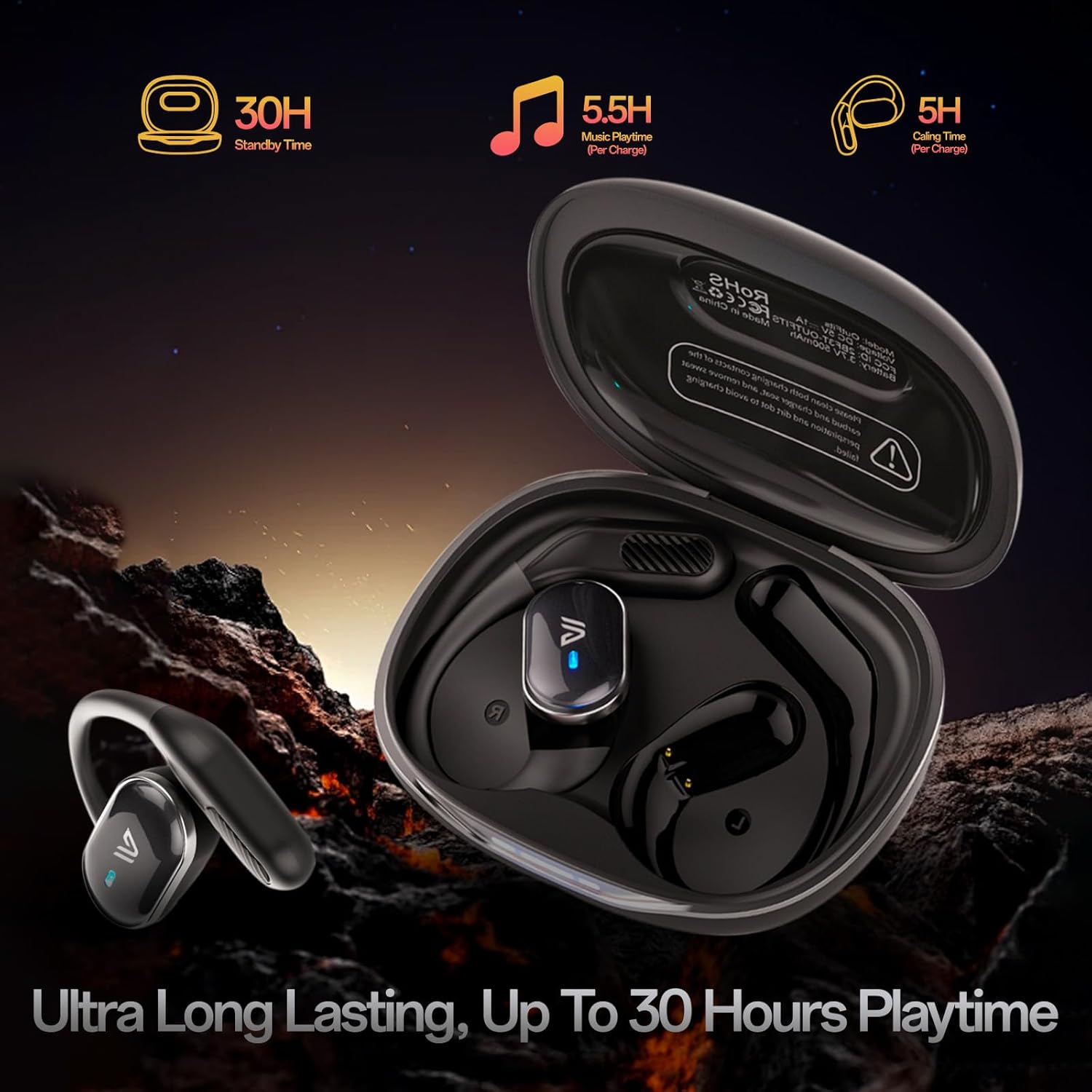
Image: The Weofly OutFits headphones inside their open charging case, with text indicating 30 hours standby time, 5.5 hours music playtime per charge, and 5 hours calling time per charge.
2. Nyapasangkeun sareng Alat Anjeun
- Pastikeun Bluetooth alat anjeun dihurungkeun.
- Open the charging case and take out the earbuds. They will automatically enter pairing mode.
- On your device, search for Bluetooth devices and select "OutFits" from the list.
- Once connected, the earbuds will automatically pair with the last connected device when taken out of the case.
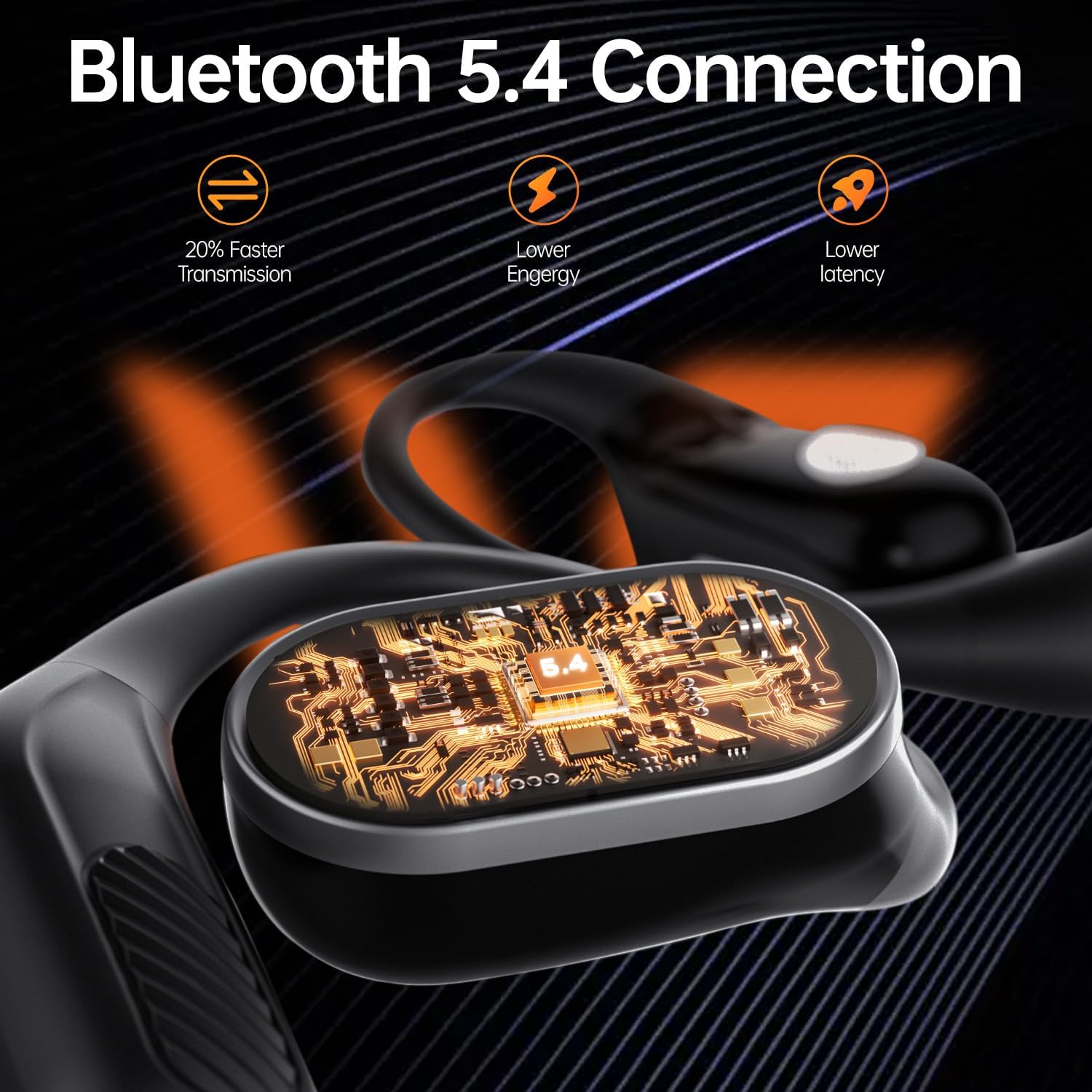
Image: A visual representation of the Bluetooth 5.4 connection technology within the earbuds, highlighting benefits such as 20% faster transmission, lower energy consumption, and lower latency.
Parentah Operasi
Ngagem Headphone
For optimal sound and comfort, follow these steps to wear your OutFits headphones:
- Candak earphone tina kotak dieusi.
- Hang the end of the earphones over your ear bone.
- Turn the earphones and slide them behind your ear.
- Adjust the ear hook for a secure and comfortable fit.

Image: A four-panel diagram illustrating the correct method for wearing the open ear headphones, showing how to position the ear hook and adjust for a secure fit.
Kadali dasar
The OutFits headphones feature touch controls for various functions:
- Puter / Reureuh: Ketok tunggal dina boh earbud.
- Lagu salajengna: Ketok dua kali dina earbud katuhu.
- Lagu Sateuacanna: Ketok dua kali dina earbud kénca.
- Ngajawab / mungkas Telepon: Ketok tunggal dina boh earbud.
- Nolak Telepon: Pencét jeung tahan boh earbud.
- Kontrol volume: Some models may support continuous press on one side for volume adjustment. Refer to the specific manual for your model if this feature is desired.
Pangropéa
beberesih
Pikeun mastikeun umur panjang sareng kinerja optimal:
- After exercise, wipe the metal parts of the headphones with a dry cloth to prevent corrosion from sweat.
- Bersihkeun earbud sareng wadah ngecas sacara rutin nganggo lawon anu lemes sareng garing.
- Ulah make cleaners abrasive atawa pangleyur.
Tahan cai (IPX7)
The headphones are IPX7 waterproof, meaning they can withstand splashes, rain, and sweat. They are not designed for submersion in water. Ensure the charging port is dry before charging.

Image: The Weofly OutFits open ear headphones shown with water splashing around them, emphasizing their IPX7 waterproof and sweat-resistant capabilities.
Pamérésan masalah
| Masalah | Solusi |
|---|---|
| Headphone teu tiasa dipasangkeun. |
|
| Taya sora atawa volume low. |
|
| Earbuds not turning off when removed from case. | The earbuds are designed to automatically turn off when placed back into the charging case and the lid is closed. If they remain on, ensure they are correctly seated in the case and the case has power. |
| Touch controls are unresponsive or overly sensitive. |
|
spésifikasi
| Fitur | Rincian |
|---|---|
| Ngaran modél | OutFits |
| merek | Weofly |
| Téhnologi konektipitas | Nirkabel (Bluetooth 5.4) |
| Rentang Bluetooth | Nepi ka 15 méter |
| Tipe Supir Audio | 18mm Supir Dinamis |
| Kontrol bising | Aktif Noise Cancellation (pikeun nelepon) |
| Tingkat Résistansi Cai | IPX7 Waterproof |
| Daya Tahan Batré (Putereun Musik) | 6-10 jam (earbud) |
| Daya Tahan Batré (Waktos Telepon) | 5 jam (earbuds) |
| Waktu Ngecas | 2.5 jam |
| Item Beurat | 5.3 ons |
| Ukuran Paket | 5 x 4.29 x 1.93 inci |
| Komponén Kaasup | Open Ear Earbuds, User Manual, Wireless Charging Case, USB-C Charging Cable |
Garansi sareng Rojongan
For warranty information and customer support, please refer to the contact details provided in the packaging or visit the official Weofly websitus. Simpen resi pameseran anjeun pikeun klaim jaminan.
Video Produk Leuwihview
Video: Sakedapview of the Weofly OutFits Open Ear Headphones, showcasing their design, key features, and how they are used. This video highlights the product's comfort, sound quality, and suitability for active lifestyles.


