1. Bubuka
Thank you for choosing the Mycket Portable DAB/DAB+ and FM Radio. This device offers a superior audio experience with its versatile connectivity options, including DAB/DAB+ digital radio, traditional FM radio, Bluetooth 5.0 for wireless streaming, and USB playback. Its compact design and built-in rechargeable battery make it ideal for use at home or on the go. This manual will guide you through the setup, operation, and maintenance of your new radio.
2. Eusi Paket
Mangga cék kotak pikeun item di handap ieu:
- 1 x Mycket Portable DAB/DAB+ and FM Radio
- 1 x USB Power Cable (Type-C)
- 1 x Manual Pamaké
3. Produk Langkungview
Familiarize yourself with the main components and controls of your Mycket radio.

Gambar 3.1: Hareupeun view of the Mycket Portable DAB/DAB+ and FM Radio, showing the LED display and control knobs.
Kontrol sareng palabuhan:
- Power/Mode Knob: Turn to power on/off, press to switch between DAB, FM, Bluetooth, and USB modes.
- Tuning/Pilih kenop: Rotate to tune stations or navigate menus, press to confirm selections.
- Preset Buttons (FAV1/2/3): Quick access to your favorite stored stations.
- Témbong LED: Shows station information, time, mode, and battery status.
- Antena Teleskopik: Extend for optimal radio reception.
- USB-C Charging Port (DC 5V): Pikeun ngecas batré internal.
- Port USB-A: Pikeun muterkeun MP3 files tina USB flash drive.
- 3.5mm AUX Out (Headphone Jack): Kanggo ngadangukeun sacara pribadi nganggo headphone.

Gambar 3.2: Detil view of the USB and 3.5mm AUX Out ports on the Mycket radio, demonstrating headphone connectivity.
4. Setélan
4.1 Ngecas Batré
The radio comes with a built-in 2200 mAh rechargeable battery, providing up to 12 hours of listening time on a single charge.
- Connect the supplied USB Type-C cable to the DC 5V charging port on the radio.
- Sambungkeun tungtung kabel USB anu sanés ka adaptor kakuatan USB anu cocog (teu kalebet) atanapi port USB anu didamel.
- The LED display will indicate charging status. The battery icon will show full when charging is complete.

Figure 4.1: The Mycket radio being charged via its USB-C port, indicating its rechargeable battery feature.
4.2 Daya Awal Hurung
To power on the radio, rotate the Power/Mode knob clockwise. The display will light up, and the radio will enter the last used mode.
5. Parentah Operasi
5.1 Pamilihan Mode
Press the Power/Mode knob repeatedly to cycle through the available modes: DAB, FM, Bluetooth, and USB.
5.2 Operasi Radio DAB/DAB+
Extend the telescopic antenna fully for best reception.
- Pindah ka modeu DAB.
- Scan otomatis: The radio will automatically perform a full scan for available DAB/DAB+ stations upon first use or if no stations are found. To initiate a manual scan, press and hold the Tuning/Select knob.
- Pilihan Stasion: Puterkeun kenop Tuning/Pilih pikeun ngotektak daptar stasiun nu sadia. Pencét kenop pikeun milih stasiun.
- Nyimpen Presét: The radio supports up to 40 DAB presets. To store a station, tune to the desired station, then press and hold one of the FAV1/2/3 buttons until the display confirms the preset is saved. For other presets, navigate to the preset menu and follow on-screen instructions.
- Nginget-nginget Préparasi: Briefly press FAV1/2/3 for quick access. For other presets, navigate to the preset list and select.

Figure 5.1: The Mycket radio's display showing station information, highlighting its capacity for 80 preset stations (40 DAB & 40 FM).
5.3 Operasi Radio FM
Extend the telescopic antenna fully for best reception.
- Pindah ka modeu FM.
- Scan otomatis: Press and hold the Tuning/Select knob to automatically scan and store available FM stations.
- Tuning Manual: Briefly rotate the Tuning/Select knob to fine-tune the frequency.
- Nyimpen Presét: The radio supports up to 40 FM presets. To store a station, tune to the desired station, then press and hold one of the FAV1/2/3 buttons until the display confirms the preset is saved. For other presets, navigate to the preset menu and follow on-screen instructions.
- Nginget-nginget Préparasi: Briefly press FAV1/2/3 for quick access. For other presets, navigate to the preset list and select.
5.4 Operasi Bluetooth
The radio features Bluetooth 5.0 for wireless audio streaming.
- Switch to Bluetooth mode. The display will show "Bluetooth" or a pairing indicator.
- Dina alat éksternal anjeun (smartphone, tablet, jsb.), aktipkeun Bluetooth teras milarian alat anu sayogi.
- Select "Mycket Radio" from the list to pair. Once connected, the display will confirm the connection.
- Anjeun ayeuna tiasa ngalirkeun audio tina alat anjeun ka radio.
5.5 Playback USB
The radio supports MP3 playback from a USB flash drive.
- Selapkeun USB flash drive nu ngandung MP3 files kana port USB-A.
- Switch to USB mode. The radio will automatically detect and begin playing the first compatible audio file.
- Use the Tuning/Select knob to navigate through tracks.
5.6 Paké headphone
For private listening, connect any standard 3.5mm headphones to the AUX Out port on the radio. The internal speaker will automatically mute when headphones are connected.
5.7 Standby Timer
The radio includes a standby timer function. Refer to the on-screen menu options for setting the desired sleep duration.
6. Pangropéa
To ensure the longevity and optimal performance of your Mycket radio, follow these maintenance guidelines:
- beberesih: Wipe the radio with a soft, dry cloth. Do not use abrasive cleaners, waxes, or solvents as they may damage the finish.
- Perawatan batré: To preserve battery life, avoid fully discharging the battery frequently. If storing the radio for an extended period, charge it to about 50% and recharge every few months.
- Lingkungan: Keep the radio away from direct sunlight, extreme temperatures, high humidity, and dusty environments.
- anteneu: Handle the telescopic antenna with care to prevent bending or breaking.
7. Cara ngungkulan
If you encounter any issues with your radio, please refer to the following common problems and solutions:
| Masalah | Mungkin Cukang lantaranana | Solusi |
|---|---|---|
| Radio teu hurung. | Batré béak. | Connect the radio to a power source using the USB cable and allow it to charge. |
| panarimaan DAB / FM goréng. | Antena teu manjang atanapi daérah sinyal lemah. | Fully extend the telescopic antenna. Try repositioning the radio or moving to an area with better signal coverage. Perform a new auto-scan. |
| Alat Bluetooth teu dipasangkeun. | Radio teu dina modeu Bluetooth atanapi alatna jauh teuing. | Ensure the radio is in Bluetooth mode. Move your device closer to the radio (within 10 meters). Ensure no other device is currently connected to the radio. |
| playback USB teu jalan. | USB drive not inserted correctly or unsupported file formatna. | Ensure the USB drive is fully inserted. Verify that the audio files aya dina format MP3. Coba drive USB anu béda. |
| Taya sora tina speaker. | Volume too low or headphones connected. | Increase the volume. Check if headphones are plugged into the 3.5mm jack; unplug them if not needed. |
8. Spésifikasi
| Fitur | Spésifikasi |
|---|---|
| Radio Tuner | DAB/DAB+, FM |
| Vérsi Bluetooth | 5.0 |
| Stasion prasetél | 80 (40 DAB, 40 FM) |
| USB Playback | MP3 files via USB-A port |
| tampilan | layar LED 2 inci |
| Kaluaran Speaker | 6W Internal Magnetic Speaker |
| Batré | Built-in 2200 mAh (3.7V - 2.2Ah) rechargeable Lithium-ion |
| Kahirupan batré | Nepi ka 12 jam (kira-kira) |
| Sasayogian tanaga | DC 5V via USB-C |
| Kaluaran headphone | 3.5mm AUX Out Jack |
| Ukuran (L x W x H) | 8.7 x 8.7 x 13 cm |
| Beurat | 610 g |
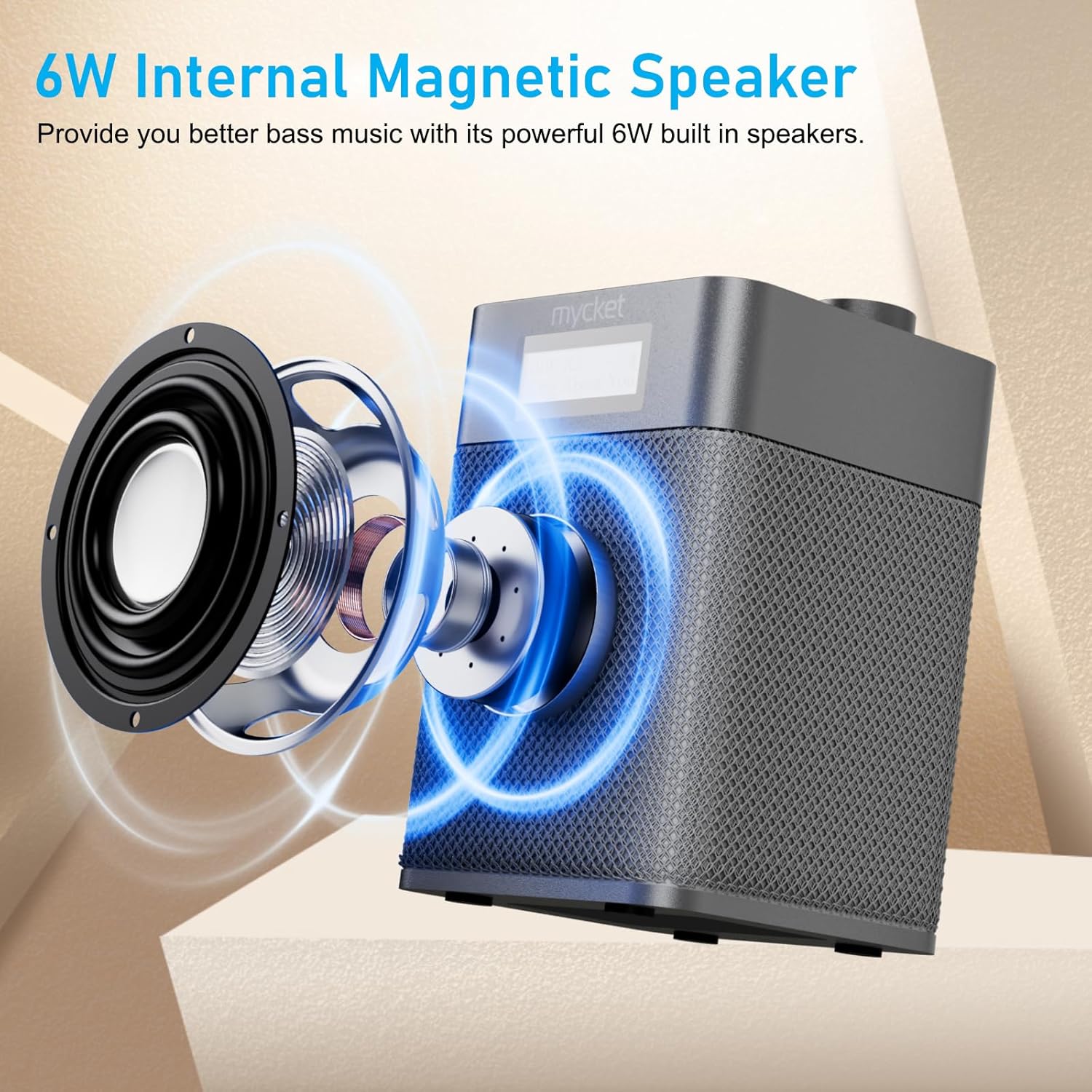
Figure 8.1: Diagram illustrating the 6W internal magnetic speaker of the Mycket radio.
9. Garansi jeung Rojongan
Mycket is committed to providing high-quality products and customer satisfaction. This product comes with a 12-month coverage period from the date of purchase. For any inquiries, technical assistance, or support, please contact our customer service team. We offer 24/7 customer service to ensure a worry-free experience.


