1. Bubuka
Thank you for choosing the OHAYO Portable Bluetooth Speaker. This manual provides essential information for setting up, operating, and maintaining your speaker to ensure optimal performance. Designed for both indoor and outdoor use, this speaker delivers exceptional audio quality with its 15W loud stereo sound, IPX7 waterproof rating, and versatile connectivity options.
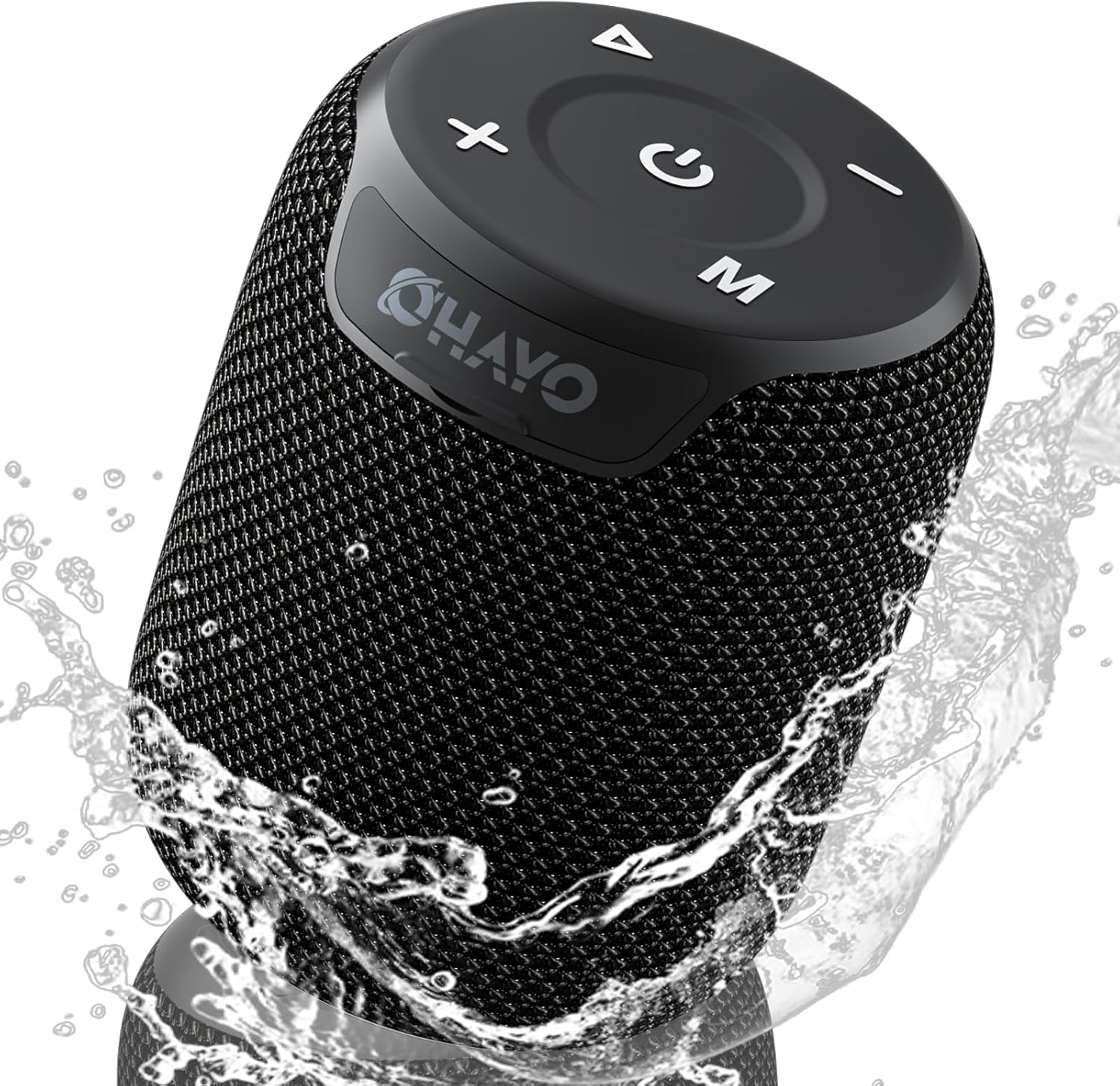
Image: The OHAYO Portable Bluetooth Speaker, showcasing its compact design and IPX7 waterproof capability with water splashing around it.
2. Produk Langkungview
2.1 Fitur konci
- Exceptional Audio Performance: Features a 60mm mid-high speaker and a 65mm bass diaphragm for clear treble and rich bass.
- IPX7 waterproof: Fully submersible up to 3 feet for 30 minutes, resistant to rain, dust, snow, and spills.
- Bluetooth V5.3: Ensures quick pairing and stable connection with automatic re-connection.
- Papasangan TWS: Connect two speakers for synchronized, immersive stereo sound.
- Playback serbaguna: Supports Bluetooth, TF cards, and 3.5mm AUX input.
- Waktu maén panjang: Nepi ka 18 jam maén musik dina sakali ngecas.
- Mikropon internal: For high-quality, hands-free calls.
- Desain portabel: Compact, lightweight, and includes a handy lanyard for easy carrying.

Gambar: Hiji ngabeledug view of the speaker's internal components highlighting the 60mm mid-high speaker and 65mm bass diaphragm, alongside icons representing key features like Aux-in, HD Mic, Hand-free Call, IPX7 Waterproof, Bluetooth 5.3, Micro SD support, and 16 hours of playtime.
2.2 Kontrol jeung palabuhan
The OHAYO speaker features intuitive controls located on the top panel and essential ports for connectivity.

Gambar: A lengkep view of the speaker's top panel, showcasing the sleek black design with bold white buttons for power, volume control, mode selection, and track navigation.
- Tombol Daya: Pencét jeung tahan pikeun mareuman/nonaktipkeun.
- Volume Naik (+): Ningkatkeun volume.
- Volume Turun (-): Ngurangan volume.
- Tombol Puter/Reureuh: Puter atanapi ngareureuhkeun audio.
- Tombol Mode (M): Ganti antara modeu Bluetooth, AUX, sareng Kartu TF.
- Port ngecas USB-C: Pikeun ngecas speaker.
- Port AUX-in: Pikeun sambungan audio kabel.
- Slot Kartu TF: Pikeun maén musik langsung tina kartu Micro SD.
3. Ngamimitian
3.1 Ngecas Speaker
Before first use, fully charge the speaker. Use the provided Type-C charging cable.
- Sambungkeun tungtung kabel Tipe-C kana port ngecas spiker.
- Sambungkeun tungtung USB-A kana adaptor daya USB anu cocog (henteu kalebet) atanapi port USB komputer.
- Lampu indikator ngecas bakal hurung. Butuh waktu kira-kira 3 jam pikeun ngecas pinuh.
- Lampu indikator bakal robah atawa pareum saatos ngecas réngsé.

Image: The OHAYO speaker connected to a USB-C charging cable, illustrating its fast charging capability and long battery life.
3.2 Powering on / Pareum
- Pikeun Ngahurungkeun: Press and hold the Power button for 2-3 seconds until you hear an audible prompt and the indicator light turns on.
- Pikeun mareuman: Press and hold the Power button for 2-3 seconds until you hear an audible prompt and the indicator light turns off.
4. Konektipitas
4.1 Nyapasangkeun Bluetooth
Spéker bakal otomatis asup kana mode papasangan Bluetooth lamun dihurungkeun pikeun kahiji kalina atawa lamun euweuh alat disambungkeun.
- Ensure the speaker is powered on and in Bluetooth mode (blue indicator light blinking).
- Dina alat anjeun (smartphone, tablet, laptop), aktipkeun Bluetooth sareng milarian alat anu sayogi.
- Select "OHAYO X2" from the list of devices.
- Once connected, the speaker will emit a confirmation sound, and the blue indicator light will remain solid.
- Spéker bakal otomatis nyambung deui ka alat anu dipasangkeun terakhir nalika diaktipkeun, upami Bluetooth alat aktip sareng dina jangkauan.
4.2 Leres Wireless Stereo (TWS) papasangan
You can pair two OHAYO X2 speakers together for a true stereo sound experience.
- Ensure both OHAYO X2 speakers are powered on and not connected to any Bluetooth device.
- Dina hiji spiker (ieu bakal janten spiker utama), pencét dua kali tombol Daya. Anjeun bakal ngadangu prompt anu nunjukkeun modeu pasangan TWS.
- Dua spiker bakal otomatis milarian tur nyambung ka unggal lianna. Sakali disambungkeun, anjeun bakal ngadéngé sora konfirmasi.
- Now, connect your device to the primary speaker via Bluetooth as described in Section 4.1. The audio will play through both speakers in stereo.

Image: Two OHAYO Portable Bluetooth Speakers wirelessly connected to a laptop, demonstrating the True Wireless Stereo (TWS) pairing feature for an immersive audio experience.
4.3 Modeu AUX-in
Use the 3.5mm AUX input for wired connection to devices without Bluetooth.
- Connect one end of a 3.5mm audio cable (not included) to the speaker's AUX-in port.
- Sambungkeun tungtung nu sejen ka jack kaluaran audio alat Anjeun.
- Spéker bakal otomatis pindah ka modeu AUX. Upami henteu, pencét tombol 'M' (Mode) pikeun milih modeu AUX.
4.4 Modeu Kartu TF
Play music directly from a Micro SD (TF) card.
- Insert a Micro SD (TF) card with MP3 audio files kana slot kartu TF.
- The speaker will automatically switch to TF Card mode and begin playing music. If not, press the 'M' (Mode) button to select TF Card mode.
5. Ngoperasikeun Spiker Anjeun
5.1 Puterkeun Musik
- Puter / Reureuh: Pencét tombol Play / Reureuh sakali.
- Lagu salajengna: Pencét jeung tahan tombol Volume Up (+).
- Lagu Sateuacanna: Pencét jeung tahan tombol Jilid Turun (-).
- Kontrol volume: Pencét sakeudeung tombol Volume Naék (+) atawa Volume Turun (-).
5.2 Telepon bebas leungeun
When connected via Bluetooth, you can use the speaker for hands-free calls.
- Ngajawab Telepon: Pencét tombol Play / Reureuh sakali.
- Tungtung Telepon: Pencét tombol Puter / Reureuh sakali nalika nelepon.
- Nolak Telepon: Pencét jeung tahan tombol Play/Reureuh salila 2 detik.
- Telepon deui Nomer Panungtungan: Pencét dua kali tombol Play/Reureuh.
6. Perawatan sareng Pangropéa
Proper care ensures the longevity of your OHAYO Portable Bluetooth Speaker.
6.1 Waterproofing (IPX7)
The speaker is IPX7 waterproof, meaning it can be submerged in water up to 1 meter (3 feet) for up to 30 minutes. Ensure the charging port cover is securely closed before exposing the speaker to water.

Image: A person submerged in water, holding the OHAYO speaker, demonstrating its fully IPX7 waterproof capability and seamless, enclosed design.
6.2 beberesih
- Ngusap spéker ku hipu, damp lawon.
- Ulah make cleaners abrasive, alkohol, atawa pangleyur kimiawi.
- Ensure the speaker is dry before charging.
6.3 Panyimpenan
- Simpen speaker di tempat anu tiis, garing, sareng jauh tina suhu anu ekstrim.
- Hindarkeun paparan anu berkepanjangan ka sinar panonpoé langsung.
7. Cara ngungkulan
If you encounter issues with your speaker, please refer to the following common problems and solutions.
| Masalah | Mungkin Cukang lantaranana | Solusi |
|---|---|---|
| Speaker moal hurung. | batré lemah; Tombol daya teu dipencet cukup lila. | Cas speaker pinuh. Pencét terus tahan tombol Daya salami 2-3 detik. |
| Teu bisa masangkeun via Bluetooth. | Speaker henteu dina mode papasangan; Alat Bluetooth pareum; Jauh teuing ti speaker. | Ensure speaker is in Bluetooth pairing mode (blinking blue light). Turn on Bluetooth on your device. Move device closer to speaker (within 33 feet/10 meters). |
| Taya sora. | Volume too low; Incorrect mode selected; Device not playing audio. | Increase speaker and device volume. Press 'M' button to select correct mode (Bluetooth, AUX, TF Card). Ensure audio is playing on your device. |
| Papasangan TWS gagal. | Speakers already connected to another device; Incorrect pairing steps. | Disconnect both speakers from any Bluetooth devices. Follow TWS pairing steps carefully (Section 4.2). |
| Kualitas sora henteu saé. | Low battery; Obstructions between speaker and device; Source audio quality. | Charge the speaker. Reduce distance or remove obstructions. Try a different audio source. |
8. Spésifikasi
Detailed technical specifications for the OHAYO Portable Bluetooth Speaker.
| Fitur | Rincian |
|---|---|
| Ngaran modél | X2 |
| merek | OHAYO |
| Tipe Speaker | Luar |
| Téhnologi konektipitas | Bluetooth |
| Téknologi Komunikasi Nirkabel | Bluetooth V5.3 |
| Speaker Maksimum Kaluaran Power | 15 Watt |
| Tipe Supir Audio | Dynamic Driver (60mm mid-high, 65mm bass diaphragm) |
| Réspon Frékuénsi | 20 KHz (typical range for portable speakers) |
| Mode Kaluaran Audio | Stereo (kalayan pasangan TWS) |
| Peunteun waterproof | IPX7 |
| Kahirupan batré | Nganti 16-18 Jam |
| Kapasitas batré | 3300 mAh |
| Waktu Ngecas | Kira-kira. 3 jam |
| Sumber Daya | Batré Powered |
| Dimensi produk | 3.97 "D x 3.97" W x 4.8" H |
| Item Beurat | 14.9 ons |
| Métode kontrol | Touch (buttons on top) |
| Alat nu cocog | Laptop, Smartphone, Tablet, Televisi |
| Bahan | Other (durable mesh and plastic) |
9. Garansi jeung Rojongan
9.1 Émbaran jaminan
The OHAYO Portable Bluetooth Speaker comes with a Garansi kawates. Please retain your proof of purchase for warranty claims. For specific terms and conditions, refer to the warranty card included in your product packaging or contact customer support.
9.2 Rojongan Palanggan
For any questions, technical assistance, or warranty inquiries, please contact OHAYO customer support. We offer 24-hour customer support and easy, hassle-free returns & replacements. Support Extended Term of Service is also available.
Inpormasi kontak: Please refer to the contact details provided on the product packaging or the official OHAYO websitus.


