1. Bubuka
The AXYIUASD S47 CarPlay AI Box is an innovative device designed to transform your car's wired CarPlay system into a versatile Android 12 operating system. This allows for seamless wireless CarPlay and Android Auto connectivity, along with access to a wide range of applications like YouTube, Netflix, and Google Maps directly on your car's touchscreen. It features a powerful 8GB RAM and 128GB internal storage, an 8-core processor, and built-in GPS, providing a comprehensive in-car entertainment and navigation solution.

Image: The AXYIUASD S47 CarPlay AI Box, a compact black circular device with an LED light strip, shown alongside various USB cables (Type-C to A, Type-C to C) and a screen displaying 'Android 12.0' and '8G+128G'.
2. Naon dina Box
Punten pastikeun sadaya komponén di handap ieu aya dina pakét anjeun:
- S47 AI Box *1
- Kabel USB (Tipe-C nepi ka A) *1
- Kabel USB (Tipe-C nepi ka C) *1
- Buku pituduh *1
- Power bypass cable*1
3. Setup jeung Instalasi
3.1 Sarat Kompatibilitas
- Your car must have a factory-installed kabel CarPlay sistem.
- Your car's infotainment system must have a layar cabak.
- Catetan: This device is not suitable for Subaru, Toyota GR86, RAIZE, ROOMY, Nissan GTR, Peugeot 3008, BMW, or Tesla models.
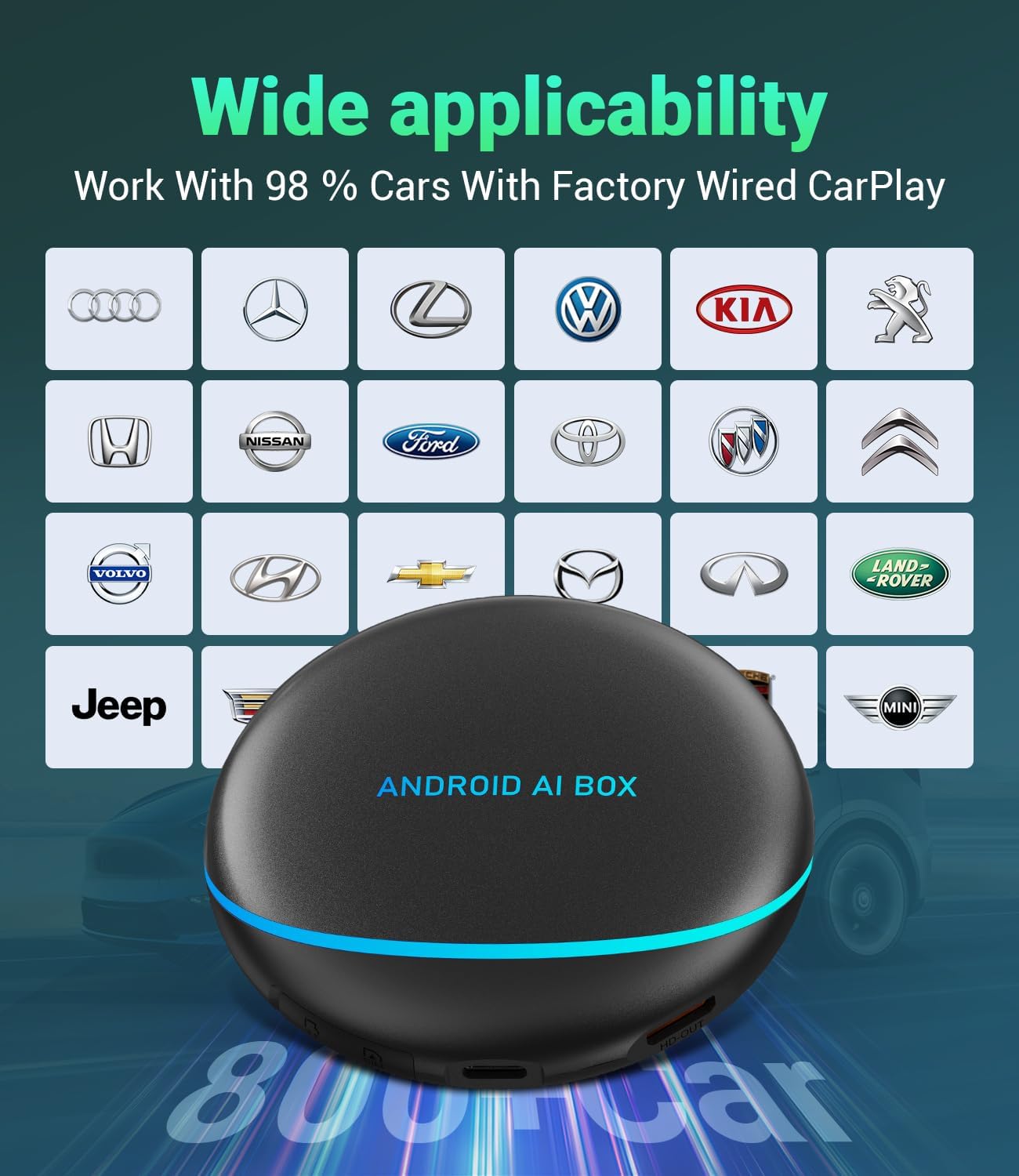
Image: The CarPlay AI Box positioned in front of a grid of car manufacturer logos, indicating compatibility with brands such as Audi, Volkswagen, Kia, Nissan, Ford, Toyota, Honda, Jeep, and more, highlighting its wide applicability.
3.2 Plug-and-Play Installation
The S47 AI Box is designed for simple plug-and-play installation:
- Locate your car's original USB port that supports wired CarPlay.
- Connect the S47 AI Box to this USB port using the provided USB cable (Type-C to A or Type-C to C, depending on your car's port).
- Wait approximately 1-2 minutes for the device to initialize.
- On your car's multimedia system menu, select the CarPlay option. The system will seamlessly switch to the Android 12 interface provided by the AI Box.

Image: A car interior with the CarPlay AI Box connected, displaying the wireless CarPlay and Android Auto interfaces on the car's screen, along with various app icons like Netflix, YouTube, and Spotify, illustrating the 'Plug and Play' functionality.
4. Parentah Operasi
4.1 Sistim Leuwihview (3-in-1 Functionality)
The S47 AI Box offers three primary modes:
- Sistem Android 12: Access a full Android environment on your car screen, allowing you to download and use apps from the Google Play Store.
- CarPlay nirkabel: Connect your iPhone wirelessly for Apple CarPlay features.
- Nirkabel Android Otomatis: Connect your Android phone wirelessly for Android Auto features.

Image: A diagram showing the '3 in 1 Magic Box' with Android 12, Wireless CarPlay, and Wireless Android Auto. It illustrates how the AI Box connects to the car's display and supports various phone connections and functionalities.
4.2 App Access and Entertainment
With the Android 12 system, you can download and enjoy a wide variety of applications:
- Streaming Video: Netflix, YouTube, TikTok, Hulu, Amazon Prime Video.
- Napigasi: Google Maps, Yahoo! Maps.
- Musik: Spotify, Amazon Music, YouTube Music.
- Access the Google Play Store to download additional apps.

Image: A car's infotainment screen showing various app icons like Disney+, Hulu, Google Play, Prime Video, Chrome, Spotify, Netflix, and TikTok, demonstrating the ability to download and use many apps.
4.3 Fungsi Layar Pamisah
The S47 AI Box supports split-screen mode, allowing you to run two applications simultaneously. You can adjust the screen split ratios to 3:7, 5:5, or 7:3, for example, navigating with Google Maps on one side while watching a video on the other.

Image: A car's infotainment screen demonstrating split-screen functionality with a navigation map on one side and a media player on the other. Below, a section shows various customizable widgets for quick access to information like time, speed, and weather.
4.4 HDMI Output and Rear Seat Entertainment
Equipped with an HDMI output port, the S47 AI Box can connect to a rear-seat monitor (HDMI cable not included). This allows you to share content from the AI Box, such as videos or navigation, with passengers in the back seat, enhancing the overall travel experience.

Image: A child in a car seat watching a video on a tablet mounted on the back of the front seat, illustrating the use of the HDMI output to share content with rear passengers.

Image: A couple relaxing on a couch, watching content on a large screen TV, with the CarPlay AI Box visible on a nearby table, demonstrating its capability to function as a mini set-top box when connected to a TV.
4.5 Diwangun-di GPS
The S47 AI Box features a built-in GPS system, supporting GLONASS and BEIDOU, ensuring highly accurate and sensitive positioning for real-time navigation. This enhances your driving and riding experience by providing reliable location services.

Image: A car's dashboard view showing the CarPlay AI Box and the car's screen displaying a GPS navigation map with route information, indicating the built-in GPS functionality.
4.6 Métode kontrol
The S47 AI Box supports various control methods, integrating seamlessly with your car's existing controls:
- Kontrol layar toél: Directly interact with the interface on your car's touchscreen.
- Kontrol Kenop OEM: Utilize your car's original equipment manufacturer (OEM) control knob for navigation.
- Kontrol setir: Use your steering wheel buttons for audio, calls, and other functions.
- Kontrol sora: Use voice commands (e.g., "Hey Siri") for hands-free operation.

Image: Three inset images showing hands interacting with a car's infotainment system via touchscreen, an OEM control knob, and steering wheel buttons. Below, a car screen displays a voice assistant prompt, illustrating support for original car controls.
5. Spésifikasi
| Fitur | Katerangan |
|---|---|
| Nomer modél | S47 |
| Sistem operasi | Android 12 |
| Ram | 8GB |
| Panyimpenan internal | 128GB |
| Prosesor | 8-Inti |
| Konektipitas | 4G LTE, Dual Bluetooth, Wi-Fi |
| Panyimpenan éksternal | Supports up to 256GB TF card (sold separately) |
| Palabuhan Kaluaran | HDMI |
| Napigasi | Built-in GPS (GLONASS, BEIDOU) |
| Antarbeungeut kontrol | Touchscreen, OEM Knob, Steering Wheel Control, Voice Control |
| Item Beurat | 7.7 ons |
| Ukuran Paket | 4.8 x 4.8 x 2 inci |

Image: A detailed illustration of a Snapdragon 665 SoC chip, highlighting its 8-core CPU and 8GB RAM + 128GB storage capabilities, emphasizing the powerful performance of the AI Box.
6. Cara ngungkulan
If you encounter any issues with your S47 CarPlay AI Box, please consider the following general troubleshooting steps:
- Teu aya Daya / Teu aya tampilan: Ensure the USB cable is securely connected to both the AI Box and your car's USB port. Verify that your car's USB port is active and provides power.
- No Connection to CarPlay/Android Auto: Confirm your car has factory wired CarPlay. Try restarting both the AI Box (by unplugging and re-plugging) and your phone. Ensure Bluetooth and Wi-Fi are enabled on your phone.
- Masalah Aplikasi: If an app is not working correctly, check your internet connection (via SIM card or Wi-Fi hotspot). Try clearing the app's cache or reinstalling it from the Google Play Store.
- Performance Lambat: Close unnecessary background applications. Consider inserting a TF card for additional storage if your internal storage is full.
- Kasaluyuan: Double-check that your car model is not listed under the incompatible vehicles in Section 3.1.
For persistent issues, please refer to the Warranty & Support section for technical assistance.
7. Pangropéa
To ensure the longevity and optimal performance of your AXYIUASD S47 CarPlay AI Box, follow these simple maintenance guidelines:
- beberesih: Use a soft, dry cloth to wipe the device. Avoid using liquid cleaners or abrasive materials.
- Panyimpenan: Simpen alat dina tempat anu tiis sareng garing jauh tina sinar panonpoé langsung sareng suhu anu ekstrim.
- Penanganan: Nanganan alat kalayan ati-ati pikeun nyegah karusakan fisik. Hindarkeun ragrag atanapi tunduk kana dampak anu kuat.
- Apdet parangkat lunak: Periodically check for and install any available software updates to ensure the best performance and compatibility.
8. Garansi jeung Rojongan
The AXYIUASD S47 CarPlay AI Box comes with a 1-Taun Garansi ti tanggal dibeuli, ngawengku defects manufaktur sarta malfunctions dina pamakéan normal.
For any product questions, technical assistance, or warranty claims, our dedicated support team is available 24/7 to help you. Please contact us through the vendor's official support channels or the contact information provided with your purchase.


