Bubuka
Welcome to the AWOW Funtab 1003 Kids Tablet user manual. This guide provides essential information for setting up, operating, maintaining, and troubleshooting your new tablet. Designed for children aged 3-7, this 10-inch Android 14 tablet offers a safe and engaging digital experience with robust parental controls and a durable design.
Naon dina Box
Mangga parios eusi pakét pikeun mastikeun yén sadaya barang aya:
- Tablet 10 inci
- Kabel USB
- Charger
- Stylus
- Case Shockproof
- Instruksi Manual

Gambar: Leuwihview of the AWOW Funtab 1003 tablet and its included accessories, such as the USB cable, charger, stylus, and shockproof case.
Produk Leuwihview
The AWOW Funtab 1003 features a 10.1-inch IPS HD display and is encased in a durable, kid-proof silicone case. Familiarize yourself with the tablet's physical components:
- Kaméra hareup: Located above the screen for video calls and selfies.
- Jack headphone: Standard 3.5mm port for audio output.
- Slot Kartu TF: Pikeun ngalegaan panyimpenan dugi ka 1TB.
- Port ngecas: Port USB-C pikeun ngecas alat.
- Tombol Daya: Pikeun ngahurungkeun/mareuman tablet atanapi nga-sleepkeunana.
- Tombol Volume: To adjust the audio level.
- Kaméra tukang: Pikeun nyandak poto sareng pidéo.
- Panyatur: Terpadu pikeun muterkeun audio.
- Stand adjustable: Integrated into the case for hands-free viewing.

Image: The AWOW Funtab 1003 tablet in its protective blue case, displaying the home screen with various applications. This image highlights the overall design and user interface.

Gambar: A lengkep view of the tablet's shockproof case, emphasizing its robust construction designed to protect against drops and impacts.
Disetél
1. Daya Awal Hurung
Pencét jeung tahan tombol Tombol Daya located on the side of the tablet until the screen lights up. The tablet will guide you through the initial setup process.
2. Language and Wi-Fi Selection
Follow the on-screen prompts to select your preferred language and connect to a Wi-Fi network. A stable Wi-Fi connection is necessary for downloading apps and system updates.
3. Setelan Akun Google
Sign in with an existing Google account or create a new one. This account is essential for accessing the Google Play Store, Kids Space, and other Google services.
4. Kids Space Configuration
The tablet comes preloaded with Google Kids Space. During the initial setup or later through the Google Family Link app, you can configure Kids Space profiles for your children. This includes setting content filters, screen time limits, and approving apps.
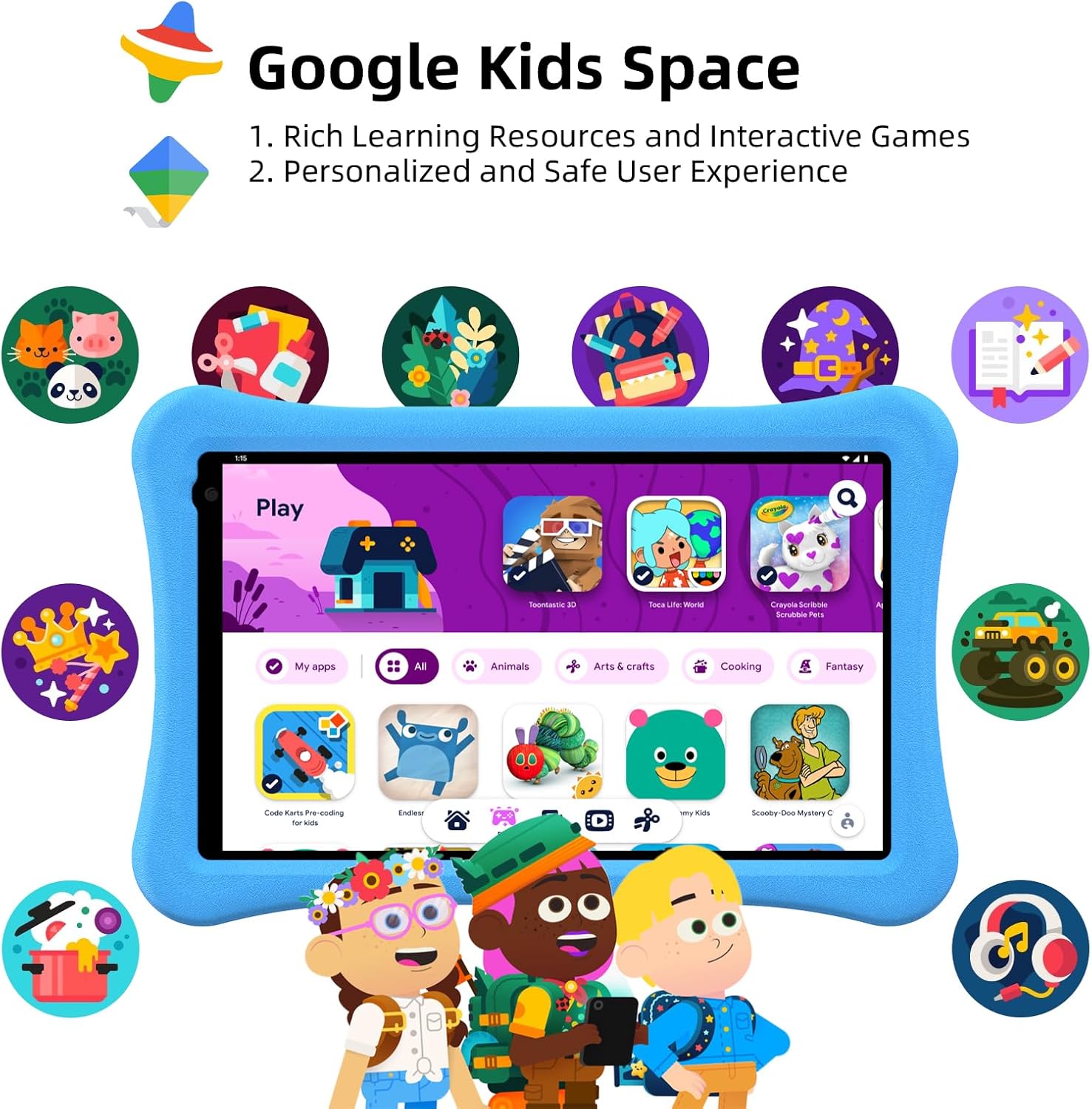
Image: The tablet screen showing the Google Kids Space environment, featuring a selection of child-friendly applications and content.
Parentah Operasi
Sistem Android 14
The tablet runs on Android 14, offering enhanced personalization, improved security, and optimized battery life. Navigate the interface using touch gestures: swipe to unlock, tap to open apps, and pinch to zoom.

Gambar: Layar tablet nunjukkeuncasing the Android 14 operating system, highlighting its core benefits for users.
Google Kids Spasi
Google Kids Space provides a curated library of apps, books, and videos suitable for children. It offers a personalized and safe user experience. Content includes cartoons, learning videos, games, crafts, and e-books.

Image: The tablet screen showing the Google Kids Space interface, emphasizing recommended videos and teacher-approved applications for learning and entertainment.
Kadali kolot
The tablet features enhanced parental controls accessible through Kids Mode. Parents can:
- Create and customize child profiles.
- Curate accessible content.
- Set screen time limits.
- Exit Kids Mode with a secure passcode.
- Adjust safety settings as children grow.

Image: A visual representation of the tablet's parental control dashboard, illustrating options for password protection, time limits, app selection, and webpanyaringan situs.
Anti-Blue Light Eye Protection Screen
The 10.1-inch IPS HD display (1280x800) includes automatic brightness adjustment and an anti-blue light design to protect children's eyesight during use.
Video: An official product video from AWOW showcasing the Funtab 1003 Kids Tablet, its features, and how children interact with it. This video demonstrates the tablet's design, user interface, and educational content.
Manajemén batré
The tablet is equipped with a 6000mAh battery, providing 8-10 hours of reading or video playback on a full charge. For optimal battery life:
- Charge the tablet fully before first use.
- Anggo carjer sareng kabel USB anu disayogikeun.
- Hindarkeun suhu anu ekstrim nalika ngecas sareng dianggo.
- Close unused applications to conserve power.

Image: A graphic illustrating the extended battery life of the AWOW Funtab 1003 tablet, comparing its 6000mAh capacity to other tablets.
Pangropéa
To ensure the longevity and optimal performance of your AWOW Funtab 1003 Kids Tablet:
- beberesih: Anggo lawon anu lemes sareng henteu ngaganggu pikeun ngabersihkeun layar sareng bagian luarna. Hindarkeun pembersih atanapi pangleyur anu abrasif.
- Panyimpenan: Nyimpen tablet dina tempat anu tiis sareng garing jauh tina sinar panonpoé langsung sareng suhu anu ekstrim.
- Apdet parangkat lunak: Regularly check for and install system updates to ensure the tablet has the latest features and security patches.
- Perawatan Kasus: The shockproof silicone case can be wiped clean with a damp lawon.
Pamérésan masalah
Upami anjeun ngalaman masalah sareng tablet anjeun, tingali solusi umum ieu:
| Masalah | Solusi anu mungkin |
|---|---|
| Tablet teu hurung | Ensure the tablet is charged. Connect it to the charger for at least 30 minutes, then try pressing the power button again. |
| Layar henteu ngaréspon atanapi beku | Perform a force restart by pressing and holding the power button for about 10-15 seconds until the tablet restarts. |
| Masalah sambungan Wi-Fi | Pariksa naha Wi-Fi diaktipkeun dina setélan. Pareuman terus hurungkeun deui router sareng tablet anjeun. Pastikeun anjeun aya dina jangkauan sinyal Wi-Fi. |
| Aplikasi ngalambatkeun atanapi ngadat | Close background applications. Clear app cache in settings. Ensure sufficient storage space is available. Restart the tablet. |
| Batré gancang boros | Reduce screen brightness. Close unused apps. Disable Wi-Fi or Bluetooth when not in use. Check for apps consuming excessive battery in settings. |
spésifikasi
Key technical specifications for the AWOW Funtab 1003 Kids Tablet:
- Sistem operasi: Android 14
- Prosesor: Quad-core, 1.5 GHz (Allwinner)
- RAM: 8GB (3+5)
- Panyimpenan internal: 64GB
- Panyimpenan anu tiasa dilegakeun: Nepi ka 1TB via kartu SD
- Ukuran layar: 10.1 inci
- Resolusi layar: 1280 x 800 (HD IPS)
- Jenis Wireless: 802.11n (Wi-Fi)
- Tukangeun WebResolusi kaméra: 2 MP
- Batré: 6000 mah
- Beurat barang: 2.34 pon
- Ukuran produk: 6 x 1 x 6 inci
Garansi sareng Rojongan
The AWOW Funtab 1003 Kids Tablet comes with a garansi 1 taun. Additionally, lifetime technical support is provided to assist with any product-related inquiries or issues. For support, please refer to the contact information provided in your product packaging or visit the official AWOW websitus.


