1. Bubuka jeung Leuwihview
The XTOOL D5S OBD2 Scanner is a professional diagnostic tool designed for comprehensive vehicle analysis and maintenance. It offers a wide range of functions to help mechanics, DIY enthusiasts, and professionals efficiently diagnose and resolve automotive issues. This manual provides detailed instructions for setting up, operating, and maintaining your D5S scanner.
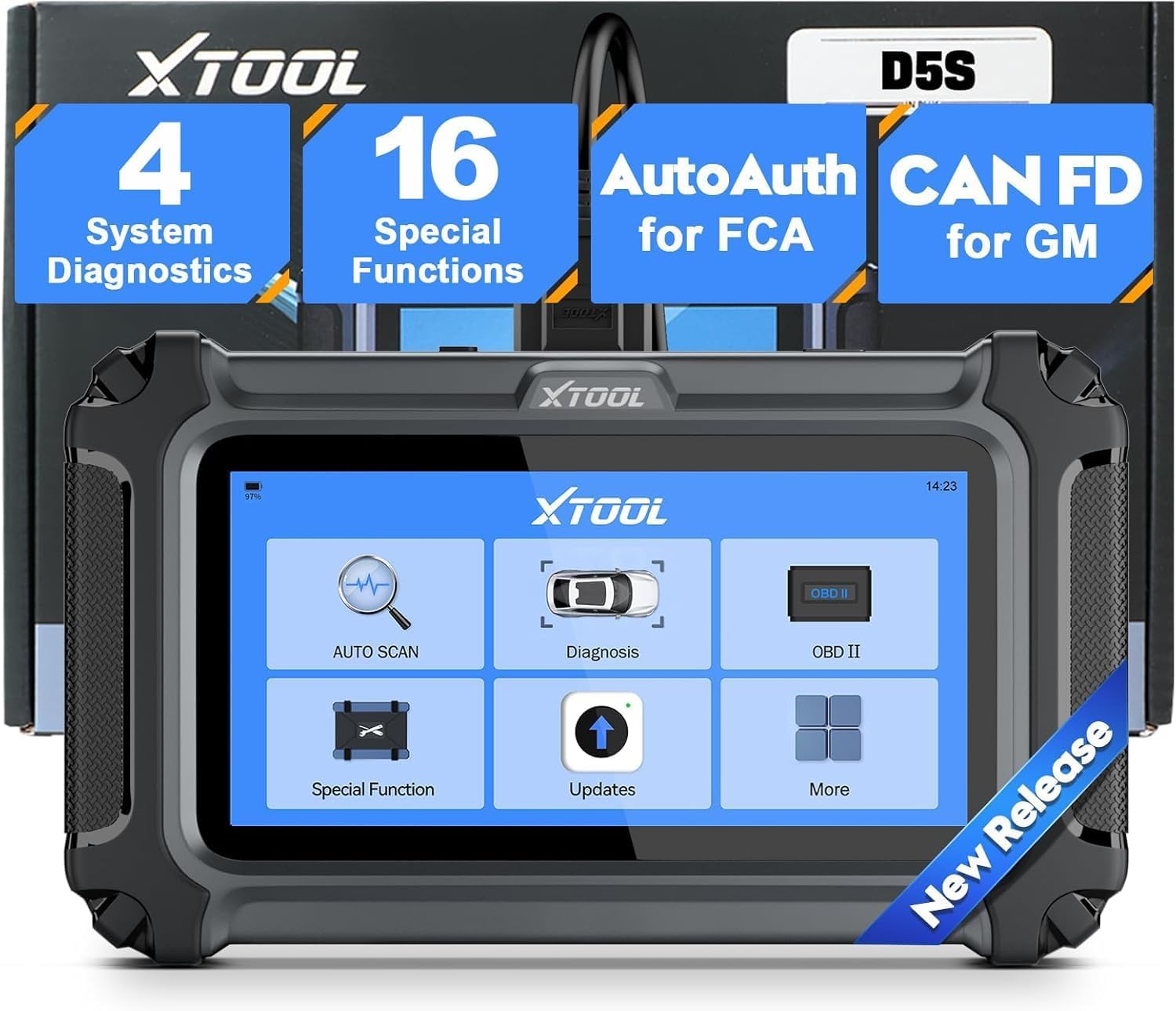
Figure 1: XTOOL D5S OBD2 Scanner main unit, showcasing its compact design and screen interface.
2. Setup jeung Konfigurasi Awal
2.1 Eusi pakét
Saatos unboxing, pastikeun sadaya komponén aya:
- XTOOL D5S Main Unit
- Kabel Diagnostik OBD2
- Kabel Ngecas USB Tipe-C
- Manual pangguna (dokumén ieu)
- Kantong Panyimpen

Figure 2: Contents of the XTOOL D5S package.
2.2 Nyambungkeun ka Kendaraan Anjeun
- Locate the OBD2 port in your vehicle (typically under the dashboard on the driver's side).
- Connect the OBD2 diagnostic cable to the vehicle's OBD2 port.
- Connect the other end of the diagnostic cable to the XTOOL D5S main unit.
- Turn on the vehicle's ignition (engine off). The D5S unit will power on automatically.
2.3 Wi-Fi Setup and Language Selection
The XTOOL D5S features a 5.4-inch high-resolution touchscreen for intuitive navigation. To ensure optimal functionality and receive updates, connect the device to a Wi-Fi network.
- Navigate to 'Settings' on the main menu.
- Select 'Wi-Fi' and connect to an available network.
- To change the language, select 'Language' from the settings menu. The device supports multiple languages.

Figure 3: Multilingual support and Wi-Fi settings on the XTOOL D5S.
3. Ngoperasikeun Alat
3.1 Main System Diagnostics
The D5S provides access to the four main vehicle systems: Engine, Transmission, Anti-lock Braking System (ABS), and Supplemental Restraint System (SRS). This allows for reading and clearing Diagnostic Trouble Codes (DTCs) and viewngolah data langsung.
- From the main menu, select 'Diagnosis'.
- The device will automatically identify the vehicle (AutoVIN) or allow manual selection.
- Choose the system you wish to diagnose (e.g., Engine, ABS).
- Select 'Read DTCs' to view fault codes or 'Clear DTCs' to erase them after repairs.
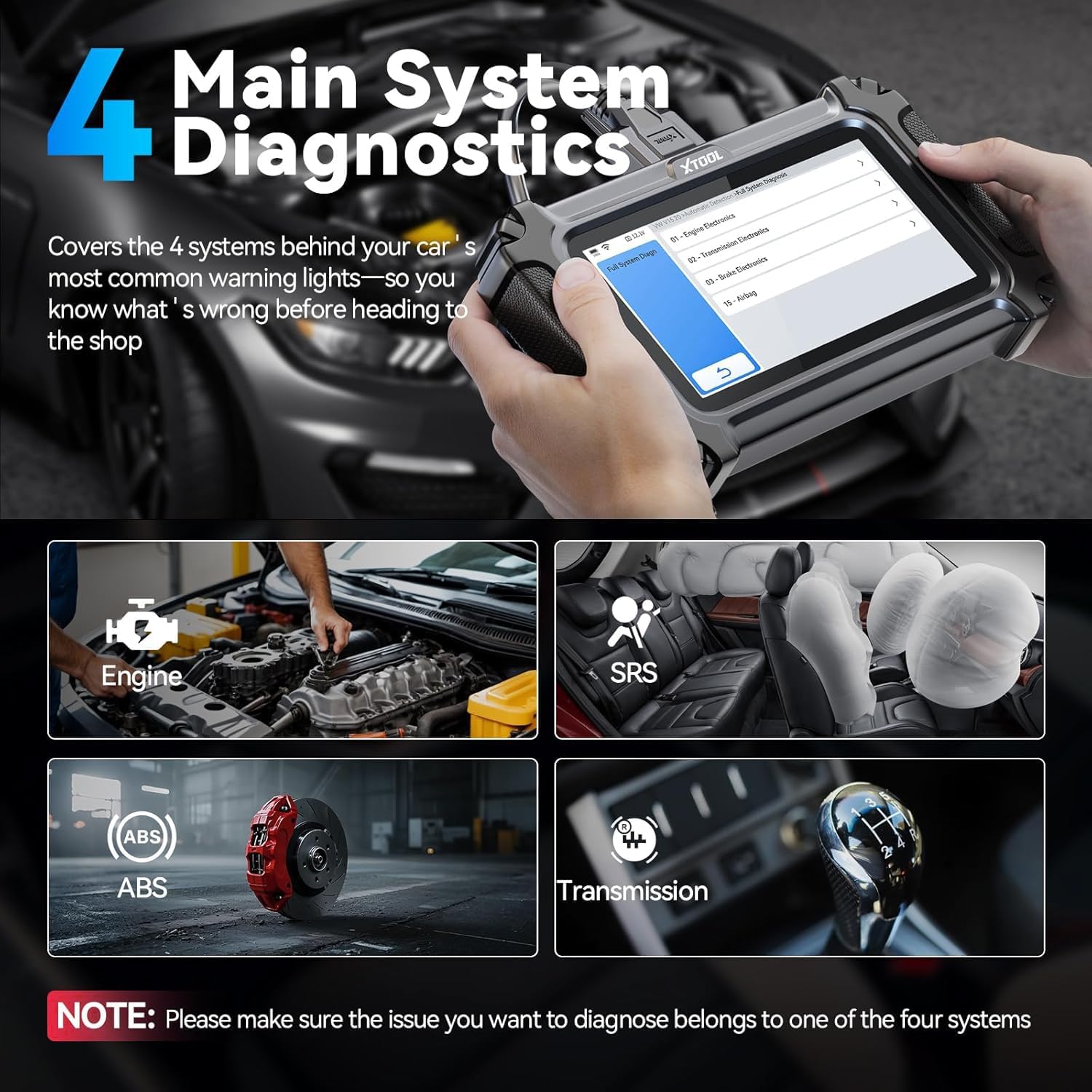
Figure 4: The D5S performing diagnostics on the four main vehicle systems.
3.2 16 Essential Maintenance Functions
The D5S offers 16 popular reset and service functions to address common maintenance needs:
- Reset minyak
- Éléktronik Parkir marake (EPB) Reset
- Steering Angle sénsor (SAS) Calibration
- System Management Batre (BMS) Reset
- Throttle Diajar deui
- Reset Sistem Pemantauan Tekanan Ban (TPMS)
- ABS Ngaluarkeun getih
- Injektor Coding
- Gearbox Cocog
- Reset Suspénsi
- Adjustment lampu gede
- Inisialisasi Jandéla
- Crankshaft Position Sensor Relearn
- DPF Regenerasi
- EGR Adaptasi
- Airbag Reset
Note: Specific function availability may vary by vehicle model and year. Consult the vehicle's service manual or contact support for compatibility.

Gambar 5: Leuwihview of 16 essential maintenance functions.
3.3 Fungsi OBD2 pinuh
The D5S supports all 10 modes of OBD2 tests, including:
- Baca / Hapus DTCs
- Live Data Stream (up to 4 PIDs graphing)
- Abdi / M Kesiapan
- O2 Sensor Monitor Test
- Tés pangimeutan dina dewan
- Tés Komponén
- Émbaran wahana
- Freeze Data pigura

Figure 6: Full OBD2 functions and DTC lookup interface.
3.4 Live Data Stream and Graphing
Monitor real-time vehicle performance data, such as engine RPM, coolant temperature, and sensor readings. The D5S can display up to four PIDs (Parameter IDs) simultaneously in a graphical format for easier analysis.

Figure 7: Live data stream with multiple PIDs displayed graphically.
3.5 AutoVIN and DTC Lookup
The AutoVIN feature automatically identifies your vehicle for quick and accurate diagnostics. The built-in DTC library provides detailed explanations of fault codes, helping you understand the root cause of issues.

Figure 8: AutoVIN and DTC lookup features for streamlined diagnostics.
4. Pangropéa
4.1 Apdet parangkat lunak
The XTOOL D5S offers free lifetime software updates via Wi-Fi. Regular updates ensure your scanner is compatible with the latest vehicle models and diagnostic protocols, including CAN FD for GM and FCA AutoAuth.
- Pastikeun alat disambungkeun ka jaringan Wi-Fi stabil.
- From the main menu, select 'Updates'.
- Turutan pitunjuk dina layar pikeun ngaunduh sareng masang apdet anu sayogi.

Figure 9: One-click online update feature for lifetime software updates.
4.2 Perawatan Batré
The D5S is powered by a Lithium-ion battery. To prolong battery life:
- Hindarkeun suhu anu ekstrim.
- Charge the device regularly, especially if not used for extended periods.
- The device displays real-time voltage, allowing you to monitor the vehicle's electrical system and the scanner's battery status.

Figure 10: Real-time battery voltage display on the D5S.
5. Cara ngungkulan
5.1 Isu umum
- Alat teu hurung: Ensure the OBD2 cable is securely connected to the vehicle's port and the vehicle's ignition is on. Check the vehicle's battery voltage.
- Kasalahan komunikasi: Verify the OBD2 cable connection. Ensure the vehicle's ignition is on. Try a different vehicle to rule out a vehicle-specific issue.
- AutoVIN henteu jalan: Some older vehicles or specific models may not support AutoVIN. Try manual vehicle selection.
- Software update failure: Ensure a stable Wi-Fi connection. Restart the device and try updating again.
5.2 Rojongan
For further assistance, please contact XTOOL technical support. The device comes with a 2-year warranty and lifetime technical support.
6. Spésifikasi
| Fitur | Spésifikasi |
|---|---|
| Modél | XTOOL D5S |
| merek | XTOOL |
| tampilan | 5.45-inch Touchscreen (1440 x 720 resolution) |
| Sistem operasi | Linux |
| Panyimpenan | 32 GB (tiasa dilegaan nganggo kartu mémori) |
| Batré | Lithium-ion (Type-C Charging) |
| Konektipitas | Wi-Fi, OBD2 Cable |
| Protokol anu dirojong | CAN FD, OBDII, EOBD, JOBD, ISO 9141-2, ISO 14230-4 (KWP2000), SAE J1850 PWM, SAE J1850 VPW, ISO 15765-4 (CAN-BUS) |
| Panutup Kandaraan | 90+ brands (12V gasoline and diesel cars, SUVs, minivans, light trucks) |
| Ukuran (L x W x H) | 10 x 2.2 x 18.5 cm |
| Beurat | 810 g |
| UPC | 753467394006 |
7. Garansi jeung Rojongan
The XTOOL D5S diagnostic scanner comes with a 2-year warranty and lifetime technical support. Free software updates are provided for the lifetime of the product, ensuring continuous access to new features and vehicle compatibility.
For any inquiries or technical assistance, please contact XTOOL customer support through the official channels provided with your product or visit the XTOOL websitus.

Figure 11: XTOOL D5S warranty and support details.


