1. Bubuka
This manual provides comprehensive instructions for the ANYFAR C5 2-in-1 Wireless CarPlay & Android Auto Adapter. This device converts your vehicle's existing wired CarPlay or Android Auto system into a wireless connection, enhancing convenience and user experience. Please read this manual thoroughly before use to ensure proper installation and operation.

Image 1.1: The ANYFAR C5 Wireless CarPlay & Android Auto Adapter.
2. Produk Langkungview sareng Eusi Paket
The ANYFAR C5 adapter is a compact, plug-and-play device designed for seamless wireless integration of CarPlay and Android Auto. It features an upgraded dual-core chip for stable, high-speed transmission and a non-metal casing to prevent signal interference. The package includes:
- ANYFAR C5 Wireless Adapter
- USB-C Adapter (for vehicles with USB-C ports)
- Manual Pitunjuk (dokumén ieu)

Image 2.1: The ANYFAR C5 adapter and included USB-C adapter.

Image 2.2: Internal components of the ANYFAR C5, highlighting the 5G chip and indicator light for fast and stable signal transmission.
3. Sarat kasaluyuan
The ANYFAR C5 adapter is compatible with vehicles manufactured in 2016 or later that come with factory-installed wired CarPlay or Android Auto features. It is essential to verify your vehicle's compatibility before using the adapter.
- Your vehicle must have a factory-installed wired CarPlay or Android Auto system.
- The adapter supports both Apple CarPlay and Android Auto functionalities.
For detailed compatibility lists, please refer to the official resources:

Image 3.1: Visual guide for checking car compatibility with CarPlay and Android Auto.
4. Setup Guide
Follow these steps to set up your ANYFAR C5 Wireless Adapter:
- Colokkeun: Insert the ANYFAR C5 adapter into your car's data USB port. If your car has a USB-C port, use the included USB-C adapter. Ensure the port is a data port, not just a charging port.
- Activate Bluetooth & WLAN: On your smartphone (iPhone or Android), turn on both Bluetooth and Wi-Fi (WLAN).
- Pasangkeun sareng Bluetooth: Go to your phone's Bluetooth settings and search for available devices. Select the device named "SmartBox_xxxx" (where xxxx is a unique identifier) and pair with it.
- Sync & Connect: Once paired, your phone will automatically establish a Wi-Fi connection with the adapter in the background. Your car's infotainment system should then display the CarPlay or Android Auto interface.
After the initial setup, the adapter will automatically connect to your phone when you start your car. If you switch between phones, you will need to re-pair the new phone in your Bluetooth settings.

Image 4.1: Step-by-step visual guide for setting up the ANYFAR C5 adapter.
5. Operasi
The ANYFAR C5 adapter allows you to use all original CarPlay and Android Auto functions wirelessly. This includes navigation, making calls, playing music, and using voice assistants like Siri or Google Voice.
- Integrasi Seamless: The adapter retains your car's original controls, allowing you to interact with CarPlay or Android Auto using voice commands, touchscreen, or rotary knob controls.
- Full App Support: Access all supported applications from your phone directly on your car's display.
- Catetan penting: Video streaming applications are not supported through this adapter.

Image 5.1: Display of both CarPlay and Android Auto interfaces on a car's infotainment screen, demonstrating the 2-in-1 functionality.

Image 5.2: Illustration of how the adapter retains original car controls, including voice commands (Siri/Google), touchscreen, and rotary knob.
6. Cara ngungkulan
If you encounter issues with your ANYFAR C5 adapter, please refer to the following common problems and solutions:
- Connection Issues/Lag:
If you experience occasional connection drops or lag, especially during startup, try restarting your car and phone. Ensure both Bluetooth and Wi-Fi are enabled on your phone. Re-pairing the device in your phone's Bluetooth settings may also resolve the issue. - Difficulty Switching Between Devices:
When switching between different Apple and Android devices, you may need to manually restart the adapter or re-pair the new device via Bluetooth. - Battery Drain (Car):
If your car's USB port remains active when the engine is off, the adapter will continue to draw power, potentially draining your car battery over time. Consider unplugging the adapter if your car's USB port does not power down with the ignition. - Adaptor Overheating:
The unit may get noticeably warm during extended use. While designed for durability, ensure it is placed in a well-ventilated area to aid heat dissipation. - Slow Startup/Automatic Mode:
The adapter may take a few seconds to initialize after starting the car. Some car systems may require you to manually select "phone projection" mode on the car's radio after the adapter connects, rather than automatically switching. - Buffering/Stuttering:
If you experience significant buffering or stuttering with maps or audio, ensure your phone has a strong cellular signal and that there are no other devices interfering with the Wi-Fi connection between your phone and the adapter. Updating the adapter's firmware (if available) may also help. - Multiple Phone Pairing:
This adapter typically pairs with one phone at a time. If you share your car, you may need to manually pair the desired phone each time. - Lampu Indikator:
The small blue indicator light on the adapter provides status feedback. Observe its behavior for diagnostic purposes (e.g., solid light for connected, blinking for searching).
7. Spésifikasi
| Fitur | Rincian |
|---|---|
| Nomer modél | C5 |
| merek | ANYFAR |
| Ukuran Paket | 3.7 x 3.66 x 0.67 inci |
| Item Beurat | 1.41 ons (0.04 Kilogram) |
| Alat nu cocog | Smartphone, iPhone (with wired CarPlay/Android Auto) |
| Panganteur Hardware | USB, Bluetooth |
| Téhnologi konektipitas | Wireless (Bluetooth & Wi-Fi) |
| Fitur husus | 2-in-1 Wireless CarPlay & Android Auto, OTA Update Support, Compact Design |
8. Perawatan sareng Pangropéa
To ensure the longevity and optimal performance of your ANYFAR C5 adapter, follow these guidelines:
- Jaga alat tetep beresih sareng bebas tina lebu sareng lebu. Anggo kaén anu lemes sareng garing pikeun beberesih.
- Avoid exposing the adapter to extreme temperatures, direct sunlight for prolonged periods, or excessive moisture.
- Handle the adapter gently to prevent physical damage.
- The device supports Over-The-Air (OTA) updates. Regularly check for and install available firmware updates to ensure the best performance and compatibility.
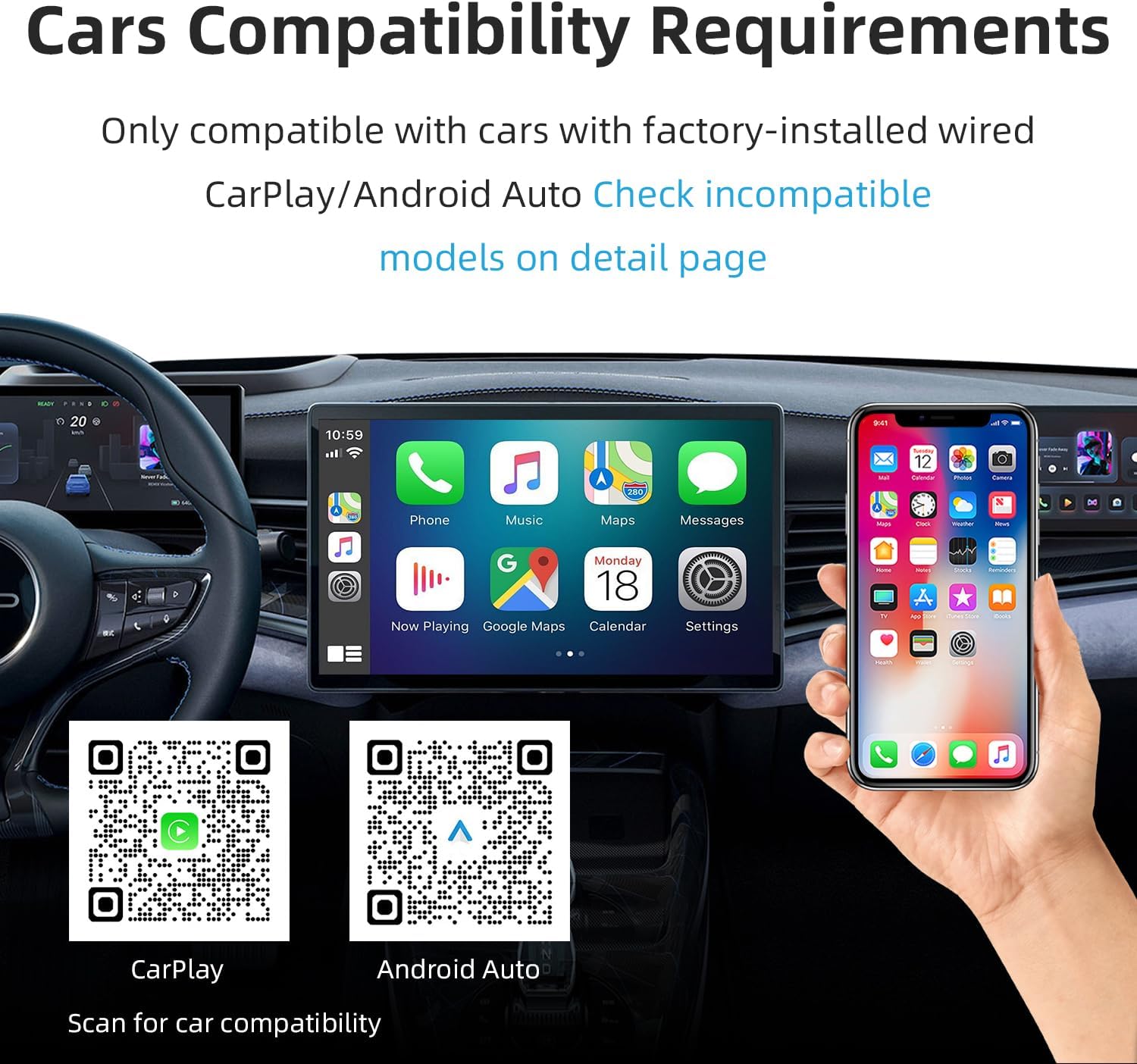
Image 8.1: The compact design of the ANYFAR C5 ensures stability even on bumpy roads, contributing to its durability.
9. Garansi jeung Rojongan
For warranty information and technical support, please refer to the documentation included with your purchase or visit the official ANYFAR website. You can also contact customer service through the retailer where you purchased the product.
The manufacturer is ANYFAR.


