1. Bubuka
This manual provides detailed instructions for the installation, operation, and maintenance of the Axis M3126-LVE Network Surveillance System. Please read this manual thoroughly before using the product to ensure proper functionality and safety. The Axis M3126-LVE is an outdoor-rated, vandal-proof, and weather-resistant network camera designed for reliable surveillance.
2. Émbaran Kasalametan
Perhatikeun pancegahan kaamanan di handap ieu pikeun nyegah karusakan produk sareng mastikeun kasalametan pangguna:
- Pamasangan: Pamasangan kedah dilaksanakeun ku tanaga anu mumpuni luyu sareng sadaya kode sareng peraturan lokal.
- Sumber Daya: Use only the specified Power over Ethernet (PoE) source. Do not use unauthorized power adapters.
- Lingkungan: Although the camera is weather-resistant, avoid direct exposure to extreme conditions beyond its operating specifications.
- beberesih: Pegatkeun sambungan kakuatan saméméh beberesih. Paké lawon lemes, garing. Entong nganggo pembersih cair atanapi aerosol.
- Palayanan: Entong nyobian ngalayanan produk ieu nyalira. Rujuk sadayana ngalayanan ka tanaga jasa anu mumpuni.
3. Eusi Paket
Pastikeun yén sadaya item aya dina bungkusan:
- Axis M3126-LVE Network Surveillance Camera
- Guide instalasi
- Asesoris pamasangan
- Témplat Bor
- Resistorx T20 tool
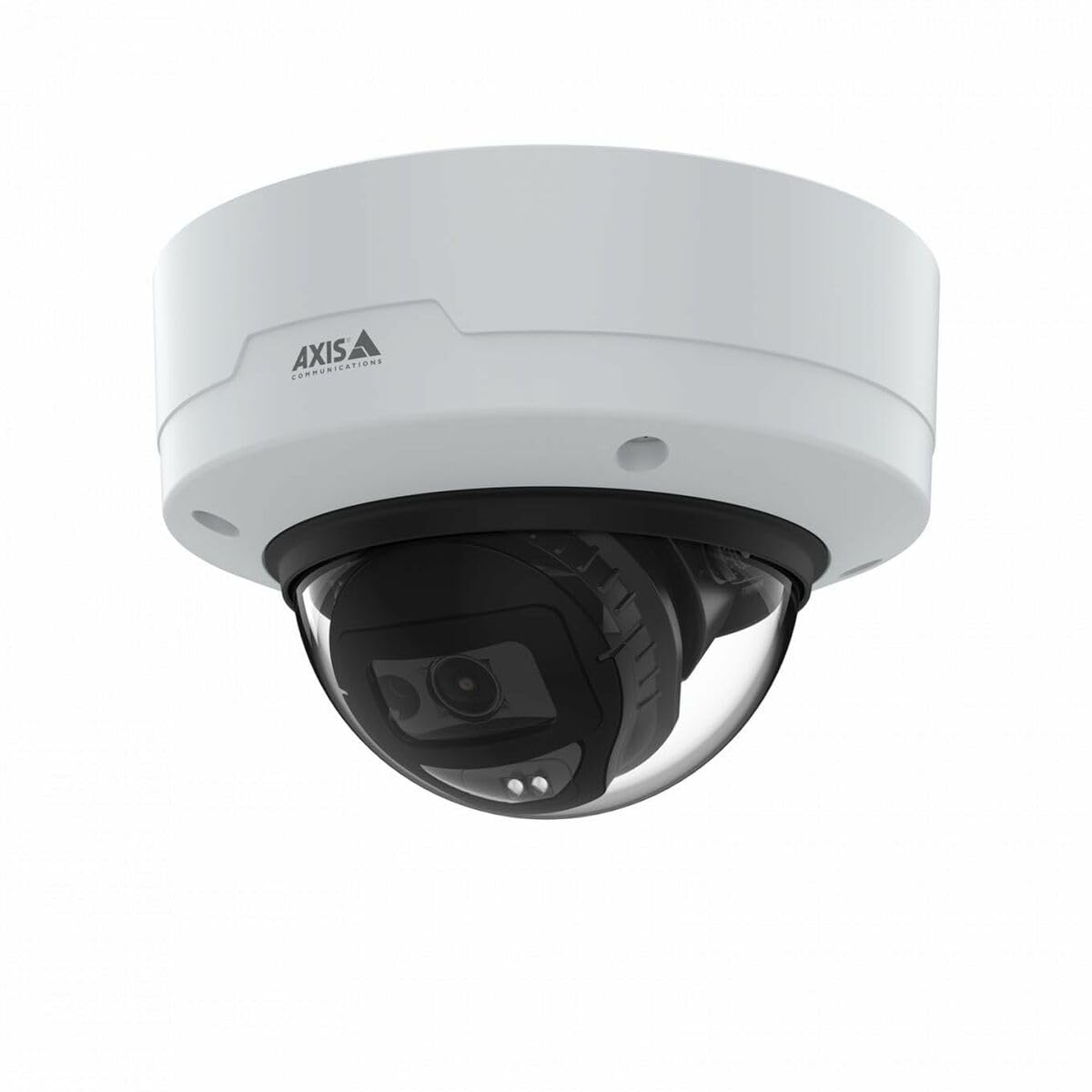
Image: The Axis M3126-LVE Network Surveillance System, a white dome camera, shown with its included mounting accessories.
4. Setup jeung Instalasi
4.1 Masang kaméra
The Axis M3126-LVE is designed for ceiling mount installation in outdoor environments. Ensure the mounting surface is strong enough to support the camera's weight (approximately 1.1 kg / 2.42 lbs).
- Pilih Lokasi: Choose a suitable outdoor location for optimal surveillance coverage, considering power and network cable access.
- Nyiapkeun permukaan: Use the provided drill template to mark and drill holes for mounting screws and cable routing.
- Gunung Aman: Attach the camera's mounting base securely to the ceiling using appropriate screws and anchors.
- Sambungkeun kabel: Route the Ethernet cable through the designated opening. Connect the Ethernet cable to the camera's M12 connection port. This camera supports Power over Ethernet (PoE) for both power and data transmission.
- Pasangkeun Awak Kaméra: Secure the camera body to the mounting base. Ensure all seals are properly seated to maintain weather resistance.
4.2 Konéksi Jaringan sareng Konfigurasi Awal
The camera connects to your network via a wired PoE Ethernet connection.
- Daya Hurung: Once connected to a PoE-enabled network switch or injector, the camera will power on automatically.
- Panggihan kaméra: Use the Axis IP Utility or Axis Device Manager software (available on the Axis Communications websitus) pikeun manggihan kaméra dina jaringan anjeun.
- Pasangkeun Alamat IP: Assign a static IP address or configure DHCP settings as required by your network infrastructure.
- Aksés Web panganteur: Buka a web panyungsi wéb teras lebetkeun alamat IP kaméra pikeun ngaksésna web panganteur.
- Login Awal: Turutan pitunjuk dina layar pikeun nyetel kecap akses anu kuat pikeun akun administrator.
- Setélan Dasar: Configure essential settings such as date, time, and video resolution (up to 4 MP, 2688 x 1512).
5. Ngoperasikeun kaméra
The Axis M3126-LVE offers advanced surveillance capabilities. Access the camera's web interface for full control and configuration.
5.1 Hirup View jeung Rékam
- Hirup View: Ti web antarmuka, arahkeun ka "Live View" section to see real-time video feed.
- Kualitas Video: Adjust video stream settings (resolution, frame rate, compression using MJPEG, H.264, H.265, Zipstream) to optimize for network bandwidth and storage.
- Ngarékam: Configure recording schedules, motion detection triggers, and storage locations (e.g., network-attached storage, SD card if supported).
5.2 Fitur canggih
- IR Peuting Visi: The camera automatically switches to infrared (IR) night vision in low-light conditions, providing clear black and white video.
- Wide Dynamic Range (WDR): WDR technology ensures clear images even in scenes with both very bright and very dark areas.
- Audio: The camera supports audio input for surveillance with sound. Configure audio settings in the web panganteur.
- Manajemén Acara: Set up event triggers (e.g., motion detection, tampering alarm) and corresponding actions (e.g., send email, start recording, upload video).
6. Pangropéa
Regular maintenance ensures optimal performance and longevity of your surveillance system.
- Ngabersihan lensa: Bersihkeun lénsa kaméra sacara berkala nganggo lawon anu lemes sareng henteu ngaganggu. Pikeun kokotor anu bandel, anggo larutan pembersih lénsa anu hampang. Entong nganggo bahan anu kasar.
- Pembaruan firmware: Pariksa Komunikasi Axis sacara rutin websitus pikeun apdet firmware. Tetep firmware diropéa mastikeun aksés ka fitur panganyarna, patch kaamanan, sarta perbaikan kinerja.
- Pamariksaan kabel: Pariksa sadaya kabel sacara berkala pikeun tanda-tanda karusakan atanapi karusakan, khususna dina instalasi luar ruangan.
- Kaamanan dipasang: Verify that the camera remains securely mounted and that all screws are tight.
7. Cara ngungkulan
This section addresses common issues you might encounter with the Axis M3126-LVE.
| Masalah | Mungkin Cukang lantaranana | Solusi |
|---|---|---|
| Taya feed video | Taya kakuatan; kabel jaringan dipegatkeun; Alamat IP salah. | Check PoE connection; Verify network cable is securely connected; Confirm IP address and network settings. |
| Kualitas gambar henteu saé | Dirty lens; Incorrect video settings; Insufficient lighting. | Clean the camera lens; Adjust resolution, compression, and WDR settings; Ensure IR night vision is active in low light. |
| Teu bisa ngakses web panganteur | Alamat IP salah; Masalah konéktivitas jaringan; Firewall ngahalangan aksés. | Verify IP address; Check network cable and switch; Temporarily disable firewall for testing; Use Axis IP Utility to find camera. |
| Kaméra offline sakapeung | Unstable network connection; Faulty PoE injector/switch; Loose cable connection. | Check network infrastructure; Test PoE equipment; Secure all cable connections. |
8. Spésifikasi
Key technical specifications for the Axis M3126-LVE Network Surveillance System:
- Ngaran modél: AXIS M3126-LVE
- Nomer Bagian: 02918-001
- Pamakéan Indoor/Outdoor: Luar
- Protokol konektipitas: Ethernet
- Tipe Pamasangan: Gunung siling
- warna: Bodas
- Beurat barang: 1.1 Kilogram (2.42 pon)
- Format Capture Video: MPEG-4, H.264, H.265, MJPEG
- Pabrikan: Komunikasi Axis
- Fitur husus: 4 MP HD, IR night vision, WDR (Wide Dynamic Range), Zipstream, rugged weather/vandal resistance
- Téknologi konektipitas: Wired PoE Ethernet, extensive network protocol support
- Resolusi: Up to 2688 x 1512 (4 MP)
- Komponén Kaasup: Camera, Mounting Accessories
- Batré diperlukeun: No
- Pamakéan anu disarankeun: Outdoor/indoor security, wide-area monitoring, day/night surveillance, smart detection
9. Garansi jeung Rojongan
Pikeun inpo jaminan lengkep, mangga tingal resmi Axis Communications website or the warranty card included with your product. Axis Communications provides technical support and resources for their products.
Dukungan Online: Visit the official Axis Communications support portal for FAQs, documentation, and software downloads.
Kontak Rojongan: For direct assistance, contact Axis Communications customer support through their websitus atanapi inpormasi kontak anu disayogikeun dina dokuméntasi produk anjeun.
Catetan: Protection plans may be available from third-party providers. These are separate from the manufacturer's warranty.


