Bubuka
Thank you for choosing BUGANI True Wireless Earbuds. This manual provides detailed instructions on how to set up, operate, and maintain your earbuds to ensure the best possible audio experience. Please read this manual carefully before use and keep it for future reference.

Image: BUGANI True Wireless Earbuds and their charging case.
Naon dina Box
Your BUGANI True Wireless Earbuds package should contain the following items:
- 1 x BUGANI B09 Wireless Earbuds
- 1 x Kabel Ngecas USB-C
- 3 x Different Sizes of Eartips (S, M, L)
- 3 x Different Sizes of Silicone Earwings (S, M, L)
- 1 x Manual Pamaké (dokumén ieu)
Produk Leuwihview jeung Fitur Key
The BUGANI B09 earbuds are designed for superior sound and user convenience. Here are some of their main features:
Immersive Sound Quality & Extra Deep Bass
Experience rich, powerful audio with oversized 10mm dynamic drivers. These earbuds deliver enhanced bass, clear trebles, and balanced mids for an immersive listening experience across music, movies, and games.

Gambar: Hiji ngabeledug view of the earbud, highlighting its internal audio components and dynamic driver for superior sound.
ENC Enhanced Crystal-Clear Calls
Equipped with a BUGANI intelligent noise reduction algorithm and built-in dual microphones, these earbuds precisely pick up your voice while effectively blocking out background noise. This ensures clear communication during calls, video chats, and live sessions.

Image: A woman smiling while wearing the earbuds, illustrating their use for crystal-clear calls with the microphone highlighted.
Extended Playtime & IPX6 Water-Resistant
Enjoy up to 6 hours of listening on a single charge, with the compact charging case providing an additional 3 charges for a total of 24 hours of playtime. The IPX6 water-resistant rating protects your earbuds from sweat, splashes, and light rain, making them ideal for workouts and outdoor activities. Note: Do not submerge in water.

Image: The earbuds in their charging case, illustrating the 24-hour total playtime with the case and 6 hours on a single charge.

Image: A woman exercising, demonstrating the IPX6 waterproof and sweatproof capabilities of the earbuds.
Lightweight & Comfortable Fit
Designed ergonomically, these earbuds ensure comfortable wear for extended periods. They come with three sizes of ear tips and earwings (S, M, L) to help you find the perfect, secure fit for optimal sound performance.

Image: An earbud shown in an ear, alongside various ear tip and earwing sizes to illustrate the customizable and secure fit.
Bluetooth 5.3 and One-Step Pairing
Featuring the latest Bluetooth 5.3 technology, the earbuds offer improved transmission speed and a low-latency listening experience. They automatically connect to your device quickly after the initial pairing, thanks to their memory function.

Image: Earbuds and their charging case positioned near a smartphone and laptop, illustrating the one-step pairing process and wide compatibility.
Disetél
Ngecas Earbuds sareng Ngecas Case
Sateuacan dianggo anu munggaran, eusian pinuh earbud sareng wadahna.
- Lebetkeun earbud kana wadah ngecas. Pastikeun éta dipasang kalayan leres dina slotna masing-masing (L pikeun kénca, R pikeun katuhu).
- Sambungkeun kabel ngecas USB-C ka port ngecas dina case jeung tungtung séjén ka adaptor kakuatan USB (teu kaasup) atawa port USB komputer.
- Lampu indikator dina wadah ngecas bakal némbongkeun status ngecas. Sakali dicas pinuh, lampu bakal némbongkeun parantos réngsé atanapi pareum.
- Ngeusi batre pinuh pikeun kasus butuh sakitar 1.5 jam.
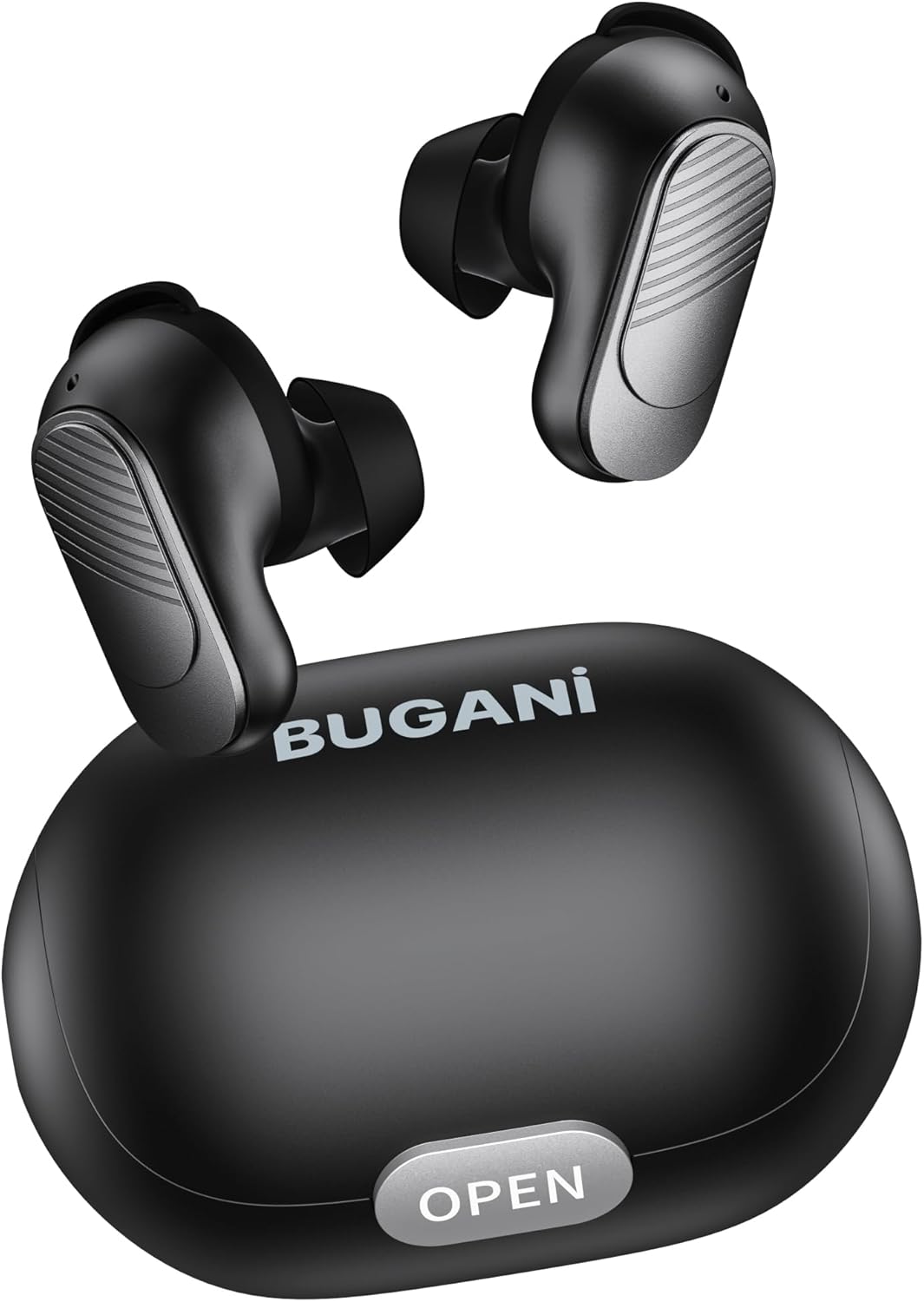
Image: The BUGANI earbuds placed inside their open charging case, ready for charging.
Masangkeun sareng Alat Anjeun
Turutan léngkah-léngkah ieu pikeun pasangan awal:
- Pastikeun yén earbuds dieusi.
- Buka wadah ngecas. Earbuds bakal otomatis hurung tur asup kana mode papasangan.
- On your smartphone or Bluetooth-enabled device, go to Bluetooth settings and turn Bluetooth on.
- Milarian pikeun available devices. Select "BUGANI B09" from the list.
- Sakali disambungkeun, anjeun bakal ngadangu sora konfirmasi, sarta lampu indikator earbuds 'bakal robah.
- Pikeun kagunaan anu salajengna, earbuds bakal otomatis nyambung ka alat anu dipasangkeun terakhir nalika dikaluarkeun tina wadahna.
Ngoperasikeun Earbuds Anjeun
Toél Kontrol
The BUGANI B09 earbuds feature intuitive touch controls on each earbud. Refer to the diagram below for specific functions:

Image: A visual guide detailing the touch control functions for the BUGANI earbuds, including power, playback, call management, volume, and voice assistant.
- Daya Hurung: L/R Long press for 3 seconds.
- Pareum listrik: L/R Long press for 5 seconds.
- Puter / Reureuh: L/R Touch 1 quickly.
- Lagu salajengna: R Touch 2 quickly.
- Lagu saméméhna: L Touch 2 quickly.
- Volume Up: R Touch 3 quickly.
- Volume Turun: L Touch 3 quickly.
- Ngajawab Telepon: L/R Touch 1 quickly.
- Ngagantung Telepon: L/R Touch 1 quickly.
- Nolak Telepon: L/R Touch 2 quickly.
- Asistén Sora: L/R Long press for 2 seconds.
- Reset: L & R Touch 5 quickly.
Pangropéa
To ensure the longevity and optimal performance of your BUGANI earbuds, follow these maintenance guidelines:
- beberesih: Rutin ngabersihkeun earbuds sareng wadah ngecas ku lawon anu lemes, garing, teu aya lint. Ulah make bahan kimia kasar atawa bahan abrasive.
- Tips ceuli: Cabut sareng bersihan ujung ceuli sacara berkala nganggo iklanamp lawon. Pastikeun aranjeunna tos rengse garing saméméh reattaching.
- Port ngecas: Keep the USB-C charging port free of dust and debris.
- Panyimpenan: Lamun teu dipake, nyimpen earbuds dina wadah ngecas maranéhanana pikeun ngajaga eta tina lebu jeung karuksakan.
- Hindarkeun Kaayaan Ekstrim: Do not expose the earbuds to extreme temperatures, high humidity, or direct sunlight for prolonged periods.
- Paparan cai: While IPX6 water-resistant, avoid submerging the earbuds in water. Dry them thoroughly if they get wet from sweat or splashes.
Pamérésan masalah
If you encounter any issues with your BUGANI earbuds, try the following solutions:
- Earbuds teu dipasangkeun:
- Pastikeun kadua earbuds dicas.
- Pareuman Bluetooth dina alat anjeun, teras hurungkeun deui.
- Forget/delete "BUGANI B09" from your device's Bluetooth list and try pairing again.
- Perform a factory reset on the earbuds (refer to 'Reset' in Touch Controls section).
- Ngan hiji earbud jalan:
- Teundeun kadua earbuds deui kana wadah ngecas, tutup tutupna, antosan sababaraha detik, teras cabut deui.
- Pastikeun kadua earbuds dicas.
- Ngalakukeun reset pabrik.
- Henteu aya sora atanapi volume rendah:
- Saluyukeun polumeu dina alat anjeun sareng earbuds.
- Pastikeun yén earbuds disambungkeun leres ka alat Anjeun.
- Ngabersihan sagala lebu tina bolong earbud.
- Masalah ngecas:
- Pariksa kabel ngecas sareng adaptorna naha aya karusakan.
- Pastikeun port ngecas dina casingna bersih.
- Pastikeun earbud dipasang kalayan leres dina wadah ngecas.
If the issue persists after trying these steps, please contact BUGANI customer support.
spésifikasi
| Fitur | Rincian |
|---|---|
| Ngaran modél | BUGANI B09 |
| Téhnologi konektipitas | Nirkabel (Bluetooth 5.3) |
| Panempatan Ceuli | Dina Ceuli |
| Tipe Supir Audio | Supir dinamis (10mm) |
| Kahirupan Batré (Earbuds) | Nepi ka 6 jam |
| Total Playtime (kalawan Case) | Nepi ka 24 jam |
| Waktu Ngecas (Kasus) | Kira-kira. 1.5 jam |
| Tingkat Résistansi Cai | IPX6 (Tahan Cai) |
| Tipe Kontrol | Toél Control |
| Mikropon | Built-in 2 mics with ENC Noise Cancelling |
| Beurat | 4.2 ounces (total item weight) |
| Bahan | palastik |
Garansi sareng Rojongan
BUGANI products are designed for reliability and performance. For warranty information and customer support, please refer to the warranty card included in your package or visit the official BUGANI websitus. Upami anjeun gaduh patarosan atanapi peryogi bantosan, tong ragu ngahubungi tim dukungan kami.
Thank you for choosing BUGANI.


