1. Bubuka
Hatur nuhun pikeun meuliasing the GHB Baby Monitor with Camera. This device is designed to provide a secure and reliable way to monitor your baby, offering high-definition video, two-way audio, and various features for peace of mind. Please read this manual carefully before using the product to ensure proper operation and safety.

Gambar 1.1: GHB Baby Monitor system, showing the parent unit with a 5-inch HD screen displaying a baby, and the camera unit.
2. Eusi Paket
Mangga parios eusi pakét nalika unboxing:
- Unit Induk (Monitor)
- Unit Orok (Kaméra)
- Adaptor Daya (x2)
- Wall Mount Bracket with adjustable angle
- Manual pamaké
3. Émbaran Kasalametan penting
- Jauhkeun produk tina jangkauan barudak.
- Do not place the camera or cords within 1 meter of the crib.
- Paké ngan adaptor kakuatan disadiakeun.
- Ulah ngalaan produk ka cai atawa Uap.
- Ensure proper ventilation for both units.
- Produk ieu sanés gaganti pikeun pangawasan sawawa anu tanggung jawab.
4. Produk Langkungview
4.1 Unit Induk (Monitor)
- 5-inch HD display (1080P resolution)
- Diwangun-di batré 4000 mAh
- Microphone for two-way talk
- Speaker
- Control buttons (Menu, OK, Navigation, VOX, Talk, Zoom)
- anteneu
4.2 Unit Orok (Kaméra)
- 1080P HD Camera lens
- LEDs Infrabeureum pikeun visi wengi
- Mikropon
- Speaker
- Sénsor suhu
- Tombol papasangan
- Input kakuatan
- 1/4 inch screw hole for mounting
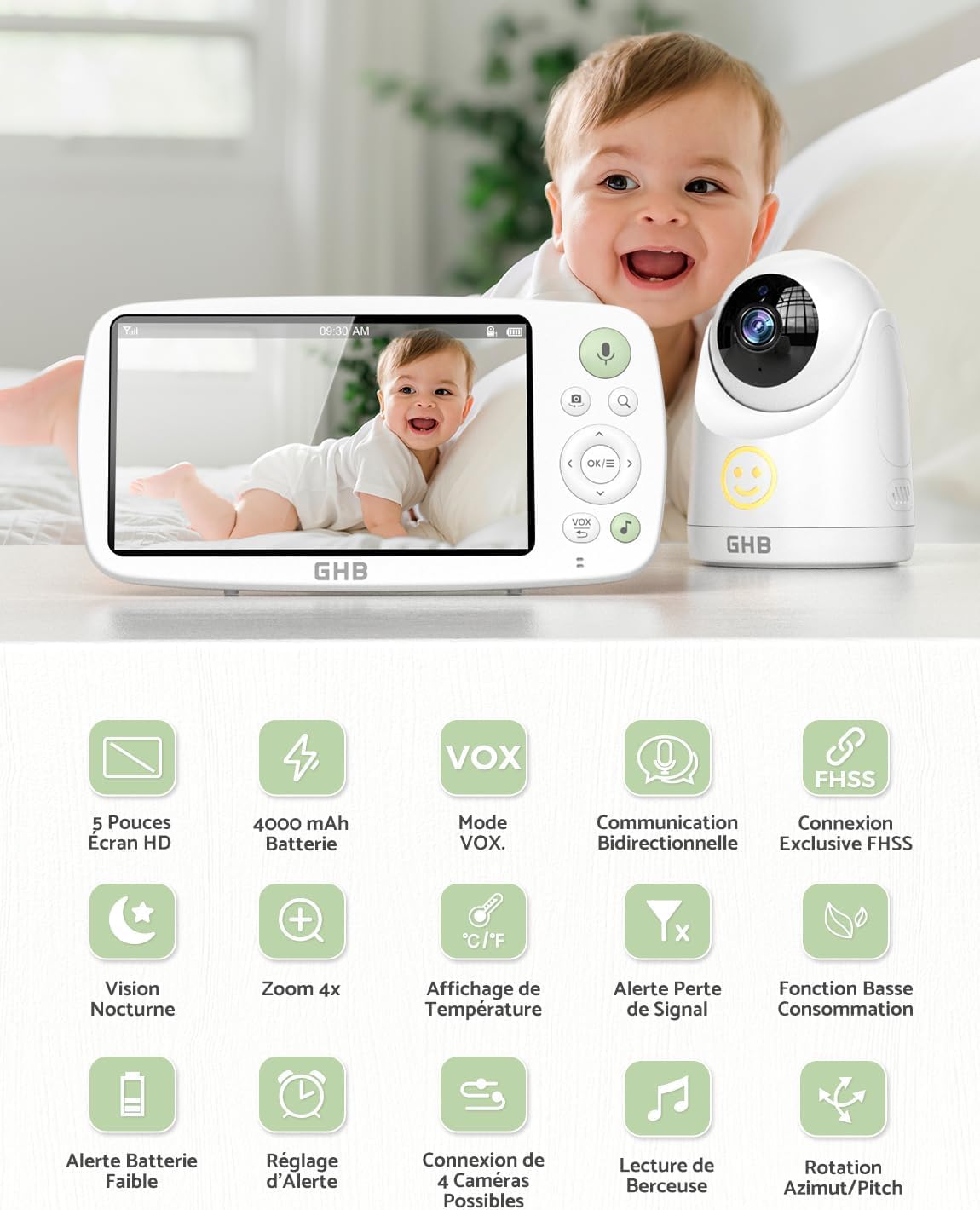
Gambar 4.1: Leuwihview of GHB Baby Monitor features including 5-inch HD screen, 4000 mAh battery, VOX mode, two-way communication, FHSS connection, night vision, 4x zoom, temperature display, signal loss alert, low power function, battery alert, alarm setting, 4 camera connection, lullaby playback, and pan/tilt rotation.
5. Setélan
5.1 Ngecas Unit Induk
- Connect the power adapter to the parent unit and a power outlet.
- Charge the unit for at least 4 hours before first use. The battery icon on the screen will indicate charging status.
5.2 Powering Unit Orok (Kaméra)
- Connect the power adapter to the baby unit and a power outlet.
- The baby unit does not have a built-in battery and must be continuously connected to power.

Gambar 5.1: The GHB baby camera unit shown with its 1/4 inch screw hole for versatile mounting options, including a wall-mounted bracket. The image emphasizes that the camera requires continuous power connection.
5.3 Nempatkeun Unit Orok (Kaméra)
- Place the baby unit on a flat surface or mount it to a wall using the provided bracket.
- Ensure the camera is at least 1 meter away from the baby's crib to prevent entanglement hazards from the power cord.
- Saluyukeun sudut kaméra pikeun meunangkeun pangalusna view of your baby. The camera offers 350° rotation and 110° wide-angle view.
5.4 Pairing (If necessary)
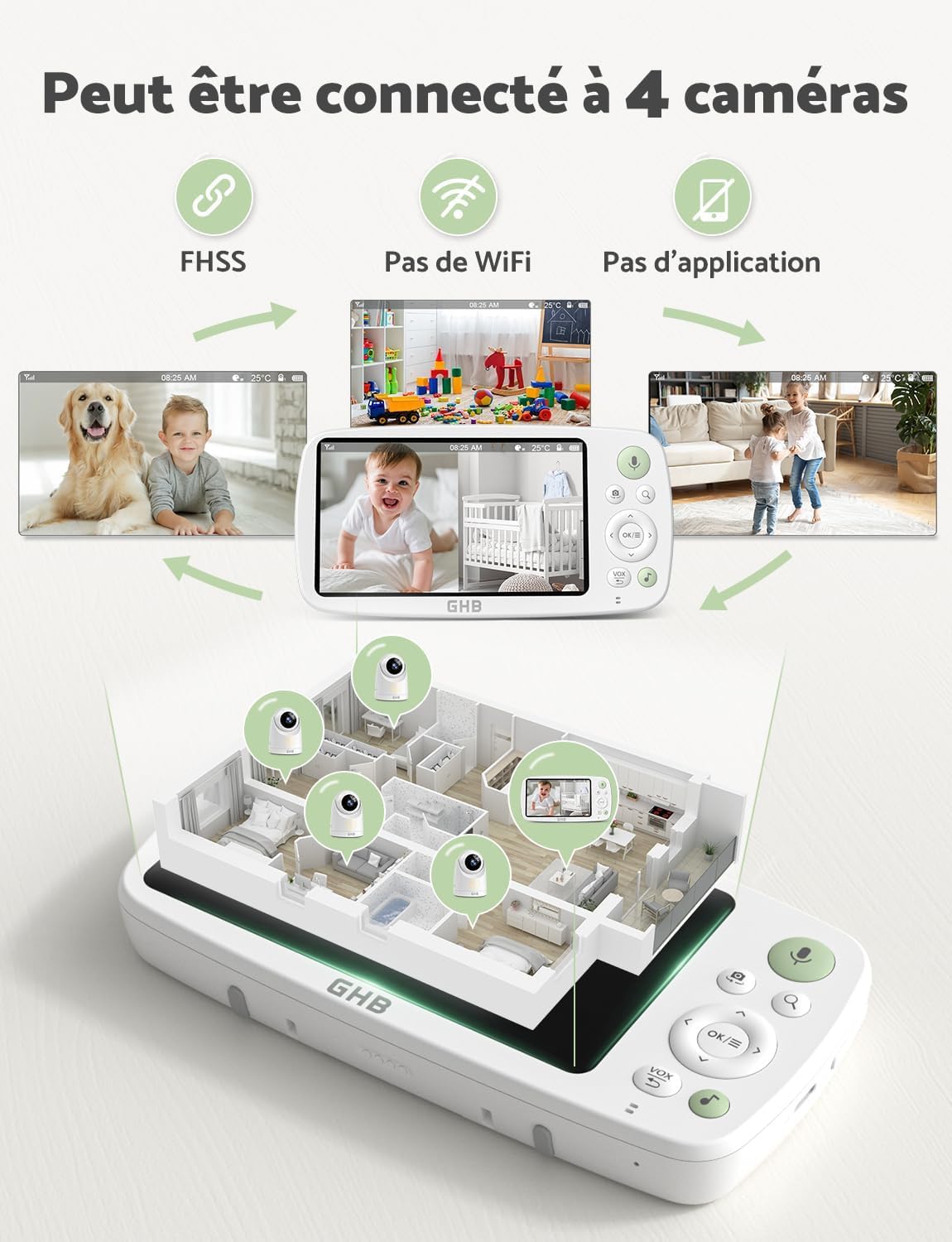
The units are pre-paired at the factory. If pairing is lost or you are adding additional cameras (up to 4 cameras supported):
- Turn on both the parent unit and the baby unit.
- On the parent unit, navigate to the "Camera" menu.
- Select "Add Camera" and follow the on-screen instructions.
- Pencét tombol papasangan dina tonggong unit orok dina 10 detik.
- A successful connection will be indicated on the parent unit screen.

Gambar 5.2: The GHB Baby Monitor system demonstrating the ability to connect up to 4 cameras simultaneously, displaying views from different rooms on the parent unit. It highlights the use of FHSS technology, no Wi-Fi, and no app requirement.
6. Parentah Operasi
6.1 Daya Hurung/Pareuman
- Unit induk: Pencét jeung tahan tombol Daya salila 3 detik.
- Unit Orok: Connect to power to turn on. Disconnect from power to turn off.
6.2 Screen Display and Navigation
The 5-inch HD screen displays live video from the camera. Use the navigation buttons (Up, Down, Left, Right) and OK button to navigate menus and adjust settings.
6.3 VOX Mode (Voice Operated Exchange)
The VOX mode conserves battery by turning off the screen when no sound is detected. The screen will automatically turn on when sound is detected from the baby's room.
- Pencét éta VOX button on the parent unit to activate/deactivate VOX mode.
- Adjust VOX sensitivity (Low, Mid, High, Highest) in the menu settings.

Gambar 6.1: The GHB Baby Monitor parent unit displaying the VOX mode settings (Low, Mid, High, Highest) and indicating extended battery life of 7x24 hours in VOX energy-saving mode. A baby is shown sleeping in the background.

Gambar 6.2: Illustration of the GHB Baby Monitor's VOX Economic Mode. When the environment is quiet, the screen automatically turns off to save energy. When sound is detected, the screen turns on, showing the baby. This mode does not detect movement.
6.4 Obrolan Dua Arah
To speak to your baby:
- Pencét jeung tahan tombol Omongan button (microphone icon) on the parent unit.
- Nyarios kalawan jelas kana mikropon dina unit indukna.
- Leupaskeun tombol pikeun ngadéngé orok anjeun deui.

Gambar 6.3: The GHB Baby Monitor demonstrating its clear two-way talk function with low background noise. An adult is shown speaking into the parent unit, and a baby is shown responding from the camera's location.
6.5 Fungsi zum
The parent unit supports 2x and 4x digital zoom.
- Pencét éta Zum button (magnifying glass icon) to cycle through 1x, 2x, and 4x zoom levels.

Gambar 6.4: The GHB Baby Monitor parent unit showcasing its 2x and 4x digital zoom capabilities, allowing for closer observation of the baby.
6.6 Visi Peuting
The baby unit automatically activates infrared night vision in low-light conditions, providing a clear black and white image of your baby.

Gambar 6.5: Comparison of GHB 1080P HD Night Vision with other 720P monitors, demonstrating superior clarity. Icons indicate features like low background noise, VOX, lullabies, and temperature alerts.
6.7 Lullabies and Temperature Monitoring
The monitor includes built-in lullabies and a temperature sensor in the baby unit.
- Access the menu to select and play lullabies.
- The current room temperature is displayed on the parent unit screen. You can set temperature alerts in the settings.
Gambar 6.6: The GHB Baby Monitor camera unit positioned near a sleeping baby, illustrating its lullaby playback and temperature detection features. The parent unit displays the temperature and sound level.
7. Pangropéa
- Clean the units with a dry, soft cloth. Do not use abrasive cleaners or solvents.
- Ensure the camera lens is clean for optimal image quality.
- Keep ventilation openings free from dust and debris.
- Store the monitor in a dry place when not in use.
8. Cara ngungkulan
| Masalah | Mungkin Cukang lantaranana | Solusi |
|---|---|---|
| Henteu aya gambar / sora dina unit indungna. | Units are not powered on or not paired. | Ensure both units are connected to power and turned on. Re-pair the units if necessary (refer to Section 5.4). |
| Kualitas gambar henteu saé. | Camera lens is dirty; insufficient lighting; units are too far apart. | Clean the camera lens. Ensure adequate lighting or check night vision activation. Move units closer to each other. |
| Statis atanapi gangguan. | Out of range; interference from other 2.4GHz devices. | Move the parent unit closer to the baby unit. Move other wireless devices away from the monitor. |
| Batré unit induk gancang béak. | Screen always on; high brightness; frequent use of two-way talk. | Activate VOX mode. Reduce screen brightness. Limit continuous screen-on time. |
| VOX mode not working. | Sensitivitas VOX disetel teuing handap. | Ningkatkeun sensitivitas VOX dina setélan menu. |
9. Spésifikasi
- model: GB5200
- Ukuran layar: 5 inci HD
- Resolusi kaméra: 1080P
- Battery (Parent Unit): 4000 mAh Litium Ion
- VOX Mode Battery Life: Up to 7 x 24 hours
- Display Mode Battery Life: Kurang leuwih 10 jam
- Téknologi nirkabel: 2.4GHz FHSS
- Jumlah Saluran: 4
- Zum: 2x, 4x Digital Zoom
- Visi Peuting: HD Infrared
- Obrolan Dua Arah: Sumuhun
- Sénsor Suhu: Sumuhun
- Lullabies: Sumuhun
- Rotasi kaméra: 350° Pan, 110° Tilt (Wide Angle)
- Tipe Pamasangan: Tembok Gunung
- Ukuran produk: 24 x 17 x 11 cm
- Beurat barang: 950 g
10. Garansi jeung Rojongan
GHB products are designed and manufactured to the highest quality standards. For warranty information, technical support, or customer service, please refer to the warranty card included in your package or visit the official GHB websitus. Punten tahan bukti pameseran anjeun pikeun klaim garansi.
For further assistance, you may contact GHB customer support via their official websitus: GHB Official Store


