1. Bubuka
Welcome to the ETOE Starfish 720P Projector user manual. This guide provides essential information for setting up, operating, and maintaining your projector. The ETOE Starfish projector offers a native 720P resolution with 300 ANSI lumens, a built-in Google Android system for streaming, and features like 140-degree rotation, auto keystone correction, and dual-band Wi-Fi connectivity. Please read this manual thoroughly before using your device to ensure optimal performance and longevity.
2. Naon dina Box
Carefully unpack your ETOE Starfish projector and ensure all items are present:
- Projector
- Adaptor
- Manual pamaké
- Kadali jauh
- Kabel listrik
3. Produk Langkungview
Familiarize yourself with the main components and features of your ETOE Starfish projector.

Gambar: Hareupeun view of the ETOE Starfish Projector, showcasing desainna kompak sareng modern.
3.1. Palabuhan jeung sambungan
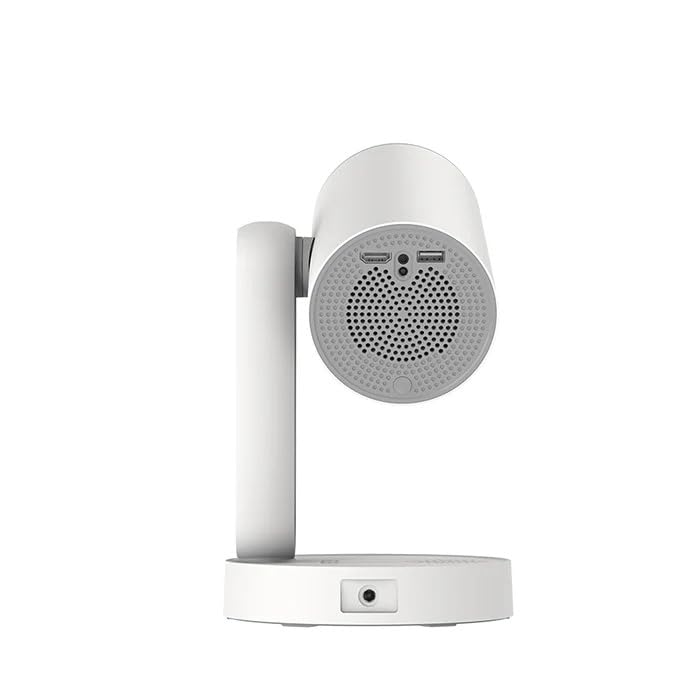
Gambar: Sisi view of the ETOE Starfish Projector, highlighting its connectivity ports including USB and HDMI.
The projector includes various ports for connectivity:
- Port HDMI: Pikeun nyambungkeun alat éksternal sapertos konsol kaulinan, pamaén Blu-ray, atanapi laptop.
- Port USB: Pikeun nyambungkeun alat panyimpenan USB pikeun muterkeun media files.
- Input kakuatan: Pikeun nyambungkeun adaptor kakuatan.
3.2. Fitur konci
- Rotasi 140°: The projector head can be rotated up to 140 degrees for flexible projection angles, including ceiling projection.
- Touch-controlled Ambient Light: A customizable seven-color night light feature with adjustable brightness and color temperature.
- Built-in Google Android System: Access popular streaming services like Netflix, YouTube, and Prime Video directly.
- Koreksi Auto Keystone: Automatically adjusts the image for a perfectly rectangular display.
- Wi-Fi Dual-Band: Supports 2.4G and 5G Wi-Fi for stable wireless connectivity.
- Operasi Low Noise: Designed for quiet performance, operating at approximately 24.5 dB.
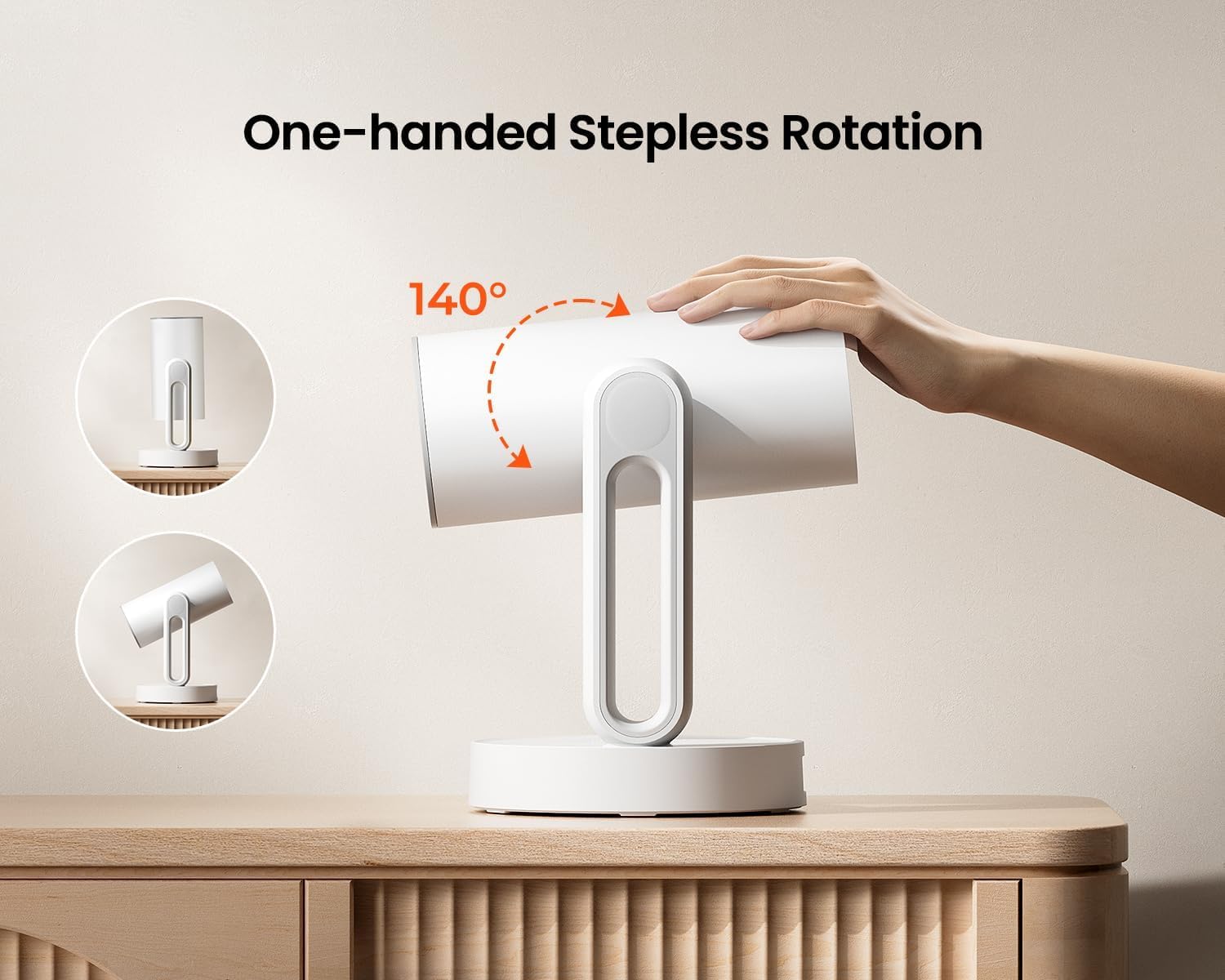
Image: The ETOE Starfish Projector shown rotating 140 degrees, illustrating its flexible projection capabilities.

Image: The ETOE Starfish Projector displaying its touch-controlled ambient light feature with various color options.
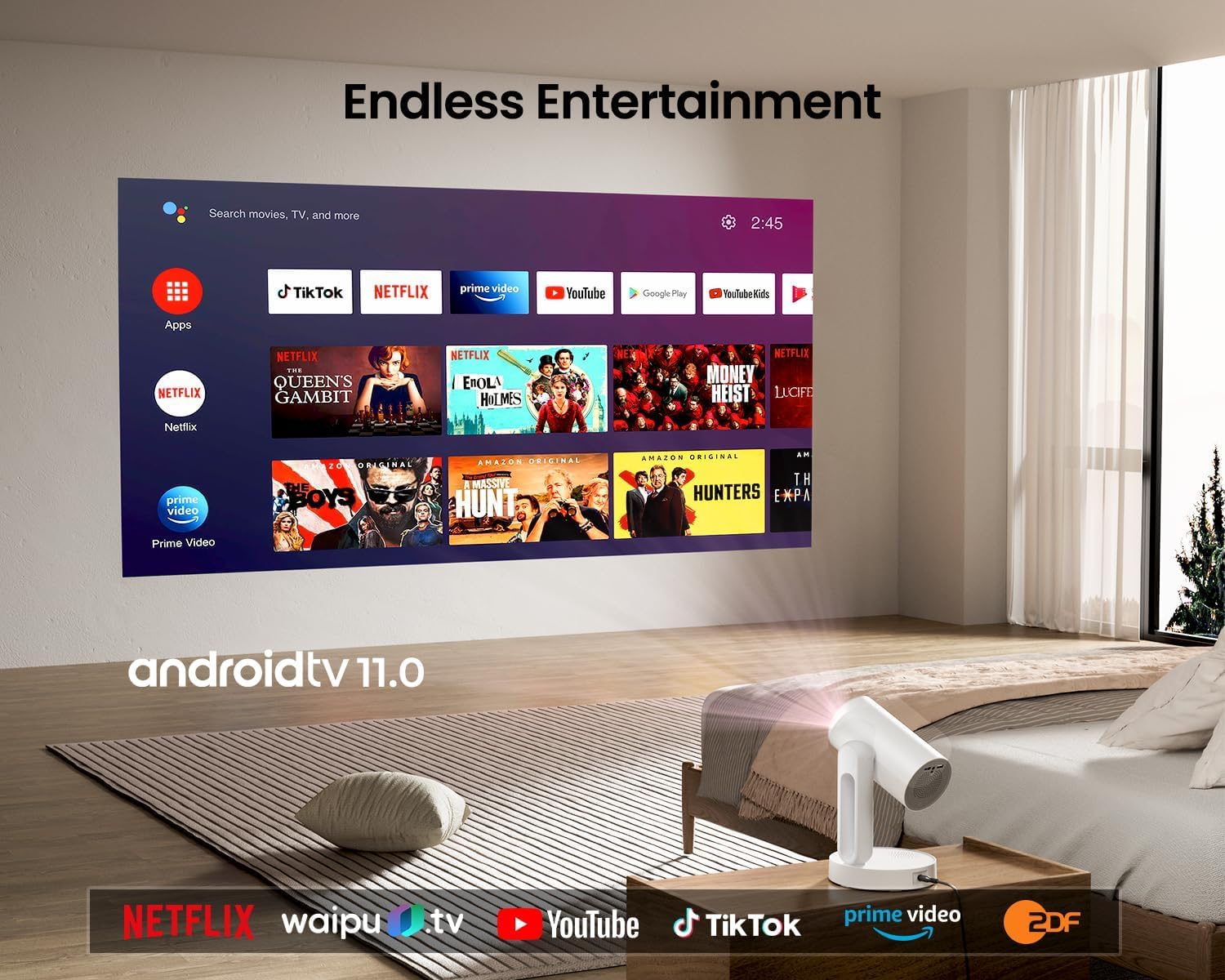
Image: The ETOE Starfish Projector displaying the Android TV interface, showing various streaming applications like Netflix, YouTube, and Prime Video.

Image: The ETOE Starfish Projector automatically correcting a distorted image to a perfect rectangle.

Image: Illustration comparing the low noise level of the ETOE Starfish Projector (24.5 dB) to common sounds.
4. Setélan
4.1. Sambungan Daya
- Connect the power cord to the adaptor.
- Plug the adaptor into the projector's power input port.
- Colokkeun tungtung kabel listrik anu sanés ka stop kontak témbok.
4.2. Panempatan Awal
Teundeun proyektor dina permukaan datar anu stabil. Pikeun optimal viewing, ensure the projection surface (wall or screen) is clean and smooth. The 140° rotation feature allows for flexible positioning, including ceiling projection.
4.3. Jauh Control Setup
Insert two AAA batteries (not included) into the remote control, observing the correct polarity.
4.4. First Boot and Network Connection
- Pencét tombol daya dina proyektor atawa kadali jauh pikeun ngahurungkeun.
- Follow the on-screen instructions for the initial Google Android system setup. This will include language selection and connecting to a Wi-Fi network.
- Select your preferred 2.4G or 5G Wi-Fi network and enter the password.
5. Parentah Operasi
5.1. Operasi dasar
- Hurungkeun/Pareuman: Pencét tombol daya dina remot atanapi proyéktor.
- Napigasi: Use the directional buttons on the remote to navigate the Android interface.
- Kontrol volume: Anggo tombol volume dina remot.
5.2. Pangaturan gambar
- Fokus Digital: Adjust the image clarity using the focus controls on the remote or through the settings menu.
- Koreksi Auto Keystone: The projector automatically corrects trapezoidal distortion. If manual adjustment is needed, access it via the settings.
- Ngazum Digital: Adjust the image size from 50% to 100% without moving the projector, accessible in the settings menu.
- Rotasi 140°: Physically rotate the projector head to project onto different surfaces, including ceilings. The auto keystone will adjust the image accordingly.

Image: The ETOE Starfish Projector projecting content onto a ceiling, demonstrating its versatility for different viewing angles, with a smartphone mirroring content.
5.3. Smart System Features
- Aplikasi Streaming: Access pre-installed apps like Netflix, YouTube, and Prime Video. Ensure you are logged into your respective accounts.
- Asisten Google: Use voice commands via the remote control for navigation, content search, and system control.
- Chromecast Diwangun-di: Cast content directly from compatible Android, iOS, and PC devices to the projector. Ensure both devices are on the same Wi-Fi network.
5.4. Ambient Light Function
The projector features a touch-controlled ambient light. Touch the designated area on the projector to cycle through seven colors, adjust brightness, and change color temperature to create your desired atmosphere.
6. Pangropéa
Pangropéa anu leres mastikeun umur panjang sareng kinerja optimal proyektor anjeun.
- Ngabersihan lensa: Anggo lawon lemes anu henteu ngaganggu anu khusus dirancang pikeun lensa optik pikeun ngusap lensa proyéktor sacara lembut. Hindarkeun bahan anu kasar atanapi bahan kimia anu keras.
- Perlindungan lebu: The ETOE Starfish features a fully sealed optical engine designed to protect against dust ingress, minimizing the need for internal cleaning.
- beberesih umum: Ngusap bagian luar proyektor ku kaén anu lembut sareng garing. Ulah make cleaners cair langsung dina alat.
- Panyimpenan: Lamun teu dipake keur lila, nyimpen projector dina tiis, tempat garing, jauh tina sinar panonpoé langsung jeung hawa ekstrim.
7. Cara ngungkulan
Upami anjeun mendakan masalah sareng proyektor anjeun, tingal masalah sareng solusi umum ieu:
| Masalah | Mungkin Cukang lantaranana | Solusi |
|---|---|---|
| Proyéktor teu tiasa dihurungkeun. | Power cord not connected properly; power outlet issue. | Ensure power cord is securely connected to both projector and outlet. Test outlet with another device. |
| Taya gambar ditémbongkeun. | Input source incorrect; external device not connected; projector in standby. | Check input source settings. Ensure HDMI/USB devices are connected and powered on. Wake projector from standby. |
| Gambar blur. | Fokus teu disaluyukeun; proyéktor deukeut teuing/jauh teuing ti layar. | Adjust digital focus using the remote. Ensure optimal projection distance. |
| Image is distorted (not rectangular). | Koréksi Keystone diperlukeun. | The projector has auto keystone. If manual adjustment is required, access it in the settings menu. |
| Taya sora. | Volume too low; external audio device issue; mute enabled. | Increase volume. Check external audio connections. Disable mute. |
| Masalah sambungan Wi-Fi. | Sandi salah; router jauh teuing; gangguan jaringan. | Re-enter Wi-Fi password. Move projector closer to router. Restart router. |
| Kadali jauh teu jalan. | Batteries low/dead; line of sight blocked. | Replace batteries. Ensure no obstructions between remote and projector. |
8. Spésifikasi
Detailed technical specifications for the ETOE Starfish 720P Projector (Model A1222).
| merek | ETOE |
| Modél | A1222 |
| Produsén | JVDN International |
| Dimensi produk | 61 x 48 x 43 cm |
| Item Beurat | 3 kg |
| Tipe tampilan | LCD |
| Caang Gambar | 300 ANSI Lumens |
| Babandingan Kontras Gambar | 3000:1 |
| Rasio Aspék | 16:9 |
| Resolusi pribumi | 1280 x 720 |
| Voltage | 240 volt |
| Wattage | 5 Watt |
| Refresh Laju | 60 Hz |
| Téhnologi konektipitas | Wi-Fi (2.4G & 5G) |
| Panganteur Hardware | HDMI, USB |
| Alat nu cocog | Smartphones (Android & iOS), Gaming Consoles, Blu-ray Players, Media Players |
| Fitur husus | Digital Focus, Portable, Wireless, Auto Keystone, 140° Rotation, Built-in Android System, Ambient Light |
| Tipe Pamasangan | Tabletop Gunung |
9. Garansi jeung Rojongan
9.1. Émbaran jaminan
The ETOE Starfish Projector is manufactured by JVDN International. For specific warranty terms and conditions, please refer to the warranty card included with your product or contact the manufacturer directly. Keep your purchase receipt as proof of purchase for warranty claims.
9.2. Rojongan Palanggan
For technical assistance, troubleshooting not covered in this manual, or warranty inquiries, please contact JVDN International customer support:
- Perwakilan: JAYESH KUMAR JAGETIYA
- Telepon: +91 91361 87951
- Surélék: jayesh@jvdninternational.com
- Alamat: B-1122 Sun Westbank, Ashram Road, Ahmedabad, Gujarat, India, 380009


