1. Bubuka
Thank you for choosing the RCA Wave-54 Wireless Over-Ear Bluetooth Headphones. This manual provides detailed instructions to help you set up, operate, and maintain your headphones for optimal performance. Please read this manual thoroughly before use and retain it for future reference.
2. Naon dina Box
- RCA Wave-54 Wireless Over-Ear Bluetooth Headphones
- Kabel Ngecas USB
- Manual pamaké
3. Produk Langkungview
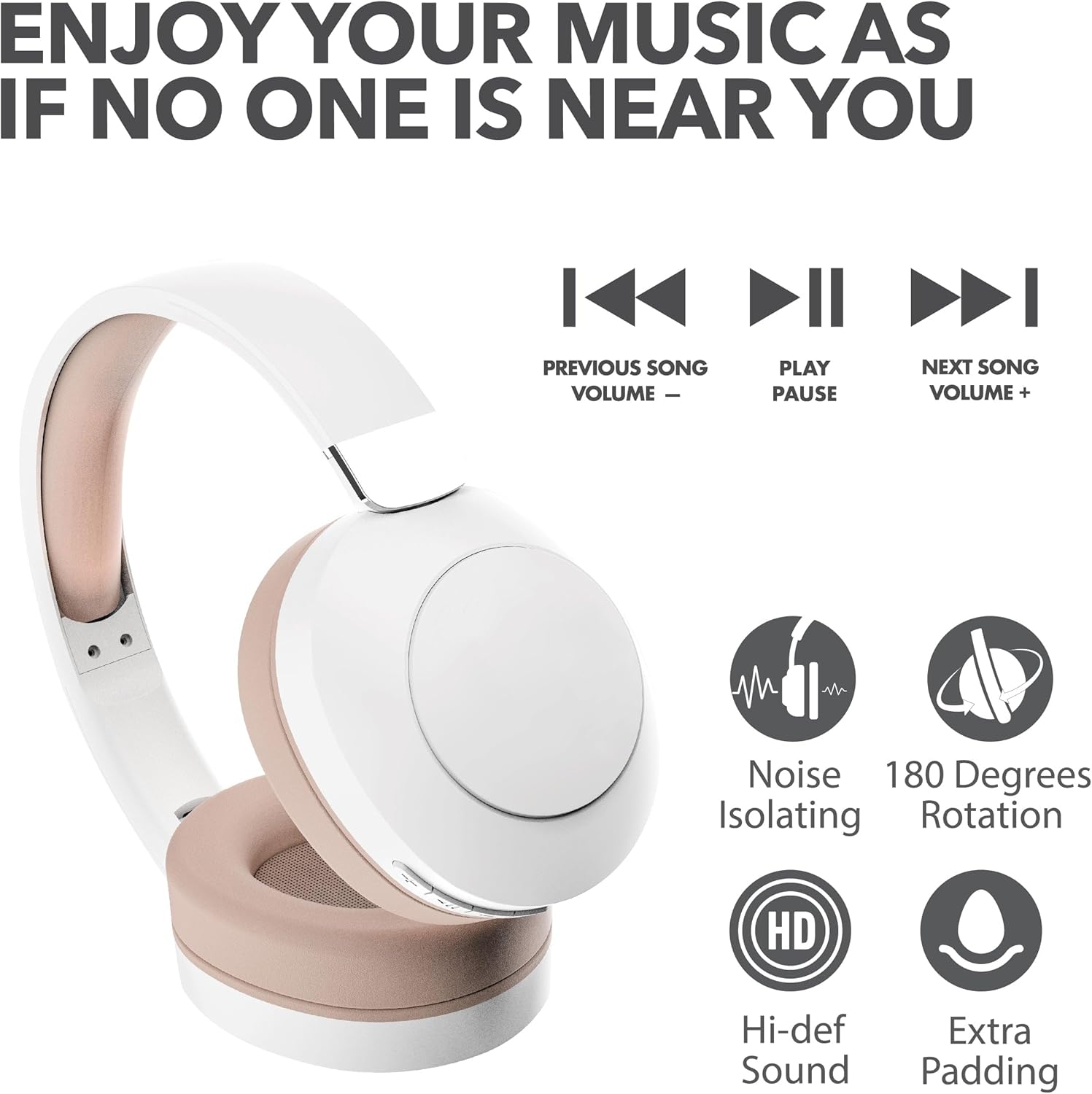
The RCA Wave-54 headphones are designed for a comfortable and immersive audio experience, featuring Hi-Res Audio, deep bass, and noise-cancelling capabilities. They connect wirelessly via Bluetooth 5.3 and offer a foldable design for portability.

Image: RCA Wave-54 Wireless Over-Ear Bluetooth Headphones, showing the overall design and earcups.
3.1 Komponén headphone
- Headband adjustable: Pikeun pas anu aman sareng nyaman.
- Ceuli nu empuk: Soft cushioning for extended wear.
- Tombol kontrol: Located on the earcup for power, volume, track control, and mode switching.
- Mikropon: Terintegrasi pikeun nelepon tanpa nganggo leungeun.
- Palabuhan Ngecas USB: Pikeun ngecas batré internal.
Gambar: Deukeut view of the control buttons located on the earcup, including power, volume, and playback controls.
4. Setélan
4.1 Ngecas Headphone
- Connect the small end of the USB charging cable to the charging port on your headphones.
- Sambungkeun tungtung nu leuwih gede tina kabel ngecas USB ka adaptor kakuatan USB (teu kaasup) atawa port USB komputer.
- Indikator LED dina headphone bakal hurung pikeun némbongkeun status ngecas. Éta bakal robah warna atanapi pareum nalika dicas pinuh.
Muatan pinuh nyayogikeun kirang langkung 12 jam waktos maén.
4.2 Nyapasangkeun Bluetooth
- Pastikeun headphone anjeun dicas pinuh.
- Pencét terus tahan tombol Daya dina headphone nepi ka indikator LED kedip-kedip, nunjukkeun modeu pairing.
- Dina alat anjeun (smartphone, tablet, laptop), aktipkeun Bluetooth sareng milarian alat anu sayogi.
- Select "RCA Wave-54" from the list of found devices.
- Once connected, the LED indicator will stop flashing and remain solid, or turn off, depending on the model.

Image: The RCA Wave-54 headphones positioned near a smartphone, demonstrating the process of Bluetooth pairing.
5. Parentah Operasi
5.1 Daya Hurung/Pareuman
- Daya Hurung: Pencét jeung tahan tombol Daya salila kurang leuwih 3 detik.
- Pareum listrik: Pencét jeung tahan tombol Daya salila kurang leuwih 5 detik.
5.2 Puterkeun Musik

Image: A visual representation of the music control buttons on the headphones, indicating functions for previous song/volume down, play/pause, and next song/volume up.
- Puter / Reureuh: Pencét tombol Play / Reureuh sakali.
- Lagu salajengna: Press the 'Next Song' button once.
- Lagu Sateuacanna: Press the 'Previous Song' button once.
- Volume Up: Press and hold the 'Next Song' button.
- Volume Turun: Press and hold the 'Previous Song' button.
5.3 Manajemén Telepon
- Ngajawab / mungkas Telepon: Pencét tombol Play / Reureuh sakali.
- Nolak Telepon: Pencét jeung tahan tombol Play/Reureuh salila 2 detik.
5.4 Noise Cancelling / Transparency Mode
The RCA Wave-54 headphones feature both Noise Cancelling and Transparency modes. Refer to the specific button on your headphones (often labeled 'ANC' or a dedicated mode button) to switch between these modes.
- Noise Cancelling: Ngurangan noise ambient pikeun pangalaman déngékeun immersive.
- Modeu Transparansi: Ngamungkinkeun anjeun ngadangukeun sakuriling anjeun bari tetep ngarasakeun audio anjeun, mangpaat pikeun kasadaran.
6. Pangropéa
- Bersihkeun headphone sacara rutin nganggo lawon anu lemes sareng garing. Entong nganggo bahan kimia anu kasar atanapi bahan anu kasar.
- Hindarkeun headphone ka suhu ekstrim, kalembaban, atanapi sinar panonpoé langsung.
- Simpen headphone dina tempat anu tiis sareng garing upami henteu dianggo. Desain foldable ngamungkinkeun pikeun neundeun kompak.
- Entong nyobian ngabongkar atanapi ngalereskeun headphone nyalira, sabab ieu bakal ngabatalkeun garansi.

Image: The RCA Wave-54 headphones shown in their folded configuration, highlighting their portable design.
7. Cara ngungkulan
| Masalah | Mungkin Cukang lantaranana | Solusi |
|---|---|---|
| Headphone teu hurung | batré lemah | Ngecas headphone pinuh. |
| Teu tiasa dipasangkeun sareng alat | Bluetooth not enabled on device; headphones not in pairing mode; device too far | Ensure Bluetooth is on, headphones are in pairing mode, and within range (approx. 10 meters). Try restarting both devices. |
| Taya sora | Volume too low; headphones not connected; incorrect audio output selected | Increase volume on both headphones and device. Verify Bluetooth connection. Check device's audio output settings. |
| Kualitas sora goréng | Interference; low battery; device too far | Move closer to the connected device. Charge headphones. Avoid environments with strong Wi-Fi or other Bluetooth signals. |
8. Spésifikasi
| Fitur | Spésifikasi |
|---|---|
| Ngaran modél | Gelombang-54 |
| Téhnologi konektipitas | Nirkabel (Bluetooth) |
| Vérsi Bluetooth | 5.3 |
| Tipe Supir Audio | Supir dinamis (40mm) |
| Rentang Frékuénsi | 20 Hz - 40,000 Hz |
| Kahirupan batré | Nepi ka 12 Jam (Waktu Play) |
| Kontrol bising | Sound Isolation (Noise Cancelling + Transparency Mode) |
| Fitur husus | 180 Degree Rotation, Extra Padding, Faster Charge |
| Diménsi | 7.32 x 2.17 x 7.68 inci |
| UPC | 850068964307 |
9. Garansi jeung Rojongan
RCA products are manufactured to high-quality standards. For warranty information and customer support, please refer to the warranty card included with your product or visit the official RCA websitus. Simpen bukti pameseran anjeun pikeun klaim garansi.


