Bubuka
Thank you for choosing the AFU 2000mAh Portable CD Player with Bluetooth. This versatile device offers multiple playback options including CD, Bluetooth, USB, AUX, and FM radio, along with a built-in rechargeable battery for portability. This manual provides detailed instructions for setup, operation, maintenance, and troubleshooting to ensure optimal performance and enjoyment of your new CD player.
Naon dina Box
- Pamuter CD x1
- Buku Panduan x1
- Jauh Jauh x1
- Kabel Ngecas Tipe-C x1
- Kabel AUX 3.5mm x1

Image: The AFU Portable CD Player shown with its essential accessories, including the remote control, Type-C charging cable, and 3.5mm AUX cable, all neatly arranged.
Produk Leuwihview
The AFU Portable CD Player is designed for versatile audio playback with a focus on portability and sound quality. Key features include:
- Bluetooth 5.3: Supports both transmission (to headphones/speakers) and reception (from phones/MP3/iPad).
- Batré 2000mAh anu tiasa dicas deui: Provides up to 12 hours of playback on a 3-hour charge, ideal for outdoor use.
- Spéker Dual: Built-in high-fidelity speakers deliver clear surround sound.
- Sababaraha Modeu Playback: CD, USB, AUX input, and FM Radio.
- Perlindungan Anti Skip: Ensures smooth CD playback without interruptions.
- Music Equalizers: 5 built-in EQ modes (FLAT, POP, JAZZ, CLASSIC, ROCK) for customized sound.
- Mode Ulang AB: Useful for learning or repeating specific audio intervals.
- Timer Saré: Customizable shutdown timer from 10 to 90 minutes.
- Kadali jauh: Convenient operation from a distance of up to 32.8 feet.

Image: The AFU Portable CD Player highlighting its dual speakers, which provide high-fidelity stereo sound, restoring the original CD audio quality.

Image: The CD player displaying its various equalizer modes, including Flat, Rock, Pop, Jazz, and Classic, allowing users to select their preferred audio profile.
Disetél
Ngecas Alat
Before first use, fully charge the CD player. Use the included Type-C charging cable to connect the device to a power source (wall charger, car charger, or power bank). A full charge takes approximately 3 hours.
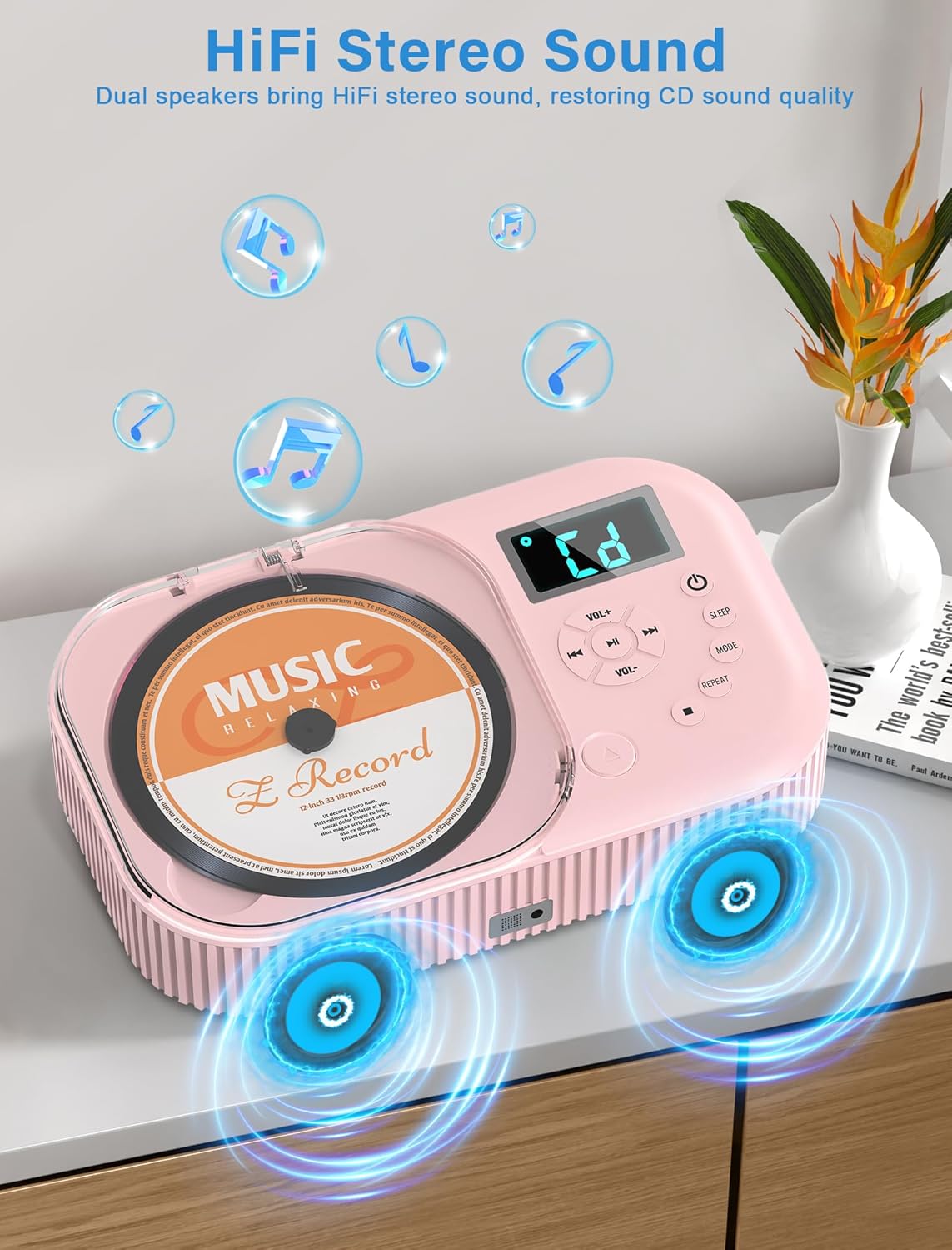
Image: The CD player connected to a wall charger via its Type-C cable, illustrating its rechargeable battery and compatibility with various charging methods like car chargers and power banks.
Ngahurungkeun/Pareuman
Locate the power switch on the back of the device. Flip it to the 'ON' position. Then, press the power button on the front panel or the remote control to turn the device on. To power off, press the power button again or flip the switch on the back to 'OFF'.
Parentah Operasi
Puteran CD
- Buka panutup kompartemen CD.
- Carefully place a CD onto the spindle, label side up.
- Close the CD compartment cover firmly.
- The player will automatically detect and begin playing the CD. Use the play/pause, skip forward/backward, and volume buttons to control playback.
Fungsi Bluetooth
This CD player supports both Bluetooth transmission (connecting to Bluetooth headphones/speakers) and reception (connecting to your phone/tablet as a Bluetooth speaker).
Bluetooth Receiver Mode (Connect your phone to the CD player)
- Press the 'MODE' button until "bt" appears on the display.
- Dina alat sélulér anjeun, aktipkeun Bluetooth sareng milarian alat anu sayogi.
- Select "AFU CD Player" (or similar) from the list to pair. Once connected, you can play audio from your device through the CD player's speakers.

Image: The CD player in Bluetooth receiver mode, wirelessly connected to a smartphone, allowing music to be streamed from the phone to the player's speakers.
Bluetooth Transmitter Mode (Connect the CD player to Bluetooth headphones/speakers)
- Pastikeun headphone Bluetooth anjeun atanapi spiker aya dina mode papasangan.
- Press the 'MODE' button until "bt" appears. The player will automatically search for nearby Bluetooth devices.
- Once connected, audio from the CD player (CD, USB, AUX, FM) will be transmitted to your Bluetooth headphones/speaker.

Image: The CD player in Bluetooth transmitter mode, capable of sending audio to external Bluetooth devices such as headphones and portable speakers.
USB Playback
Selapkeun USB flash drive nu ngandung audio files into the USB port on the back of the device. The player will automatically switch to USB mode and begin playing. Supported formats include MP3, WAV, and others.

Image: The CD player with a USB flash drive inserted, demonstrating its capability to play audio files langsung ti alat panyimpenan USB.
Input AUX
Connect an external audio device (e.g., smartphone, MP3 player) to the AUX input port on the CD player using the provided 3.5mm AUX cable. Press the 'MODE' button until "AUX" appears on the display. Audio from your external device will play through the CD player's speakers.

Image: The CD player connected to a smartphone using a 3.5mm AUX cable, illustrating its ability to play audio from external devices.
Radio FM
Press the 'MODE' button until the FM frequency appears on the display. Use the skip forward/backward buttons to tune to different FM stations (87.5-108Mhz). The independent radio module ensures high sensitivity and stable signal reception.

Image: The CD player tuned to an FM radio station, with visual cues indicating stable signal reception across various frequencies.
Modeu Ulang AB
While playing a CD or USB audio, press the 'REPEAT' button once to set point A. Press it again to set point B. The player will continuously repeat the section between A and B. Press 'REPEAT' a third time to exit A-B repeat mode.

Image: The CD player illustrating its A-B Repeat function, useful for language learning, and its Sleep Timer feature, allowing users to fall asleep to music.
Timer Saré
Press the 'SLEEP' button repeatedly to cycle through sleep timer options (10, 20, 30, 40, 50, 60, 70, 80, 90 minutes). The player will automatically shut down after the selected time. To cancel, cycle through the options until the timer is off.
Music Lover CD Player Demonstration
Video: A demonstration of the AFU Portable CD Player's various functions, including CD playback, Bluetooth connectivity, USB playback, FM radio, and AUX input, showcasing its versatility for music lovers.
Pangropéa
Cleaning the Laser Head
Dust and dirt on the laser head can affect CD reading. Gently wipe the laser head with a special cleaning disc or a cotton swab. Ensure the device is powered off before cleaning.
Perawatan Umum
- Simpen alat dina lingkungan anu garing sareng henteu lebu.
- Hindarkeun ngalaan alat ka suhu anu ekstrim atanapi sinar panonpoé langsung.
- Bersihkeun bagian luarna ku lawon anu lemes sareng garing. Entong nganggo pembersih atanapi pelarut anu abrasif.
- Handle CDs and the CD compartment with care to prevent scratches or damage.
Pamérésan masalah
CD Player Not Playing CD
- Ensure the CD compartment door is closed tightly.
- Check for dust or dirt inside the laser head and CD player. Clean with a special cleaning disc or cotton swab.
- Inspect the CD for scratches, stains, or deformation. Use a clean, undamaged disc.
- If the laser head is poorly focused, try adjusting the laser focus manually or use a cleaning disc.
- If issues persist, internal parts may be damaged. Contact professional repair service.
Video: Troubleshooting steps for when the CD player does not play a CD, covering common issues like a loose CD door, dirty laser head, or damaged discs.
Alat Teu Ngecas
- Check if the charging interface is loose or damaged. Clean or replace if necessary.
- Inspect the charging cable for damage or poor contact. Replace with a new charging cable if needed.
- Ensure the charging port is not cluttered or blocked. Clean or replace the port if necessary.
Video: Solutions for when the device is not charging, including checking the charging interface, cable, and port for issues.
Bluetooth Teu Gawé
- Note: This device does not support connecting to car Bluetooth.
- Turn off all other Bluetooth devices nearby or disable their Bluetooth function to reduce interference.
- Adjust the distance between the CD player and the Bluetooth device. Try bringing them closer to increase signal strength.
- Reboot the speaker/headphones or remove/disconnect the power for a minute to restart the device before connecting.
- Clear the paired device memory on both the CD player and the Bluetooth speaker/headphones, then try pairing again.
- Pastikeun Bluetooth diaktipkeun dina kadua alat.
Video: Troubleshooting steps for Bluetooth connectivity issues, including checking for interference, distance, device reboots, and ensuring Bluetooth is enabled on both devices.
spésifikasi
| Nomer modél | CD-35GY |
| merek | AFU |
| Dimensi produk | 5.32 x 2.21 x 8.76 inci |
| Item Beurat | 2.12 pon |
| Batré | 1 batré Litium Polimer (kaasup), 2000mAh |
| Téhnologi konektipitas | Bluetooth 5.3, Auxiliary, USB |
| Tipe Speaker | Sakuriling |
| Frékuénsi Radio FM | 87.5-108Mhz |
| Warna | Pink |
| Produsén | LVLIZI |
| Negara asal | Cina |
Garansi sarta Rojongan Palanggan
Your AFU Portable CD Player comes with 12 months of after-sales service. For any questions, concerns, or technical support, please contact our customer service team. We are committed to providing world-class customer service and take 100% responsibility for our products.
For assistance, please refer to the contact information provided with your purchase or visit the official AFU store on Amazon: AFU Store.


