Bubuka
The HMD Pulse Pro is an advanced unlocked smartphone designed for global use, featuring a powerful 50 MP dual rear camera and an equally impressive 50 MP front camera. It runs on Android 14, offers extended battery life, and boasts a repair-at-home design for user convenience. This manual provides essential information for setting up, operating, maintaining, and troubleshooting your device.
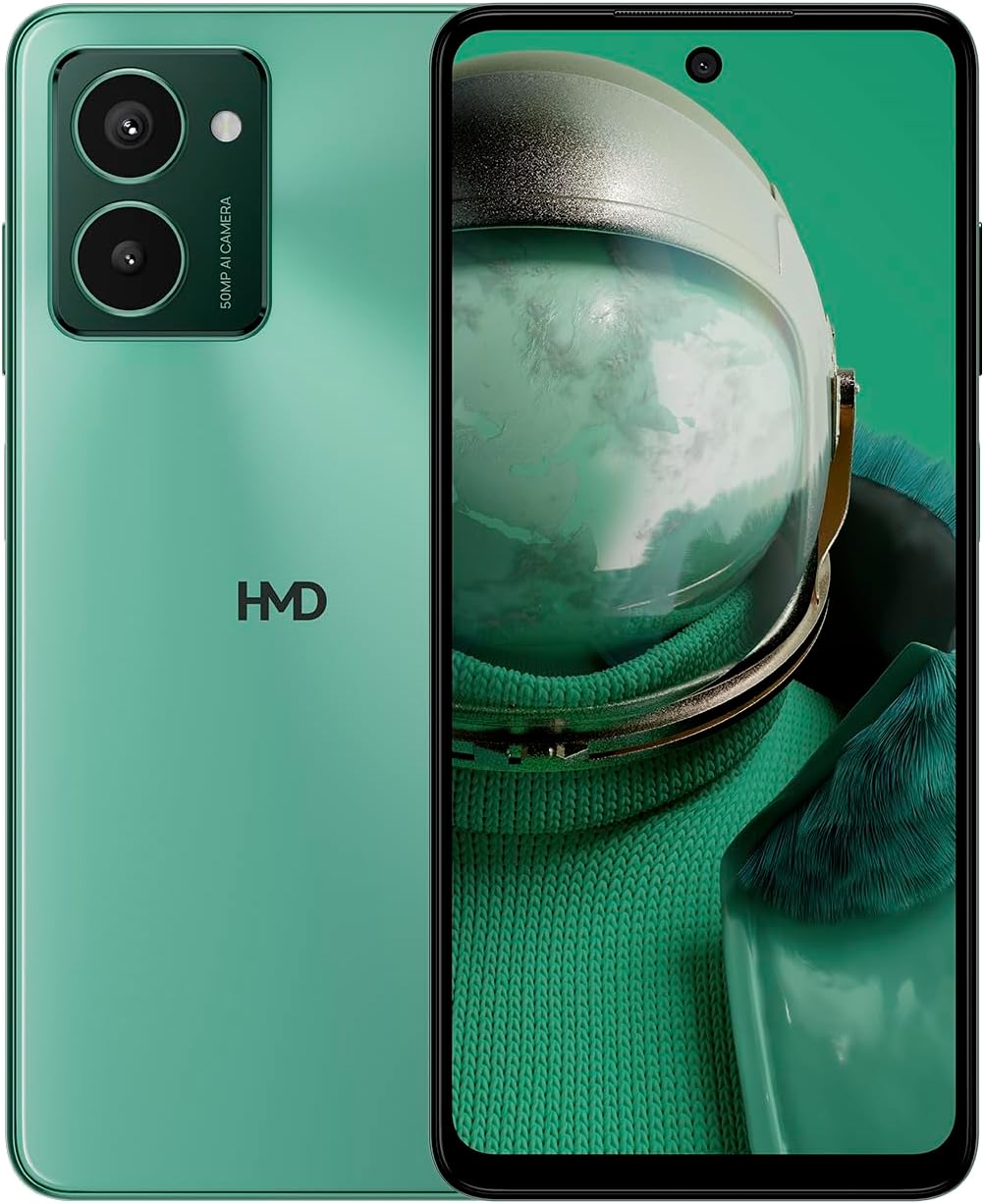
The HMD Pulse Pro smartphone in Glacier Green, showcasing its sleek design and dual camera system on the rear, alongside its vibrant display.
Fitur konci:
- Striking design with refined lines and a cutting-edge aesthetic.
- Equipped with 50 MP rear and 50 MP front cameras for balanced and high-quality photography.
- Innovative selfie gesture function for easier and more dynamic self-portraits.
- Extended battery life providing up to 59 hours of usage on a single charge.
- International version, unlocked for compatibility with various carriers worldwide.
Naon dina Box
Upon unboxing your HMD Pulse Pro, please ensure all the following items are present:
- HMD Pulse Pro Smartphone
- Kabel USB
- Pakakas Pangeluar Baki SIM
- Pituduh Mimitian Gancang (tiasa misah atanapi terpadu)
Disetél
1. Ngecas Awal
Before first use, it is recommended to fully charge your HMD Pulse Pro. Connect the provided USB cable to the phone's charging port and the other end to a compatible USB power adapter (not always included) or a computer USB port. The device supports fast charging.
2. Nyelapkeun Kartu SIM sareng Kartu MicroSD
The HMD Pulse Pro supports dual SIM cards and expandable memory via a microSD card.
- Panggihan tempat SIM di sisi telepon anjeun.
- Insert the SIM tray ejector tool into the small hole next to the tray and gently push until the tray pops out.
- Place your Nano-SIM cards into the designated slots. Ensure the gold contacts are facing down.
- If using a microSD card for additional storage, place it into its dedicated slot on the tray.
- Taliti nyorong baki deui kana telepon nepi ka ngaklik kana tempatna.
3. Powering On jeung Konfigurasi Awal
Press and hold the Power button until the HMD logo appears. Follow the on-screen instructions to complete the initial setup, including language selection, Wi-Fi connection, Google account setup, and security settings.
Parentah Operasi
Napigasi Dasar
- Layar cabak: Navigate by tapping, swiping, pinching, and spreading on the 6.65-inch display.
- Tombol Daya: Pencét pikeun hudang/saré layar. Pencét jeung tahan pikeun mareuman atawa balikan deui.
- Tombol Volume: Saluyukeun volume media, volume telepon, sareng volume bewara.
Pamakéan kaméra
The HMD Pulse Pro features a 50 MP dual rear camera and a 50 MP front camera, enhanced with AI capabilities.

A user demonstrating the innovative selfie gesture feature of the HMD Pulse Pro, allowing for hands-free photo capture.

A nutup-up view of the HMD Pulse Pro's 50 MP front-facing camera, highlighting its AI-powered capabilities for enhanced selfies.
- Ngaluncurkeun kaméra: Tap the Camera app icon or use a quick gesture (if enabled in settings).
- Nyandak Poto: Tap the shutter button. Use pinch-to-zoom for optical or digital zoom.
- Selfie Gestures: Utilize pre-defined hand gestures to trigger the front camera shutter without touching the screen. Refer to the in-app camera settings for available gestures.
- Modeu: Switch between various modes like Portrait, Night, Panorama, and Video.
Manajemén batré
The HMD Pulse Pro is equipped with a 5000 mAh battery, offering up to 59 hours of usage.

Two HMD Pulse Pro smartphones standing upright, with text emphasizing the impressive battery life of up to 59 hours.
- Ngecas: Use the provided USB cable. A full charge takes approximately 2.5 hours.
- Panghemat batré: Enable Battery Saver mode in Settings > Battery to extend usage time.
- Ngaoptimalkeun panggunaan: Reduce screen brightness, disable unused connectivity (Bluetooth, Wi-Fi, GPS), and close background apps to conserve battery.
Pangropéa
Ngabersihan Alat Anjeun
To keep your HMD Pulse Pro in optimal condition:
- Anggo lawon anu lemes sareng henteu lint pikeun ngusap layar sareng awak.
- Hindarkeun ngagunakeun bahan kimia kasar, pembersih abrasive, atanapi semprot aerosol.
- The device is water resistant; however, avoid submerging it in water.
Software Apdet
Rutin pariksa sareng pasang apdet parangkat lunak pikeun mastikeun alat anjeun gaduh fitur panganyarna, patch kaamanan, sareng perbaikan kinerja. Pindah ka Setélan> Sistem> Apdet sistem.
Manajemén gudang
With 256 GB of internal storage, you have ample space. However, regularly manage your files and apps to maintain performance. You can also expand storage using a microSD card.
Pamérésan masalah
This section addresses common issues you might encounter with your HMD Pulse Pro.
| Masalah | Solusi anu mungkin |
|---|---|
| Alat moal hurung | Ensure the battery is charged. Connect to a charger for at least 30 minutes. Try holding the Power button for 10-15 seconds. |
| Aplikasi nabrak atanapi katirisan | Clear the app's cache (Settings > Apps > [App Name] > Storage > Clear cache). Restart the phone. Update the app or the phone's software. |
| umur batre goréng | Check background app usage (Settings > Battery). Reduce screen brightness. Disable unused connectivity features (Wi-Fi, Bluetooth, GPS, NFC). Enable Battery Saver mode. |
| Teu bisa nyambung ka Wi-Fi/Bluetooth | Toggle Wi-Fi/Bluetooth off and on. Restart your phone and the router/device. Forget the network/device and reconnect. |
| Kartu SIM teu kauninga | Ensure the SIM card is correctly inserted in the tray. Restart the phone. Check with your carrier for network issues. |
Reset pabrik
Upami aya masalah anu terus-terusan, reset pabrik tiasa diperyogikeun. Perhatosan: Ieu bakal mupus sadaya data dina telepon anjeun. Nyadangkeun data penting sateuacan neraskeun.
- Buka Setélan> Sistem> Reset pilihan.
- Pilih "Hapus sadaya data (reset pabrik)".
- Konpirmasikeun kaputusan anjeun sareng lebetkeun PIN/pola/sandi upami dipenta.
- Telepon bakal balikan deui sareng ngamimitian prosés reset.
spésifikasi
Detailed technical specifications for the HMD Pulse Pro smartphone:

The HMD Pulse Pro highlighting its stylish and cutting-edge design, dual SIM support, and 6.56" HD+ HID display with a 90Hz refresh rate. Note: While the image mentions 8GB/128GB, this specific model features 8GB RAM and 256GB internal storage.
| Fitur | Rincian |
|---|---|
| Ngaran modél | Pulse Pro (TA-1606) |
| Sistem operasi | Android 14 |
| Ukuran tampilan | 6.65 inci |
| Resolusi | 720 x 1612 |
| Refresh Laju | 90 Hz |
| Mémori RAM | 8 GB |
| Kapasitas Panyimpenan | 256 GB (Tiasa dilegaan) |
| Kaméra tukang | 50 MP Dual Camera |
| Kaméra hareup | 50 MP |
| Kapasitas batré | 5000 mAh |
| Waktu Ngecas | Kira-kira. 2.5 jam |
| Laju CPU | 1.6 GHz |
| Konektipitas | Bluetooth, Wi-Fi, USB, NFC |
| Fitur husus | Dukungan Ngecas Gancang, Dual SIM, Memori anu Tiasa Dilengkepan, GPS Terintegrasi, Tahan Cai |
| Diménsi | 6.43 x 2.95 x 0.34 inci |
| Item Beurat | 0.249 ons (7.06 gram) |
| Audio Jack | 3.5 mm |
| Warna | Glacier Green |
Garansi sareng Rojongan
Garansi Produsén
Your HMD Pulse Pro smartphone is covered by a manufacturer's warranty against defects in materials and workmanship. The specific terms and duration of the warranty may vary by region. Please refer to the warranty card included with your product or visit the official HMD websitus kanggo inpormasi garansi lengkep.
Rojongan Palanggan
For technical assistance, troubleshooting beyond this manual, or warranty claims, please contact HMD customer support. You can typically find contact information (phone numbers, email, support portals) on the official HMD websitus atanapi ngalangkungan bagian dukungan dina setélan alat anjeun.
Sumberdaya Online: For the latest FAQs, software downloads, and support articles, visit the official HMD support page. (Specific URL not provided in input, so a generic statement is used).


