Bubuka
This manual provides comprehensive instructions for the installation, operation, and maintenance of your TP-Link Tapo C410 Wire-Free Indoor/Outdoor Security Camera. The Tapo C410 is designed to offer flexible and reliable surveillance with its 2K 3MP resolution, long-lasting battery, and smart detection capabilities. Please read this manual thoroughly before using the device to ensure proper setup and functionality.
Eusi pakét
Verify that all items listed below are included in your package. If any item is missing or damaged, please contact customer support.
- Kaméra Tapo C410 x 1
- Braket Kaméra x 1
- USB Adapter x 1
- Kabel Adaptor USB x 1
- Pitunjuk Mimitian Gancang x 1
- Screws and Anchors x 3
- Citakan Pemasangan x 1
Disetél
1. Unduh Aplikasi Tapo
The Tapo app is required for camera setup and management. Milarian pikeun "Tapo" on the App Store or Google Play, or scan the QR code in the Quick Start Guide to download and install the app.
2. Hurungkeun Kaméra
Ensure the camera's battery is sufficiently charged. Connect the camera to the USB adapter and cable provided. The camera will power on automatically. A full charge is recommended before initial use.

Image: The Tapo C410 camera, showing its main body and the attached mounting bracket, ready for installation.
3. Nyambung ka Wi-Fi
Open the Tapo app and follow the on-screen instructions to add your Tapo C410 camera. The camera requires a 2.4GHz Wi-Fi connection for operation. Ensure your mobile device is connected to the same 2.4GHz network during the setup process.
4. Install MicroSD Card (Optional)
For local video storage, insert a microSD card (up to 512GB, purchased separately) into the designated slot on the camera. Refer to the camera's physical diagram in the Quick Start Guide for the exact location. Ensure the camera is powered off before inserting or removing the microSD card.

Image: A diagram illustrating the process of inserting a microSD card into the Tapo C410 camera for local storage.
5. Masang kaméra
The Tapo C410 offers flexible installation for both indoor and outdoor environments. Use the provided mounting template, screws, and anchors to securely attach the camera bracket to your desired location. Adjust the camera angle as needed for optimal coverage.
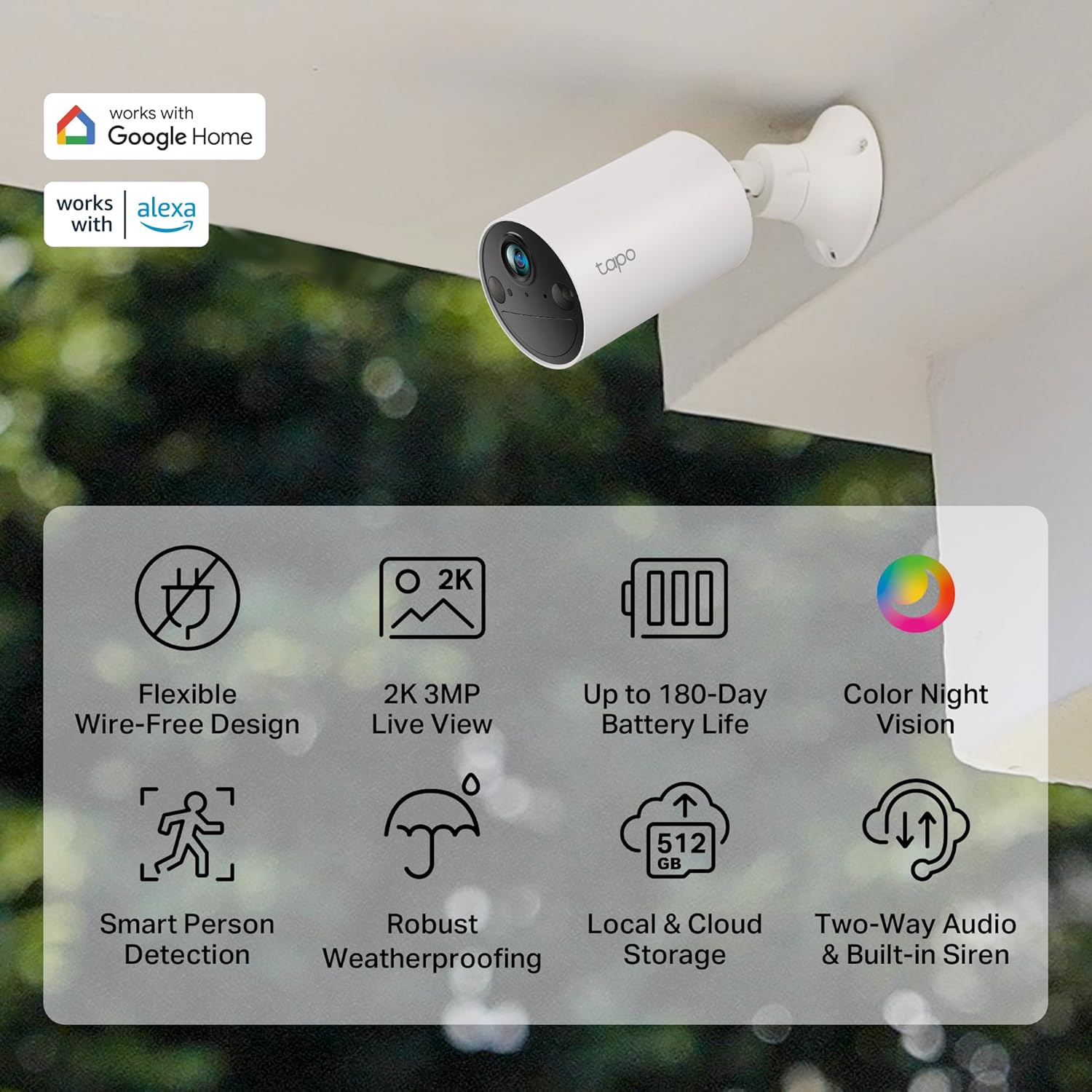
Image: The Tapo C410 camera mounted on an outdoor wall, demonstrating its flexible placement options.
Ngoperasikeun kaméra
Hirup View jeung Rékam
Access the Tapo app to view live 2K 3MP video streams from your camera. You can manually record video or capture screenshots directly from the live view interface. The camera automatically records events based on detection settings.
Warna Peuting Visi
The Tapo C410 features Color Night Vision, providing clear and vivid images even in low-light conditions up to 30 feet (9 meters). This enhances visibility and detail compared to traditional black and white infrared night vision.
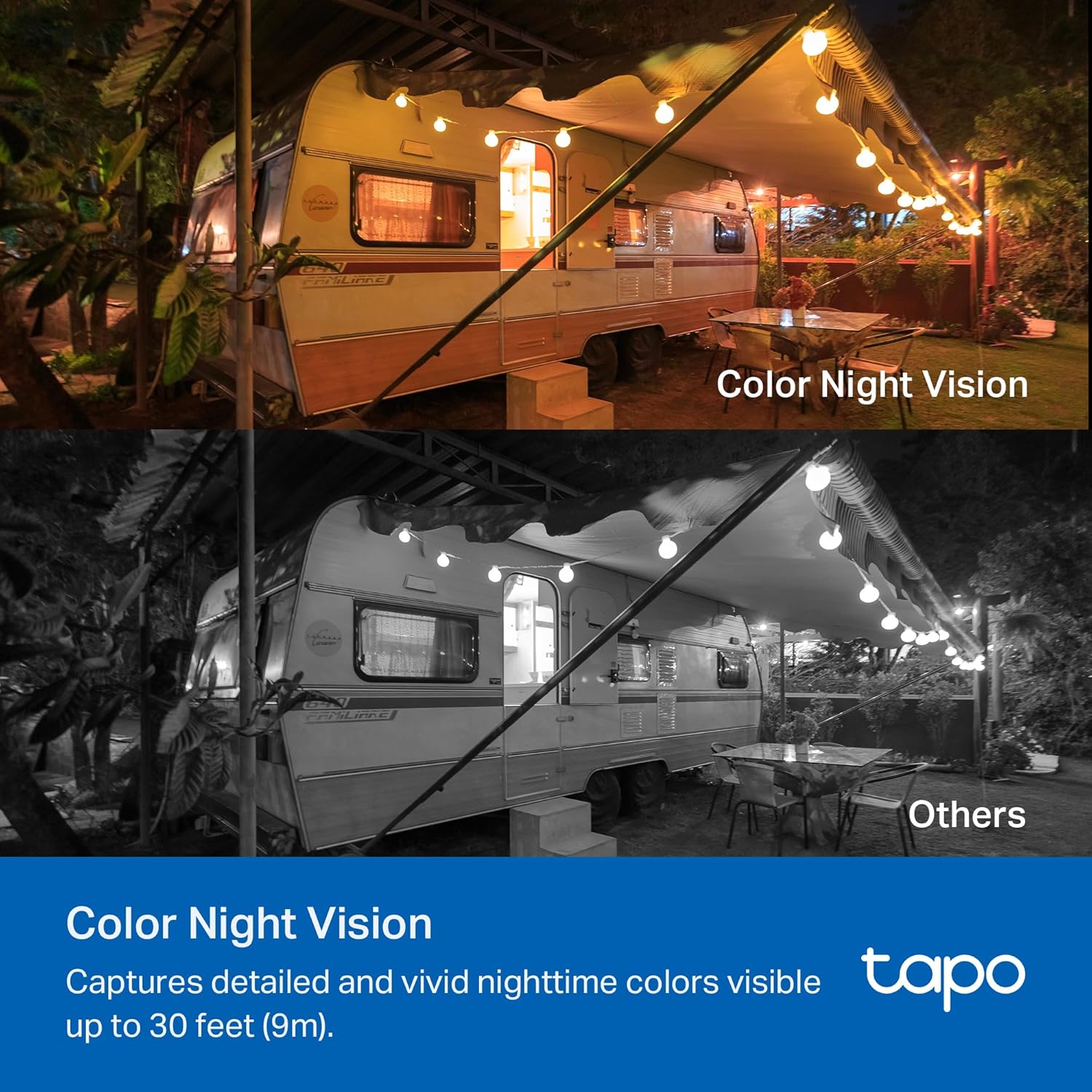
Image: A split image demonstrating the clarity and color retention of the Tapo C410's Color Night Vision compared to standard infrared night vision.
Pitur Deteksi Smart
The camera is equipped with Smart Person Detection and Vehicle Detection. Configure activity zones within the Tapo app to receive alerts only for relevant motion, people, or vehicles, minimizing false alarms.

Image: The Tapo C410 camera highlighting a detected person in a green backyard, illustrating the smart person detection feature.
Audio Dua Arah
Utilize the built-in microphone and speaker for two-way communication through the Tapo app. This allows you to interact with visitors or deter unwanted guests remotely.

Image: A person speaking towards the Tapo C410 camera mounted near a door, demonstrating the two-way audio functionality.
Pilihan Panyimpenan
Recordings can be stored locally on a microSD card (up to 512GB) or via the Tapo Care cloud service (subscription required). The Tapo app provides options to manage and review stored footage.
Privasi jeung Kaamanan
The Tapo C410 prioritizes user privacy with encrypted video streams and two-factor authentication for account security. Ensure strong passwords are used for your Tapo account and Wi-Fi network.
Pamaduan Smart Home
The Tapo C410 is compatible with Alexa and Google Assistant. Link your camera to these platforms through the Tapo app settings to enable voice control and integrate with your smart home ecosystem.
Pangropéa
Manajemén batré
The camera's built-in rechargeable battery offers up to 180 days of performance on a single charge under typical usage conditions. Monitor the battery level through the Tapo app and recharge the camera using the provided USB adapter and cable when necessary.

Gambar: Hiji internal view diagram of the Tapo C410 camera, highlighting its long-lasting rechargeable battery.
beberesih
Periodically clean the camera lens and body with a soft, dry cloth to ensure optimal image quality and prevent dust buildup. Avoid using harsh chemicals or abrasive materials.
Perlindungan Cuaca
The Tapo C410 is designed for indoor/outdoor use and features robust weatherproofing. However, for prolonged outdoor exposure, ensure the camera is installed in a location that offers some protection from extreme weather conditions to maximize its lifespan.
Pamérésan masalah
- Kaméra Teu Nyambung ka Wi-Fi:
Ensure your Wi-Fi network is 2.4GHz. Verify the Wi-Fi password is correct. Move the camera closer to your router to improve signal strength. Restart both the camera and your router.
- Bewara Palsu Anu Sering:
Adjust the motion detection sensitivity in the Tapo app. Define specific activity zones to focus detection on critical areas and exclude irrelevant movements like swaying trees or passing traffic.
- Kualitas Gambar goréng:
Ngabersihan lénsa kaméra. Pastikeun teu aya halangan dina widang kaméra view. Check your Wi-Fi connection stability, as a weak signal can affect streaming quality.
- Batré gancang ngucur:
Tingkat aktivitas tinggi, sering hirup view access, and extreme temperatures can reduce battery life. Reduce detection sensitivity or frequency of live view access if possible. Ensure the camera is fully charged.
- Kartu MicroSD Teu Ngarékam:
Ensure the microSD card is correctly inserted and formatted within the Tapo app. Check if the card is full and needs to be cleared or replaced. Verify recording settings in the app.
spésifikasi
| Ngaran modél | C410 kap |
| Resolusi Capture Video | 2K 3MP |
| Téhnologi konektipitas | Nirkabel (Wi-Fi) |
| Komunikasi Nirkabel | Wi-Fi 2.4GHz |
| Sumber Daya | Didukung ku batré (1 batré 9V kalebet) |
| Kahirupan batré | Up to 180 days (based on Tapo laboratory tests with 250s of use per day) |
| Wengi Sawangan Sawangan | Up to 30 Feet (Color Night Vision) |
| Pilihan Panyimpenan | MicroSD card (up to 512GB, sold separately), Tapo Care Cloud Service (subscription required) |
| Pamakéan jero rohangan / outdoor | Jero rohangan, Luar |
| Fitur husus | 2-Way Audio, Built-In Spotlight, HD Resolution, Local Recording, Color Night Vision, Smart Person Detection, Smart Vehicle Detection |
| Alat nu cocog | Smartphone, Tablet (via Tapo App) |
| Tipe Pamasangan | Tembok Gunung |
| Ukuran produk (L x W x H) | 8.89 x 5.99 x 5.99 cm |
| Beurat | 240 g |
| Produsén | TP-Link |
Garansi sareng Rojongan
For warranty information, technical support, and further assistance, please visit the official TP-Link Tapo website or contact their customer service. Details can typically be found in the Quick Start Guide or on the product packaging.
Online resources often include FAQs, troubleshooting guides, and firmware updates.


