1. Bubuka
This manual provides essential information for setting up, operating, maintaining, and troubleshooting your ASUS TUF Gaming A14 laptop. Designed for high-performance gaming and demanding tasks, this laptop combines robust hardware with durable construction.
The ASUS TUF Gaming A14 features an AMD Ryzen AI 9 HX 370 processor, an NVIDIA GeForce RTX 4060 laptop GPU with a dedicated MUX switch, 16GB of LPDDR5X RAM, and a 1TB PCIe Gen 4 SSD. It is built to deliver peak performance and reliability, even under extreme conditions.
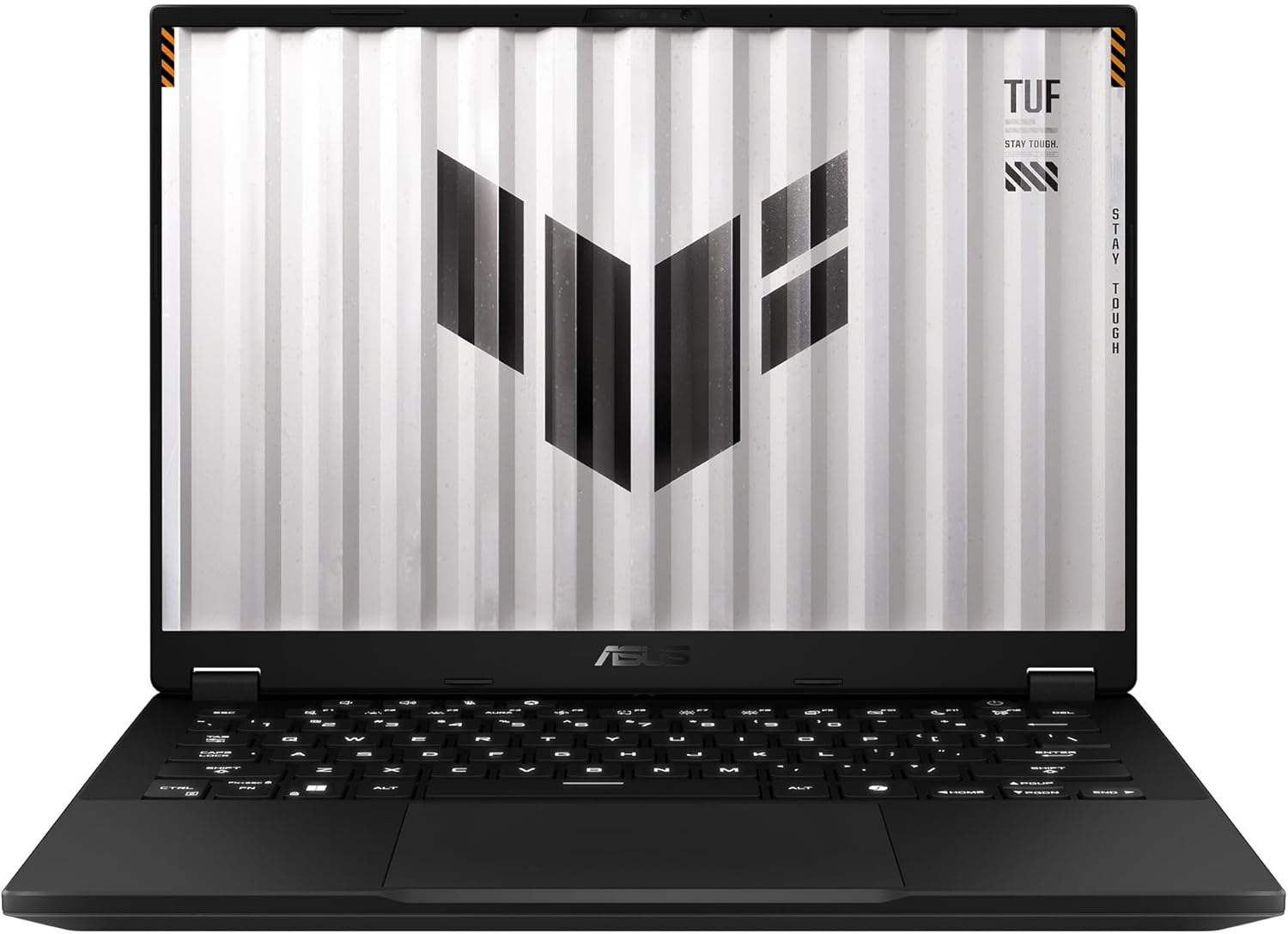
Gambar 1.1: Hareupeun view of the ASUS TUF Gaming A14 Laptop.
2. Setup Awal
Follow these steps to prepare your ASUS TUF Gaming A14 for first use:
- Unboxing: Kaluarkeun laptop sareng sadaya asesoris tina bungkusna kalayan ati-ati. Pastikeun sadaya komponén aya: laptop, adaptor daya, sareng dokuméntasi.
- Sambungkeun Kakuatan: Plug the power adapter into the laptop's power port and then into a wall outlet. It is recommended to fully charge the battery before initial use.
- Daya Hurung: Buka tutup laptop teras pencét tombol daya, biasana aya di pojok katuhu luhur dek kibor.
- Setup Windows Awal: Follow the on-screen prompts to complete the Windows 11 setup process. This includes selecting your region, language, connecting to a Wi-Fi network, and creating a user account.
- Apdet parangkat lunak: After Windows setup, connect to the internet and allow the system to download and install any pending updates for Windows and ASUS drivers.
Video 2.1: Initial unboxing and power-up sequence of an ASUS TUF Gaming laptop, demonstrating the first look and startup process.
3. Fitur konci
The ASUS TUF Gaming A14 is engineered with several features to enhance your computing and gaming experience:
- High-Refresh Rate Display: Enjoy smooth visuals on the 14-inch Full HD (1920x1080) display with a 144Hz refresh rate and Adaptive Sync technology, minimizing lag and screen tearing.
- Kinerja anu kuat: Equipped with an AMD Ryzen AI 9 HX 370 processor and an NVIDIA GeForce RTX 4060 laptop GPU, providing robust performance for gaming and multitasking.
- Desain awét: Built to military-grade MIL-STD-810H standards, ensuring resilience against accidental bumps and knocks.
- Cooling efisien: Features multiple heat pipes and three heat sinks to effectively dissipate heat, preventing overheating during extended use.
- Kibor RGB Backlit: A high-quality RGB backlit keyboard offers customizable lighting and comfortable typing.
- Konektipitas: Includes USB 4.0, HDMI, and other essential ports for versatile connectivity.

Gambar 3.1: Leuwihview of key features and specifications of the ASUS TUF Gaming A14.
Video 3.2: A detailed look at the ASUS TUF Gaming A14, showcasing its display, robust build quality, efficient thermal design, and powerful components for gaming.
4. Ngoperasikeun Laptop Anjeun
Here are some general guidelines for operating your ASUS TUF Gaming A14:
- Fungsi keyboard: The keyboard features dedicated function keys (Fn) that, when pressed in combination with F1-F12, control various settings like volume, screen brightness, and keyboard backlighting. The WASD keys are highlighted for gaming.
- Touchpad Usage: The large glass touchpad supports multi-touch gestures for navigation. Refer to Windows settings for customizing touchpad gestures.
- Nyambungkeun alat éksternal: Use the available USB ports (including USB 4.0) to connect external devices such as mice, keyboards, and external storage. The HDMI port allows connection to external displays.
- Armoury Crate Software: Utilize the pre-installed ASUS Armoury Crate software to monitor system performance, customize RGB lighting, adjust fan profiles, and optimize gaming settings.

Figure 4.1: The RGB backlit keyboard of the ASUS TUF Gaming A14.
5. Pangropéa sarta perawatan
Pangropéa anu leres mastikeun umur panjang sareng kinerja laptop anjeun optimal:
- beberesih: Use a soft, lint-free cloth to clean the screen and chassis. For stubborn smudges, a slightly dampened cloth with water or a specialized screen cleaner can be used. Avoid harsh chemicals.
- Ventilasi: Ensure the ventilation grilles (located on the sides and rear) are clear of obstructions to allow for proper airflow and prevent overheating. Regularly clean dust from the vents using compressed air.
- Perawatan batré: For optimal battery health, avoid consistently draining the battery to 0% or keeping it at 100% for extended periods. If storing the laptop for a long time, charge it to about 50-60%.
- Apdet parangkat lunak: Regularly update your operating system, drivers, and security software to ensure stability, performance, and protection against vulnerabilities.

Gambar 5.1: Tukangeun view of the ASUS TUF Gaming A14, highlighting the exhaust vents for cooling.
6. Cara ngungkulan
If you encounter issues with your laptop, try these common solutions:
- Henteu aya kakuatan: Pastikeun adaptor daya disambungkeun pageuh kana laptop sareng stop kontak anu tiasa dianggo. Pariksa naha stop kontakna tiasa dianggo.
- Masalah layar: If the screen is black, try connecting an external monitor to check if the display output is working. Adjust screen brightness using function keys.
- Lag kinerja: Close unnecessary applications, check for background processes consuming high resources, and ensure drivers are up to date. Verify cooling vents are clear.
- Konektipitas Wi-Fi: Ensure Wi-Fi is enabled in Windows settings. Restart your router and modem. Try connecting to a different Wi-Fi network to isolate the issue.
- Masalah Audio: Check volume settings in Windows and ensure no external audio devices are interfering. Update audio drivers if necessary.
Pikeun masalah anu langkung rumit, tingali dukungan ASUS websitus atanapi ngahubungan layanan palanggan.
7. Spésifikasi Téknis
| Fitur | Spésifikasi |
|---|---|
| Ngaran modél | ASUS TUF Gaming A14 (FA401WV-WB94) |
| Ukuran Layar Ngadeg | 14 inci |
| Resolusi layar Max | 1920x1080 |
| Prosesor | AMD Ryzen AI 9 HX 370 |
| RAM Mémori Dipasang Ukuran | 16 GB LPDDR5X |
| Tipe Mémori Komputer | DDR5 RAM |
| Ukuran Hard Disk | 1 TB |
| Katerangan hard disk | 1TB PCIe Gen 4 SSD |
| Pedaran Kartu grafik | Dedicated NVIDIA GeForce RTX 4060 |
| Sistem operasi | Windows 11 |
| Item Beurat | 8 pon |
| Ukuran Paket | 20 x 14 x 4 inci |
8. Garansi jeung Rojongan
Laptop ASUS TUF Gaming A14 anjeun dilengkepan ku garansi standar ti produsén. Mangga tingali kartu garansi anu kalebet dina kemasan produk anjeun pikeun syarat sareng katangtuan khusus, kalebet durasi jangkauan sareng prosedur layanan.
Kanggo dukungan téknis, unduhan driver, FAQ, sareng inpormasi produk tambahan, mangga buka dukungan resmi ASUS. website. You can also find contact information for customer service in your region on the ASUS websitus.
Dukungan Online: www.asus.com/support/


