Bubuka
This manual provides detailed instructions for the setup, operation, and maintenance of your Transformers TF-T31 Bluetooth TWS Wireless Earbuds. Please read this manual thoroughly before using the product to ensure proper function and longevity.
Produk Leuwihview
Eusi pakét
- Transformers TF-T31 Wireless Earbuds (Left and Right)
- Ngecas Case
- Kabel Ngecas USB Tipe-C
- Buku Panduan Pangguna (Dokumén Ieu)
Fitur konci
- Bluetooth 5.4: Provides a stable, fast, and low-power connection.
- Fungsi Dual Mode: Switch between Gaming Mode for low latency audio and Music Mode for HiFi sound.
- Audio Kasatiaan Luhur: Features 13mm magnetically levitated drivers for rich, detailed sound with deep bass.
- Pembatalan Noise Lingkungan (ENC): Ningkatkeun kajelasan telepon ku cara ngirangan bising di sakitar.
- Kontrol Sentuh Intuitif: Manage music playback, calls, and mode switching directly from the earbuds.
- Manjangkeun Umur Batré: Up to 5 hours of playback per charge, with the charging case providing up to 50 hours total.
- Desain ergonomis: Lightweight and comfortable for prolonged wear.
- Mechanical Shell Design: Unique aesthetic inspired by Transformers.

Image: The Transformers TF-T31 wireless earbuds and their distinctive mechanical shell charging case, shown in yellow.

Image: Close-up of the Transformers TF-T31 charging case, highlighting its unique mechanical shell design and the Transformers logo.
Disetél
1. Ngecas Earbuds jeung Case
Saméméh dipaké munggaran, eusian pinuh ku earbuds jeung wadah ngecas.
- Teundeun kadua earbuds kana wadah ngecas. Pastikeun aranjeunna leres seated.
- Connect the provided USB Type-C cable to the charging port on the case and plug the other end into a USB power source (e.g., wall adapter, computer).
- The LED digital display on the charging case will indicate the battery status during charging.
- Charging typically takes approximately 1.5 hours for a full charge.
Catetan: The charging case has a 3.7V/300mAh battery, and each earbud has a 3.7V/30mAh built-in battery.
2. Papasangan Bluetooth
Turutan léngkah-léngkah ieu pikeun nyapasangkeun earbud anjeun sareng alat anu diaktipkeun Bluetooth:
- Daya Hurung: Buka wadah ngecas. Earbud bakal otomatis hurung teras lebet kana modeu pairing. Anjeun tiasa ngadangu paréntah sora.
- Aktipkeun Bluetooth: On your device (smartphone, tablet, computer), go to the Bluetooth settings and ensure Bluetooth is enabled.
- Pilih Alat: Look for "TF-T31" in the list of available Bluetooth devices and select it to connect.
- Konfirmasi: Once connected, you will hear a confirmation sound from the earbuds, and your device will show "TF-T31" as connected.
Catetan: Earbuds bakal otomatis nyambung deui ka alat dipasangkeun panungtungan sawaktos nyandak kaluar tina wadahna, upami Bluetooth diaktipkeun dina alat.

Image: Diagram illustrating the advanced Bluetooth 5.4 technology, emphasizing stable and fast connection.
Parentah Operasi
Daya Hurung/Pareuman
- Daya Hurung: Buka wadah pangisi daya, atanapi pencét lami area rampa dina dua earbud salami 3 detik.
- Pareum listrik: Lebetkeun deui earbud kana wadah ngecas teras tutupkeun, atanapi pencét lami daérah toél dina dua earbud salami 5 detik.
Toél Kontrol
The TF-T31 earbuds feature intuitive touch controls on the outer surface of each earbud. The functions are as follows:
| Aksi | Fungsi |
|---|---|
| Ketok Tunggal (Kénca/Katuhu) | Puter/Reureuh musik, Jawab/Tungtung telepon |
| Ketok dua kali (Earbud Katuhu) | Lagu salajengna |
| Ketok dua kali (Earbud Kénca) | Lagu saméméhna |
| Ketok Triple (Kénca/Katuhu) | Switch between Gaming Mode and Music Mode |
| Pencét lila (Kénca/Katuhu, 2 detik) | Reject incoming call, Activate Voice Assistant |
Switching Modes (Gaming/Music)
The TF-T31 earbuds offer two distinct audio modes:
- Mode Kaulinan: Provides ultra-low latency audio synchronization, ideal for gaming and video playback to minimize delay between audio and visuals.
- Modeu Musik: Delivers rich HiFi sound with enhanced bass and clear highs, optimized for an immersive music listening experience.
To switch between modes, ketok tilu kali the touch area on either earbud. You will hear an audible prompt indicating the current mode.
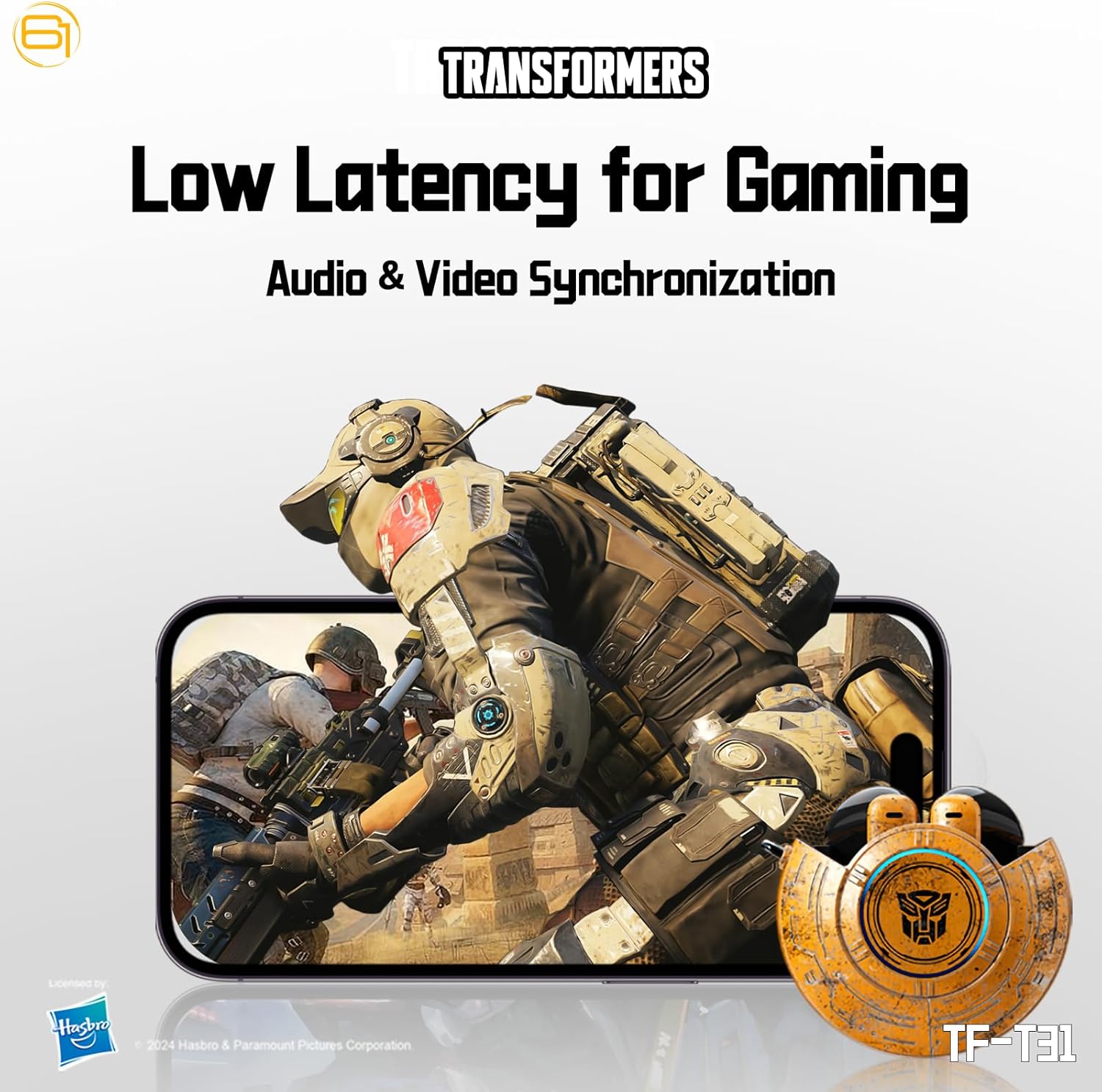
Image: Illustration of the earbuds providing low latency audio for gaming, showing a mobile gaming scenario.
Pangropéa
beberesih
- Rutin ngabersihkeun earbuds sareng wadah ngecas ku lawon anu lemes, garing, teu aya lint.
- Ulah make cleaners abrasive, alkohol, atawa pangleyur kimiawi.
- Cabut kotoran ceuli atawa kokotor tina jaring ceuli sacara lalaunan nganggo sikat leutik anu lemes atawa kapas.
- Ensure the charging contacts on both the earbuds and the case are clean and dry to maintain proper charging.
Panyimpenan
- Nalika henteu dianggo, simpen earbuds dina wadah ngecasna pikeun ngajagi sareng tetep dicas.
- Simpen produk di tempat anu tiis sareng garing, jauh tina suhu anu ekstrim sareng sinar panonpoé langsung.
- Avoid exposing the earbuds or case to water or excessive moisture. While the product is water-resistant, it is not waterproof.
Pamérésan masalah
If you encounter issues with your TF-T31 earbuds, please refer to the following common problems and solutions:
Earbuds Henteu Nyapasangkeun atanapi Nyambungkeun
- Pastikeun kadua earbuds dicas.
- Pastikeun Bluetooth diaktipkeun dina alat Anjeun.
- Lebetkeun deui earbud kana wadah ngecas, tutup tutupna, antosan sababaraha detik, teras buka deui pikeun lebet deui kana modeu pairing.
- On your device, forget or delete "TF-T31" from your Bluetooth device list, then attempt to pair again.
- Coba pasangkeun sareng alat anu béda pikeun ngaleungitkeun masalah khusus alat.
Taya Sora atawa Volume Low
- Pariksa tingkat polumeu dina alat Anjeun nu disambungkeun tur earbuds.
- Pastikeun yén earbuds dipasang leres dina ceuli anjeun.
- Clean any debris from the earbud mesh that might be obstructing sound.
- Sambungkeun deui earbuds ka alat anjeun.
Masalah Ngecas
- Verify that the charging cable is securely connected to both the case and the power source.
- Pastikeun kontak ngecas dina earbud sareng di jero wadahna bersih sareng bébas tina halangan.
- Cobi nganggo kabel USB Tipe-C atanapi adaptor daya anu béda.
- Confirm the power source is active.
Earbuds Disconnect Frequently
- Ensure your device is within the Bluetooth transmission distance (26-32 feet or 8-10 meters) without significant obstacles.
- Hindari lingkungan anu aya gangguan éléktromagnétik anu kuat.
- Fully charge both the earbuds and the charging case.
spésifikasi
| Fitur | Rincian |
|---|---|
| Ngaran modél | TF-T31 |
| Vérsi Bluetooth | Bluetooth 5.4 |
| Jarak Transmisi Bluetooth | 26-32 suku (8-10 méter) |
| Kapasitas Batré Headphone | 3.7V/30mAh (each earbud) |
| Ngecas Kapasitas Batré Case | 3.7 V/300 mAh |
| Port ngecas | Tipe-C |
| Waktu Ngecas | Kurang leuwih 1.5 jam |
| Battery Talk/Music Time | Nepi ka 5 jam (earbuds), nepi ka 50 jam (kalayan wadah ngecas) |
| Rentang Tanggapan Frékuénsi | 20Hz-20KHz |
| Impedansi spiker | 32Ω |
| Sensitipitas | 109dB±3dB |
| Tipe Kontrol | Toél Control |
| Tingkat Résistansi Cai | Tahan cai |
| Dimensi produk | 3.15 x 3.15 x 4.72 inci |
| Item Beurat | 5.3 ons (0.15 Kilogram) |
Émbaran Kasalametan
- Perlindungan dédéngéan: Hindarkeun dengekeun dina tingkat polumeu luhur pikeun période anu panjang pikeun nyegah karusakan dédéngéan.
- Kasalametan nyetir: Do not use earbuds while driving or operating machinery where the inability to hear ambient sounds could pose a danger.
- Paparan cai: The earbuds are water-resistant, not waterproof. Do not submerge them in water or expose them to heavy rain. Dry them thoroughly if they get wet.
- Barudak: Keep earbuds and small parts away from children to prevent choking hazards.
- Kasalametan batré: Do not attempt to replace the built-in batteries. Do not expose batteries to excessive heat or direct sunlight. Dispose of batteries according to local regulations.
- beberesih: Use only recommended cleaning methods. Avoid harsh chemicals.
Garansi sareng Rojongan
For warranty information or technical support, please refer to the documentation provided at the time of purchase or contact the retailer/manufacturer directly. Keep your proof of purchase for warranty claims.
You can visit the official Transformers store on Amazon for more product information: Transformers Store