1. Bubuka
The ZEBRONICS Pixigo A16 is a 15.6-inch portable monitor designed for enhanced productivity and entertainment on the go. Featuring a Full HD 1080p resolution, anti-glare screen, and versatile connectivity options, it serves as an ideal secondary display for laptops, smartphones, and gaming consoles. Its lightweight design and 180° adjustable stand ensure flexibility and ease of use in various environments.
2. Eusi Paket
Pastikeun yén sadaya item anu didaptarkeun di handap kalebet kana pakét anjeun:
- Monitor - 1 unit
- Mini HDMI Cable - 1 unit
- Type C DP Cable - 1 unit
- Adaptor kakuatan - 1 unit
- User Manual - 1 unit
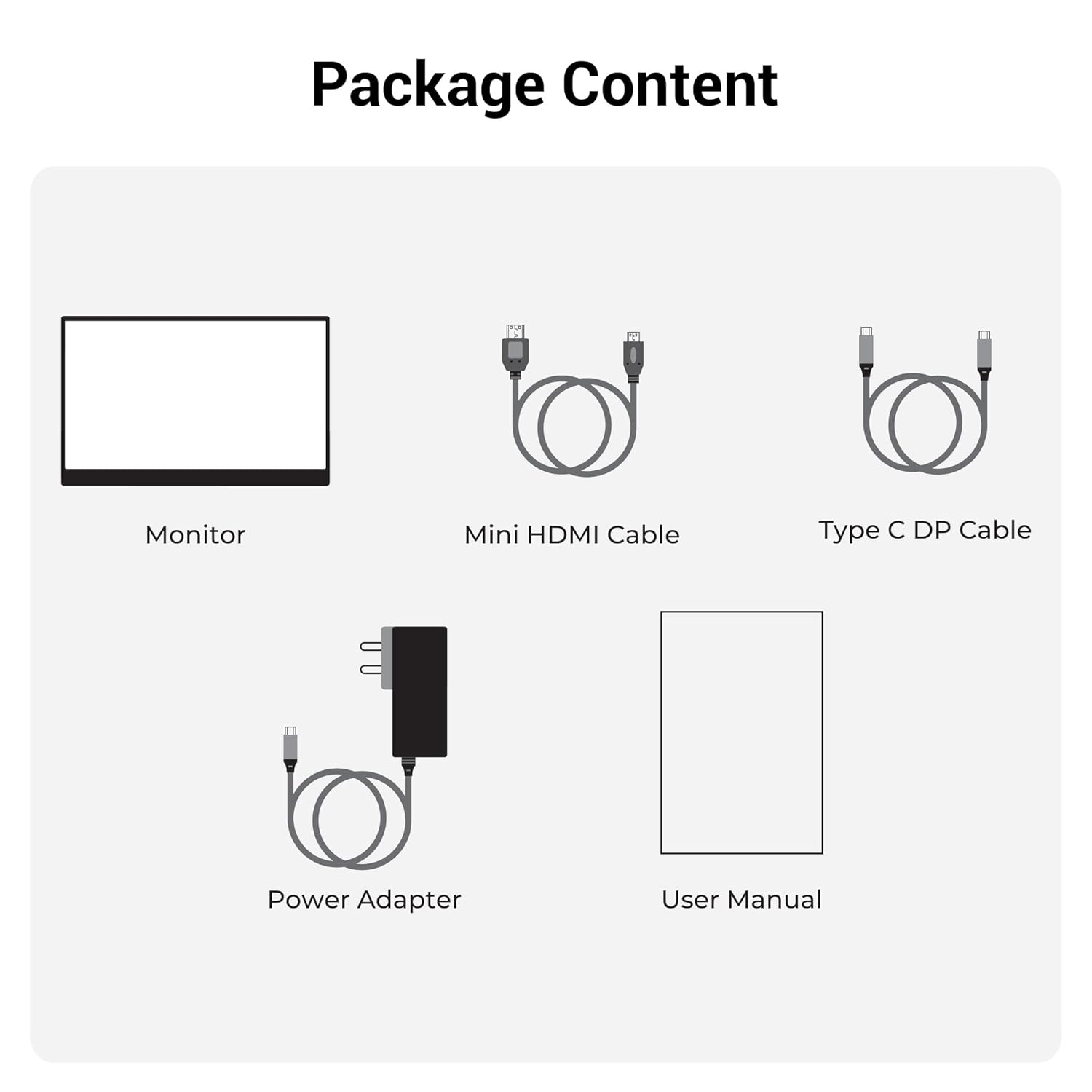
Gambar 2.1: Eusi pakét
3. Produk Langkungview
3.1 palabuhan sarta kadali
Familiarize yourself with the various ports and control buttons on your Pixigo A16 monitor:
- Port HDMI Mini: Pikeun input vidéo ti alat anu nganggo kaluaran HDMI.
- Type C Port 2 (Power + Display): Supports both power delivery and display signal via a single Type-C cable.
- Type C Port 1 (Only Power): Dedicated for power input to the monitor.
- Power / Return Button: Used to power the monitor on/off and navigate back in the OSD menu.
- Indikator LED: Shows the power status of the monitor.
- Roller Key / Menu: Used to access and navigate the On-Screen Display (OSD) menu and adjust settings.
- Jack headphone: Pikeun nyambungkeun alat audio éksternal.

Gambar 3.1: Port Monitor sareng Kontrol
3.2 Fitur konci
- 15.6-inch FHD 1080p Display: Delivers sharp and vivid visuals with a resolution of 1920x1080.
- Layar Anti-silau: Minimizes reflections and eye strain for comfortable viewing.
- Pangadeg anu tiasa disaluyukeun 180°: Offers flexible positioning to achieve the optimal viewsudut ing.
- Input ganda: Features 1x Type-C DP port and 1x Mini HDMI port for broad compatibility.
- Speaker Diwangun-di: Nyayogikeun kaluaran audio anu terintegrasi.
- Ringan sareng Portabel: Compact design for easy transport and use in various locations.
- 300 Nits Caang: Ensures a bright and vibrant screen, even in well-lit environments.
- 16.7 Juta Warna: Supports accurate color reproduction.
- Babandingan Aspék 16:9: Ideal for media consumption and multitasking.
- Wall-mountable: Supports wall mounting for a clutter-free setup.

Gambar 3.2: Fitur tampilan
4. Setélan
Follow these steps to set up your ZEBRONICS Pixigo A16 portable monitor:
- Buka bungkusan Monitor: Cabut monitor sareng sadaya asesoris tina bungkusna kalayan ati-ati.
- Posisi Stand: Adjust the integrated 180° stand to your desired viewsudut ing.
- Sambungkeun Kakuatan: Connect the provided Power Adapter to the Type C Port 1 (Power Only) on the monitor and plug it into a power outlet.
- Nyambung ka Alat:
- For Type-C Devices (with DisplayPort Alt Mode): Use the Type C DP Cable to connect your device (laptop, smartphone) to Type C Port 2 (Power + Display) on the monitor. This single cable can provide both power and display signal.
- For HDMI Devices: Use the Mini HDMI Cable to connect your device (laptop, gaming console) to the Mini HDMI Port on the monitor. Ensure the monitor is also powered via Type C Port 1.
- Daya Hurung: Press the Power / Return Button to turn on the monitor.

Figure 4.1: Wide Compatibility with PC, Laptop, Mobile, and Gaming Console
5. Parentah Operasi
5.1 Operasi Dasar
- Hurungkeun/Pareuman: Press and hold the Power / Return Button for a few seconds.
- Pilihan Sumber Input: The monitor should automatically detect the input source. If not, access the OSD menu using the Roller Key and manually select the input.
- Penyesuaian volume: Use the Roller Key to adjust the volume of the built-in speakers or connected headphones.
5.2 Menu dina layar (OSD).
Menu OSD ngamungkinkeun anjeun pikeun ngaropea rupa-rupa setélan tampilan:
- Press the Roller Key to open the OSD menu.
- Roll the Roller Key up or down to navigate through menu options.
- Press the Roller Key to select an option or confirm a setting.
- Press the Power / Return Button to go back to the previous menu or exit the OSD.
5.3 Nyaluyukeun Stand
The integrated stand can be adjusted up to 180 degrees to find the most comfortable viewing angle for your needs. Simply pivot the monitor on its stand to tilt it forward or backward.

Figure 5.1: 180° Adjustable Stand
6. Pangropéa
Pikeun mastikeun umur panjang sareng kinerja optimal monitor anjeun, turutan tungtunan pangropéa ieu:
- Ngabersihan layar: Make kaen nu lemes, teu aya lint rada dampened with water or a non-abrasive screen cleaner. Avoid harsh chemicals or abrasive materials.
- Ngabersihan Casing: Ngusap monitor casing ku lawon anu lemes sareng garing.
- Panyimpenan: Upami teu dianggo, simpen monitor di tempat anu tiis sareng garing, jauh tina sinar panonpoé langsung sareng suhu anu ekstrim.
- Penanganan: Handle the monitor with care, especially when transporting it. Its lightweight design makes it portable, but it should still be protected from impacts.
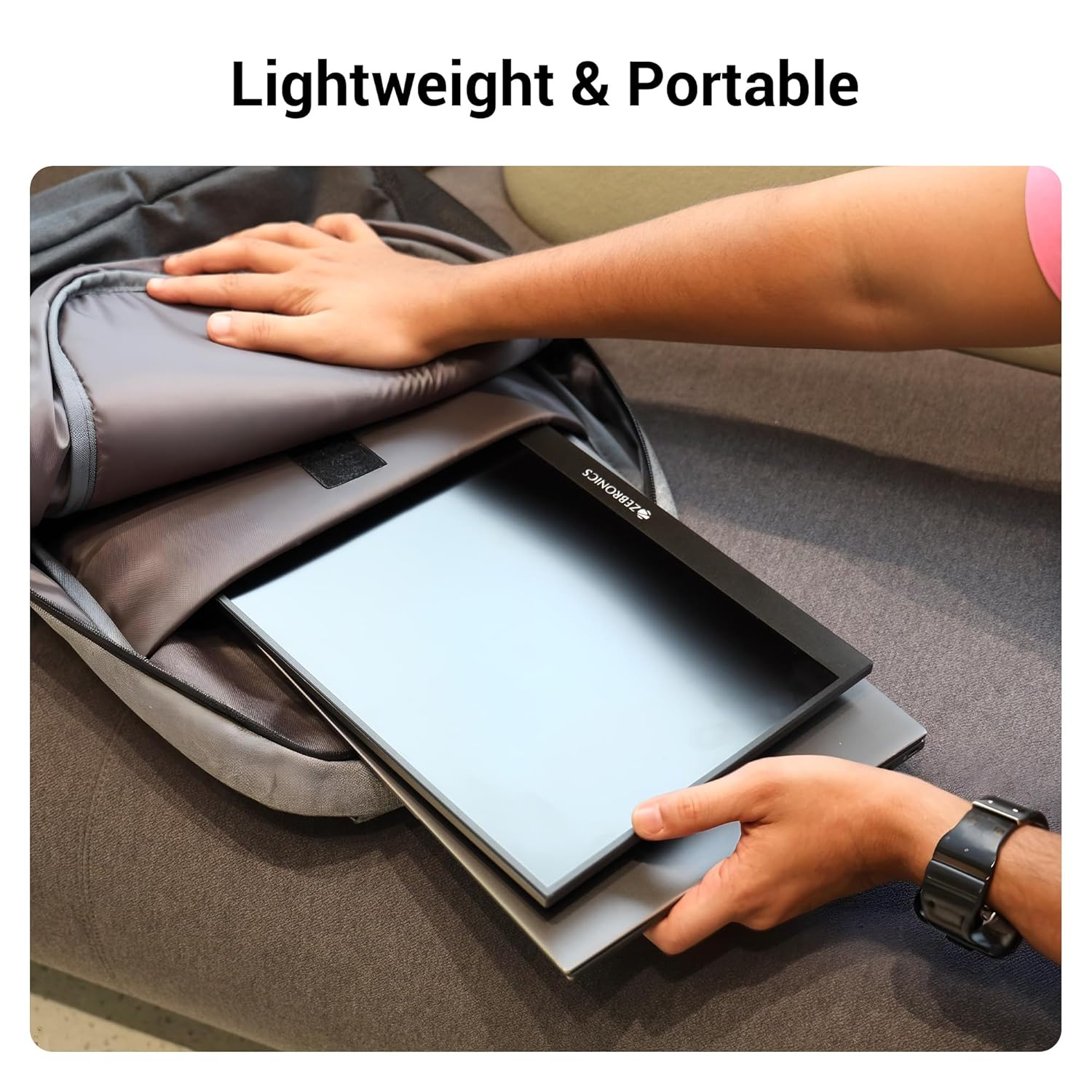
Figure 6.1: Lightweight and Portable Design
7. Cara ngungkulan
Upami anjeun mendakan masalah sareng monitor anjeun, tingal masalah sareng solusi umum ieu:
| Masalah | Mungkin Cukang lantaranana | Solusi |
|---|---|---|
| Taya tampilan / Taya sinyal | Incorrect input source selected; Loose cable connection; Insufficient power. | Check cable connections (HDMI/Type-C). Ensure the monitor is powered. Select the correct input source via the OSD menu. For Type-C, ensure your device supports DisplayPort Alt Mode. |
| Layar kedip-kedip | Faulty cable; Incompatible resolution/refresh rate; Power fluctuations. | Try a different cable. Adjust the resolution or refresh rate on your connected device. Ensure stable power supply. |
| Taya audio | Volume teuing leutik/diredam; Kaluaran audio anu dipilih dina alat salah. | Increase monitor volume using the Roller Key. Check audio settings on your connected device to ensure audio is routed to the monitor. |
| Monitor teu hurung | No power; Power adapter issue. | Ensure the power adapter is securely connected to the monitor (Type C Port 1) and a working power outlet. |
8. Spésifikasi
Detailed technical specifications for the ZEBRONICS Pixigo A16 portable monitor:
- merek: ZÉBronik
- model: Zeb-Pixigo A16
- Ukuran layar: 15.6 Inci (39.6 cm)
- Resolusi layar: 1920 x 1080 piksel (FHD 1080p)
- Rasio Aspék: 16:9
- Caang: 300 niis
- Rojongan Warna: 16.7 Juta Warna
- Pedaran Beungeut Layar: Matte (Anti-silau)
- Konektipitas: 1x Mini HDMI Port, 2x Type C Ports (1x Power + Display, 1x Power Only), Headphone Jack
- Speaker Diwangun-di: Sumuhun
- Beurat barang: 804 g
- Ukuran produk (L x W x H): 1.7 x 35.5 x 22.2 cm
9. Garansi jeung Rojongan
For warranty information, technical support, or service inquiries, please refer to the warranty card included in your package or visit the official ZEBRONICS websitus. Simpen resi pameseran anjeun salaku bukti pameseran pikeun klaim garansi.


