Bubuka
This manual provides detailed instructions for the setup, operation, and maintenance of your Weofly Nova Active Noise Cancelling Headphones. Please read this manual thoroughly before using the product to ensure optimal performance and longevity.
Naon dina Box
Upon unboxing your Weofly Nova headphones, please verify that all the following components are included:
- Weofly Nova Over-Ear Headphones
- USB-A ka USB-C ngecas Cable
- 3.5mm AUX Cable (USB-C to 3.5mm TRS)
- Manual pamaké

Image: The Weofly Nova Active Noise Cancelling Headphones in Sliver, showcasing desain maranéhanana.
Produk Leuwihview
The Weofly Nova headphones are designed for comfort and high-quality audio, featuring Active Noise Cancellation and Bluetooth 5.4 connectivity.

Image: A woman wearing the Weofly Nova headphones, illustrating their lightweight and stylish design. The headphones weigh only 130g.

Image: Two pairs of Weofly Nova headphones, one in brown and one in white, highlighting their distinct aesthetic and color options.
Fitur konci:
- Aktif Noise Cancelling (ANC): Advanced technology to reduce ambient noise.
- Bluetooth V5.4: For faster and more stable wireless connections.
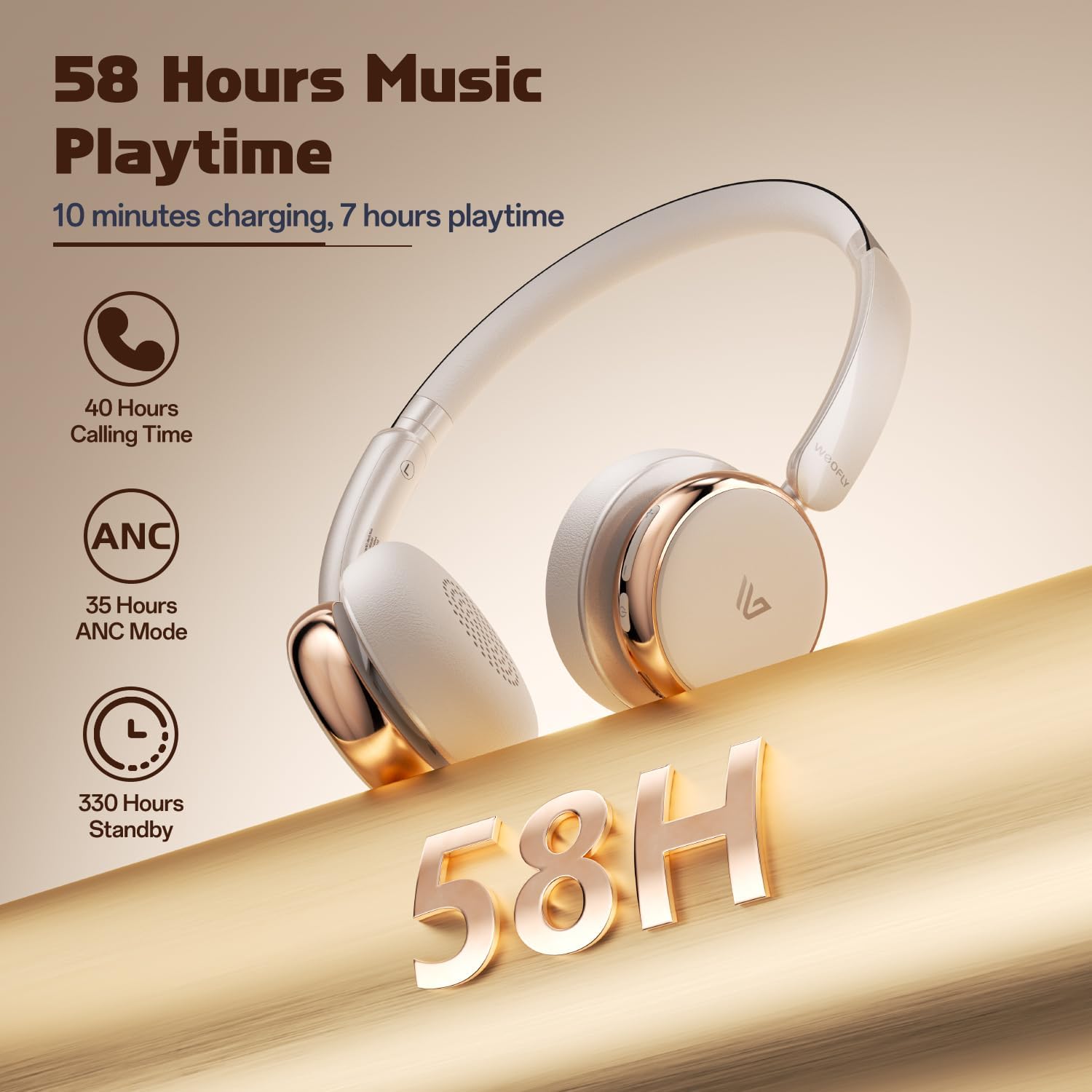
- Hirup batré anu panjang: Up to 58 hours of music playtime on a single charge.
- Desain nyaman: Ultra-soft memory protein earcups and adjustable headband.
- Sora Kasatiaan Luhur: 40mm dynamic drivers for clear audio with rich bass.
- Konéktivitas Multi-alat: Connect to two smart devices simultaneously.
Video: Hiji leuwihview of the Weofly Nova Active Noise Cancelling Headphones, demonstrating their features and design.
Parentah Setup
1. Ngecas Headphone
Before first use, fully charge your Weofly Nova headphones. A full charge takes approximately 2 hours.
- Connect the USB-C end of the charging cable to the headphone's charging port.
- Sambungkeun tungtung USB-A kana adaptor daya USB anu cocog (henteu kalebet) atanapi port USB komputer.
- Lampu indikator bakal némbongkeun status ngecas sareng pareum atanapi robih warna nalika dicas pinuh.

Image: The Weofly Nova headphones being charged via a USB-C cable, illustrating the fast charging capability.
2. Powering on / Pareum
- Pikeun Ngahurungkeun: Pencét terus tahan tombol Daya nepi ka lampu indikator kedip-kedip.
- Pikeun mareuman: Pencét jeung tahan tombol Daya nepi ka lampu indikator pareum.
3. Papasangan Bluetooth
The headphones support quick pairing. The first time you power them on, they will automatically enter pairing mode.
- Pastikeun headphone dipareuman.
- Press and hold the Power button for approximately 5 seconds until the indicator light flashes blue and red alternately, indicating pairing mode.
- Dina alat anjeun (smartphone, tablet, laptop), aktipkeun Bluetooth sareng milarian alat anu sayogi.
- Select "Weofly Nova" from the list of devices.
- Sakali nyambung, lampu indikator bakal robah jadi biru polos atawa biru kedip-kedip laun.
The headphones can connect to two devices simultaneously. To connect a second device, repeat the pairing process. The headphones will automatically switch between devices for calls or media playback.

Image: An illustration showing the Weofly Nova headphones connecting to a laptop and a smartphone via advanced Bluetooth 5.4, highlighting faster transmission and stable connection.
Parentah Operasi
1. Active Noise Cancellation (ANC)
The Weofly Nova headphones feature Active Noise Cancellation to minimize ambient sounds.
- Pikeun Aktipkeun / Nonaktipkeun ANC: Press the dedicated ANC button on the earcup. An audible prompt will confirm the status.

Image: A woman wearing Weofly Nova headphones while focused on her laptop, demonstrating the effectiveness of ANC in reducing distractions.
2. Puterkeun Musik
Control your music directly from the headphones:
- Puter / Reureuh: Pencét tombol Multi-fungsi sakali.
- Lagu salajengna: Pencét jeung tahan tombol Volume Up.
- Lagu Sateuacanna: Pencét jeung tahan tombol Jilid Turun.
- Volume Up: Pencét sakeudeung tombol Volume Up.
- Volume Turun: Pencét sakeudeung tombol Volume Turun.
3. Manajemén nelepon
Ngatur telepon kalayan gampang:
- Ngajawab / mungkas Telepon: Pencét tombol Multi-fungsi sakali.
- Nolak Telepon: Pencét jeung tahan tombol Multi-fungsi salila 2 detik.
- Telepon deui Nomer Panungtungan: Pencét dua kali tombol Multi-fungsi.
4. Asisten sora
Aktipkeun asisten sora alat anjeun:
- Aktipkeun Asisten Sora: Pencét-pencét tombol Multi-fungsi.

Image: A multi-panel image illustrating the comfort of the headphones during travel, and the functionality of voice assistance and built-in microphone for hands-free calls.
5. Modeu Kaulinan
For reduced latency during gaming, activate Game Mode:
- Activate/Deactivate Game Mode: Press and hold the Multi-function button for 2 seconds (while not on a call or playing music).
6. Sambungan kabel
Use the provided 3.5mm AUX cable for a wired connection:
- Connect the USB-C end of the AUX cable to the headphone's USB-C port.
- Connect the 3.5mm end to your audio source's headphone jack.
- Headphone bakal otomatis pindah ka mode kabel.
Pangropéa
To ensure the longevity and optimal performance of your Weofly Nova headphones, follow these maintenance guidelines:
- beberesih: Anggo lawon anu lembut sareng garing pikeun ngabersihan headphone. Ulah make cleaners abrasive atawa pangleyur.
- Panyimpenan: Simpen headphone dina tempat anu tiis sareng garing jauh tina sinar panonpoé langsung sareng suhu anu ekstrim.
- Hindarkeun Uap: Ulah ngalaan headphone ka cai atawa kaleuleuwihan Uap.
- Nanganan kalayan ati-ati: Hindarkeun leupaskeun atanapi nahan headphone kana dampak anu kuat.
Pamérésan masalah
If you encounter issues with your Weofly Nova headphones, refer to the following common solutions:
| Masalah | Solusi |
|---|---|
| Headphone teu hurung | Ensure the headphones are fully charged. Connect to a power source and allow to charge for at least 30 minutes before attempting to power on again. |
| Teu tiasa dipasangkeun sareng alat | Ensure headphones are in pairing mode (flashing blue/red). Turn off and on your device's Bluetooth. Move headphones closer to the device. Clear previous Bluetooth connections on your device. |
| Teu aya sora atanapi volume handap | Check headphone and device volume levels. Ensure headphones are properly connected via Bluetooth or AUX cable. Test with a different audio source. |
| ANC henteu tiasa dianggo sacara efektif | Ensure ANC is activated. Adjust headphone fit to ensure a good seal around your ears. ANC is most effective against low-frequency, constant noise. |
| sambungan intermittent | Ensure no obstacles are between the headphones and your device. Move away from other wireless devices that may cause interference. Ensure headphones are fully charged. |
spésifikasi
Technical details for the Weofly Nova Active Noise Cancelling Headphones:
- Ngaran modél: Nova
- Téknologi konektipitas: Nirkabel (Bluetooth)
- Téknologi Komunikasi Nirkabel: Bluetooth 5.4
- Jenis Supir Audio: 40mm Supir Dinamis
- Kontrol bising: Pembatalan Noise aktip
- Kahirupan batré: Up to 58 hours (music playtime), 40 hours (talk time), 35 hours (ANC mode)
- Waktu Ngecas: Kurang leuwih 2 jam
- Kapasitas batré: 500 mah
- Beurat barang: 0.26 Kilogram (9.1 ons)
- Penempatan Ceuli: Leuwih Ceuli
- Alat anu cocog: Telepon Sélulér, Tablet, Laptop, Spiker Pinter
Gambar: A lengkep view of the Weofly Nova earcup, emphasizing the 40mm dynamic driver responsible for high-fidelity sound quality.

Image: The Weofly Nova headphones prominently displaying '58H', signifying their extended battery life of 58 hours for music playback.
Garansi sareng Rojongan
Weofly products come with a standard manufacturer's warranty. For specific warranty details, please refer to the warranty card included in your product packaging or visit the official Weofly website. For technical support, troubleshooting assistance, or any inquiries regarding your Weofly Nova headphones, please contact Weofly customer service through the contact information provided on our websitus atanapi dina dokuméntasi produk Anjeun.


