Bubuka
The Weofly Lifefits Wireless Earbuds offer an advanced audio experience with a unique smart touchscreen charging case. Designed for convenience and high-quality sound, these earbuds feature Bluetooth 5.4 technology for stable connections, a 13mm dynamic driver for immersive audio, and an IPX4 waterproof rating for durability during various activities. The multifunctional touchscreen on the charging case provides intuitive control over music, calls, and various settings, enhancing user interaction.
Eusi pakét

The package includes the Weofly Lifefits Wireless Earbuds, the smart touchscreen charging case, a USB-C charging cable, and multiple sizes of silicone ear tips to ensure a comfortable fit. A user manual is also provided for detailed instructions.
- Weofly Lifefits Wireless Earbuds (L&R)
- Casing Pangisi Daya Layar Toél Pinter
- Kabel Ngecas USB-C
- Ujung Ceuli Silikon (rupa-rupa ukuran)
- Manual pamaké
Setup sareng Pamakéan Awal
1. Ngecas Alat
Before first use, fully charge the earbuds and the charging case. Connect the provided USB-C cable to the charging port on the case and a power source. The touchscreen display will show the charging status. The earbuds will automatically charge when placed inside the case.

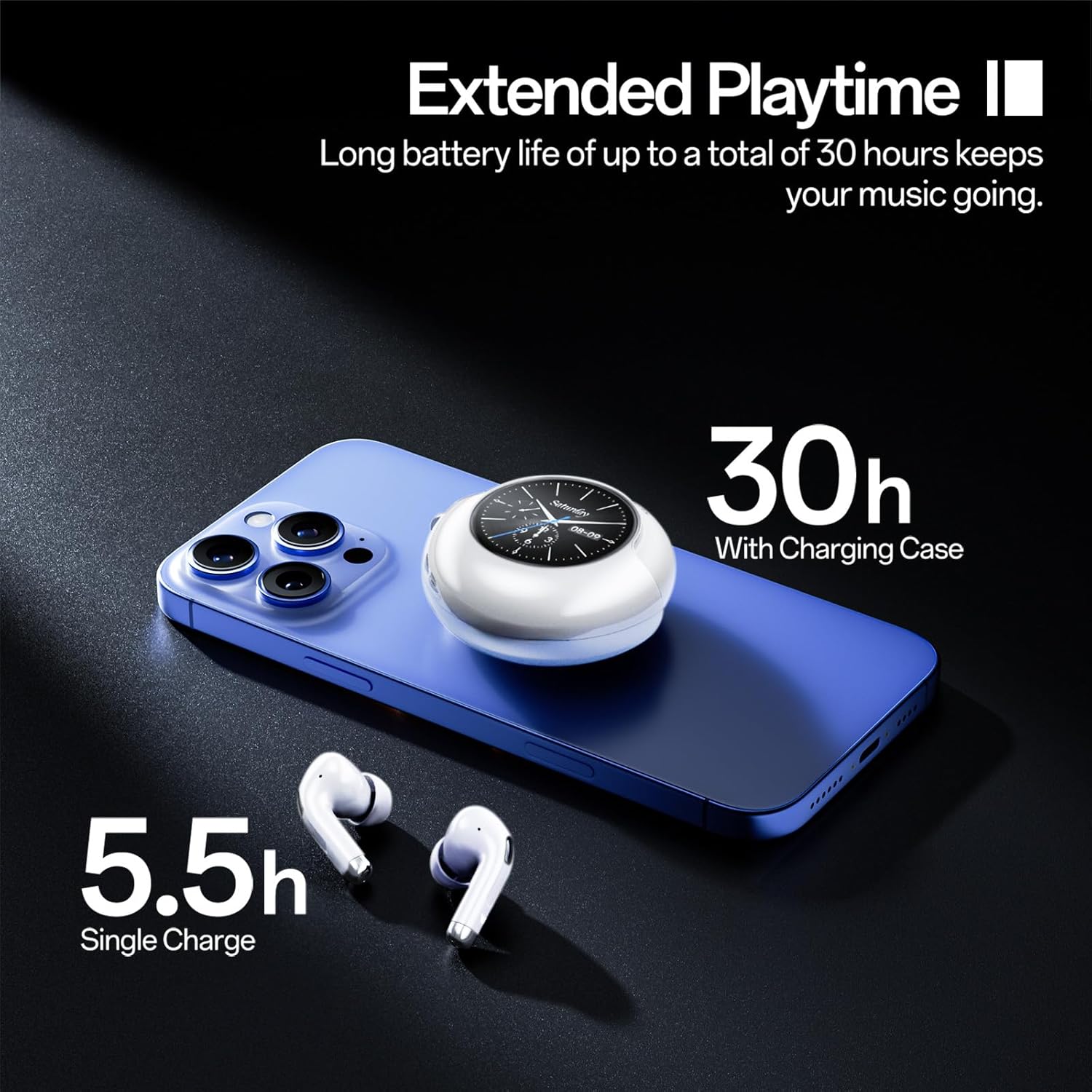
The charging case provides up to 30 hours of additional playtime. A single charge of the earbuds offers 5.5 hours of music playback or 5 hours for calls. The case itself charges quickly via the USB-C port.
2. Nyapasangkeun sareng Alat
- Daya Hurung: Buka wadah ngecas. Earbuds bakal otomatis hurung tur asup kana mode papasangan.
- Aktipkeun Bluetooth: Dina telepon pinter anjeun atanapi alat anu sanés, buka setélan Bluetooth teras aktipkeun Bluetooth.
- Pilih Alat: Look for "Weofly Lifefits" or a similar name in the list of available devices and select it to connect.
- Konfirmasi: A voice prompt will confirm successful pairing. The touchscreen on the case will also indicate successful connection.
The earbuds feature one-step pairing and will automatically reconnect to the last paired device when taken out of the case.
Equipped with advanced Bluetooth V5.4, these earbuds provide faster transmission speeds, stronger connection stability, and an extended Bluetooth range of up to 15 meters.
Parentah Operasi
Smart Touchscreen Controls (Charging Case)
The charging case features a 1.28-inch smart touchscreen for convenient control without needing your phone. Swipe left or right to navigate through various functions:
- Kontrol Musik: Play/pause, skip tracks (next/previous).
- Penyesuaian volume: Increase or decrease playback volume.
- Manajemén Telepon: Answer/reject calls.
- Pindah Basa: Robah basa tampilan.
- Wallpaper Switching: Sesuaikeun latar tukang layar.
- Kacaangan layar: Saluyukeun kacaangan tampilan.
- Pilarian Headphone: Locate misplaced earbuds (L/R).
- Timer: Set a timer directly from the case.
- Ékualiser: Select from various audio equalizer presets (e.g., Jazz, Studio, Bass).
- Kadali kaméra jauh: Aktipkeun kaméra telepon anjeun ti jarak jauh.
- Senter: Activate a small flashlight function.

The smart touchscreen provides comprehensive control over your earbuds and additional utility features, all accessible from the charging case.
Earbud Touch Controls
The earbuds themselves also feature touch controls for basic functions:
- Puter / Reureuh: Double-tap (L/R earbud).
- Ngalihkeun Lagu: Press and hold for 2 seconds (L for previous, R for next).
- Saluyukeun Volume: Single-tap (L for volume down, R for volume up).
- Hurungkeun/Pareuman: Press and hold for 5 seconds (when not connected).
- Ngajawab / Tutup Telepon: Double-tap (L/R earbud).
- Nolak Telepon: Press and hold for 2 seconds (L/R earbud).
- Asisten Sora (Siri): Triple-tap (L/R earbud).
This video demonstrates the various functions and controls available on the Weofly Lifefits Wireless Earbuds' smart touchscreen charging case, including music playback, volume adjustment, and other utility features.
Pangropéa sareng Perawatan
beberesih
Regular cleaning helps maintain optimal performance and hygiene. Use a soft, dry cloth to wipe the earbuds and charging case. For the charging contacts on the earbuds and inside the case, gently wipe with a dry cloth to prevent corrosion from sweat or debris, which can affect charging and connectivity.
Tahan cai

The Weofly Lifefits Wireless Earbuds are rated IPX4 waterproof, making them resistant to water splashes and sweat. This makes them suitable for sports and workouts. However, they are not designed for submersion in water. Always ensure the earbuds are dry before placing them back into the charging case.
Panyimpenan
Store the earbuds in their charging case when not in use to protect them and keep them charged. Avoid exposing the device to extreme temperatures or direct sunlight for prolonged periods.
Pamérésan masalah
| Masalah | Mungkin Cukang lantaranana | Solusi |
|---|---|---|
| Earbuds teu dipasangkeun / nyambungkeun. | Bluetooth not enabled, earbuds not in pairing mode, or connection interference. | Ensure Bluetooth is on your device. Place earbuds back in case, close, then reopen to re-enter pairing mode. Forget device in Bluetooth settings and re-pair. |
| One earbud not working/charging. | Dirty charging contacts, low battery, or earbud not seated correctly. | Clean the charging contacts on the earbud and inside the case with a dry cloth. Ensure the earbud is properly seated in the case. Check battery level on the case's touchscreen. |
| Touchscreen on case not responding. | glitch software samentara atawa batré low. | Ensure the case is charged. Try restarting the case by closing and reopening it. If issues persist, contact customer support. |
| Poor sound quality (flat/muddy). | Improper ear tip fit, dirty ear tips, or audio source quality. | Try different sized ear tips for a better seal. Clean ear tips. Ensure your audio source is high quality. Adjust equalizer settings on the touchscreen. |
| Earbuds falling out during activity. | Ukuran ujung ceuli anu salah atanapi sisipan anu henteu leres. | Experiment with different ear tip sizes to find the most secure and comfortable fit. Ensure earbuds are inserted correctly and snugly. |
spésifikasi
- Ngaran modél:
- Lifefits
- Téknologi konektipitas:
- Nirkabel (Bluetooth V5.4)
- Penempatan Ceuli:
- Dina Ceuli
- Faktor Bentuk:
- Dina Ceuli
- Ukuran supir:
- 13mm Supir Dinamis
- Rating waterproof:
- IPX4
- Waktu maén Earbud:
- 6-10 hours (music), 5 hours (calls)
- Total Waktu Maén (kalayan wadah ngecas):
- Nepi ka 40 jam
- Waktu Ngecas:
- Kurang leuwih 2 jam pikeun ngeusi batre pinuh
- Kisaran Bluetooth:
- Nepi ka 15 méter
- Beurat barang:
- 6.4 ons
- Batré:
- 2 A batré diperlukeun (kaasup)
Garansi sareng Rojongan
For warranty information, please refer to the documentation included with your purchase or visit the official Weofly website. If you encounter any issues or require technical assistance, please contact Weofly customer support through their official channels. Keep your proof of purchase for warranty claims.
The product typically includes a 30-day return/replacement policy. Extended protection plans may be available for purchase separately.


