Bubuka
Welcome to the LORELEI Q60 Wireless Bluetooth On-Ear Headphones user manual. This guide provides comprehensive instructions for setting up, operating, and maintaining your new headphones. Designed for comfort and superior sound, the Q60 headphones offer a seamless audio experience with advanced features.
Naon dina Box
Upon unboxing your LORELEI Q60 headphones, you should find the following items:
- LORELEI Q60 Wireless On-Ear Headphones
- Carrying Headset Case
- Kabel Ngecas Tipe-C
- Manual pamaké

Image: LORELEI Q60 headphones, carrying case, and charging cable as packaged.
Produk Leuwihview
The LORELEI Q60 headphones are engineered for both performance and comfort. Key design elements include:
- Desain ergonomis hampang: Ensures a comfortable fit for extended use.
- Headband adjustable: Allows for a personalized and secure fit.
- Bantalan Ceuli Busa Memori Lemes: Provides comfort and helps with passive noise isolation.
- Swivel-Foldable Ear Cups: Designed for portability and easy storage in the included case.
- Kontrol intuitif: Simple buttons and a control knob for easy operation.

Gambar: Detil view of the LORELEI Q60 headphones, highlighting the ear cup design, headband, and control knob.
Disetél
Ngecas Headphone
- Locate the Type-C charging port on one of the ear cups.
- Connect the provided Type-C charging cable to the headphones and a compatible USB power source.
- The LED indicator will show charging status. A full charge typically takes approximately 1 hour.
- Once fully charged, the headphones offer up to 40 hours of battery life.

Image: The USB-C charging port located on the ear cup of the LORELEI Q60 headphones.
Papasangan Bluetooth
- Ensure your LORELEI Q60 headphones are fully charged.
- Press and hold the multi-function control knob for a few seconds until the LED indicator flashes, indicating pairing mode.
- Dina alat anjeun (smartphone, tablet, laptop), arahkeun ka setélan Bluetooth.
- Select "LORELEI Q60" from the list of available devices.
- Once connected, the LED indicator will show a steady light or change color, confirming successful pairing.
- The headphones utilize Advanced Bluetooth 5.4 connectivity for enhanced stability and range (up to 10 meters).
Video: A demonstration of the LORELEI Q60 headphones, highlighting their sleek design and ease of use, including the pairing process.
Parentah Operasi
Daya Hurung/Pareuman & Kontrol Volume
- Hurungkeun/Pareuman: Press and hold the multi-function control knob for a few seconds.
- Penyesuaian volume: Rotate the control knob clockwise to increase volume and counter-clockwise to decrease volume.
Puterkeun Musik
- Puter / Reureuh: Press the multi-function control knob once.
- Lagu salajengna: Rotate the control knob clockwise and hold briefly.
- Lagu Sateuacanna: Rotate the control knob counter-clockwise and hold briefly.
Manajemén Telepon
- Ngajawab / mungkas Telepon: Press the multi-function control knob once.
- Nolak Telepon: Press and hold the multi-function control knob for 2 seconds.
- Asisten Sora (Siri/Asisten Google): Press the dedicated voice assistant button (refer to product diagrams for exact location) for 2 seconds.
Bass Mode Activation
- To activate or deactivate the Bass Mode for deep, powerful low frequencies, press the dedicated Bass Mode button (refer to product diagrams for exact location).
Video: A ulang lengkepview of the LORELEI Q60 headphones, demonstrating the lightweight design and the powerful Bass Mode feature.
kanyamanan sarta Desain
The LORELEI Q60 headphones are designed with user comfort in mind:
- Memory Foam Ear Cushions: Soft and durable, these cushions provide a secure and comfortable fit for all-day wear, preventing discomfort during long listening sessions.
- Headband adjustable: The headband can be adjusted to fit various head sizes, ensuring optimal comfort and stability.
- Konstruksi ringan: The headphones are lightweight (11.2 ounces), reducing pressure on your head and ears.

Image: A user wearing the LORELEI Q60 headphones, showcasing their ergonomic and comfortable design.
Connectivity and Battery
Experience uninterrupted audio with reliable connectivity and extended battery life:
- Bluetooth canggih 5.4: Provides a stable connection, expanded coverage range, and minimizes audio dropouts.
- Hirup batré anu panjang: Enjoy up to 40 hours of music playback on a single charge, powering through a full week of typical use.
- Ngecas Gancang: The included Type-C cable allows for effortless and fast recharging.
Portability
The LORELEI Q60 headphones are designed for convenience on the go:
- Swivel-Foldable Ear Cups: The ear cups can swivel and fold, making the headphones compact for easy storage.
- Complimentary Carrying Case: A durable carrying case is included to protect your headphones during travel and storage.
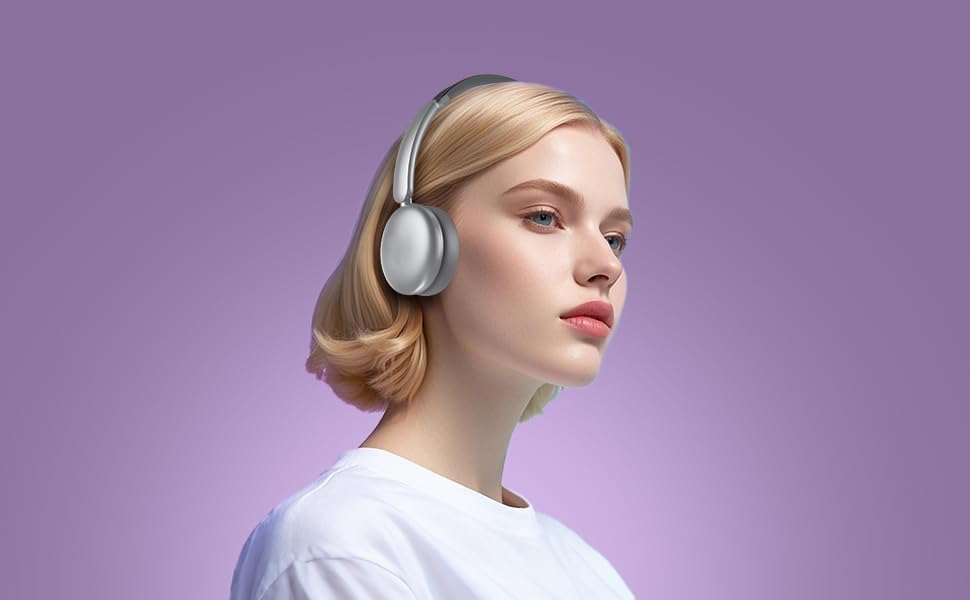
Image: The LORELEI Q60 headphones folded flat, ready for storage in their compact carrying case.
Kualitas Sora
Experience rich and immersive audio with the LORELEI Q60 headphones:
- Custom-Tuned Acoustic Structure: Delivers a comfortable and immersive music experience with balanced sound.
- Modeu Bass: Activate this feature to enjoy deep, powerful low frequencies, enhancing your audio experience.
- High-Definition Microphone: The built-in microphone ensures crystal-clear call quality for seamless communication.
spésifikasi
| Fitur | Rincian |
|---|---|
| Ngaran modél | Q60 |
| Téhnologi konektipitas | Nirkabel (Bluetooth 5.4) |
| Panempatan Ceuli | Dina Ceuli |
| Kahirupan batré | 40 Jam |
| Waktu Ngecas | 1 jam |
| Rentang Bluetooth | 10 méter |
| Ukuran Supir Audio | 40 milimeter |
| Réspon Frékuénsi | 20 KHz |
| Sensitipitas | 110 dB |
| Impedansi | 32 ohm |
| Item Beurat | 11.2 ons |
| Bahan | Faux Leather, Metal, Plastic |
| Komponén Kaasup | Kabel, Buku Panduan |
Pangropéa
- beberesih: Anggo kaén anu garing sareng lemes pikeun ngabersihan cup ceuli sareng ikat sirah. Ulah make bahan kimia kasar atawa bahan abrasive.
- Panyimpenan: When not in use, store the headphones in the provided carrying case to protect them from dust, scratches, and damage.
- Perawatan batré: Pikeun manjangkeun umur batre, ulah miceun headphone sacara sering. Ngeusi batre aranjeunna rutin, sanajan teu di pamakéan konstan.
Pamérésan masalah
- Henteu aya kakuatan: Pastikeun headphone tos dicas pinuh. Sambungkeun ka sumber daya nganggo kabel Tipe-C.
- Teu Bisa Dipasangkeun: Make sure Bluetooth is enabled on your device and the headphones are in pairing mode (flashing LED). Move closer to your device and away from potential interference.
- Henteu aya sora: Check the volume levels on both your headphones and your connected device. Ensure the headphones are correctly paired.
- Kualitas Sora goréng: Ensure the headphones are within Bluetooth range. Check for any obstructions between the headphones and your device.
Garansi sareng Rojongan
For warranty information, technical support, or further assistance, please refer to the contact details provided in the included user manual or visit the official LORELEI websitus.


