1. Bubuka
The MAONO Wave T1 Mini Wireless Lavalier Microphone is designed for high-quality audio capture with convenience and portability. This manual provides detailed instructions for setting up, operating, and maintaining your device to ensure optimal performance.

Image: The MAONO Wave T1 Mini Wireless Lavalier Microphone system, including two transmitters and a receiver, housed within its compact charging case.
2. Naon dina Box
Pastikeun yén sadaya komponén aya dina pakét anjeun:
- Pemancar mini Wave T1 (x2)
- Type-C Receiver (x1)
- Case Ngecas (x1)
- Kabel Ngecas USB-A ka USB-C (x1)
- Buku Panduan Pamaké (x1)

Gambar: Hiji leuwihview of the MAONO Wave T1 Mini package contents, including two transmitters, one Type-C receiver, a charging case, a USB-A to USB-C charging cable, and the user manual.
3. Setélan
3.1 Ngecas Awal
Before first use, ensure the transmitters and charging case are fully charged. Place the transmitters into the charging case. Connect the charging case to a power source using the provided USB-A to USB-C cable. The charging indicator lights will provide status.

Image: The MAONO Wave T1 Mini charging case, open to show the two transmitters nestled inside, indicating their charging status.
3.2 Nyambungkeun ka Alat Anjeun
- Insert the Type-C receiver into your smartphone, tablet, or compatible device's USB-C port.
- The receiver's blue indicator light should turn solid, indicating a successful connection and automatic pairing with the transmitters.
- If the blue light on the receiver does not turn on, or if it flashes, proceed to the "Enabling OTG Function" or "Manual Pairing" sections.
Video: This video demonstrates the initial connection process of the MAONO Wave T1 Mini receiver to a smartphone and how to perform manual pairing if automatic connection fails. It also shows how to enable the OTG function on Android devices.
3.3 Enabling OTG Function (for some Android devices)
Some Android devices require the OTG (On-The-Go) function to be enabled for external microphones to work. If your receiver indicator does not light up after plugging it in:
- Go to your phone's "Settings".
- Milarian pikeun "OTG" in the settings search bar.
- Find the OTG settings and enable the OTG function.
- Once enabled, plug in the receiver again. The blue light should now turn on, indicating normal operation.
3.4 Manual Pairing
If the blue light on the receiver keeps flashing, manual pairing is required:
- Pastikeun pemancar pareum.
- Press and hold the power button on the transmitter for 6 seconds until the blue light flashes rapidly, indicating it's in pairing mode.
- After the receiver is connected to the phone, press and hold the pairing button on the receiver for 6 seconds to enter pairing mode.
- Once pairing is successful, the blue light on both the transmitter and receiver will remain solid.
4. Parentah Operasi
4.1 Nganggo Mikropon
The Wave T1 mini transmitter weighs only 5.9 grams. It can be easily clipped onto your collar or clothing using the clip on the back for discreet and effective audio capture.

Image: A person wearing the MAONO Wave T1 Mini transmitter discreetly clipped to their shirt collar, demonstrating its compact size and ease of use.
4.2 Pangurangan Bising
The microphone features 4-level AI Noise Cancellation. A short press of the noise cancellation button on the transmitter can turn the function on or off. When enabled, the indicator light will turn green. You can adjust the noise reduction level (Slight, Moderate, Strong, Super) via the Maono Link app.

Image: Visual representation of the MAONO Wave T1 Mini's 4-level AI Noise Cancellation feature, showing different settings for various environments.
4.3 AI Voice Filters and Effects
Utilize the Maono Link app to switch between 4 unique voice filters (Sound Enhancer, Warmth, Brightness, Huskiness) and 4 voice-altering effects (Uncle, Goddess, Baby Voice, Original) for creative audio customization.
4.4 Remote Control for Photo/Video
In your phone's camera or video recording interface, double-click the transmitter button to remotely control the phone to take photos or record videos.
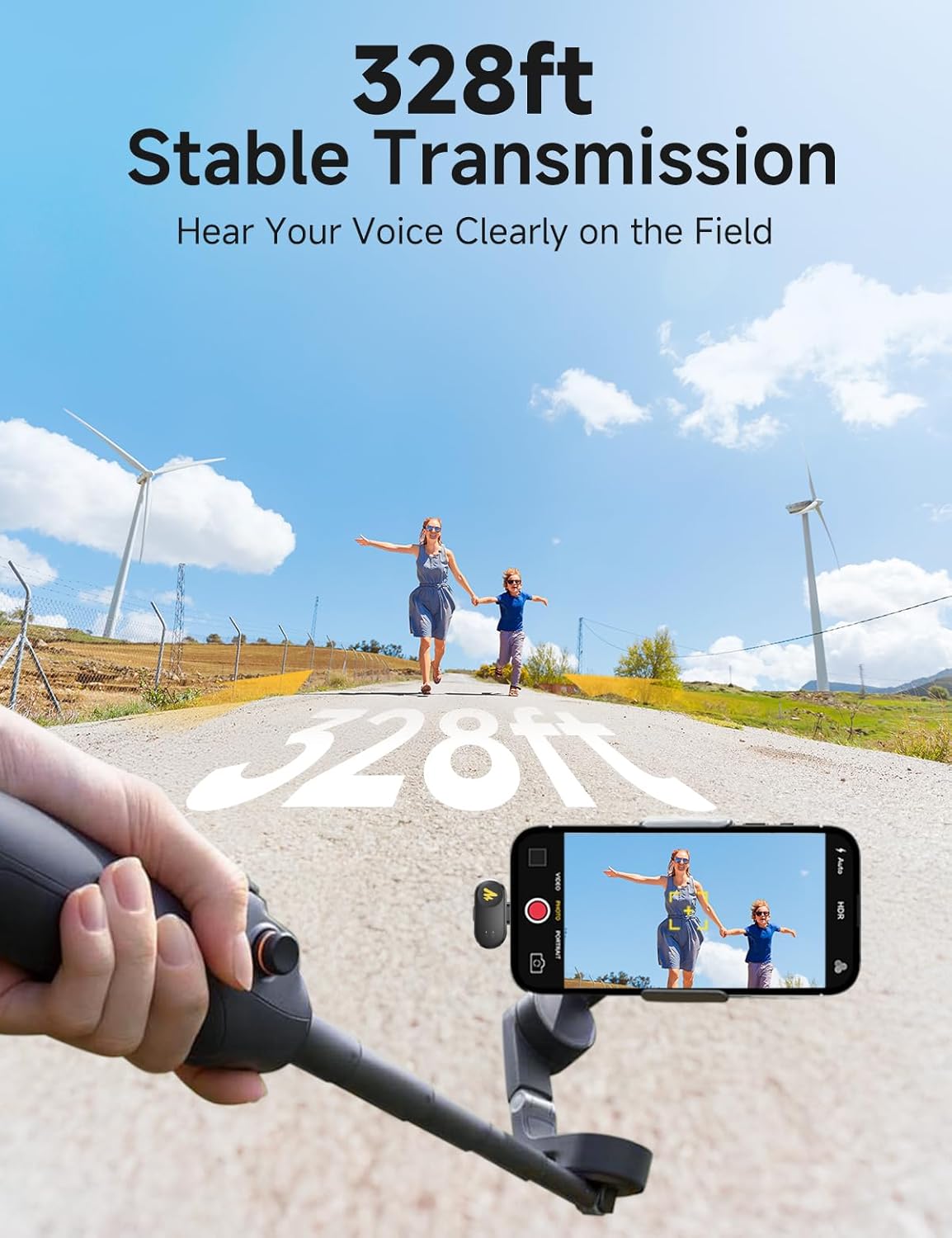
Image: A user demonstrating the remote photo/video capture function by double-tapping the MAONO Wave T1 Mini transmitter while their phone is set up for recording.
4.5 Maono Link App Usage
The Maono Link app (currently supports mobile phones only, PC not available) allows for effortless control and perfect sound. You can check the transmitter's connection status, remaining battery level, view real-time input level, adjust output volume via gain control, turn noise cancellation on/off, adjust noise cancellation levels, enable voice coloration, and choose from voice changer effects.
Video: This video demonstrates the features and functionalities of the Maono Link app, including adjusting microphone gain, noise reduction levels, and voice effects.
4.6 Kahirupan Batré sareng Ngecas
The compact charging case provides up to 30 hours of total battery life. Each transmitter offers approximately 6 hours of usage time. The receiver allows you to charge your device while recording, eliminating concerns about low battery during sessions.

Image: The MAONO Wave T1 Mini charging case, highlighting its extended battery life of up to 30 hours with the case.
4.7 Stable Transmission
The Wave T1 mini provides a stable transmission range of up to 328 feet (100 meters) without signal dropouts, utilizing 2.4GHz anti-interference technology.

Image: An illustration showing the MAONO Wave T1 Mini maintaining a stable audio connection over a distance of 328 feet.
5. Pangropéa
- Keep the device clean and dry. Avoid exposure to moisture, dust, and extreme temperatures.
- Anggo lawon anu lemes sareng garing pikeun ngabersihkeun mikropon sareng panarima. Entong nganggo bahan kimia anu keras atanapi bahan anu kasar.
- Simpen sistem mikropon dina wadah ngecasna nalika henteu dianggo pikeun ngajagi sareng ngajaga éta tetep dicas.
- When using the magnetic charging cable, ensure it is inserted in the correct direction to avoid damage. Do not force the connection.
Video: This video demonstrates proper handling and charging of the MAONO Wave T1 Mini, including correct insertion of the magnetic charging cable and precautions to avoid damage.
6. Cara ngungkulan
- Receiver Indicator Not Lighting Up: Ensure the receiver is fully inserted into the device's USB-C port. For Android devices, check if the OTG function is enabled in your phone's settings.
- Pairing Issues (Blue Light Flashing): Perform manual pairing as described in section 3.4. Ensure both transmitter and receiver are in pairing mode simultaneously.
- Indikasi batré lemah: If the red light on the transmitter flashes slowly, it indicates low battery. Please charge the transmitter using the charging case.
- Masalah Konektipitas Aplikasi: If the Maono Link app is not connecting, try restarting the app and ensuring the microphone system is properly connected to your phone. You can also try restoring factory settings via the app (refer to section 4.5).
- Masalah Kualitas Sora: Check the noise cancellation level and microphone gain settings in the Maono Link app. Adjust them according to your environment and recording needs.
7. Spésifikasi
| merek | MAONO |
| Nomer modél | Wave T1 mini - PC2 |
| Téhnologi konektipitas | Nirkabel |
| Tipe Panyambung | USB Tipe-C |
| Faktor Bentuk Mikropon | Lavalier |
| Pola Polar | Omnidirectional |
| Réspon Frékuénsi | 20 KHz |
| Rasio Signal-to-Noise | 85 dB |
| Jumlah Saluran | 2 |
| Sumber Daya | Batré Powered |
| Jenis Batré | Litium Ion (1 kaasup) |
| Item Beurat | 4.6 ons (0.13 Kilogram) |
| Bahan | Acrylonitrile Butadiena Styrene |
| Alat nu cocog | Action Camera, Laptop, Personal Computer, Smartphone, Tablet |
8. Garansi jeung Rojongan
For product support, technical assistance, or warranty inquiries, please contact MAONO US directly. Refer to the official MAONO websitus atanapi inpormasi kontak anu disayogikeun dina kemasan produk anjeun kanggo kéngingkeun detil dukungan anu pangénggalna.
The Maono Link app also provides a "Help Support" section for in-app assistance and troubleshooting.
Visit the official MAONO Store for more information: Toko MAONO di Amazon


