1. Bubuka
Hatur nuhun pikeun meuliasing the Kinglucky Wireless Bluetooth Speaker (Model: BTM-V1). This speaker is designed to provide high-fidelity audio with versatile playback options and a unique aesthetic. Featuring a vibrant LED screen and a stable stand, it seamlessly integrates into various home environments, including living rooms, bedrooms, offices, and kitchens. This manual provides detailed instructions for setup, operation, maintenance, and troubleshooting to ensure optimal performance and longevity of your device.
2. Naon dina Box
Mangga parios eusi pakét anjeun pikeun mastikeun yén sadaya barang aya:
- Kinglucky Wireless Bluetooth Speaker (BTM-V1) x1
- Kabel Ngecas (Tipe-C) x1
- Buku Panduan x1

Image: The Kinglucky BTM-V1 speaker, charging cable, and user manual laid out, indicating the package contents.
3. Produk Langkungview
3.1. Fitur konci
- Unique Bracket Design: Versatile placement for bedroom, living room, or desktop.
- Vivid Animation Screen: Colorful display with 14 dynamic lighting animation modes.
- Pilihan Playback Serbaguna: Supports Bluetooth, USB, TF card, MIC, and AUX inputs.
- Kualitas Sora Unggul: Expertly tuned acoustic system with 25W rated power for high-fidelity audio.
- Large-Sized Speaker: Measures 11.4 x 4.3 x 13.8 inches (29 x 11 x 35 cm) and weighs 3.26 pounds (1.48 kg).
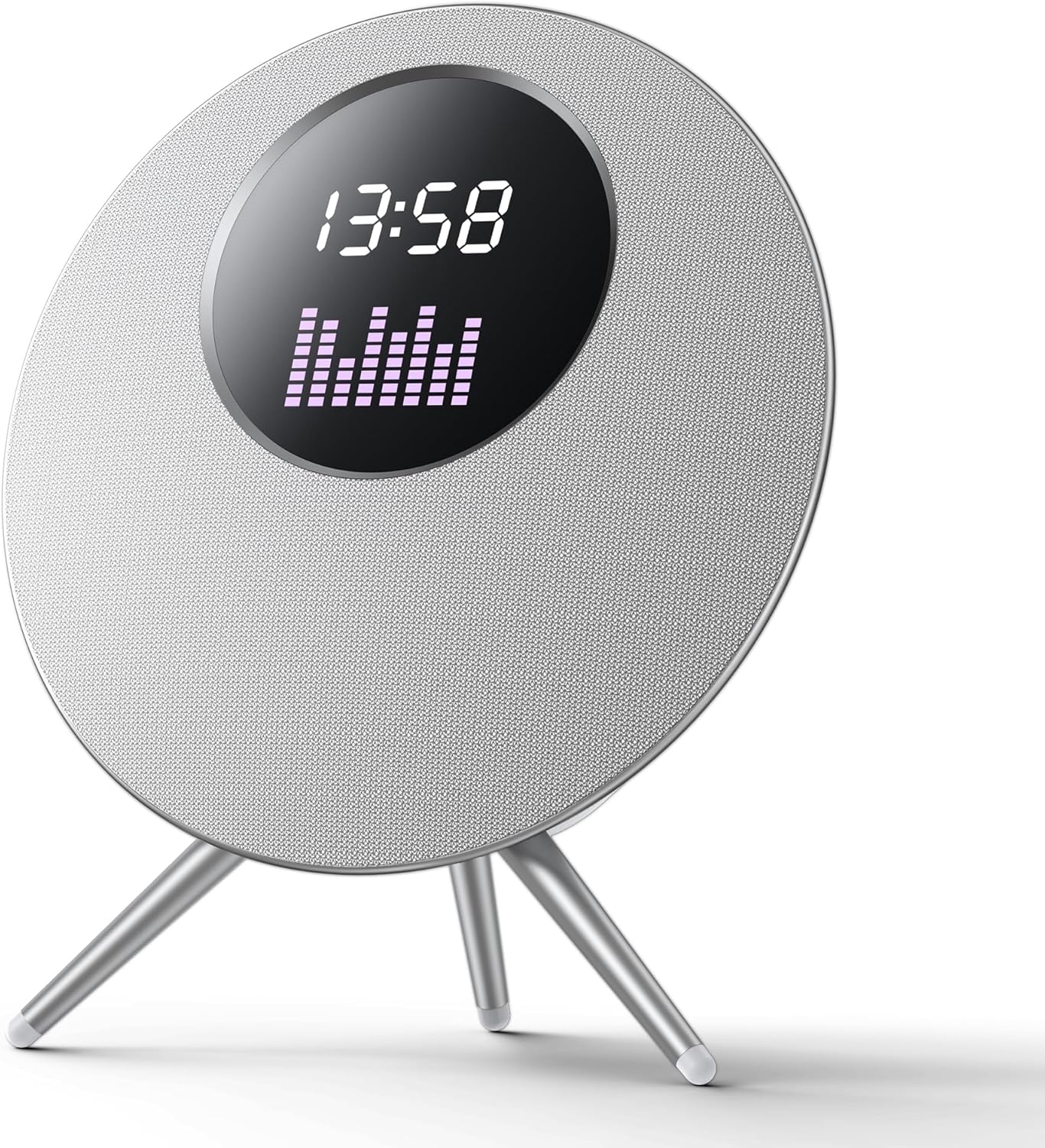
Gambar: A hareup view of the Kinglucky BTM-V1 Wireless Bluetooth Speaker, showcasing its circular design, LED screen displaying time and an equalizer, and its three-legged stand.

Image: Diagram illustrating the dimensions of the Kinglucky BTM-V1 speaker, showing its height of 432mm, width of 405mm, and depth of 172mm, with icons suggesting placement in fireplaces, bedrooms, and study rooms.
3.2. Kontrol jeung palabuhan

Image: A close-up diagram of the top-mounted control buttons on the Kinglucky BTM-V1 speaker, with labels indicating their functions: Previous song/Volume down, Mode switching (Bluetooth/TF card/USB drive), Power on/off/Pause/Play, Next song/Volume increase, and LED lighting effects/Turn off LED light effect.
- Tombol M: Switches between playback modes (Bluetooth, TF Card, USB, AUX).
- '-' Tombol: Pencét sakeudeung pikeun lagu saméméhna, pencét lila pikeun ngurangan volume.
- Tombol Daya: Long press to power on/off, short press to play/pause.
- Tombol '+': Pencét pondok pikeun lagu salajengna, pencét panjang pikeun ningkatkeun volume.
- Tombol Lampu: Switches between multiple LED lighting effects, long press to turn off/on LED light effect.

Image: A detailed diagram of the rear panel of the Kinglucky BTM-V1 speaker, highlighting and explaining each port: Charging Port (Type-C 5V), Pilot Lamp (indicator for connection/charging), AUX (3.5mm audio input), MIC (dynamic microphone interface), USB Port (for MP3 audio files), and TF Card Slot (for MP3 audio files).
- Port Ngecas (Tipe-C): For 5V power input.
- Pilot Lamp: Blue light flashes when no device is connected, stays solid when successfully connected. Red light stays on during charging and goes out when fully charged.
- Pelabuhan AUX: 3.5mm quad band audio cable input for connecting external devices.
- MIC Port: Dynamic microphone interface.
- Port USB: Automatically switches to USB mode when inserting MP3 audio files.
- Slot Kartu TF: Automatically switches to TF card mode when inserting MP3 audio files.
4. Setélan
4.1. Ngecas Awal
Before first use, fully charge the speaker. Connect the provided Type-C charging cable to the speaker's charging port and the other end to a 5V USB power adapter (not included). The pilot lamp will illuminate red during charging and turn off once fully charged. A full charge typically takes 3-4 hours.
4.2. Daya Hurung / Pareum
- Pikeun Ngahurungkeun: Pencét lila tombol Daya (U) salami 3 detik. Anjeun bakal ngadangu paréntah anu tiasa kadéngé.
- Pikeun mareuman: Pencét lila tombol Daya (U) salami 3 detik. Anjeun bakal ngadangu paréntah anu tiasa kadéngé.
4.3. Papasangan Bluetooth
The speaker will automatically enter Bluetooth pairing mode when powered on if no other input source is connected. The pilot lamp bakal hurung biru.
- Ensure the speaker is powered on and in Bluetooth pairing mode (blue pilot lamp kedip-kedip).
- Dina alat sélulér anjeun (smartphone, tablet, laptop), aktipkeun Bluetooth.
- Milarian pikeun available Bluetooth devices. The speaker will appear as "BTM-V1" or "Kinglucky Speaker".
- Select the speaker from the list to pair.
- Once successfully paired, the pilot lamp will stop flashing and remain solid blue, and you will hear a connection confirmation sound.
Note: The speaker supports Bluetooth 5.3 technology for stable connection up to 33 feet (10 meters).
5. Parentah Operasi
5.1. Puterkeun Musik
- Puter / Reureuh: Pencét sakeudeung tombol Daya (U).
- Kontrol volume: Long press the '+' button to increase volume, long press the '-' button to decrease volume.
- Lagu Salajengna / Saméméhna: Short press the '+' button for the next track, short press the '-' button for the previous track.
5.2. Modeu Ngalihkeun
Press the 'M' button to cycle through the available playback modes:
- Mode Bluetooth: For wireless audio streaming from paired devices.
- Mode Kartu TF: Automatically activated when a TF card with MP3 audio files diasupkeun.
- Mode USB: Automatically activated when a USB drive with MP3 audio files diasupkeun.
- Mode AUX: For wired connection using a 3.5mm audio cable.
5.3. LED Screen Effects
The speaker features 14 dynamic lighting animation modes on its LED screen.
- Change Effect: Pencét sakeudeung tombol Lampu (☀) to cycle through the animation modes.
- Turn On/Off LED: Long press the Light button (☀) to turn the LED screen effects on or off.
5.4. Pamakéan mikropon
Connect a dynamic microphone to the MIC port on the rear of the speaker. The speaker will automatically detect the microphone input. Adjust microphone volume as needed through the connected microphone's controls or the speaker's main volume.
6. Pangropéa
- beberesih: Anggo kaén anu lembut sareng garing pikeun ngusap permukaan spéker. Ulah make cleaners abrasive, alkohol, atawa pangleyur kimiawi, sabab ieu bisa ngaruksak finish.
- Panyimpenan: Simpen spéker dina tempat anu tiis sareng garing jauh tina sinar panonpoé langsung sareng suhu anu ekstrim.
- Perawatan batré: Pikeun manjangkeun umur batre, ulah discharged pinuh spéker sering. Ngeusi batre rutin, sanajan teu dipaké pikeun période nambahan.
- Tahan cai: While the speaker features splash-proof technology, it is not fully waterproof. Do not submerge it in water or expose it to heavy rain.
7. Cara ngungkulan
| Masalah | Mungkin Cukang lantaranana | Solusi |
|---|---|---|
| Speaker teu hurung. | Batré lemah atawa béak. | Connect the speaker to a power source using the charging cable and allow it to charge for at least 30 minutes before attempting to power on again. |
| Taya sora tina speaker. | Volume is too low; Incorrect mode selected; Device not connected properly. | Increase the speaker's volume and the volume on your connected device. Press the 'M' button to ensure the correct input mode is selected. Re-pair your Bluetooth device or re-insert the AUX/USB/TF card. |
| Papasangan Bluetooth gagal. | Speaker is not in pairing mode; Device is out of range; Interference. | Ensure the speaker's blue pilot lamp is flashing. Move your device closer to the speaker (within 10 meters). Turn off other Bluetooth devices nearby to reduce interference. Try restarting both the speaker and your device. |
| LED screen is off or not changing effects. | LED effects are turned off; Malfunction. | Pencét sakeudeung tombol Lampu (☀) to cycle through effects. Long press the Light button (☀) to ensure the LED is turned on. If the issue persists, contact customer support. |
8. Spésifikasi
| Fitur | Spésifikasi |
|---|---|
| Ngaran modél | Speaker Bluetooth |
| Nomer Modél Item | BTM-V1 |
| merek | Kinglucky |
| Tipe Speaker | Luar ruangan (cocog ogé pikeun di jero ruangan) |
| Fitur husus | Waterproof (Splash-proof) |
| Téhnologi konektipitas | Nirkabel (Bluetooth) |
| Téknologi Komunikasi Nirkabel | Bluetooth 5.3 |
| Speaker Maksimum Kaluaran Power | 25 Watt |
| Mode Kaluaran Audio | Stereo |
| Rasio Signal-to-Noise | 88 dB |
| Tipe Supir Audio | Supir dinamis |
| Métode kontrol | Toél |
| Sumber Daya | Batré Powered |
| Dimensi produk | 4.3 "D x 11.4" W x 13.8" H (11cm D x 29cm W x 35cm H) |
| Item Beurat | 4.94 pon (2.24 kg) |
| Warna | White (Silver) |
| Waktu maén | Up to 6-8 hours at 50% volume |
9. Garansi jeung Rojongan
Kinglucky products come with a limited warranty. For detailed warranty information, product support, or technical assistance, please refer to the warranty card included in your package or visit the official Kinglucky website. You can also contact Kinglucky customer service through the retailer where you purchased the product.
Kanggo patarosan salajengna, mangga buka Kinglucky Store on Amazon.


