1. Langkungview
The Amazon Basics USB Flash Drive is a versatile storage solution designed for seamless data transfer between various devices. Featuring both USB-C and USB-A dual ports, this 128GB thumb drive offers broad compatibility and efficient performance for your storage needs. Its durable metal construction and rotating design ensure protection and convenience.
2. Fitur konci
- 128 GB Storage Capacity: Nyadiakeun ample space for documents, photos, videos, and other files. Note: Actual usable capacity may be slightly less due to formatting and system files.
- Desain Dual Port: Equipped with both USB-C and USB-A connectors for universal compatibility with a wide range of devices.
- Kinerja Éfisién: Offers reliable data transfer with a default exFAT format, ensuring lower power consumption and broad device support.
- High Read Speed: Capable of read speeds up to 400 Megabytes Per Second. Actual speeds may vary based on device, file size, and type.
- Pangwangunan Premium: Features a robust metal exterior casing with a rotating open/close design to protect the connectors, and a hanging hole for convenient attachment to keychains or lanyards.
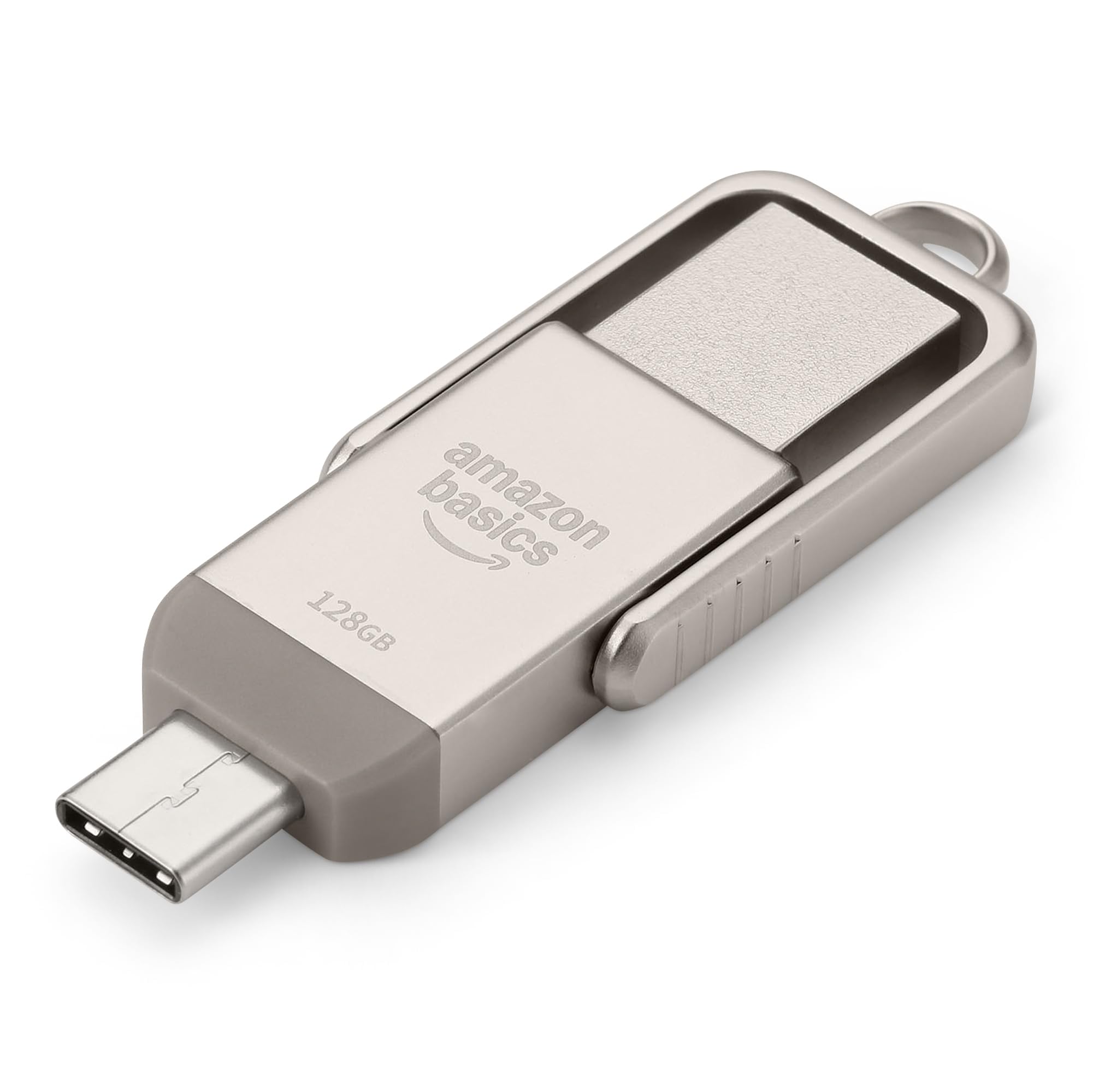
Figure 1: Amazon Basics 128GB USB Flash Drive, showcasing its compact design and dual connectors.
3. Setélan
- Identify Device Port: Determine whether your device (phone, tablet, computer) uses a USB-A or USB-C port.
- Select Correct Connector: Rotate the metal casing of the flash drive to expose the appropriate connector (USB-A or USB-C).
- Insert Flash Drive: Carefully insert the exposed connector into the corresponding port on your device. Ensure a secure connection.
- Pangenal alat: Alat anjeun kedah otomatis ngadeteksi flash drive. Dina sabagéan ageung sistem operasi, béwara bakal muncul, atanapi drive bakal tiasa diaksés ku anjeun file manager (e.g., File Explorer on Windows, Finder on macOS, Files app on mobile devices).

Figure 2: USB Flash Drive connected to a laptop's USB-A port.
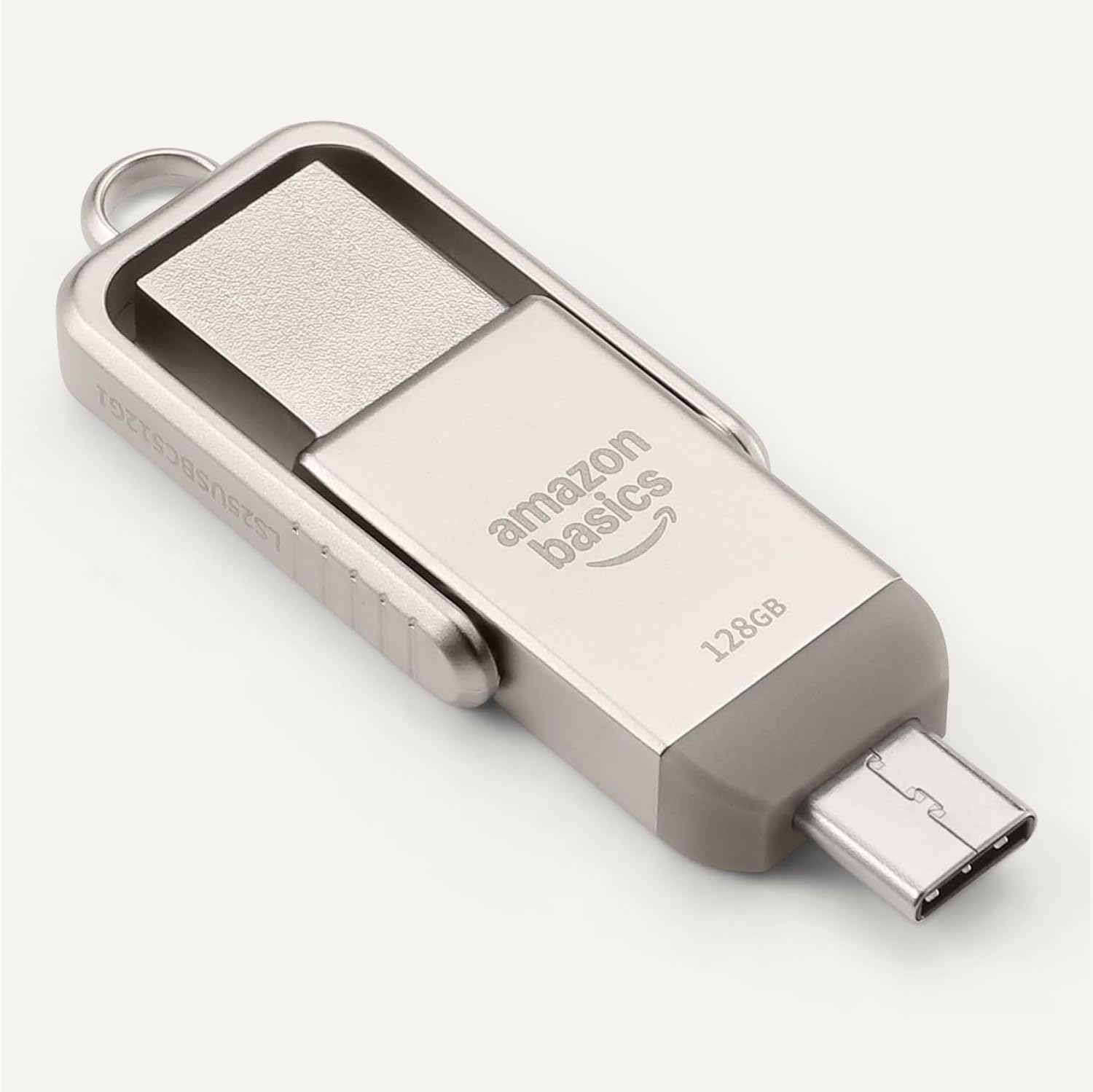
Figure 3: USB Flash Drive connected to a smartphone's USB-C port.
4. Parentah Operasi
4.1. Mindahkeun Files
- Salin/témpél: Arahkeun ka files you wish to transfer. Select them, then right-click (or long-press on touch devices) and choose 'Copy'. Navigate to the flash drive's directory, right-click (or long-press), and select 'Paste'.
- Séred jeung Leupaskeun: Buka anjeun file manager and arrange windows so you can see both the source folder and the flash drive's folder. Click and drag the desired files from the source folder to the flash drive's folder.
4.2. Panyabutan anu Aman
To prevent data corruption, always safely remove the flash drive before physically disconnecting it.
- Windows: Click the 'Safely Remove Hardware and Eject Media' icon in the taskbar, then select the flash drive.
- macOS: Drag the flash drive icon from your desktop to the Trash, or right-click the icon and select 'Eject'.
- Android/iPadOS: Look for an 'Eject' or 'Unmount' option within the file manager app or notification panel.
5. Kasaluyuan
The Amazon Basics USB Flash Drive is designed for broad compatibility:
- Sistem Operasi: Compatible with Windows, macOS, Linux, Android, and iPadOS devices that support USB mass storage.
- Jenis alat: Works with computers, laptops, tablets, and smartphones featuring USB-A or USB-C ports.
- File Sistim: Pre-formatted with exFAT for maximum compatibility across different operating systems and larger file ukuran.
- Catetan penting: This flash drive is incompatible with Lightning ports found on some Apple devices.
5.1. Compatibility Demonstration
Video 1: Demonstration of the Amazon Basics USB Flash Drive's compatibility with various phone cases and devices, highlighting successful and unsuccessful fits.
Video 2: Demonstration of using a thumb drive with a mini projector, showing file format requirements (FAT32) for video, audio, and image playback.
6. Kinerja
The Amazon Basics USB Flash Drive is engineered for efficient data handling:
- Laju maca: Up to 400 Megabytes Per Second.
- Laju Tulis: Varies depending on the device, file ukuran, file jenisna, sareng faktor lingkungan anu sanésna.
- Konsumsi Daya Handap: Designed for energy efficiency, contributing to longer battery life on connected mobile devices.
For optimal performance, ensure your device's USB port supports USB 3.2 Gen 1 or higher standards.
7. Pangropéa sarta perawatan
- Konektor Protéksi: Always rotate the metal casing to cover the unused connector when not in use to prevent dust and physical damage.
- Nanganan kalayan ati-ati: Avoid dropping the drive or subjecting it to excessive force.
- Suhu: Store the drive in a cool, dry place away from extreme temperatures.
- beberesih: Use a soft, dry cloth to clean the exterior. Avoid liquid cleaners or solvents.
8. Cara ngungkulan
- Drive Teu Dipikawanoh:
- Ensure the drive is fully inserted into the correct USB port.
- Coba port USB anu béda dina alat anjeun.
- Balikan deui alat anjeun sareng cobian deui.
- Pariksa alat anjeun file manager or disk management utility to see if the drive is listed.
- Laju Transfer Lambat:
- Ensure you are using a USB 3.0 (or higher) compatible port for optimal speeds. USB 2.0 ports will result in slower transfers.
- Mindahkeun loba leutik files tiasa langkung laun tibatan mindahkeun hiji ageung file tina ukuran total sarua.
- Tutup aplikasi sejenna nu bisa jadi ngagunakeun sumberdaya sistem.
- "Unsupported File" Error:
- This error typically occurs when the device you are connecting the flash drive to (e.g., a projector or smart TV) does not support the file format (e.g., .mov, .mp4, .txt, .png) or the file system (e.g., NTFS vs. FAT32/exFAT).
- Mastikeun files are formatted to FAT32 or exFAT for broad compatibility.
- Ngarobah files to a format supported by your playback device. Common formats include .mp4 for video, .mp3 or .wav for audio, and .jpeg for images.
- Drive Gets Warm:
It is normal for the metal casing of the flash drive to become warm during prolonged use or heavy data transfers. This does not indicate a malfunction.
9. Spésifikasi
| Fitur | Spésifikasi |
|---|---|
| Ngaran modél | LS25USBC128G1 |
| Kapasitas Panyimpenan Mémori | 128 GB (Nominal) |
| Téhnologi konektipitas | USB |
| Panganteur Hardware | USB 3.2 Gen 1 |
| Hardware Konektipitas Téhnologi | USB Tipe A, USB Tipe C |
| Baca Speed | 400 Megabytes per detik |
| Fitur husus | Konektor USB Ganda |
| Warna | Champagne pérak |
| Item Beurat | 2.11 ons |
| Ukuran Paket | 9.21 x 7.01 x 0.71 inci |
10. Garansi jeung Rojongan
This Amazon Basics product is backed by Amazon's customer service and return policies.
- Kabijakan pamulangan: Typically 30 days for refunds or replacements. Please refer to Amazon's current return policy for specific details.
- Rencana Perlindungan Opsional: Additional photo and data recovery plans are available for purchase (e.g., 2-year or 3-year plans).
- Rojongan Palanggan: For assistance, please visit the Amazon Basics Store or contact Amazon Customer Service directly through your Amazon account.


