1. Bubuka
Welcome to the FLAMMA FF01 Looper Pedal user manual. This guide provides detailed instructions for setting up, operating, and maintaining your looper pedal. The FF01 is a versatile stereo looper pedal designed for electric guitar and bass, offering extensive looping capabilities and intuitive controls.

The FLAMMA FF01 Looper Pedal features a compact design with a clear display screen, two footswitches, and control knobs for intuitive operation.
2. Setélan
2.1 Unboxing sareng Inspeksi Awal
Carefully remove all components from the packaging. Verify that all items listed in the "Product Contents" section are present and undamaged.

The package includes the FF01 Looper Pedal, a Quick Start Guide, a Power Adapter, a USB Cable, and a Logo Sticker.
2.2 Sambungan Daya
Connect the provided 9V power adapter to the DC IN port on the pedal. Ensure the power supply meets the specified voltage jeung amperage requirements (9V, 300mA).

The rear panel of the FF01 pedal shows the USB-C port for data management, the 9V 200mA power input, and a 1/8" headphone output.
2.3 Panyambung Audio
Connect your instrument (guitar or bass) to the L (MONO) input jack. For stereo operation, connect a second instrument or stereo source to the R input jack. Connect the output(s) to your amplifier atanapi panganteur audio.

The side of the FF01 pedal features 1/4-inch input jacks for mono or stereo audio connections.
3. Ngaoperasikeun Pedal
3.1 Kadali Dasar
The FF01 features an intuitive interface with a screen, two control knobs, an LED strip, and two footswitches.

Key controls include the screen for status, SELECT/SAVE knob for parameter adjustment and saving, VOLUME/DELETE knob for volume and deletion, an LED strip for loop progress, and two footswitches for record/overdub/play and play/stop/clear functions.
3.2 Recording a Loop
To begin recording, press the Left Footswitch once. The LED strip will indicate recording status. Press the Left Footswitch again to stop recording and start playback.
This video demonstrates the basic operation of the FLAMMA FF01 Stereo Looper Pedal, including recording, overdubbing, and playback.
3.3 Overdubbing
While a loop is playing, press the Left Footswitch once to enter overdub mode. Play your additional part, then press the Left Footswitch again to stop overdubbing and continue playback.
3.4 Playback and Stopping
Press the Right Footswitch once to stop playback. Press it again to resume playback. To clear the current loop, press and hold the Right Footswitch.
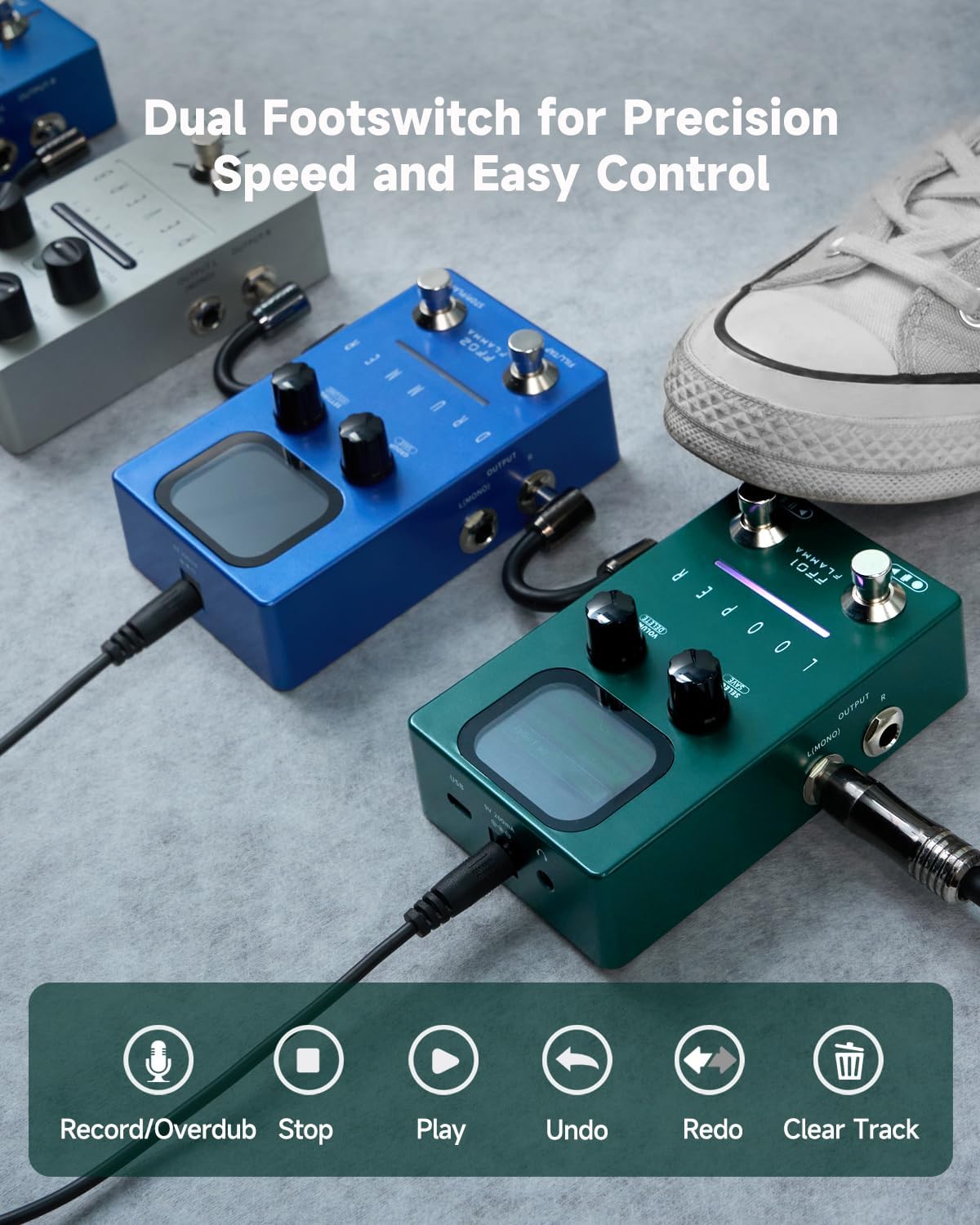
The dual footswitches provide precise control over recording, overdubbing, playback, and track management.
3.5 Nyimpen sareng Ngahapus Putaran
The FF01 can store up to 40 loops. To save a loop, press and hold the SELECT/SAVE knob. To delete a loop, press and hold the VOLUME/DELETE knob.

The FF01 offers a large capacity with 40 storage slots, each capable of holding up to 4 minutes of audio, totaling 160 minutes of recording time.

The control knobs allow for quick selection of loop slots and precise adjustment of playback volume.
4. Fitur konci
- Kapasitas ageung: Store up to 40 loops, each with a maximum of 4 minutes of recording, for a total of 160 minutes of creative freedom.
- Dual-Footswitch & LED Feedback: Easy dual footswitch operation for recording, overdubbing, playback, and track clearing, with a real-time LED strip to show loop progress.
- USB & High-Quality Audio: Supports 44.1kHz 16-bit WAV files. USB connectivity allows for seamless import, export, and deletion of tracks, making it easy to manage your loops.
- Fitur Playback: Undo/Redo for track layers, One Shot for single-playback, and Fade Out for smooth transitions to silence—giving you full control over your performance.
- Headphone Output & Stereo I/O: 1/8" headphone output for silent practice, plus stereo input/output for flexible routing in any setup.

The FF01 includes "One Shot" for immediate loop termination and "Fade Out" for a gradual, smooth decay of the loop.
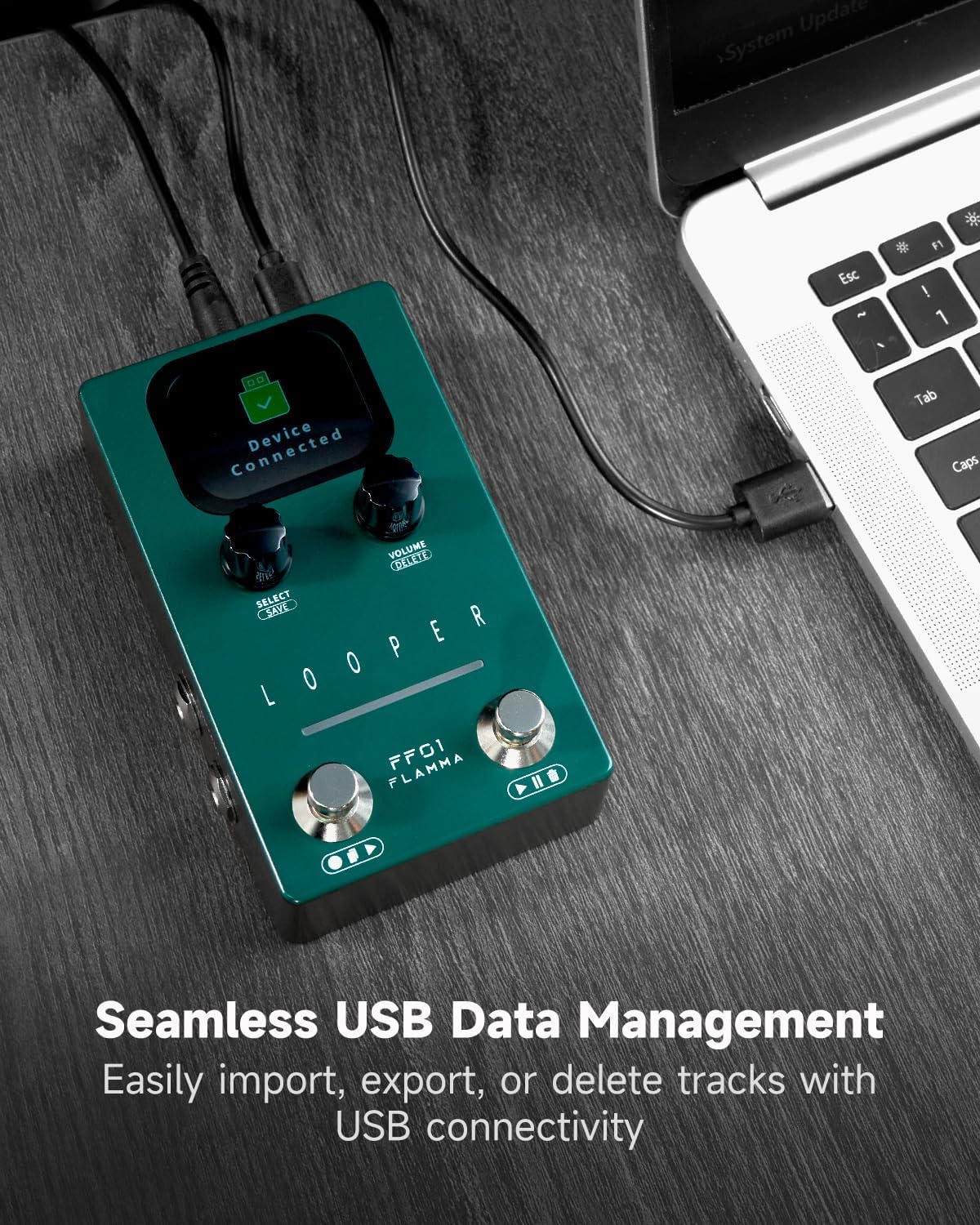
The USB-C port enables easy data management, allowing users to import, export, and delete loop tracks directly from a computer.
5. Pangropéa
5.1 beberesih
Anggo lawon anu lemes sareng garing pikeun ngabersihkeun permukaan pedal. Hindarkeun pembersih atanapi pangleyur anu abrasif.
5.2 Panyimpenan
Simpen pedal di tempat anu tiis sareng garing jauh tina sinar panonpoé langsung sareng suhu anu ekstrim.
5.3 Apdet firmware
Check the official FLAMMA websitus sacara périodik pikeun apdet firmware anu sayogi pikeun mastikeun kinerja anu optimal sareng aksés kana fitur-fitur énggal.
6. Cara ngungkulan
6.1 Taya Daya
- Ensure the 9V power adapter is correctly connected and functioning.
- Pastikeun stop kontak listrik aktip.
6.2 Taya Sora
- Pariksa sadaya kabel audio kanggo sambungan sareng integritas anu leres.
- Ensure the instrument and amplifier volumes are turned up.
- Verify the pedal's output volume is not set to zero.
6.3 Loop Not Clean/Off-Timing
- Practice starting and stopping the loop precisely with your playing.
- Ensure you are playing through the end of your loop when stopping to avoid abrupt cuts.
- Consider using a metronome for timing practice before looping.
6.4 USB Connection Issues
- Ensure the USB cable is securely connected to both the pedal and the computer.
- Coba port USB atawa kabel béda.
- Restart your computer and the pedal.
7. Spésifikasi
| Fitur | Nilai |
|---|---|
| Item Beurat | 7.4 ons |
| Ukuran Paket | 6.89 x 5.31 x 2.32 inci |
| Negara asal | Cina |
| ASIN | B0DSBNTGT1 |
| Nomer modél barang | FF01 |
| Panganteur Hardware | Audio 1/4 inci |
| Format Sinyal | Digital |
| Sumber Daya | Kabel Listrik |
| Voltage | 9 volt |
| merek | FLAMMA |
| Gaya | Looper |
| Ampumur | 300 Miliamps |
| Jumlah liang | 40 |
| Max. Record Time per Slot | 4 menit |
| Number of Overdubs | Taya wates |
| Sample Laju | 44.1 kHz |
| Sample Akurasi | 16 bit |
| Impor / Ékspor File Formatna | WAV(Stereo) |
| Rentang dinamis | +5.74dBu |
| Frékuénsi réspon | 20Hz-20kHz |
| Input | 2*1/4" unbalanced mono input jack (impedance value 2M) |
| Kaluaran | 2*1/4" unbalanced mono output jack (impedance value 470 ohm) |
| Kaluaran headphone | 1*1/8" unbalanced stereo output (impedance value 32 ohm) |
| USB | 1*USB-C port |
8. Garansi jeung Rojongan
For warranty information and technical support, please visit the official FLAMMA websitus atanapi hubungi dealer lokal anjeun. Simpen resi pameseran anjeun salaku bukti pameseran.
Online resources and FAQs may also be available on the FLAMMA brand store: FLAMMA Store.


