1. Bubuka
Welcome to the user manual for your new BNCF Bpad Mini Tablet. This 8.4-inch tablet, powered by the Snapdragon 685 processor and running Android 14, is designed for versatile use, from entertainment to productivity. This manual provides essential information on setting up, operating, maintaining, and troubleshooting your device to ensure optimal performance and a seamless user experience.

Gambar: Hareupeun view of the BNCF Bpad Mini Tablet showcasing its main features like Snapdragon 685, 8.4-inch FHD display, Android 14, 6050mAh battery, and 16GB+128GB memory.
2. Naon dina Box
Upon unboxing your BNCF Bpad Mini Tablet, please ensure all the following items are present:
- BNCF Bpad Mini Tablet
- Manual pamaké
- Charge (5V/2A)
- Pin ejector kartu SIM
- Type-C (5V/2A) Cable
- kotak kado
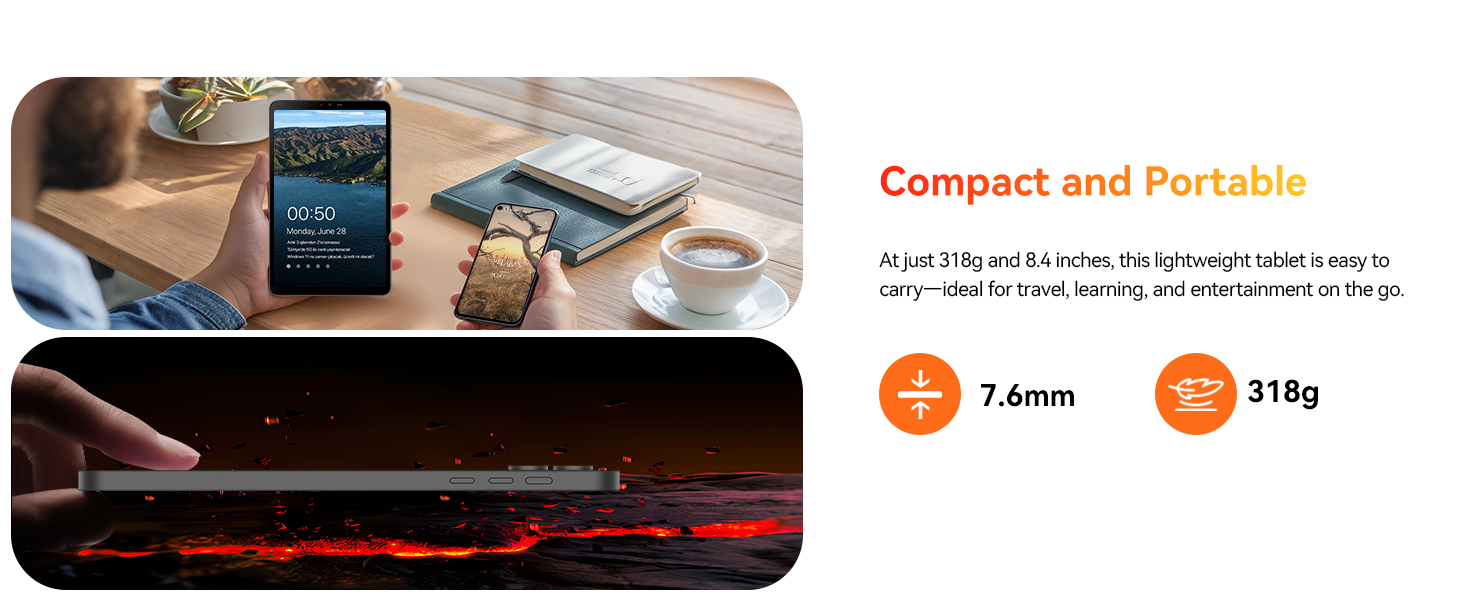
Image: A visual representation of the tablet and its included accessories, such as the charger, USB-C cable, SIM ejector tool, and user manual.
3. Fitur Produk
The BNCF Bpad Mini Tablet is equipped with advanced features for a superior user experience:
3.1. Snapdragon 685 & Android 14
Powered by the 6nm Snapdragon 685 (2.8GHz), the Bpad Mini tablet ensures smooth performance, low power consumption, and extended battery life. Android 14 enhances multitasking, security, and features like facial recognition, split-screen, smart projection, three-finger screenshot, and parental controls.

Gambar: Detil view of the Snapdragon 685 processor, highlighting its 2.8GHz clock speed, 6nm process, Adreno 610 GPU, and 6-Axis Gyro Sensor.
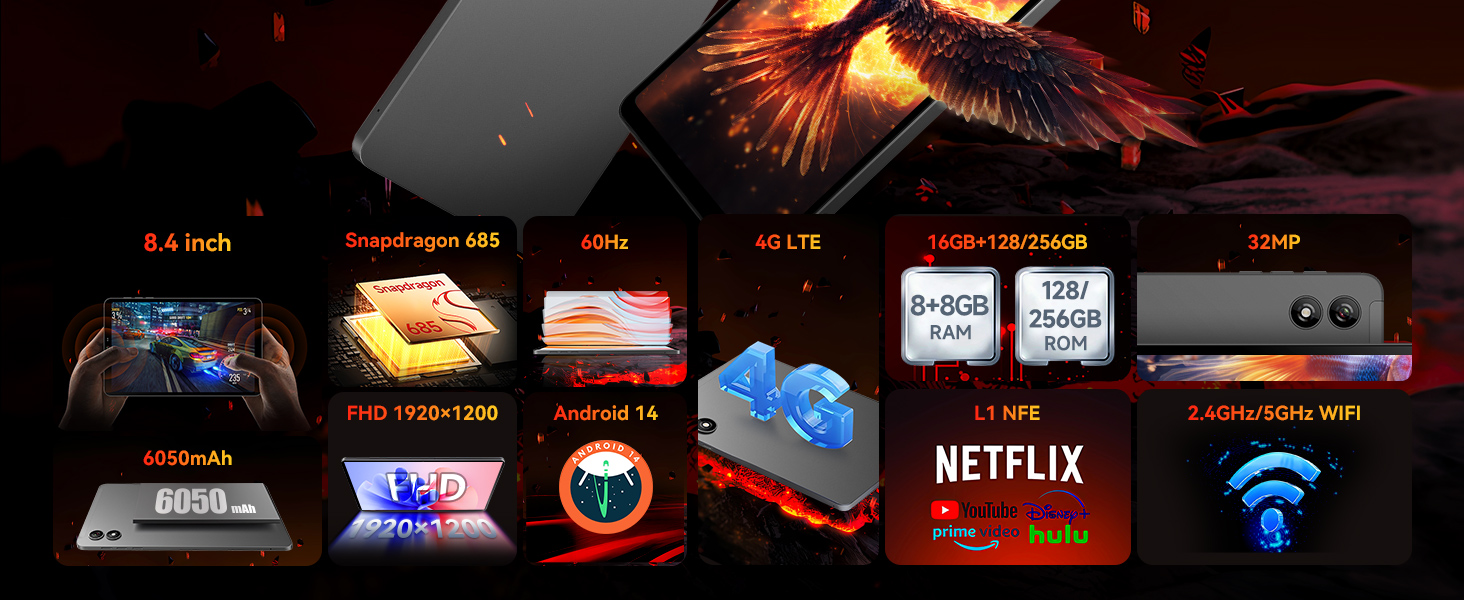
Image: Visual representation of Android 14's key functionalities such as Face Unlock, Smart Projection, Split-Screen, and Three-finger Screen Capture, emphasizing GMS certification and Google Play support.
3.2. 8.4" FHD IPS & Widevine L1
Weighing only 310g, this 8.4" tablet features Incell technology for improved touch accuracy and response. The 1920x1200 resolution with Widevine L1 supports HD streaming on Netflix and Prime Video. Dual speakers deliver immersive audio for work and entertainment.

Image: The tablet's display specifications, including 1920x1200 FHD resolution, 60Hz refresh rate, 350 Nits brightness, IPS Incell screen, and Widevine L1 certification for HD streaming.

Image: Illustrates the difference between Widevine L1 (1080P) and L3 (720P) certification, highlighting the tablet's L1 support for high-definition video streaming on popular platforms.
3.3. 5MP+32MP Dual Cameras
Equipped with 5MP and 32MP cameras, this tablet captures high-quality photos, 4K videos, and HD video calls. Ideal for selfies, content creation, and streaming. Sensors like a gyroscope and light sensor enhance the experience while optimizing power consumption.
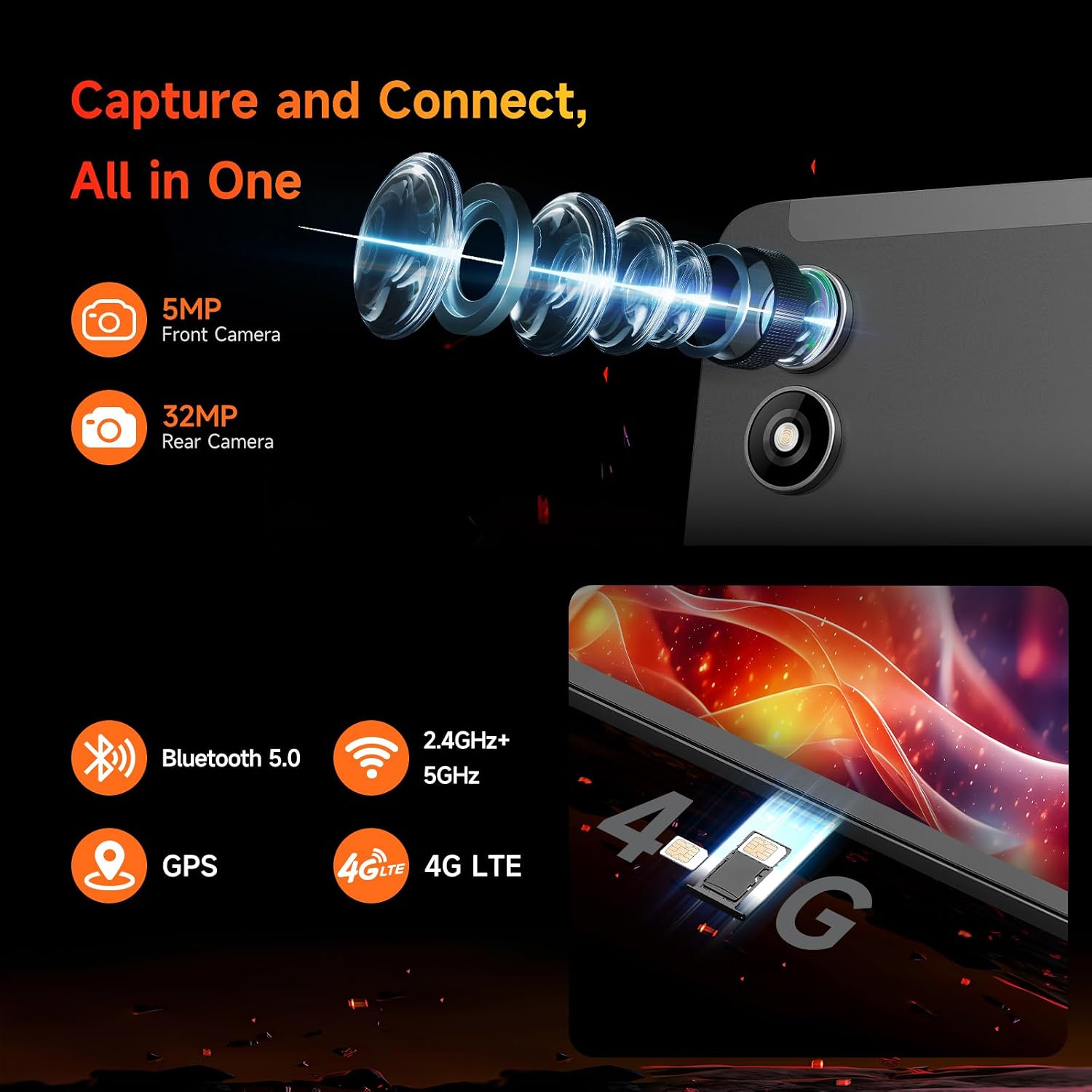
Gambar: Deukeut view of the tablet's 5MP front camera and 32MP rear camera, emphasizing their capability for capturing high-resolution images and videos.
3.4. 16GB RAM+128GB ROM & 6050mAh Battery
With 16GB (8+8GB) RAM and 128GB UFS storage (expandable to 1TB), this tablet ensures smooth performance. The 6050mAh battery supports 18W PD fast charging for extended use without worries.

Image: Visual representation of the tablet's ample storage (16GB RAM + 128GB ROM, expandable to 1TB) and its 6050mAh large-capacity battery with 18W PD fast charging support.
3.5. 4G LTE & GPS & BT 5.0
Bpad mini tablet supports dual-band WiFi, 4G LTE for connectivity without WiFi, Bluetooth 5.0 for seamless audio device pairing, and GPS for reliable navigation, making it perfect for entertainment, travel, and daily use.

Gambar: A lengkep lengkepview of the tablet's connectivity options, including 4G LTE, dual-band 2.4GHz/5GHz WiFi, Bluetooth 5.0, and GPS, along with its core specifications.
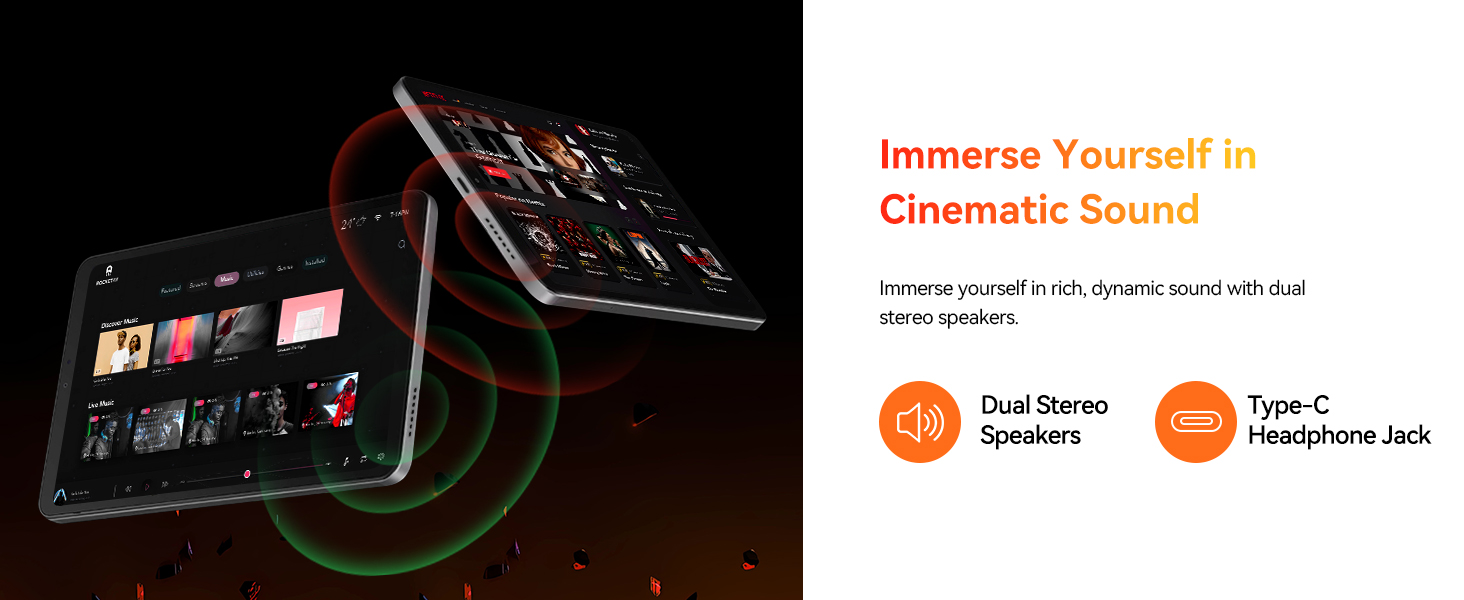
Image: Depicts the tablet's SIM card slots and lists supported 4G LTE bands (GSM, WCDMA, LTE-TDD, LTE-FDD), Bluetooth 5.0, 2.4GHz+5GHz WiFi, and GPS capabilities.
4. Setup Guide
4.1. Ngecas Awal
Before first use, fully charge your tablet. Connect the provided Type-C cable to the tablet's charging port and the other end to the included power adapter. Plug the adapter into a wall outlet. The charging indicator will show the charging status. A full charge typically takes approximately 2 hours with the 18W fast charger.
4.2. Daya Hurung / Pareum
- Pikeun Ngahurungkeun: Press and hold the Power button on the side of the tablet until the BNCF logo appears on the screen.
- Pikeun mareuman: Pencét terus tahan tombol Daya dugi ka menu pilihan daya némbongan. Pilih 'Pareuman' teras konfirmasi.
- Pikeun ngamimitian deui: Tina menu pilihan daya, pilih 'Restart'.
4.3. Konfigurasi awal
Saatos dihurungkeun pikeun anu munggaran, tablet bakal nungtun anjeun dina prosés setelan awal. Ieu kalebet:
- Milih basa anjeun.
- Nyambungkeun ka jaringan Wi-Fi.
- Signing in with your Google account (or creating a new one).
- Setting up screen lock (PIN, pattern, password, or face recognition).
- Reviewnampi sareng nampi sarat sareng kaayaan.
5. Ngoperasikeun Tablet anjeun
5.1. Napigasi Dasar
- Layar Utama: Gesek ka kenca atawa ka katuhu pikeun napigasi antara layar utama.
- Laci Aplikasi: Gesek ka luhur ti bagean handap layar pikeun ngakses sadaya aplikasi anu dipasang.
- Bewara & Setélan Gancang: Gesek ka handap ti luhur layar pikeun view bewara sareng toggle setelan gancang aksés (Wi-Fi, Bluetooth, jsb.).
- Aplikasi panganyarna: Tap the square navigation button (or swipe up and hold from the bottom if using gesture navigation) to see recently opened applications.
5.2. App Manajemén
- Masang Aplikasi: Unduh sareng pasang aplikasi ti Google Play Store.
- Ngahapus Aplikasi: Press and hold an app icon on the home screen or in the app drawer, then drag it to 'Uninstall' or select 'App info' and choose 'Uninstall'.
- Pamisah-layar: For multitasking, use the split-screen feature by accessing recent apps and tapping the app icon at the top of the window, then selecting 'Split screen'.
5.3. Konektipitas
- Wifi: Go to Settings > Network & internet > Wi-Fi to connect to available networks. The tablet supports dual-band 2.4G/5G Wi-Fi.
- Bluetooth: Buka Setelan > Alat nu nyambung > Bluetooth pikeun masangkeun sareng alat Bluetooth sapertos headphone atanapi speaker.
- 4G LTE: Insert a compatible SIM card into the tablet's SIM slot. Ensure your mobile data plan is active.
- GPS: The tablet has built-in GPS for navigation and location services. Ensure location services are enabled in Settings.
5.4. Pamakéan kaméra
Open the Camera app to capture photos and videos. Switch between the 5MP front camera and the 32MP rear camera. Utilize various modes and settings for optimal results.
6. Pangropéa
To ensure the longevity and optimal performance of your BNCF Bpad Mini Tablet, follow these maintenance guidelines:
- Perawatan batré: Ulah nepi ka suhu anu ekstrim. Ulah nepi ka batréna sering béak. Anggo carjer asli pikeun ngecas anu optimal.
- beberesih: Anggo lawon anu lemes sareng henteu lint pikeun ngabersihan layar sareng awak. Hindarkeun bahan abrasive atanapi bahan kimia kasar.
- Apdet parangkat lunak: Pariksa sareng pasang apdet sistem sacara rutin pikeun mastikeun tablet anjeun ngagaduhan fitur, patch kaamanan, sareng paningkatan kinerja pangénggalna. Buka Setélan > Sistem > Apdet sistem.
- Manajemén Panyimpenan: Périodik mupus teu perlu files and uninstall unused apps to free up storage space and maintain smooth performance.
7. Cara ngungkulan
Ieu mangrupikeun solusi pikeun masalah umum anu anjeun tingali:
| Masalah | Solusi |
|---|---|
| Tablet moal hurung | Ensure the battery is charged. Connect to the charger for at least 30 minutes. If it still doesn't turn on, try holding the Power button for 10-15 seconds. |
| Masalah sambungan Wi-Fi | Balikan deui router Wi-Fi anjeun. Pohokeun jaringan dina tablet anjeun teras sambungkeun deui. Pastikeun anjeun aya dina jangkauan sinyal Wi-Fi. |
| kinerja lalaunan | Close unused apps. Clear cache for frequently used apps (Settings > Apps > [App Name] > Storage > Clear cache). Restart the tablet. Consider a factory reset if issues persist (back up data first). |
| Aplikasi nabrak atanapi katirisan | Update the app to its latest version. Clear the app's cache and data (Settings > Apps > [App Name] > Storage). Reinstall the app. |
| Tablet teu ngecas | Check if the charging cable and adapter are securely connected and undamaged. Try a different compatible charger and cable. Clean the charging port gently. |
8. Spésifikasi
Detailed technical specifications for the BNCF Bpad Mini Tablet:
| Fitur | Spésifikasi |
|---|---|
| merek | BNCF |
| Ngaran modél | AD8Z |
| Sistem operasi | Android 14 |
| Ukuran layar | 8.4 inci |
| Resolusi layar | 1920 x 1200 piksel (FHD) |
| Prosesor | Snapdragon 685 (2.8 GHz) |
| Prosésor Brand | Qualcomm |
| Kapasitas Panyimpenan Mémori | 16 GB RAM |
| Ukuran Mémori Flash | 128 GB (Tiasa dilegaan dugi ka 1TB) |
| Tukangeun WebResolusi cam | 32 MP |
| Hareupeun WebResolusi cam | 5 MP |
| Tipe Wireless | 802.11ax (Dual-band Wi-Fi), Bluetooth 5.0, 4G LTE |
| Item Beurat | 11.2 ons (kira-kira 318g) |
| Dimensi produk | 7.9 x 4.9 x 0.3 inci |
| Warna | kulawu |
| Kapasitas batré | 6050 mah |
| Ngecas | Ngecas Gancang PD 18W |
9. Garansi jeung Rojongan
BNCF is committed to providing high-quality products and excellent customer service. We uphold rigorous standards from design to production, ensuring each product undergoes thorough quality checks.
9.1. Sarat jeung Kaayaan jaminan
For tablets purchased from the BNCF Official Flagship Store, customers benefit from a 12-bulan jaminan perbaikan bébasGaransi ieu ngawengku cacad manufaktur sareng mastikeun alat anjeun fungsina sapertos anu dimaksud dina panggunaan normal.
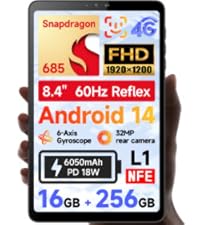
Image: BNCF One-Year Warranty & Support graphic, indicating commitment to quality and customer satisfaction.
9.2. Rojongan Téknis
BNCF offers rojongan teknis hirupna for its products. If you encounter any issues or have questions regarding your tablet, please contact our customer service team. You can expect a response within 24 hours, ensuring that any inquiries are addressed in a timely manner.
Inpormasi kontak: Please refer to the official BNCF website or your purchase documentation for the most up-to-date contact details for support.
9.3. Return and Exchange Service
If your product has issues, please leave us a message. We will use our expertise to solve the problem for you, or provide a return or exchange service as per our policy.

