Bubuka
Thank you for choosing the BNCF Bpad Mini. This compact and powerful tablet is designed to enhance your digital experience, offering seamless performance for entertainment, productivity, and communication. This manual provides essential information on setting up, operating, and maintaining your device.
Naon dina Box
- BNCF Bpad Mini Tablet
- Manual pamaké
- Kotak kado
- Charge (5V/2A)
- SIM Card Ejector Pin
- Type-C (5V/2A) Cable

Disetél
1. Ngecas Awal
Before first use, fully charge your BNCF Bpad Mini. Connect the provided Type-C cable to the tablet's USB-C port and the other end to the included 5V/2A charger. The 6050mAh battery supports 18W PD fast charging for quick power-ups.

2. Pamasangan Kartu SIM sareng Kartu MicroSD
Locate the SIM/MicroSD card tray on the side of the tablet. Use the provided SIM ejector pin to open the tray. Insert your 4G LTE SIM card and/or a MicroSD card (up to 1TB expandable storage) into the designated slots. Ensure the tray is fully reinserted.
3. Powering on / Pareum
Press and hold the power button (located on the side) until the BNCF logo appears to power on the tablet. To power off, press and hold the power button, then select "Power off" from the options.
4. Setup Awal
Upon first startup, follow the on-screen prompts to configure your Android 14 system. This includes selecting your language, connecting to Wi-Fi, signing in with your Google account, and setting up security features like facial recognition.
Ngoperasikeun Tablet Anjeun
Tampilan sareng Visual
The Bpad Mini features an 8.4-inch FHD IPS display with a 1920x1200 resolution and 60Hz refresh rate. It supports Widevine L1 for high-definition streaming on platforms like Netflix and Prime Video. The Incell screen technology provides improved touch accuracy and response.

Performance
Powered by the 6nm Snapdragon 685 (2.8GHz) processor and Adreno 610 GPU, the tablet offers smooth performance for various tasks. With 16GB (8GB physical + 8GB virtual) RAM and 256GB UFS storage (expandable to 1TB via MicroSD), you have ample space and speed for apps, games, and media.

Fitur kaméra
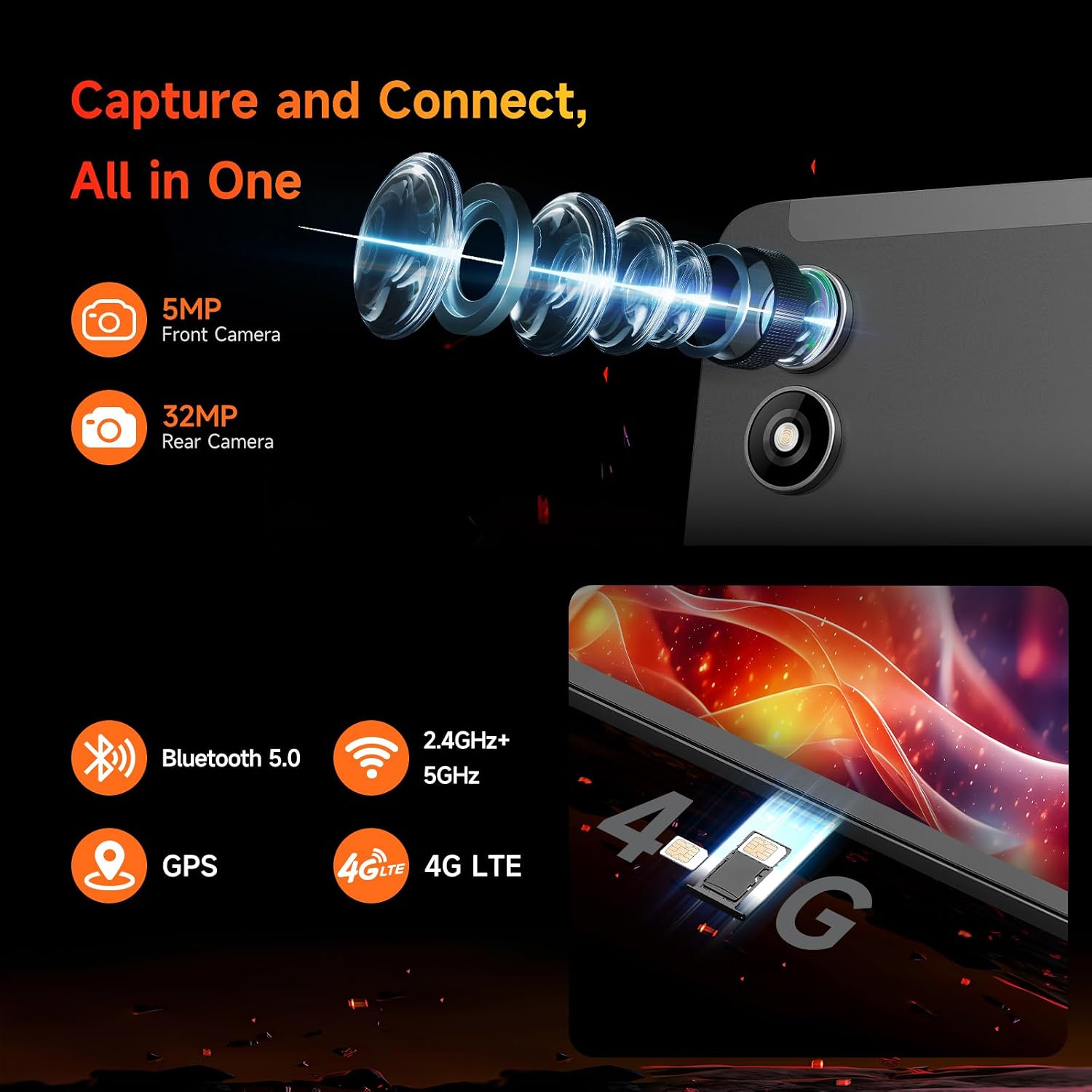
The Bpad Mini is equipped with a 5MP front camera and a 32MP rear camera, capable of capturing high-quality photos and 4K videos. It's ideal for video calls, selfies, and content creation.
Konektipitas
Stay connected with dual-band Wi-Fi (2.4G/5G), 4G LTE for mobile data, and Bluetooth 5.0 for seamless accessory pairing. Integrated GPS provides reliable navigation.
Pangalaman Audio
Enjoy immersive audio with the tablet's dual speakers, delivering a cinematic sound experience for movies, music, and games.
Kaulinan sarta Hiburan
The 6-Axis gyroscope sensor enhances gaming stability and precision. The tablet is compatible with Bluetooth game controllers and supports native Android games, game streaming, and emulators.
Pangropéa
Perawatan batré
- Hindarkeun suhu anu ekstrim, anu tiasa ngirangan umur batre.
- Paké ngan carjer disadiakeun atawa carjer cocog Certified.
- Pikeun panyimpenan jangka panjang, eusian tablet dugi ka sakitar 50% teras pareuman.
beberesih
- Anggo lawon anu lemes sareng henteu lint pikeun ngabersihan layar sareng awak.
- Hindarkeun ngagunakeun bahan kimia anu kasar atanapi bahan abrasive.
Software Apdet
Regularly check for system updates to ensure optimal performance, security, and access to the latest features. Navigate to Settings > System > System update.
Pamérésan masalah
| Masalah | Mungkin Cukang lantaranana / Solusi |
|---|---|
| Tablet teu hurung | Ensure the battery is charged. Press and hold the power button for at least 10 seconds to force a restart. |
| Kinerja laun / Lambat | Close unnecessary background apps. Clear cache. Restart the tablet. Ensure sufficient storage space. |
| Masalah konektipitas Wi-Fi | Restart your Wi-Fi router. Forget and reconnect to the network on the tablet. Ensure the tablet is within Wi-Fi range. |
| Aplikasi nabrak atanapi henteu dimuat | Clear the app's cache and data (Settings > Apps > [App Name] > Storage). Reinstall the app. Ensure the tablet's software is up to date. |
| Touch screen unresponsiveness | Pareuman terus hurungkeun deui tablet. Pastikeun layarna bersih sareng garing. |
spésifikasi
| Fitur | Rincian |
|---|---|
| Ngaran modél | Bpad Mini |
| Sistem operasi | Android 14 |
| Prosesor | Snapdragon 685 (2.8GHz) |
| Ukuran layar | 8.4 inci |
| Resolusi layar | 1920 x 1200 piksel (FHD IPS) |
| Ram | 16GB (8GB fisik + 8GB virtual) |
| Panyimpenan internal | 256GB UFS (Expandable to 1TB) |
| Kaméra tukang | 32 MP |
| Kaméra hareup | 5 MP |
| Kapasitas batré | 6050mAh (18W PD Fast Charging) |
| Konektipitas | 4G LTE, Dual-band Wi-Fi (802.11ax), Bluetooth 5.0, GPS |
| Ukuran (L x W x H) | 7.9 x 4.9 x 0.3 inci |
| Item Beurat | 11.2 ons (kira-kira 318g) |
Garansi sareng Rojongan
BNCF is committed to providing high-quality products and excellent customer service. For tablets purchased from the BNCF Official Flagship Store, customers benefit from a 12-bulan jaminan perbaikan bébas jeung rojongan teknis hirupna.
If you encounter any issues or have questions, please contact BNCF Global customer service. You can expect a response within 24 hours. For more information, visit the BNCF Store on Amazon.