Produk Leuwihview
The IMIKI XPLORER SCOUT D2 is a versatile smartwatch designed for both men and women, featuring a vibrant 1.43-inch AMOLED display. It offers seamless Bluetooth connectivity for calls and smart assistant integration, comprehensive health monitoring capabilities including blood oxygen and heart rate tracking, and support for over 100 sports modes. Its robust design is IP68 waterproof, making it suitable for various activities, and it boasts exceptional battery life with fast charging.
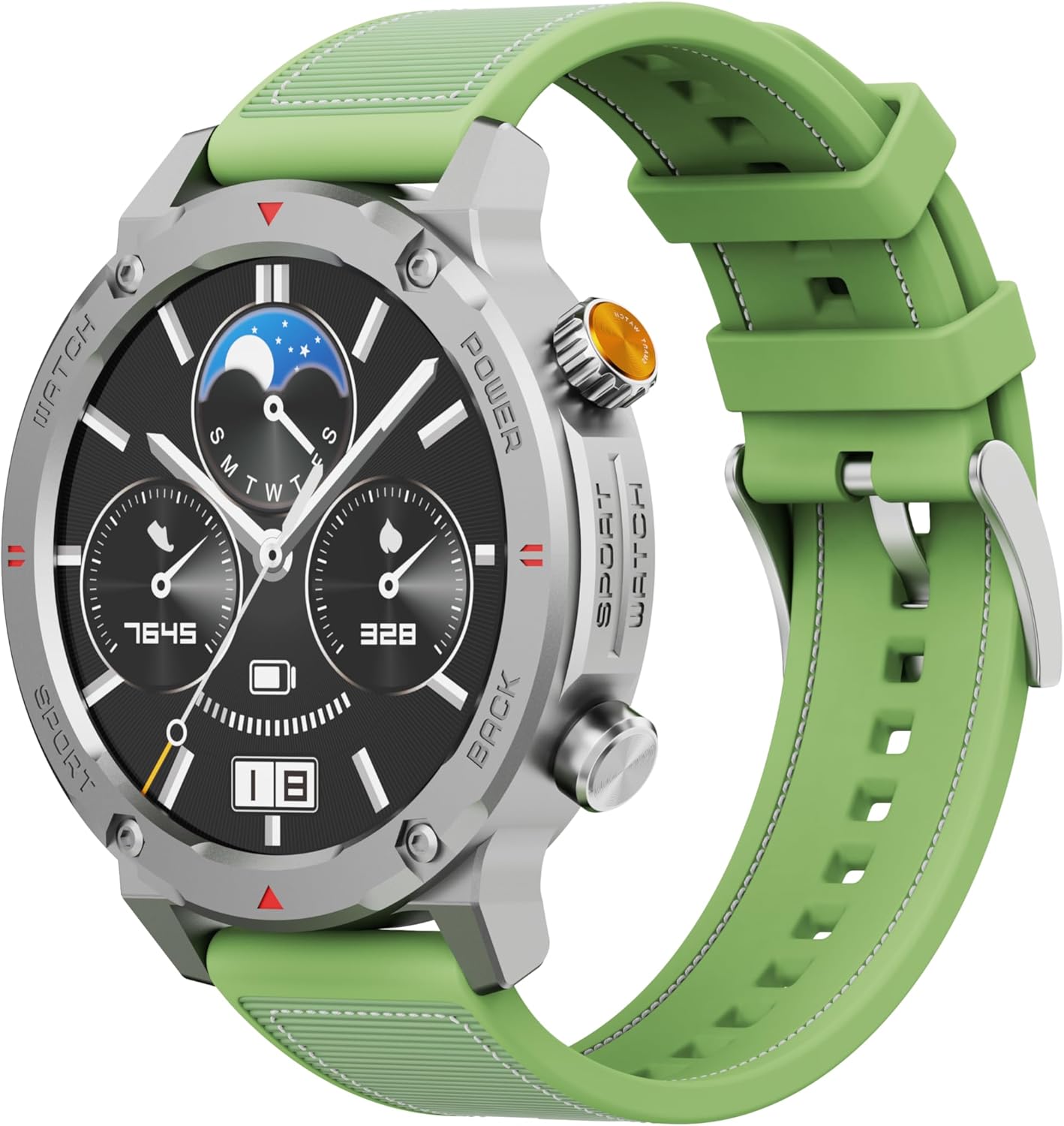
Gambar 1: Hareupeun view of the IMIKI XPLORER SCOUT D2 Smartwatch with its green strap.
Guide Setup
1. Naon dina Box
Upon unboxing your IMIKI XPLORER SCOUT D2 Smartwatch, ensure all components are present:
- IMIKI XPLORER SCOUT D2 Smartwatch
- Kabel Ngecas

Figure 2: The IMIKI XPLORER SCOUT D2 Smartwatch module separated from its bezel and strap, illustrating its modular design.
2. Ngecas Smartwatch
Before first use, fully charge your smartwatch. The 400 mAh battery provides up to 30 days of autonomy on a single charge, and it supports fast charging for quick power-ups.
- Sambungkeun kabel ngecas kana port ngecas di tukangeun jam tangan pinter.
- Colokkeun tungtung kabel anu sanés ka adaptor kakuatan USB (teu kalebet) atanapi port USB komputer.
- The watch display will indicate charging status. Allow sufficient time for a full charge.

Gambar 3: Tukangeun view of the IMIKI XPLORER SCOUT D2 Smartwatch, highlighting the charging contacts and health sensors.
3. Setup awal jeung papasangan
Pikeun muka konci poténsi pinuh tina jam tangan pinter anjeun, pasangkeun kana smartphone anjeun via Bluetooth.
- Unduh Aplikasi: Milarian pikeun the official IMIKI companion app on the Apple App Store (for iOS) or Google Play Store (for Android) and install it on your smartphone.
- Aktipkeun Bluetooth: Pastikeun Bluetooth diaktipkeun dina smartphone Anjeun.
- Power On Watch: Press and hold the power button on the smartwatch to turn it on.
- Buka Aplikasi: Launch the IMIKI app on your smartphone and follow the on-screen instructions to add a new device.
- papasangan: Select "IMIKI XPLORER SCOUT D2" from the list of available devices in the app. Confirm the pairing request on both your phone and the smartwatch if prompted.
Once paired, you can customize settings, view health data, and receive notifications directly on your smartwatch.
Parentah Operasi
1. Tampilan jeung Napigasi
The IMIKI XPLORER SCOUT D2 features a 1.43-inch AMOLED display with a high resolution of 466x466 pixels, protected by tempered glass. Navigate the watch interface using touch gestures and the physical buttons.
- Gesek ka luhur/handap: Gulung ka ménu sareng béwara.
- Gesek Kénca/Katuhu: Aksés widget gancang atanapi rupa-rupa tampilan jam.
- Ketok: Pilih hiji item atawa buka aplikasi.
- Tombol fisik: Use the side buttons for power on/off, returning to the home screen, or quick access to sports modes.

Figure 4: Close-up of the smartwatch display, illustrating the clear AMOLED screen and various data points.
2. Pangimeutan Kaséhatan
The smartwatch is equipped with an optical sensor to monitor key health metrics:
- Denyut Jantung (HR): Terus ngalacak denyut jantung anjeun sapopoe.
- Oksigén getih (SpO2): Ukur tingkat jenuh oksigén getih anjeun.
- Kualitas Saré: Monitors your sleep patterns and provides insights into sleep quality.
Access detailed health reports and historical data through the companion app.
3. Workout Modes
With over 100 integrated sports modes, the XPLORER SCOUT D2 accurately records your exercise statistics. Select your desired activity from the watch's sports menu to begin tracking.

Figure 5: Visual representation of the smartwatch's diverse functionalities, including health tracking and sports modes.
4. Bluetooth Calling and Voice Assistant
The single-chipset Bluetooth 5.3 ensures stable and high-quality connectivity, allowing you to answer calls directly from your wrist. The integrated voice assistant enables hands-free control of your device with simple voice commands.
5. Bewara
Receive real-time notifications for calls, SMS messages, and app alerts directly on your smartwatch. Manage notification settings through the companion app.
6. Tahan cai (IP68)
The IMIKI XPLORER SCOUT D2 is IP68 rated, meaning it is resistant to dust and water. This allows it to withstand splashes, rain, and brief immersion in shallow water. Catetan: While IP68 rated, it is not recommended for swimming, diving, or high-pressure water activities.

Figure 6: Illustration of the smartwatch's IP68 water resistance and exceptional battery autonomy.
Pangropéa
Proper care and maintenance will extend the lifespan of your IMIKI XPLORER SCOUT D2 Smartwatch.
- beberesih: Regularly wipe the watch and strap with a soft, dry, lint-free cloth. For stubborn dirt, slightly dampen lawon jeung cai. Ulah make bahan kimia kasar atawa bahan abrasive.
- Perawatan sénsor: Keep the optical sensors on the back of the watch clean for accurate health monitoring.
- Panyimpenan: Store the smartwatch in a cool, dry place away from direct sunlight and extreme temperatures.
- Umur Batré: To maximize battery life, avoid fully discharging the battery frequently. Charge it before it completely runs out.
- Komponén anu tiasa ditukeurkeun: The watch features a removable central case and interchangeable straps (Oyster, Active, Scout styles). Handle these components with care when changing them.

Figure 7: The IMIKI XPLORER series showcasing interchangeable straps and case styles.
Pamérésan masalah
If you encounter issues with your IMIKI XPLORER SCOUT D2 Smartwatch, try the following solutions:
| Masalah | Solusi anu mungkin |
|---|---|
| Arloji teu hurung. | Pastikeun jam tangan tos dicas pinuh. Sambungkeun kana carjer teras antosan sababaraha menit sateuacan nyobian ngahurungkeun deui. |
| Teu tiasa dipasangkeun sareng smartphone. |
|
| Pamacaan kaséhatan anu teu akurat. |
|
| Bewara teu katarima. |
|
spésifikasi
| Fitur | Rincian |
|---|---|
| merek | IMIKI |
| Ngaran modél | IMIKI SMART WATCH XPLORER SCOUT D2 GREEN |
| Nomer Modél Item | D2 GREEN |
| Ukuran layar | 1.43 inci |
| Tipe tampilan | AMOLED |
| Téhnologi konektipitas | Bluetooth 5.3 |
| Kapasitas batré | 400 mAh |
| Rata Kahirupan Batré | Nepi ka 30 Dinten |
| Tahan cai | IP68 |
| Pangimeutan Kaséhatan | Heart Rate, Blood Oxygen (SpO2), Sleep Quality |
| Modeu Latihan | Over 100+ integrated modes |
| Fitur husus | Bluetooth Calling, Voice Assistant, Fast Charging, Removable Central Case, Tempered Glass Screen |
| Alat nu cocog | Smartphones (Android and iOS) |
| Item Beurat | 68 gram |
| Ukuran Paket | 10.5 x 10.5 x 6 cm |
Garansi sareng Rojongan
For warranty information and customer support, please refer to the documentation included with your purchase or visit the official IMIKI websitus. Simpen bukti pameseran anjeun pikeun klaim garansi.
For further assistance, you may also contact the seller or Amazon customer service if purchased through Amazon.


