1. Bubuka
Hatur nuhun pikeun meuliasing the ELECOM LBT-ECOWS01MBK Open-Ear Bluetooth 5.4 Wireless Headphones. These headphones are designed to allow you to enjoy audio content while remaining aware of your surroundings. This manual provides essential information for the safe and effective use of your new device.

Image: The ELECOM LBT-ECOWS01MBK open-ear wireless headphones and their transparent charging case.
2. Eusi Paket
- ELECOM LBT-ECOWS01MBK Open-Ear Wireless Headphones (Left and Right)
- Ngecas Case
- USB Charging Cable (USB-A to USB Type-C™)
- Gancang Mimitian Guide
3. Fitur Produk
- Desain Ceuli Buka: Listen to music or videos while simultaneously hearing ambient sounds, ensuring awareness of your surroundings.
- Kanyamanan ringan: Each earbud weighs approximately 9.8g, providing a comfortable fit for extended wear without pressure or stuffiness.
- Audio kualitas luhur: Equipped with a large 16mm diameter driver for clear sound and supports AAC codec for high-quality audio on compatible devices like iPhones.
- Modeu Sora: Optimizes audio frequencies to make human voices clearer, ideal for radio, audiobooks, and conversations.
- Mode Latency Lemah: Reduces audio-visual delay, enhancing the experience for videos and games.
- Playback ngalegaan: Up to 10 hours of continuous playback on a single charge, and up to 25 hours with the charging case.
- Kontrol Sénsor Toél: Conveniently manage music playback, volume, and calls directly from the earbuds.
- Rojongan Asisten Sora: Compatible with Siri and Google Assistant for hands-free control.
- Paké Earbud Tunggal: Boh earbud tiasa dianggo sacara mandiri.
- USB Type-C™ Charging: The charging case features a USB Type-C™ port for convenient charging.

Image: A man wearing the open-ear headphones, demonstrating the ability to hear ambient sounds while enjoying media.
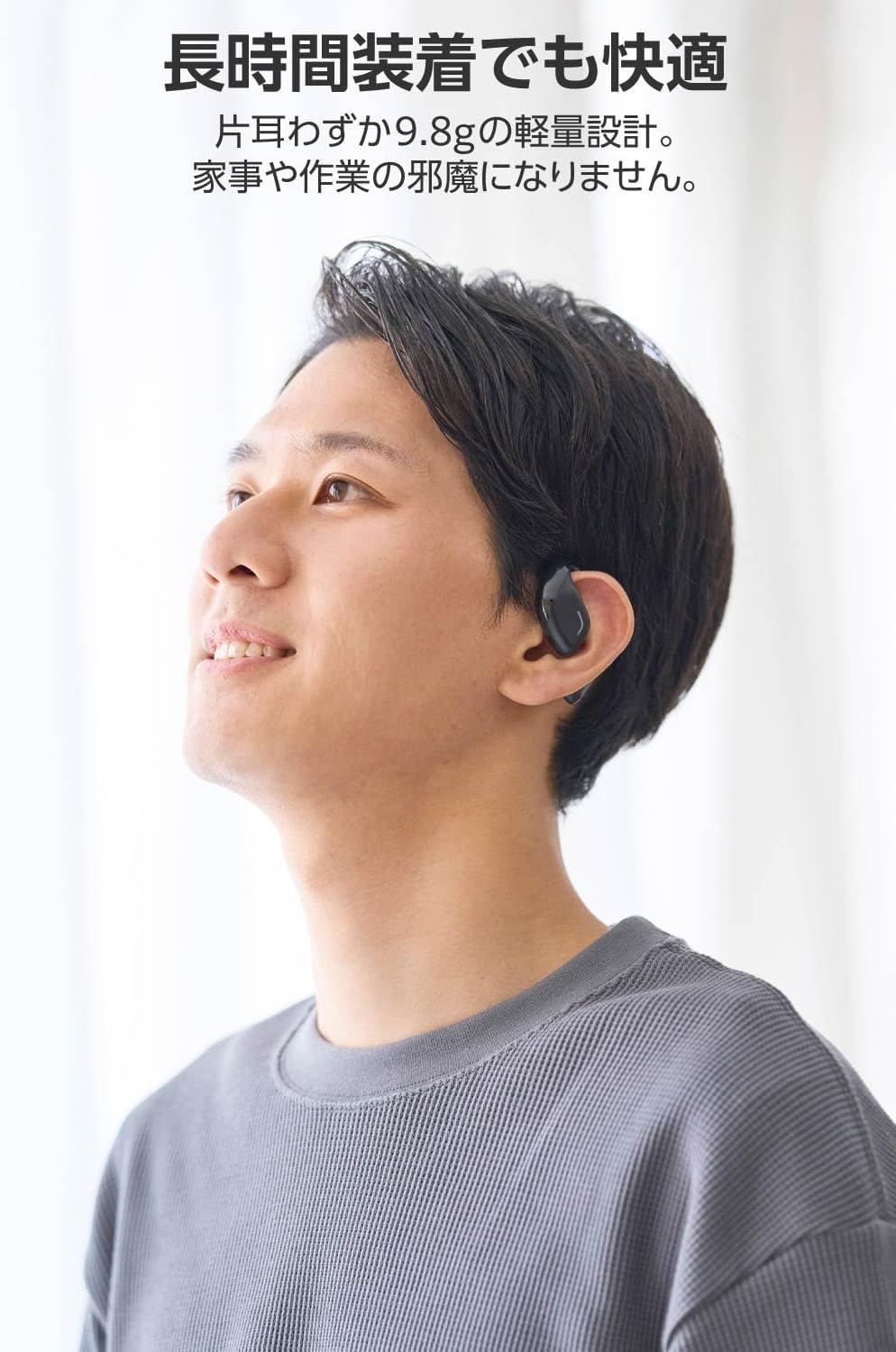
Image: A man wearing the lightweight open-ear headphones, highlighting their comfortable design for long-term use.
4. Setélan
4.1. Ngecas Headphone jeung Case
Saméméh dipaké munggaran, eusian pinuh headphone jeung wadah ngecas.
- Tempatkeun duanana earbuds kana kotak ngeusian.
- Connect the supplied USB Type-C™ cable to the charging port on the case and a USB power adapter (not included).
- Indikator LED dina wadah ngecas bakal nunjukkeun status ngecas.
Waktu Ngecas:
- Headphones: Approximately 1.5 hours
- Kasus Ngecas: Kurang leuwih 1.5 jam

Image: Illustration of the charging process for the headphones and case, showing the USB-C port and LED indicators.
4.2. Nyapasangkeun sareng Alat Bluetooth
- Pastikeun headphone dicas.
- Open the charging case. The headphones will automatically enter pairing mode. The LED indicator on the earbuds will flash.
- On your device (smartphone, PC, tablet), enable Bluetooth and search for available devices.
- Select "LBT-ECOWS01MBK" from the list of found devices.
- Saatos disambungkeun, indikator LED dina earbud bakal eureun kedip-kedip.
- After initial pairing, the headphones will automatically connect to the last paired device when removed from the case.
4.3. Ngagem Headphone
The headphones are designed to hook over your ears.
- Identipikasi earbuds Kénca (L) jeung Katuhu (R).
- With the LED facing outwards, hook the earbud over the top of your ear.
- Adjust the earbud for a comfortable and secure fit.

Image: Step-by-step guide on correctly wearing the open-ear headphones.
5. Parentah Operasi
5.1. Touch Sensor Controls
The headphones feature touch sensors on each earbud for various functions.
| Fungsi | Aksi | Earbud |
|---|---|---|
| Play / Reureuh | Ketok tunggal | L atanapi R |
| Lagu salajengna | Ketok dua kali | R |
| Lagu saméméhna | Ketok dua kali | L |
| Volume Up | Pencét lila (kira-kira 2 detik) | R |
| Volume Turun | Pencét lila (kira-kira 2 detik) | L |
| Ngajawab / mungkas Telepon | Ketok tunggal | L atanapi R |
| Nolak Telepon | Pencét lila | L atanapi R |
| Aktipkeun Asisten Sora | Ketuk tilu kali | L atanapi R |

Image: Visual representation of the touch sensor areas and corresponding music and volume controls.
5.2. Switching Audio Modes
The headphones offer three distinct audio modes:
- Modeu Normal: Standard audio playback.
- Mode Latency Lemah: Reduces audio-visual delay, suitable for watching videos or playing games.
- Modeu Sora: Enhances human voice frequencies for clearer dialogue, ideal for audiobooks, podcasts, or calls.
To switch between modes, refer to the quick start guide or the official product page for specific touch gestures, as these can sometimes be customized.

Gambar: Hiji leuwihview of the three available audio modes and their recommended uses.
5.3. Panggunaan Earbud Tunggal
You can use either the left or right earbud independently. When using only one earbud, ensure the other earbud is powered off or stored in the charging case.
6. Pangropéa
To ensure the longevity and optimal performance of your headphones:
- Bersihkeun earbud sareng wadah ngecas sacara rutin nganggo lawon anu lemes sareng garing.
- Ulah make cleaners abrasive atawa pangleyur.
- Hindarkeun headphone ka suhu ekstrim, kalembaban, atanapi sinar panonpoé langsung.
- Keep the charging contacts on the earbuds and inside the case clean and free of debris.
- Simpen headphone dina wadah ngecas nalika henteu dianggo pikeun ngajagi sareng tetep dicas.
7. Cara ngungkulan
Upami anjeun mendakan masalah sareng headphone anjeun, tingal solusi umum ieu:
- Henteu aya sora:
- Pastikeun headphone dicas.
- Check that the headphones are properly paired and connected to your device.
- Atur volume dina headphone sareng alat anjeun anu nyambung.
- Teu Bisa Dipasangkeun:
- Ensure the headphones are in pairing mode (LED flashing).
- Turn off Bluetooth on other nearby devices that may have previously connected.
- Balikan deui alat anjeun sareng cobian pasangkeun deui.
- Sambungan Intermittent:
- Pastikeun teu aya halangan antara headphone sareng alat anjeun.
- Move closer to your device (maximum communication distance is approximately 10m).
- Hindari lingkungan anu aya gangguan éléktromagnétik anu kuat.
- Kadali Toel Teu Ngabales:
- Pastikeun ramo anjeun beresih jeung garing.
- Try restarting the headphones by placing them in the case and then taking them out again.
- Low Battery Voice Prompt: If you hear a repeated "Low Battery, please charge" prompt, place the earbuds in the charging case immediately.
If the issue persists, please refer to the official ELECOM support websitus pikeun bantuan salajengna.
8. Spésifikasi
| Fitur | Spésifikasi |
|---|---|
| Ngaran modél | LBT-ECOWS01MBK |
| Téhnologi konektipitas | Wireless (Bluetooth® Version 5.4) |
| Bluetooth Profiles | A2DP, AVRCP, HFP |
| Dirojong Codecs | AAC, SBC |
| Max Communication Distance | Approx. 10m (without obstacles) |
| Frequency Response (A2DP) | 20-20,000Hz |
| Kontinyu Playback Time | Approx. 10 hours (Approx. 25 hours with charging case) |
| Waktu Ngecas (Headphone) | Kira-kira. 1.5 jam |
| Waktu Ngecas (Kasus) | Kira-kira. 1.5 jam |
| Tipe Mikropon | tipe MEMS |
| Unit Supir | φ16mm Full Range |
| Beurat (per earbud) | Kira-kira. 9.8g |
| Beurat (Kasus Ngecas) | Kira-kira. 59.0g |
| Warna | Matte Hideung |
| Tahan cai | Non-waterproof |
| Suhu Operasi | 5 ℃ nepi ka 35 ℃ |
| Kalembaban Operasi | 20% nepi ka 80% (non-condensing) |
9. Garansi jeung Rojongan
9.1. Émbaran jaminan
Produk ieu hadir kalawan a garansi 1 taun from the date of purchase. Please retain your proof of purchase for warranty claims. The warranty covers manufacturing defects but does not cover damage caused by misuse, accidents, unauthorized modifications, or normal wear and tear.
9.2. Rojongan Palanggan
For further assistance, technical support, or detailed product information, please visit the official ELECOM websitus:
You may also find additional FAQs and troubleshooting tips on the product support pages.


