1. Bubuka
This manual provides detailed instructions for the safe and effective use of your pTron Funk Rap 10W Mini Bluetooth Speaker. Please read this manual thoroughly before operating the device and retain it for future reference.
The pTron Funk Rap is a compact and portable Bluetooth speaker designed to deliver clear audio with a 10W output. It features multiple playback options, including Bluetooth 5.4, TF card, and USB, along with a True Wireless Stereo (TWS) function for enhanced sound. The speaker is equipped with a Type-C port for convenient charging and offers up to 8 hours of playtime.
2. Eusi Paket
Pastikeun sadaya item aya dina bungkusan:
- pTron Funk Rap 10W Mini Bluetooth Speaker
- Power Cable (Type-C USB)
- Gancang Mimitian Guide
3. Produk Langkungview
The pTron Funk Rap speaker features a durable design with a front metal grill and multi-function control buttons for easy operation. Its compact size and lightweight construction make it suitable for various environments.

Image: The pTron Funk Rap 10W Mini Bluetooth Speaker, shown in blue from an angled perspective, highlighting its compact form factor and design.
3.1 Kontrol jeung palabuhan
Biasakeun diri sareng kadali sareng port speaker:
- Tombol Daya: Pencét jeung tahan pikeun ngaktipkeun atawa mareuman speaker.
- Tombol Puter/Reureuh: Pencét pikeun maénkeun atanapi ngareureuhkeun audio.
- Volume Kaluhur/Tombol Lagu Salajengna: Press to increase volume; press and hold for next track.
- Volume Turun/Tombol Lagu Saméméhna: Press to decrease volume; press and hold for previous track.
- Tombol Mode: Press to switch between Bluetooth, TF Card, and USB modes. Long press for TWS pairing.
- Port Ngecas Tipe-C: Pikeun ngecas speaker.
- Slot Kartu TF: For inserting a MicroSD/TF card.
- Port USB: For connecting a USB drive.

Image: An infographic illustrating the main features of the pTron Funk Rap speaker, including its 10W sound, portable design, multi-playback modes, Type-C charging, 66mm drivers, 8 hours playtime, Bluetooth 5.4 connectivity, and TWS function.
4. Setélan
4.1 Ngecas Speaker
- Connect the provided Type-C USB cable to the charging port on the speaker.
- Sambungkeun tungtung kabel anu sanés ka adaptor kakuatan USB (teu kalebet) atanapi port USB komputer.
- Lampu indikator ngecas bakal hurung.
- A full charge typically takes approximately 2 hours. The indicator light will change or turn off once charging is complete.
4.2 Powering on / Pareum
- Pikeun Ngahurungkeun: Pencét jeung tahan tombol Daya sababaraha detik nepi ka anjeun ngadéngé ajakan karungu atawa ningali lampu indikator.
- Pikeun mareuman: Pencét terus tahan tombol Daya deui salami sababaraha detik dugi ka anjeun ngadangu aya bewara atanapi lampu indikator pareum.
4.3 Nyapasangkeun Bluetooth
Pikeun nyambungkeun spiker ka alat Anjeun liwat Bluetooth:
- Ensure the speaker is powered on and in Bluetooth pairing mode (indicated by a flashing LED light and an audible prompt). If not, press the Mode button to switch to Bluetooth mode.
- Dina smartphone, tablet, atanapi laptop anjeun, aktipkeun Bluetooth.
- Milarian pikeun alat Bluetooth sadia.
- Select "pTron Funk Rap" from the list of devices.
- Saatos nyambung, anjeun bakal ngadangu sora konfirmasi, sareng indikator LED bakal eureun kedip-kedip.
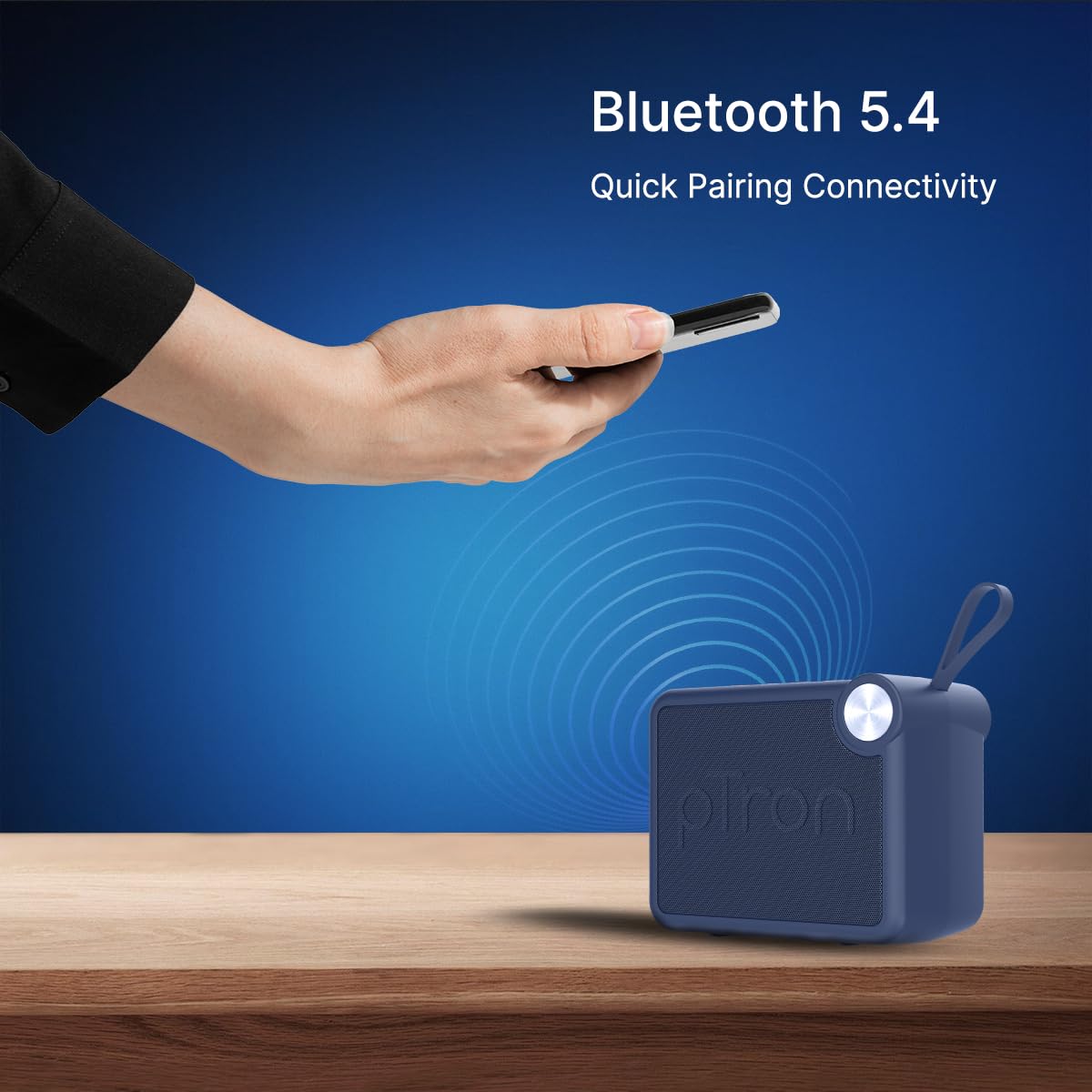
Image: A visual representation of a hand holding a smartphone, indicating the process of connecting to the pTron Funk Rap speaker via Bluetooth 5.4 for quick pairing.
5. Parentah Operasi
5.1 Modeu Bluetooth
- Puter / Reureuh: Pencét tombol Puter / Reureuh.
- Penyesuaian volume: Pencét tombol Jilid Kaluhur atanapi Jilid Turun.
- Lagu salajengna: Pencét jeung tahan tombol Volume Up.
- Lagu Sateuacanna: Pencét jeung tahan tombol Jilid Turun.
5.2 Modeu Kartu TF
- Lebetkeun kartu TF (MicroSD) anu nganggo audio files kana slot kartu TF.
- The speaker will automatically switch to TF Card mode or you may need to press the Mode button.
- Playback controls (Play/Pause, Volume, Next/Previous Track) function as in Bluetooth mode.
5.3 USB Playback Mode
- Selapkeun USB flash drive kalawan audio files kana port USB.
- The speaker will automatically switch to USB mode or you may need to press the Mode button.
- Playback controls (Play/Pause, Volume, Next/Previous Track) function as in Bluetooth mode.
5.4 Modeu Stereo Nirkabel Leres (TWS)
To pair two pTron Funk Rap speakers for stereo sound:
- Pastikeun duanana spiker dihurungkeun sareng henteu nyambung ka alat Bluetooth mana waé.
- On both speakers, long press the Mode button for approximately 2 seconds.
- You will hear an audible prompt indicating TWS pairing mode. The speakers will automatically connect to each other.
- Once paired, one speaker will act as the master. Connect your device to this master speaker via Bluetooth as described in section 4.3.
- Audio ayeuna bakal diputer dina stereo dina duanana spiker.

Image: Two pTron Funk Rap speakers are depicted, illustrating their ability to connect in True Wireless Stereo (TWS) mode to provide a more immersive audio experience.
5.5 Fungsi Telepon
Nalika disambungkeun ka smartphone via Bluetooth:
- Ngajawab Telepon: Pencét tombol Play / Reureuh sakali.
- Tungtung Telepon: Pencét tombol Puter / Reureuh sakali nalika nelepon.
- Nolak Telepon: Pencét jeung tahan tombol Play / Reureuh.
6. Pangropéa
- beberesih: Anggo lawon anu lemes sareng garing pikeun ngabersihan spéker. Ulah make cleaners abrasive atawa pangleyur.
- Panyimpenan: Simpen spéker dina tempat anu tiis sareng garing jauh tina sinar panonpoé langsung sareng suhu anu ekstrim.
- Perawatan batré: To prolong battery life, charge the speaker fully before first use and at least once every three months if not used regularly. Avoid fully discharging the battery frequently.
- Tahan cai: spiker ieu teu waterproof. Hindarkeun paparan ka cai atanapi kalembaban anu kaleuleuwihan.
7. Cara ngungkulan
Upami anjeun ngalaman masalah sareng speaker anjeun, tingal masalah sareng solusi umum ieu:
- Speaker teu hurung: Pastikeun batréna geus dieusian. Sambungkeun spéker ka sumber listrik nganggo kabel Type-C.
- Teu tiasa dipasangkeun via Bluetooth:
- Pastikeun speaker aya dina modeu pairing Bluetooth (LED kedip-kedip).
- Pastikeun Bluetooth diaktipkeun dina alat anjeun sareng jarakna aya dina jarak 10 méter ti spéker.
- Pareuman sareng hurungkeun speaker sareng Bluetooth alat anjeun.
- Pupus daptar papasangan Bluetooth dina alat anjeun teras cobian pasangkeun deui.
- Teu aya sora:
- Pariksa tingkat polumeu boh dina speaker sareng alat Anjeun nu disambungkeun.
- Ensure the speaker is correctly connected to your device.
- If using TF card or USB, ensure the audio files are in a supported format and the media is inserted correctly.
- Kualitas sora goréng:
- Pindahkeun speaker langkung caket kana alat Bluetooth anjeun pikeun ngirangan gangguan.
- Pastikeun teu aya halangan antara speaker sareng alat anjeun.
- Pariksa kualitas sumber audio.
- Masalah pasangan TWS:
- Pastikeun kadua spiker dicas pinuh sareng teu acan nyambung ka alat Bluetooth anu sanés sateuacan ngamimitian masangkeun TWS.
- Balikan deui léngkah-léngkah masangkeun TWS kalawan ati-ati.
8. Spésifikasi
| Fitur | Rincian |
|---|---|
| Ngaran modél | Funk Rap |
| Tipe Speaker | Speaker Speaker |
| Téhnologi konektipitas | Bluetooth 5.4, USB |
| Mode Kaluaran Audio | Stereo (kalayan TWS) |
| Speaker Maksimum Kaluaran Power | 10 Watt |
| Ukuran Supir Audio | 66 Milimeter |
| Impedansi | 4 ohm |
| Rasio Signal-to-Noise | 85 dB |
| Réspon Frékuénsi | 20000 KHz |
| Rentang Bluetooth | 10 Méter |
| Sumber Daya | Batré Powered |
| Jenis Batré | Polimer Litium (1 x 9V kalebet) |
| Batré Rata Kahirupan | 8 Jam |
| Waktu Ngecas | 2 Jam |
| Métode kontrol | Toél Tombol |
| Bahan | Acrylonitrile Butadiene Styrene (ABS) |
| Dimensi produk | 10.4D x 8.6W x 5.8H Sentimeter |
| Item Beurat | 271 gram |
| Negara asal | India |
9. Garansi jeung Rojongan
9.1 Émbaran jaminan
The pTron Funk Rap 10W Mini Bluetooth Speaker comes with a 6-bulan jaminan produsén from the date of purchase, covering manufacturing defects. This warranty is limited and does not cover damage caused by misuse, accidents, unauthorized modifications, or normal wear and tear.
9.2 Rojongan Palanggan
For any product-related queries, technical assistance, or warranty claims, please contact pTron customer support:
- Telepon: 040-67138888
- Surélék: rojongan@ptron.in
- Alamat Pabrikan: PALRED ELECTRONICS PVT. LTD., SY.NO. 56, 1ST FLOOR, GUNDLAPOCHAMPDésa Ally, Gunung Taman Téknologi, TSIIC-IALA NACHARAM, Hyderabad - 500076, Telangana, India


