1. Bubuka
The ALIENTEK HP15 Soldering Hot Plate is a compact and portable heating platform designed for precise temperature control in soldering and desoldering applications. It supports both constant temperature heating and reflow soldering modes, offering versatility for various electronic repair and assembly tasks. This manual provides essential information for safe and effective operation of your device.

Figure 1: ALIENTEK HP15 Soldering Hot Plate
2. Émbaran Kasalametan
Please read and understand all safety instructions before operating the ALIENTEK HP15 Soldering Hot Plate. Failure to follow these instructions may result in electric shock, fire, or serious personal injury.
- Permukaan Panas: The heating plate reaches high temperatures. Avoid direct contact with the heating surface during and immediately after operation. Always allow the device to cool completely before handling.
- Sasayogian tanaga: Use only compatible DC 12-24V or PD 20V (Type-C) power supplies. WARNING: Do not connect both DC and USB-C ports simultaneously. Use only one input at a time to prevent damage to the device.
- Ventilasi: Operate the device in a well-ventilated area to dissipate heat and fumes from soldering.
- Stabilitas: Place the hot plate on a stable, heat-resistant, and non-flammable surface. The device features dumping detection and will automatically shut off if it tips over.
- Perlindungan suhu luhur: The device includes built-in over-temperature protection to prevent overheating.
- Barudak jeung Pets: Jauhkeun alat tina jangkauan barudak sareng piaraan.

Figure 2: Tipping Detection Feature
3. Produk Langkungview
3.1 Komponén
- Heating Surface: The primary area for placing components or PCBs for heating.
- Layar IPS: Digital display showing temperature, power, and operational status.
- Konci kénca: Used for navigation and selection within the menu.
- Konci Katuhu: Used for navigation and selection within the menu.
- Ngadeg tampik Input for DC 12-24V power supply.
- Tipe-C Port: Input for PD 20V power supply.
- RGB LED Light: Provides visual temperature prompts, changing color with increasing suhu.
3.2 Fitur konci
- Kakuatan Luhur & Pemanasan Gancang: Supports 150W heating power for quick temperature attainment.
- Lebar Rentang Suhu: Operates within an 80℃ to 350℃ heating temperature range.
- Dual Working Modes: Offers both constant temperature heating and reflow soldering modes.
- Visual Temperature Indication: RGB LED light changes color to indicate temperature status.
- Fitur kaamanan: Includes dumping detection (tip-over protection), anti-reverse connection protection, and over-temperature protection.
- Pilihan Daya Fleksibel: Compatible with DC 12-24V and PD 20V (Type-C) power supplies.
- Compact & Modular Design: Small footprint for portability and a split design for easy maintenance and heating plate replacement.
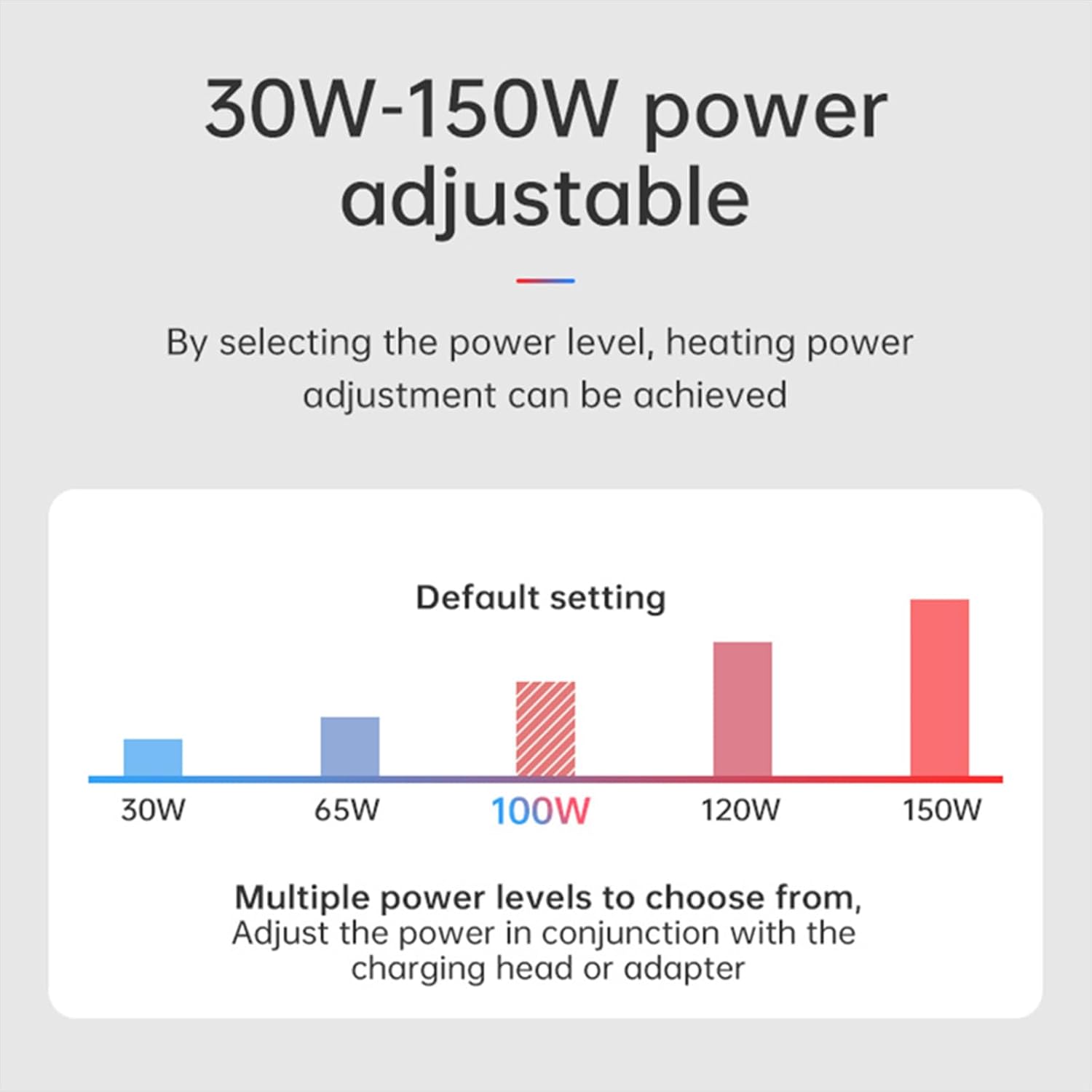
Figure 3: Compact Size of HP15

Figure 4: Modular Design for Heating Plate Replacement
4. Setélan
Follow these steps to set up your ALIENTEK HP15 Soldering Hot Plate:
- panempatan: Place the hot plate on a flat, stable, and heat-resistant surface. Ensure there is adequate space around the device for ventilation.
- Sambungan Daya: Connect a compatible power supply to either the DC port (12-24V) or the Type-C port (PD 20V). Important: Only connect one power source at a time. Connecting both simultaneously can damage the device.
- Daya mimiti Hurung: Once connected, the device will power on, and the LCD screen will display the current status.

Figure 5: Power Input Ports (DC and Type-C)
Video 1: Product Feature Introduction + Product Usage Instructions. This video provides a visual guide to the ALIENTEK HP15 Soldering Hot Plate, demonstrating its key features, components, and operational modes including thermostatic heating and reflow soldering, along with safety features like tip-over protection.
5. Parentah Operasi
5.1 Thermostatic Heating Mode
This mode allows the hot plate to maintain a constant, user-defined temperature for desoldering components or preheating PCBs.
- Pilih Mode: Use the Left/Right keys to navigate the menu and select the Thermostatic Heating mode.
- Setel Suhu: Adjust the target temperature using the keys. The HP15 supports a range of 80℃ to 350℃.
- Monitor pemanasan: The RGB LED light will change color gradually as the temperature increases, providing a visual cue:
- ~50℃: Green
- 50℃-90℃: Light Green
- 90℃-125℃: Yellow
- 125℃-165℃: Pink
- 165℃-200℃+: Red
- Desoldering: Once the desired temperature is reached, place the PCB or component on the heating surface. For small components, metal clips can be used to hold the PCB in place for easier desoldering.

Figure 6: Constant Temperature Heating Capability

Figure 7: Rapid Heating Performance
5.2 Reflow Soldering Mode
This mode executes a pre-programmed temperature profile suitable for reflow soldering surface-mount components.
- Pilih Mode: Use the Left/Right keys to navigate the menu and select the Reflow Soldering mode.
- Place Component: Carefully place the PCB with components and solder paste onto the heating surface.
- Mimitian siklus: Initiate the reflow cycle. The device will follow a specific temperature profile, typically consisting of four stages:
- Pemanasan Stage: The device rapidly heats up according to the preset temperature and time.
- Holding Stage: The device slowly heats up according to the preset temperature and time, allowing solder paste to melt.
- Soldering Stage: The device heats up quickly and then maintains a constant temperature until the countdown ends, ensuring proper solder joint formation.
- Cooling Stage: The heating stops, and the fan may activate to cool the PCB. Once the temperature reaches the preset level, the device returns to the main screen.

Figure 8: Reflow Soldering Temperature Profile
6. Pangropéa
Regular maintenance ensures the longevity and optimal performance of your ALIENTEK HP15 Soldering Hot Plate.
- Ngabersihan Pelat Pemanasan: After the device has cooled completely, gently wipe the heating surface with a soft, dry cloth to remove any solder residue or debris. For stubborn residue, use a small amount of isopropyl alcohol on a cloth.
- Desain modular: The HP15 features a split, modular design, which facilitates easier cleaning and potential replacement of the heating element if necessary.
- Panyimpenan: Simpen alat ieu di tempat anu garing sareng bébas lebu nalika henteu dianggo.
7. Cara ngungkulan
If you encounter issues with your ALIENTEK HP15, refer to the following common troubleshooting tips:
- Alat Teu Dihurungkeun:
- Ensure the power supply is correctly connected to either the DC or Type-C port.
- Verify that only one power source is connected at a time.
- Check if the power adapter is functioning correctly and providing the required voltage (DC 12-24V or PD 20V).
- Temperature Not Reaching Target:
- Confirm that the power supply can deliver sufficient wattage (up to 150W). Lower wattage power supplies may limit maximum temperature.
- Ensure the ambient temperature is not excessively low, which can affect heating efficiency.
- Device Shuts Off Unexpectedly:
- The HP15 has a dumping detection feature. If the device is tipped over, it will automatically shut off for safety. Place it on a stable surface.
- Over-temperature protection may activate if the device detects excessive heat. Allow it to cool down before restarting.
- Pembacaan Suhu anu teu akurat:
- Ensure the heating surface is clean and free of debris that might interfere with temperature sensing.
8. Spésifikasi
| Fitur | Spésifikasi |
|---|---|
| Nomer modél | HP15 |
| Tipe tampilan | LCD |
| Daya pemanasan | 150W (adjustable) |
| Rentang Suhu | 80℃ ~ 350℃ (176-662°F) |
| Stabilitas Suhu | 0-20 Gelar Celcius |
| Sumber Daya | PD/DC (DC 12-24V, PD 20V) |
| Dimensi produk | 72.5mm (L) x 55.6mm (W) x 41.5mm (H) / 2.8 x 2.2 x 1.6 inches |
| Item Beurat | 3.52 ons / 0.1 Kilogram |
| Komponén Kaasup | HP15, c2cS data cable |
| Produsén | ALIENTEK |
| UPC | 717225382094 |

Figure 9: Adjustable Power Levels
9. Garansi jeung Rojongan
For warranty information, please refer to the documentation included with your product or contact ALIENTEK customer support directly. Protection plans may be available for extended coverage.
If you require technical assistance or have questions not covered in this manual, please contact ALIENTEK customer service through their official channels. When contacting support, please have your product model (HP15) and any relevant purchase information ready.


