1. Bubuka
The GONEO Universal Travel Adapter GN-L10U15A is designed to provide power connectivity for your electronic devices in various countries worldwide. This compact adapter features multiple plug types, AC outlets, and USB charging ports, making it a versatile solution for international travel.
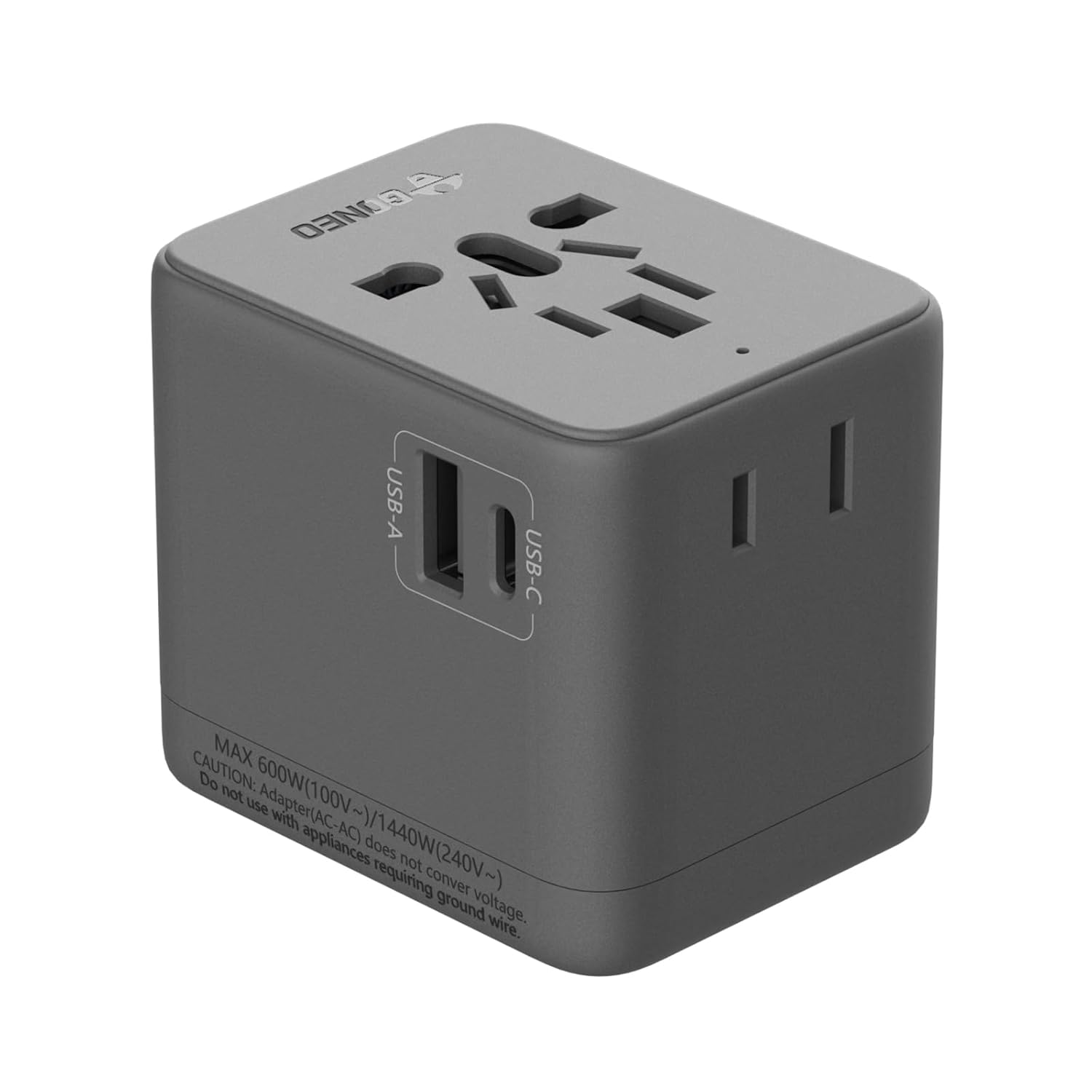
Gambar 1.1: Hareupeun view of the GONEO Universal Travel Adapter, showcasing its compact design and integrated USB ports.
2. Émbaran Kasalametan penting
WARNING: This product only converts the socket shape; it does not convert voltage. Ensure your devices are dual-voltage (100V-240V) or compatible with the local voltage. Using devices that require voltage conversion may cause damage to the device or the adapter.
The GONEO Universal Travel Adapter incorporates multiple safety features to protect your devices:
- Perlindungan suhu langkung
- Leuwih-voltage panyalindungan
- Perlindungan arus leuwih
- Overcharge Protection
- Perlindungan sirkuit pondok
- Undervoltage panyalindungan
- Overload Protection
- Chip Protection

Image 2.1: Visual representation of the eight circuit protection mechanisms integrated into the adapter for enhanced safety.
3. Produk Langkungview
3.1 Komponén
The adapter features:
- 1 Universal AC Socket
- 1 USB-A Port (5V 2.4A)
- 1 USB-C Port (5V 3A)
- 1 Type-A Socket (for specific regions)

Gambar 3.1: Deukeut view of the adapter, highlighting the USB-A and USB-C charging ports.
3.2 Plug Types
The adapter integrates retractable plugs for compatibility with major international standards:
- European (EU)
- Britania Raya (Inggris)
- Amérika Sarikat (AS)
- Australia (AU)
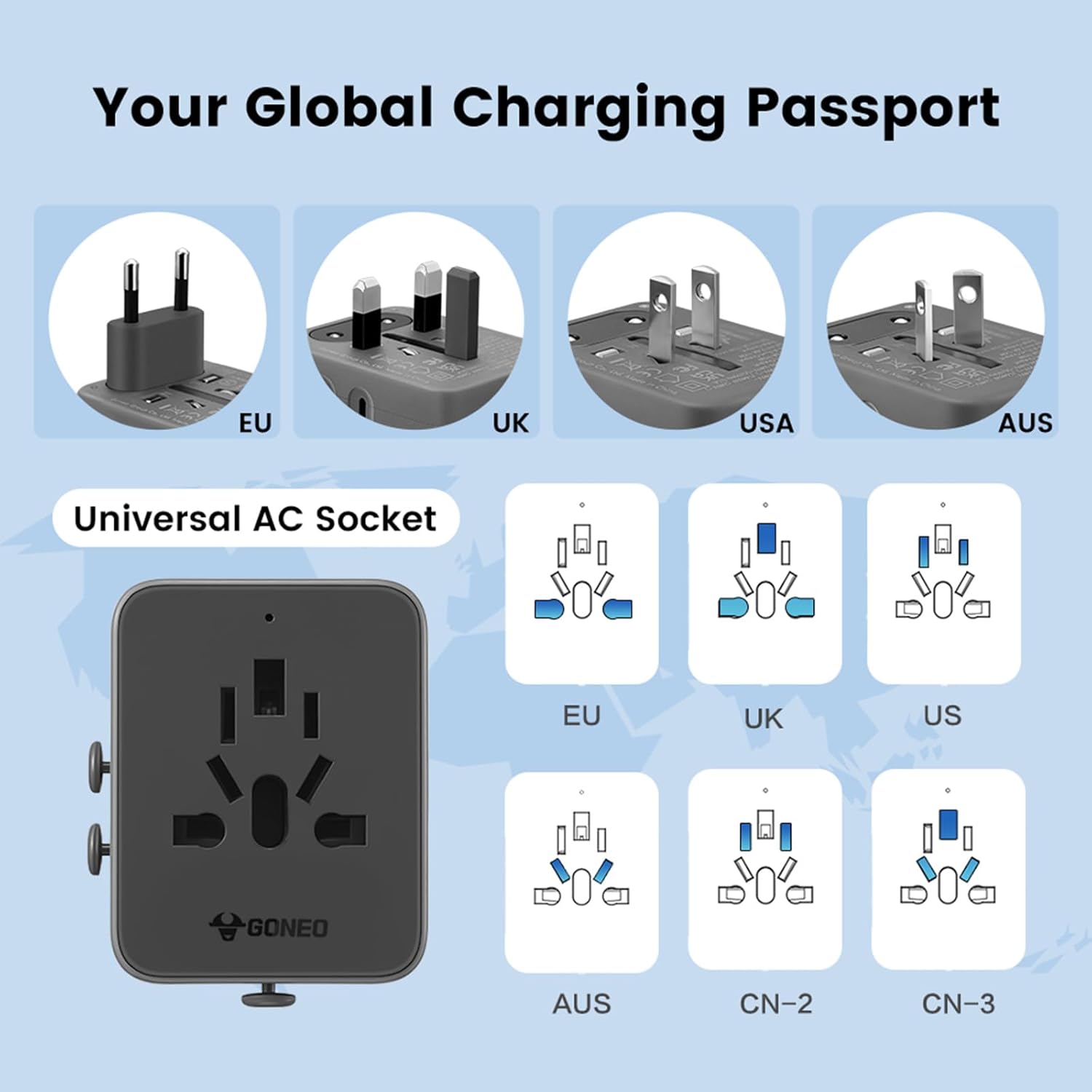
Image 3.2: Illustration of the various integrated plug types (EU, UK, US, AU) and the universal AC socket design.
4. Setup jeung Operasi
4.1 Selecting the Correct Plug
- Identify the required plug type for your destination country.
- Slide the corresponding plug selector on the side of the adapter to extend the correct pins.
- Ensure the other plug types are fully retracted before inserting the adapter into a wall socket.
4.2 Nyambungkeun Alat
- Once the adapter is securely plugged into a wall outlet, connect your device's power cord to the universal AC socket.
- For USB-powered devices, connect your USB cable to either the USB-A or USB-C port.
- The adapter supports charging up to 4 devices simultaneously (1 AC, 1 USB-A, 1 USB-C, 1 Type-A).
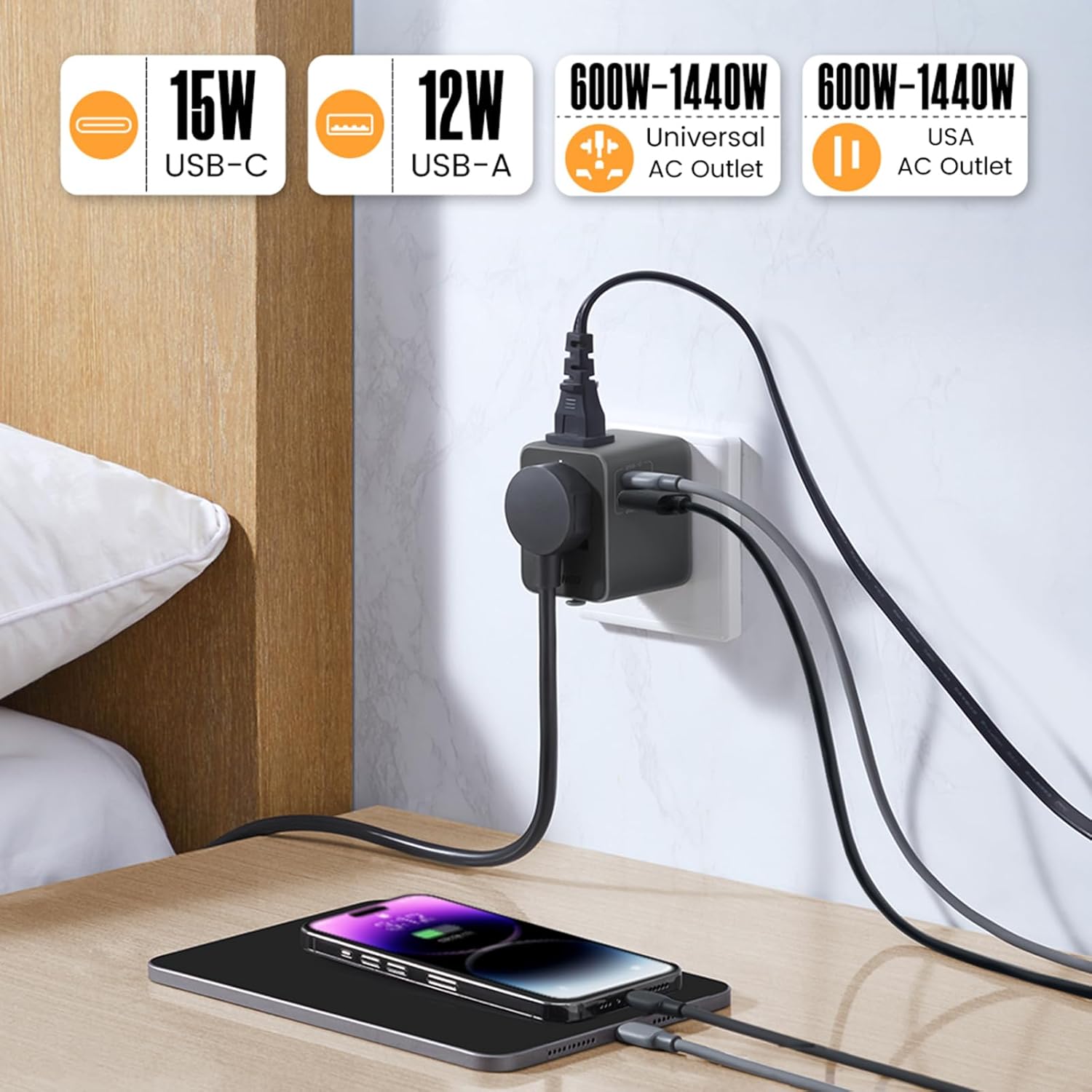
Image 4.1: The adapter in use, demonstrating simultaneous charging of a phone and tablet via USB ports while an AC device is also connected.
5. Automatic Reset Feature
The GONEO Universal Travel Adapter features an automatic reset mechanism. In the event of an overload, the adapter will temporarily cease operation to protect connected devices and itself. Unlike traditional fuses that require manual replacement, this adapter will automatically reset after approximately 10 seconds once the overloaded device is removed or replaced with one within the rated power range.

Image 5.1: Comparison highlighting the convenience and safety of the automatic reset feature over traditional, replaceable fuses.
6. Kasaluyuan
This adapter is compatible with devices operating within a voltage range of 100V to 240V. It is suitable for charging various electronic devices such as smartphones, tablets, laptops, cameras, and other USB-powered gadgets.

Gambar 6.1: Examples of devices compatible with the adapter, including laptops, smartphones, cameras, and electric toothbrushes.
7. Perawatan sareng Pangropéa
- Keep the adapter dry and clean. Avoid exposure to moisture or extreme temperatures.
- Clean the adapter with a soft, dry cloth. Do not use liquid cleaners or abrasive materials.
- Simpen adaptor dina tempat anu tiis sareng garing upami henteu dianggo.
- Ulah nyobian ngabongkar atawa ngaropéa adaptor nu.
8. Cara ngungkulan
8.1 Adapter Not Providing Power
- Pariksa Socket Tembok: Ensure the wall socket is active and providing power.
- Sambungan Colokkeun: Verify that the correct plug type is fully extended and securely inserted into the wall socket.
- Sambungan Alat: Confirm that your device's cable is properly connected to the adapter.
- Overload Reset: If the adapter stopped working, it might have triggered the automatic reset due to an overload. Remove the connected device, wait 10 seconds, and then reconnect a device within the rated power.
8.2 Alat Teu Ngecas
- Kasaluyuan alat: Ensure your device is compatible with the local voltage and the adapter's output specifications.
- Integritas kabel: Coba kabel ngecas anu béda pikeun ngaleungitkeun kabel anu salah.
- Adapter Ports: Test different USB ports or the AC socket to identify if a specific port is affected.
9. Spésifikasi
| Fitur | Spésifikasi |
|---|---|
| Modél | GN-L10U15A |
| Input | 6A MAX, 100V-240V~ |
| Kaluaran (AC) | 600W (100V~) / 1440W (240V~) |
| Input USB | 100V-240V~ 50/60Hz 0.5A |
| Kaluaran USB-C | 5V 3A |
| USB-A Kaluaran | 5V 2.4A |
| Total Kaluaran USB | 5V 3A MAX |
| Tipe Colokkeun | EU, UK, US, AU |
| Ukuran (L x W x H) | 6.35 x 5.08 x 5.08 cm (2.5 x 2.0 x 2.0 inci) |
| Beurat | 168 g |
| Bahan | Bahan PC Fireproof |
| Sertipikat | UKCA, RoHS, CE, FCC |

Image 9.1: The adapter shown in hand, illustrating its compact and portable dimensions for travel.
10. Garansi jeung Rojongan
For warranty information or technical support, please refer to the product packaging or contact GONEO customer service through the retailer where the product was purchased. Keep your purchase receipt for warranty claims.


