Bubuka
Thank you for choosing the Pro Breeze 25L Smart Dehumidifier. This appliance is designed to efficiently remove excess moisture from your indoor environment, helping to prevent mold, mildew, and dampness. Featuring smart Wi-Fi connectivity, a digital display, and multiple operating modes, this dehumidifier offers advanced control and convenience. Please read this manual thoroughly before operation to ensure safe and optimal performance.
Parentah Kasalametan penting
Salawasna turutan pancegahan kaamanan dasar nalika nganggo alat-alat listrik pikeun ngirangan résiko kahuruan, kejutan listrik, sareng tatu.
- Pastikeun catu daya cocog sareng voltage dieusian dina labél rating.
- Ulah ngajalankeun dehumidifier ku ari ruksak atawa colokan.
- Keep the appliance at least 20 cm (8 inches) away from walls and other objects to ensure proper airflow.
- Entong neuleumkeun unit, kabel listrik, atanapi nyolok kana cai atanapi cairan sanés.
- Cabut dehumidifier sateuacan beberesih, perawatan, atanapi nalika henteu dianggo.
- Perkakas ieu kanggo panggunaan jero rohangan wungkul.
- Entong meungpeuk inlet hawa atanapi outlet.
- Ngawaskeun barudak sareng mastikeun aranjeunna henteu maén sareng alatna.
- Entong nyobian ngalereskeun atanapi ngarobih unit nyalira. Kontak tanaga jasa mumpuni.
Fitur produk

Image: The Pro Breeze 25L Smart Dehumidifier, showcasing its compact design and highlighting features such as Wi-Fi compatibility, 25L extraction rate, energy efficiency, and laundry mode. Dimensions are also indicated.
- Dehumidifikasi anu kuat: Extracts up to 25 liters of moisture per day, effectively combating persistent humidity, mold, and condensation in large rooms.
- Tangki cai ageung: Features a 5.5-liter water tank with automatic shut-off when full. A drainage hose is included for continuous operation.
- Énergi Éfisién: Utilizes a high-performance compressor, 24-hour timer, and automatic stop system to reduce energy consumption.
- Operasi sepi: Designed with silent technology, making it suitable for use in bedrooms, living rooms, offices, and other quiet environments.
- Kontrol Smart via Aplikasi: Manage all functions remotely using the free Pro Breeze app or voice commands with Alexa and Google Home (compatible with iPhone and Android).
- Digital Display & Humidity Sensor: An intuitive LED screen allows selection of fan speed and humidity levels between 30% and 80%. The smart sensor displays real-time humidity and automatically stops the dehumidifier once the target is reached.
- Sababaraha Modeu Operasi: Includes a 24-hour timer and 4 operating modes, including a dedicated Laundry Drying Mode. Also features a Budak Konci, Automatic Defrost Mode, jeung Témbongkeun peuting.

Image: The Pro Breeze dehumidifier positioned next to a large 25-liter water bottle, visually representing its daily moisture extraction capacity and the benefit of fewer tank emptying cycles.
Eusi pakét
Mangga cék kotak pikeun item di handap ieu:
- Pro Breeze 25L Smart Dehumidifier Unit
- Selang drainase kontinyu
- Manual pamaké
Disetél
- Ngabongkar bungkusan: Kaluarkeun dehumidifier tina bungkusna kalayan ati-ati. Simpen bungkusna kanggo panyimpenan atanapi transportasi engké.
- panempatan: Place the dehumidifier on a firm, level surface. Ensure there is at least 20 cm (8 inches) of clear space around the air inlet and outlet to allow for efficient airflow. Avoid placing it near heat sources or in direct sunlight.
- Sambungan Daya: Colokkeun kabel listrik kana stop kontak listrik grounded. Pastikeun voltage cocog sarat Unit urang.
- Pamasangan Tangki Air: Pastikeun tangki cai dipasang kalayan leres kana unit. Dehumidifier moal tiasa dianggo upami tangki henteu dipasang kalayan leres atanapi pinuh.
- Drainase Kontinyu (Opsional): For continuous operation without emptying the tank, connect the provided drainage hose to the continuous drainage port on the back of the unit. Route the hose to a suitable drain, ensuring it is sloped downwards to allow water to flow freely.
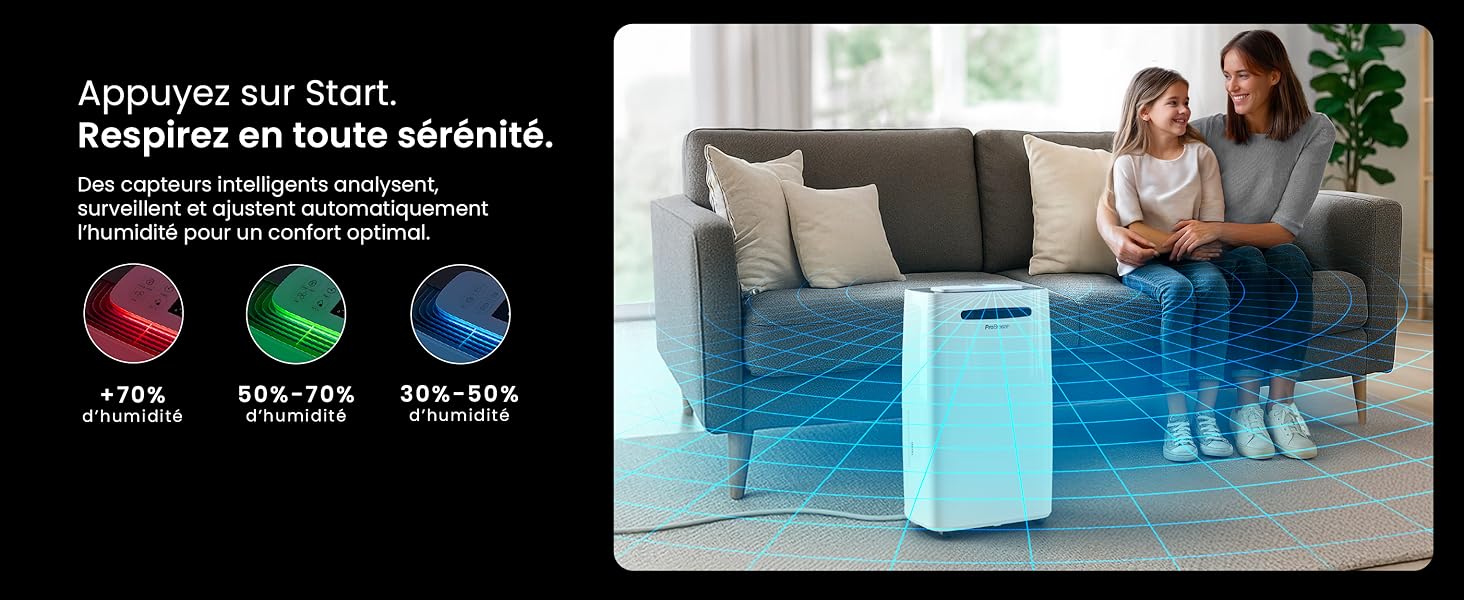
Image: The dehumidifier shown in different environments such as a garage, home office, and laundry room, illustrating its versatility and suitability for various spaces. Icons for continuous drainage and automatic defrost are also present.
Parentah Operasi
Kontrol Panel Langkungview

Gambar: A lengkep view of the dehumidifier's illuminated digital control panel, showing buttons for power, mode, fan speed, timer, child lock, and humidity settings, along with the LED display.
The intuitive LED display and touch controls allow for easy operation.
- Tombol Daya: Pencét pikeun ngahurungkeun atanapi mareuman unit.
- Tombol Mode: Ngaliwatan modeu operasi anu sayogi: Biasa, Laundry Drying, jeung Modeu Peuting.
- Tombol Laju Kipas: Adjust the fan speed between Lemah jeung Luhur.
- Humidity Setting (SET %): Use the up/down arrows to set your desired humidity level (30% - 80%). The unit will operate until this level is reached.
- Tombol Timer: Set a 24-hour timer for automatic power ON or OFF.
- Tombol Konci Budak: Press and hold to activate/deactivate the child lock, preventing accidental changes to settings.
- Tombol tampilan: Turn the LED display lights ON or OFF, useful for night mode.
Wi-Fi sareng Kontrol Aplikasi

Image: A user interacting with the Pro Breeze mobile application on a smartphone, demonstrating remote control capabilities for the dehumidifier. The app shows current humidity and temperature settings.
The Pro Breeze 25L Smart Dehumidifier can be controlled remotely via the Pro Breeze app. Download the app from your smartphone's app store and follow the in-app instructions to connect your device to your home Wi-Fi network. Once connected, you can control all functions, set schedules, and monitor humidity levels from anywhere.
The unit is also compatible with Amazon Alexa and Google Home for voice control. Refer to the app's help section for detailed instructions on integrating with these smart home platforms.
Pangropéa
Ngosongkeun Tangki Cai
When the water tank is full, the dehumidifier will automatically shut off and an indicator light will illuminate. Carefully remove the water tank from the unit, empty the collected water, and reinsert the tank securely. The unit will resume operation.
Ngabersihan Saringan Udara
A clogged filter can reduce efficiency. It is recommended to clean the air filter every two weeks or more frequently depending on usage and air quality.
- Pareuman dehumidifier sareng cabut colokan tina stop kontak listrik.
- Locate and remove the air filter (usually on the back or side of the unit).
- Bersihkeun saringan nganggo vacuum cleaner atanapi kumbah lalaunan nganggo cai sabun haneut.
- Bilas sacara saksama sareng ngantepkeun saringan dugi ka hawa garing sateuacan dilebetkeun deui kana unit.
Ngabersihan Luar
Ngusap bagian luar tina dehumidifier ku lemes, damp lawon. Ulah make bahan kimia kasar, cleaners abrasive, atawa pangleyur, sabab ieu bisa ngaruksak beungeut cai.
Panyimpenan
If storing the unit for an extended period, ensure the water tank is empty and clean, and the filter is clean and dry. Store the dehumidifier in a cool, dry place, preferably in its original packaging.
Pamérésan masalah
| Masalah | Mungkin Cukang lantaranana | Solusi |
|---|---|---|
| Dehumidifier teu hurung. | No power; water tank full or incorrectly inserted; ambient temperature too low. | Check power connection; empty and reinsert water tank; ensure room temperature is above 5°C (41°F). |
| Unit jalan tapi henteu ngumpulkeun cai. | Humidity level too low; air filter clogged; room temperature too low; unit size too small for space. | Adjust desired humidity setting lower; clean air filter; ensure room temperature is adequate; consider if unit is appropriate for room size. |
| Unit ribut. | Unitna teu dina permukaan anu rata; saringan hawa mampet; komponén internal ngageter. | Place on a flat, stable surface; clean air filter; if noise persists, contact support. |
| Masalah sambungan Wi-Fi. | Incorrect Wi-Fi password; unit too far from router; router issues; app issues. | Verify Wi-Fi password; move unit closer to router; restart router; reinstall Pro Breeze app. |
| Frost mucunghul dina coils. | Suhu ambient low. | The unit has an automatic defrost function. If frost persists, increase room temperature. |
spésifikasi
| Spésifikasi | Rincian |
|---|---|
| Nomer modél | PB-D-37W-W-EU |
| merek | Pro angin ngahiliwir |
| Moisture Extraction Capacity | 25 Liter / dinten |
| Kapasitas Tangki Cai | 5.5 liter |
| Ukuran (L x W x H) | 38.6 cm x 26 cm x 50 cm |
| Beurat | 15.1 kg |
| Laju kipas | 2 |
| Fitur husus | Adjustable Humidity Control, Night Mode, Continuous Drainage, Wi-Fi Connectivity, Digital Display, 24h Timer, Laundry Drying Mode, Child Lock, Automatic Defrost |
| Disarankeun Lantai Area | Up to 322 sq ft (30 m²) |

Image: The Pro Breeze dehumidifier highlighting its elegant and discreet design, along with its dimensions (50cm H, 38.6cm L, 26cm P) and four easy-to-move caster wheels.
Garansi sareng Rojongan
Pro Breeze products are manufactured to the highest standards. This product comes with a standard manufacturer's warranty. For specific warranty details, please refer to the warranty card included in your package or visit the official Pro Breeze websitus.
If you encounter any issues or have questions regarding your dehumidifier, please contact Pro Breeze customer support. Contact information can typically be found on the Pro Breeze websitus atanapi dina bungkusan produk.