1. Bubuka
Thank you for choosing the Oilsky M501 Pro MP3/MP4 Player. This device is designed to provide a versatile multimedia experience, combining high-fidelity audio playback, 1080P video capabilities, and smart features powered by Android 13.0. This manual will guide you through the setup, operation, and maintenance of your new player. Please read it carefully to ensure optimal performance and longevity of your device.
2. Émbaran Kasalametan
- Entong ngalaan alat ka suhu anu ekstrim, sinar panonpoé langsung, atanapi kalembaban anu luhur.
- Hindarkeun ragrag atanapi ngagentoskeun alat kana tabrakan anu kuat.
- Anggo ngan ukur kabel ngecas sareng adaptor anu disayogikeun pikeun nyegah karusakan.
- Ulah nyobian ngabongkar atawa ngalereskeun alat sorangan. Kontak rojongan customer pikeun pitulung.
- Jauhkeun alat tina cai sareng cairan sanés.
- Dengekeun anu berkepanjangan dina tingkat polumeu anu luhur tiasa nyababkeun karusakan dédéngéan.
3. Eusi Paket
Mangga cék kotak pikeun item di handap ieu:
- 1x Oilsky M501 Pro Music Player
- 1x Kabel USB Tipe-C
- 1x Earphone Kabel
- 1x Film Pelindung
- 1x Case Pelindung
- 1x Manual Pamaké (dokumén ieu)
- 1x Kartu TF 64GB (tos dipasang atanapi misah)

Gambar 3.1: Contents of the Oilsky M501 Pro retail package. This image displays the music player, USB-C cable, wired earphones, a screen protector, a protective case, the user manual, and a 64GB TF card.
4. Alat Leuwihview
The Oilsky M501 Pro features a sleek design with a 4.7-inch touchscreen display. Familiarize yourself with the device's physical components.

Gambar 4.1: Hareup jeung pungkur view of the Oilsky M501 Pro player. The front shows the 4.7-inch touchscreen with various app icons, while the rear displays a minimalist black finish.
4.1. Tombol sareng Port Fisik
- Tombol Daya: Perenahna di sisi, dianggo pikeun ngahurungkeun/mareuman alat atanapi ngahudangkeun/ngahurungkeun layar.
- Tombol Volume: Saluyukeun tingkat kaluaran audio.
- Port USB Tipe-C: Pikeun ngecas sareng mindahkeun data.
- Jack Headphone 3.5mm: For connecting wired earphones or headphones.
- Slot Kartu MicroSD: Pikeun ngalegaan kapasitas neundeun.
- Speaker Diwangun-di: Pikeun playback audio tanpa headphone.
5. Setélan
5.1. Ngecas Alat
Saméméh dipaké munggaran, eusian pinuh alat.
- Connect the USB Type-C cable to the device's charging port.
- Sambungkeun tungtung kabel anu sanés ka adaptor kakuatan USB (teu kalebet) atanapi port USB komputer.
- Indikator ngecas dina layar bakal némbongkeun status ngecas.
5.2. Daya Hurung / Pareum
- Pikeun Ngahurungkeun: Pencet jeung tahan tombol Daya dugi layar hurung.
- Pikeun mareuman: Pencét jeung tahan tombol Daya, teras pilih "Pareuman" tina pilihan dina layar.
- Pikeun Saré / Hudang: Pencét sakeudeung tombol Daya.
5.3. Nyelapkeun Kartu MicroSD
The device supports external storage expansion up to 1TB via a MicroSD card. A 64GB TF card is included.
- Locate the MicroSD card slot on the side of the device.
- Lebetkeun kartu MicroSD kana slotna lalaunan bari kontak emasna nyanghareup ka handap dugi ka ngaklik kana tempatna.
- Pikeun nyabut, dorong kartu ka jero dugi ka kaluar.

Gambar 5.1: Illustration of the Oilsky M501 Pro's storage capabilities, showing 32GB ROM, an included 64GB SD card, and support for up to 1TB external expansion.
5.4. Nyambungkeun ka Wi-Fi
The M501 Pro supports 2.4GHz and 5GHz Wi-Fi for internet access and app downloads.
- Pindah ka Setélan > Jaringan & internét > Wifi.
- Togél Wi-Fi On.
- Pilih jaringan Wi-Fi anu dipikahoyong tina daptar.
- Tulis kecap akses upami dipenta, teras ketok Nyambung.
5.5. Papasangan Bluetooth
Connect to Bluetooth headphones, speakers, or other compatible devices.
- Pindah ka Setélan > Alat disambungkeun > Bluetooth.
- Pindahkeun Bluetooth On.
- Pastikeun aksésoris Bluetooth anjeun dina modeu papasangan.
- Pilih aksésoris tina daptar alat anu sayogi kanggo dipasangkeun.
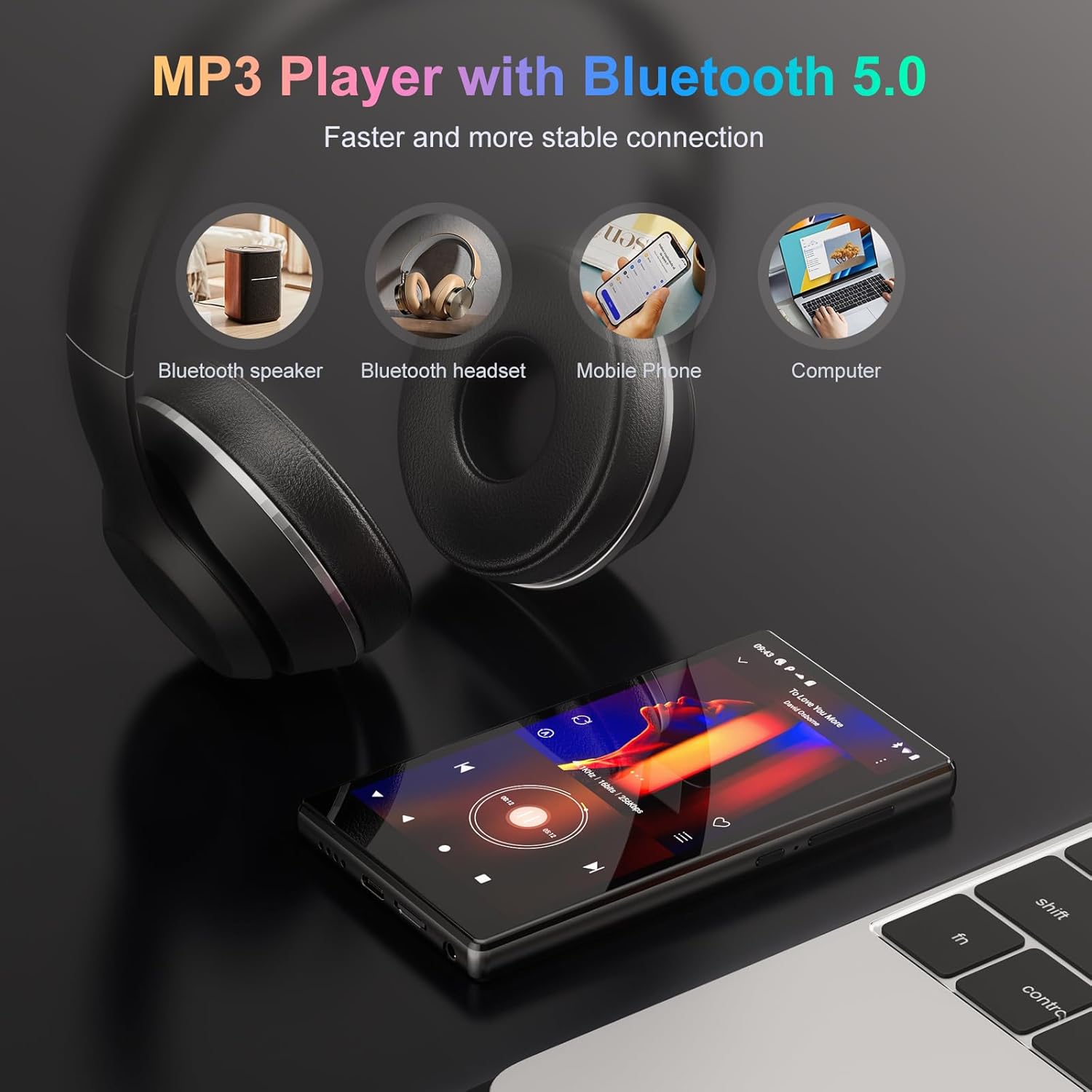
Gambar 5.2: The Oilsky M501 Pro demonstrating its Bluetooth 5.0 connectivity, showing connections to a Bluetooth speaker, headphones, mobile phone, and computer.
6. Parentah Operasi
6.1. Napigasi Dasar
The M501 Pro features a 4.7-inch multi-touch screen.
- Ketok: Pilih hiji item atawa buka aplikasi.
- Gesek: Napigasi ngaliwatan layar atawa daptar.
- Ciwit-pikeun-Zoom: Ngagedekeun atanapi ngaleutikan gambar atanapi web kaca.
6.2. Puterkeun Musik
The device supports various audio formats including MP3, WAV, APE, FLAC, and AAC.
- Open the pre-installed music player app or a streaming app like Spotify.
- Browse your music library or search for tracks.
- Ketok hiji lagu pikeun ngamimitian muterkeun.
- Use the on-screen controls for play/pause, skip, and volume adjustment.

Gambar 6.1: The music playback interface of the Oilsky M501 Pro, displaying song information, playback controls, and supported audio formats (MP3, WAV, APE, AAC, FLAC).
6.3. Puteran pidéo
Enjoy 1080P HD videos with support for AVI, MKV, RMVB, MP4, MPG, and MOV formats.
- Open the video player app.
- 2Pilih video file from your storage.
- The video will begin playing. Use the touchscreen for playback controls.

Gambar 6.2: The Oilsky M501 Pro displaying 1080P video content on its 4.7-inch screen, highlighting its full format video compatibility and wide viewsudut ing.
6.4. App Installation (Android 13.0)
The device runs on Android 13.0, allowing access to the Google Play Store and APK installations.
- Google Play Store: Connect to Wi-Fi, open the Play Store app, sign in with your Google account, and download apps.
- APK Installation: For apps not available on the Play Store, you can download APK files from trusted sources and install them after enabling "Install unknown apps" in security settings.
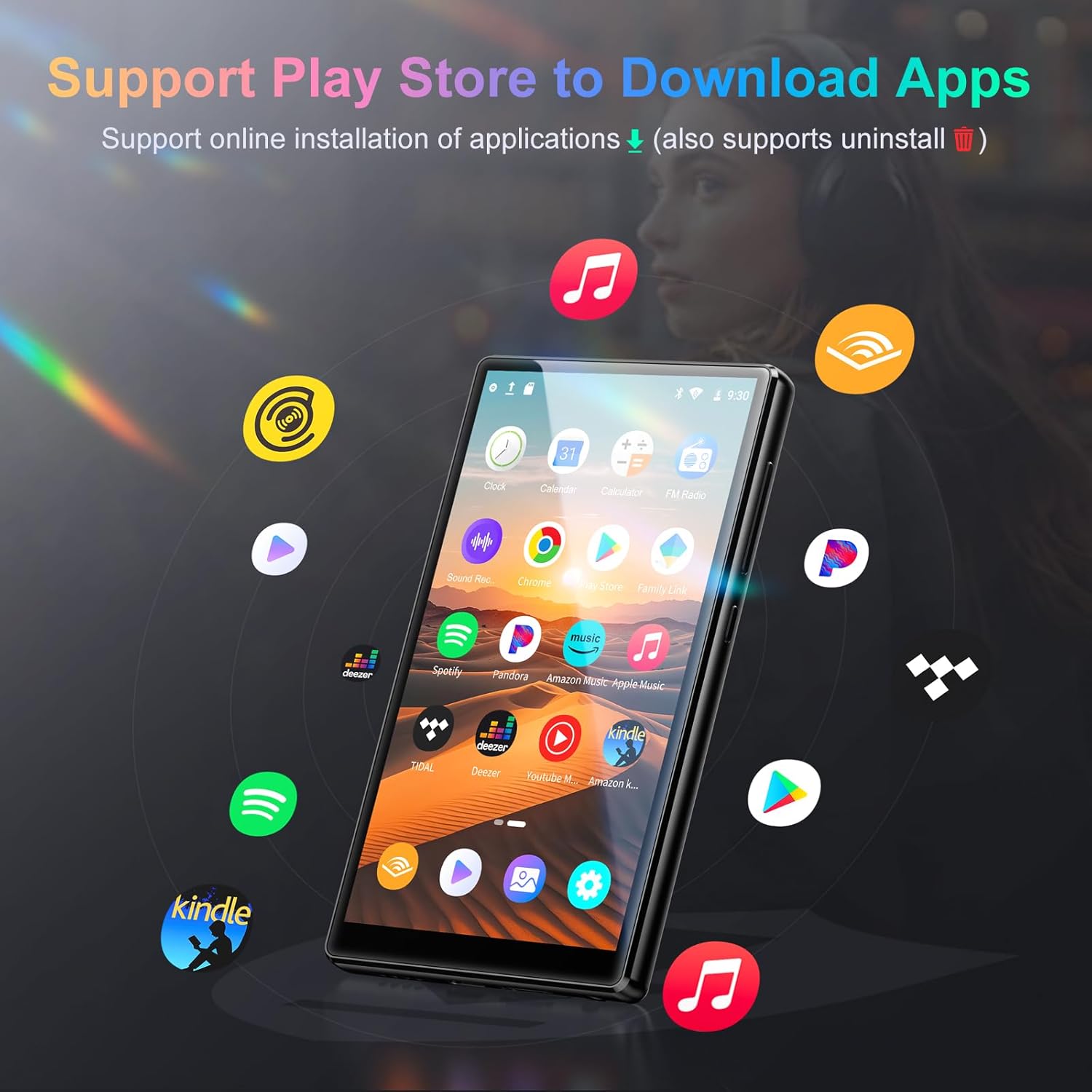
Gambar 6.3: The Oilsky M501 Pro showcasing its support for various applications, including Spotify, Pandora, Amazon Music, and YouTube Music, downloadable via the Play Store.
6.5. Kontrol Kolot
Utilize parental control features to manage usage for children.
- Set daily time limits for device usage.
- Schedule downtime periods.
- Manage and restrict access to specific applications.
- Access these settings through the device's Setélan menu, typically under "Digital Wellbeing & parental controls" or a similar section.
7. Pangropéa
7.1. beberesih
- Ngusap layar sareng awak nganggo lawon anu lemes, garing, teu aya serat.
- Ulah make cleaners abrasive, alkohol, atawa pangleyur kimiawi.
7.2. Kaperawatan batré
- Hindarkeun sering-sering ngeusi batre.
- Ngeusi batre alat rutin, sanajan teu dipake, pikeun ngajaga kaséhatan batré.
- Simpen alat ieu di tempat anu tiis sareng garing upami henteu dianggo kanggo waktos anu lami.
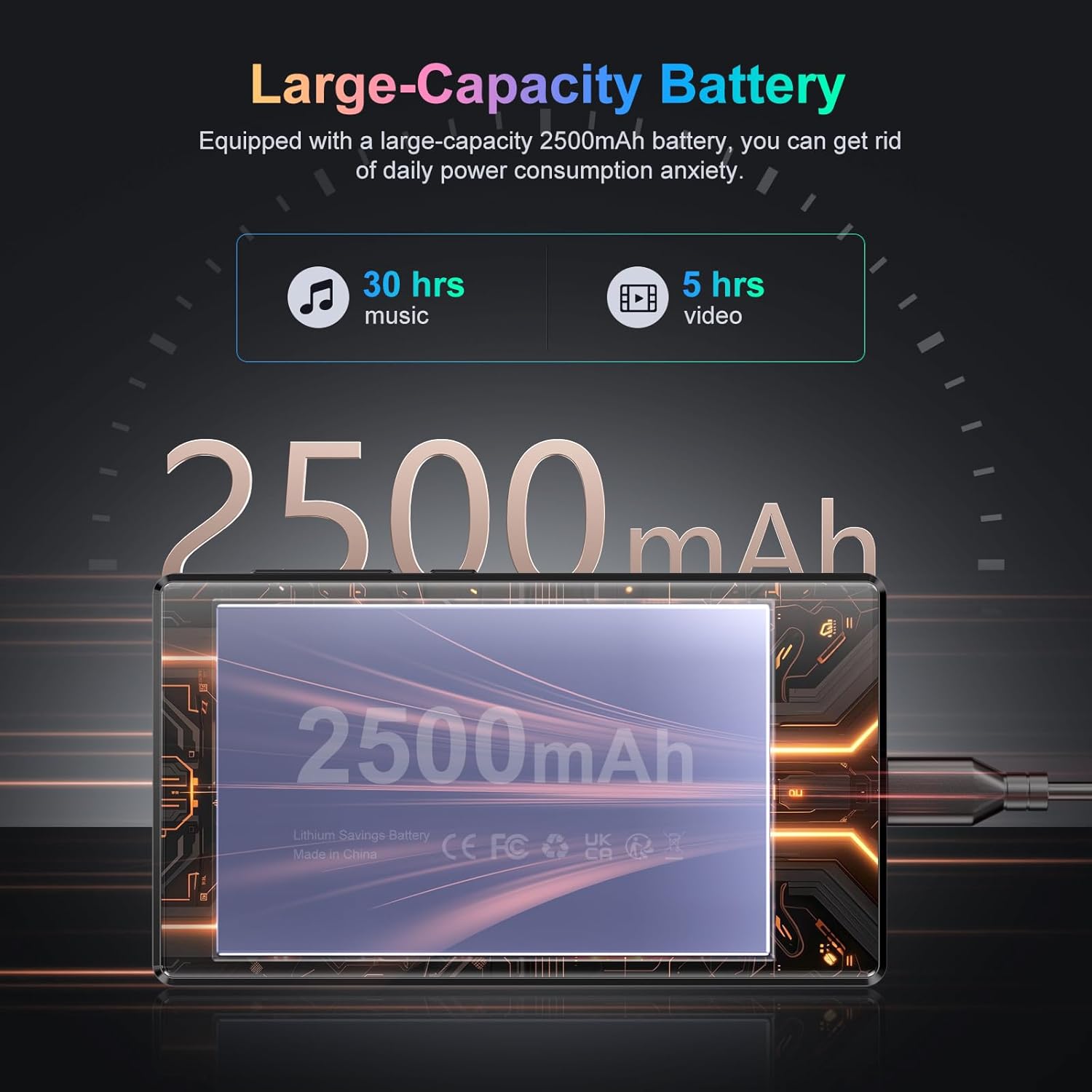
Gambar 7.1: An illustration highlighting the Oilsky M501 Pro's 2500mAh battery, indicating approximately 30 hours of music playback or 5 hours of video playback on a full charge.
7.3. Apdet parangkat lunak
Pariksa sacara berkala apdet parangkat lunak dina Setélan > Sistim > Pembaruan sistem to ensure your device has the latest features and security patches.
8. Cara ngungkulan
| Masalah | Solusi anu mungkin |
|---|---|
| Alat teu hurung. | Ensure the battery is charged. Connect to a charger for at least 30 minutes. If unresponsive, perform a forced restart by holding the Power button for 10-15 seconds. |
| Teu bisa nyambung ka Wi-Fi. | Check if Wi-Fi is enabled in settings. Verify the Wi-Fi password. Restart your router and the device. Try connecting to a different network. |
| Alat Bluetooth teu dipasangkeun. | Ensure Bluetooth is enabled on both devices. Put the accessory in pairing mode. Move devices closer. Restart both devices. |
| Aplikasi ngalambatkeun atanapi ngadat. | Close background apps. Clear app cache (Settings > Apps > [App Name] > Storage & cache > Clear cache). Restart the device. Ensure sufficient storage space. |
| Taya sora tina spiker/headphone. | Check volume levels. Ensure headphones are properly connected. Test with different headphones. If using Bluetooth, ensure it's connected and volume is up. |
9. Spésifikasi
Detailed technical specifications for the Oilsky M501 Pro.
| Fitur | Rincian |
|---|---|
| merek | Oilsky |
| Nomer modél | M501 Pro |
| Sistem operasi | Android 13.0 |
| Prosesor | MTK 8-inti |
| Ram | 4GB |
| Panyimpenan internal (ROM) | 32GB |
| Panyimpenan Expandable | Up to 1TB via MicroSD card (64GB TF card included) |
| Ukuran layar | 4.7 inci |
| Resolusi layar | 1280x720 (HD) |
| Téknologi tampilan | LCD (G+F+F multi-touch) |
| Bluetooth | Bluetooth 5.0 |
| Wifi | 2.4GHz & 5GHz dual-band |
| Format Audio | MP3, WAV, APE, FLAC, AAC, etc. |
| Format pidéo | AVI, MKV, RMVB, MP4, MPG, MOV, etc. (1080P Full Format) |
| Kapasitas batré | 2500mAh Litium-polimér |
| Fitur husus | High-resolution audio, Built-in speaker, Parental controls |
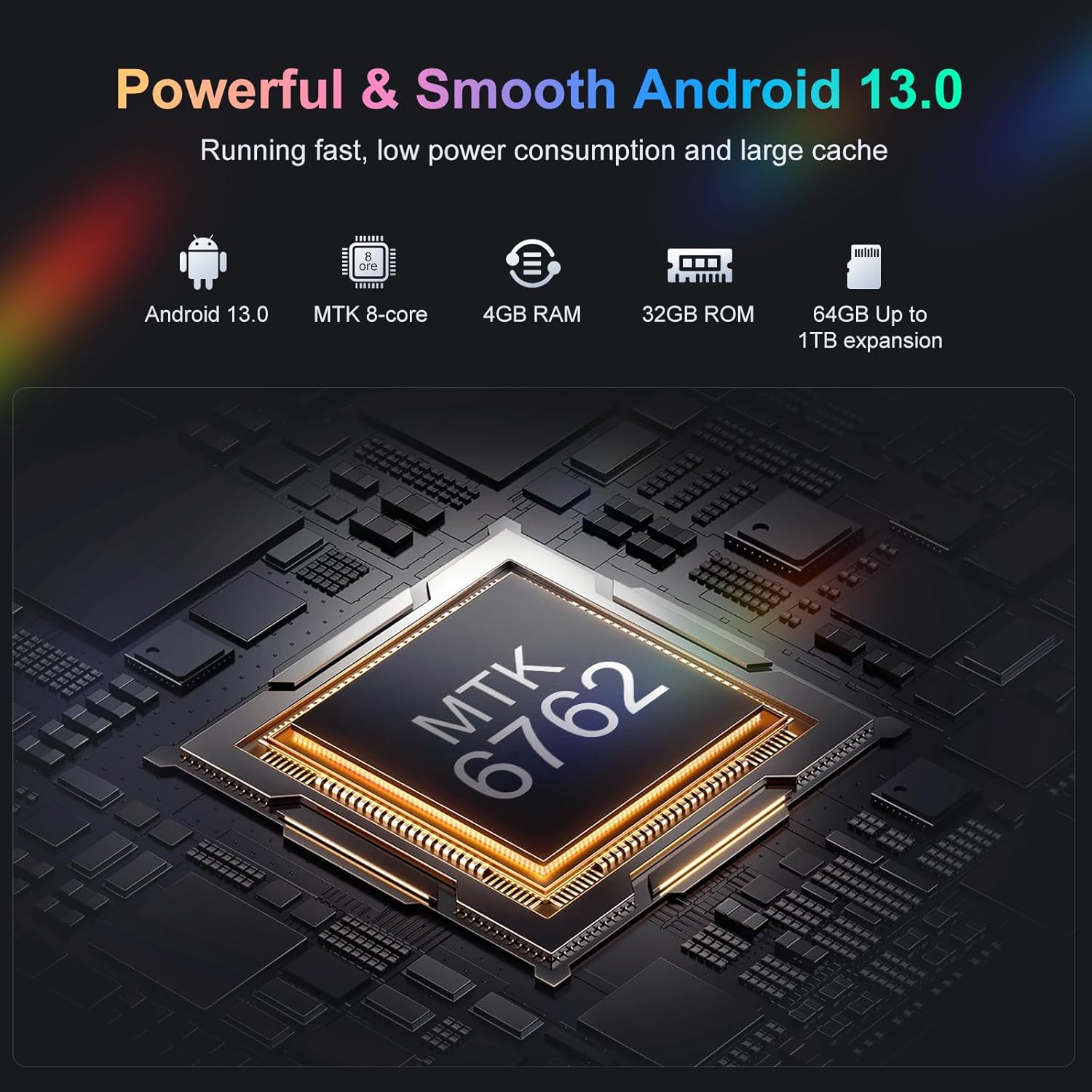
Gambar 9.1: Hiji internal view highlighting the MTK 8-core processor, 4GB RAM, 32GB ROM, and 64GB included storage with up to 1TB expansion for the Oilsky M501 Pro.
10. Garansi jeung Rojongan
Oilsky products are designed for reliability and performance. For warranty information, please refer to the warranty card included in your package or visit the official Oilsky websitus.
If you encounter any issues or have questions not covered in this manual, please contact Oilsky customer support through the contact information provided on the official websitus atanapi platform pameseran Anjeun.
- Dukungan Online: Nganjang ka Oilsky Brand Store on Amazon pikeun inpormasi lengkep sareng sumber pangrojong.


