Bubuka
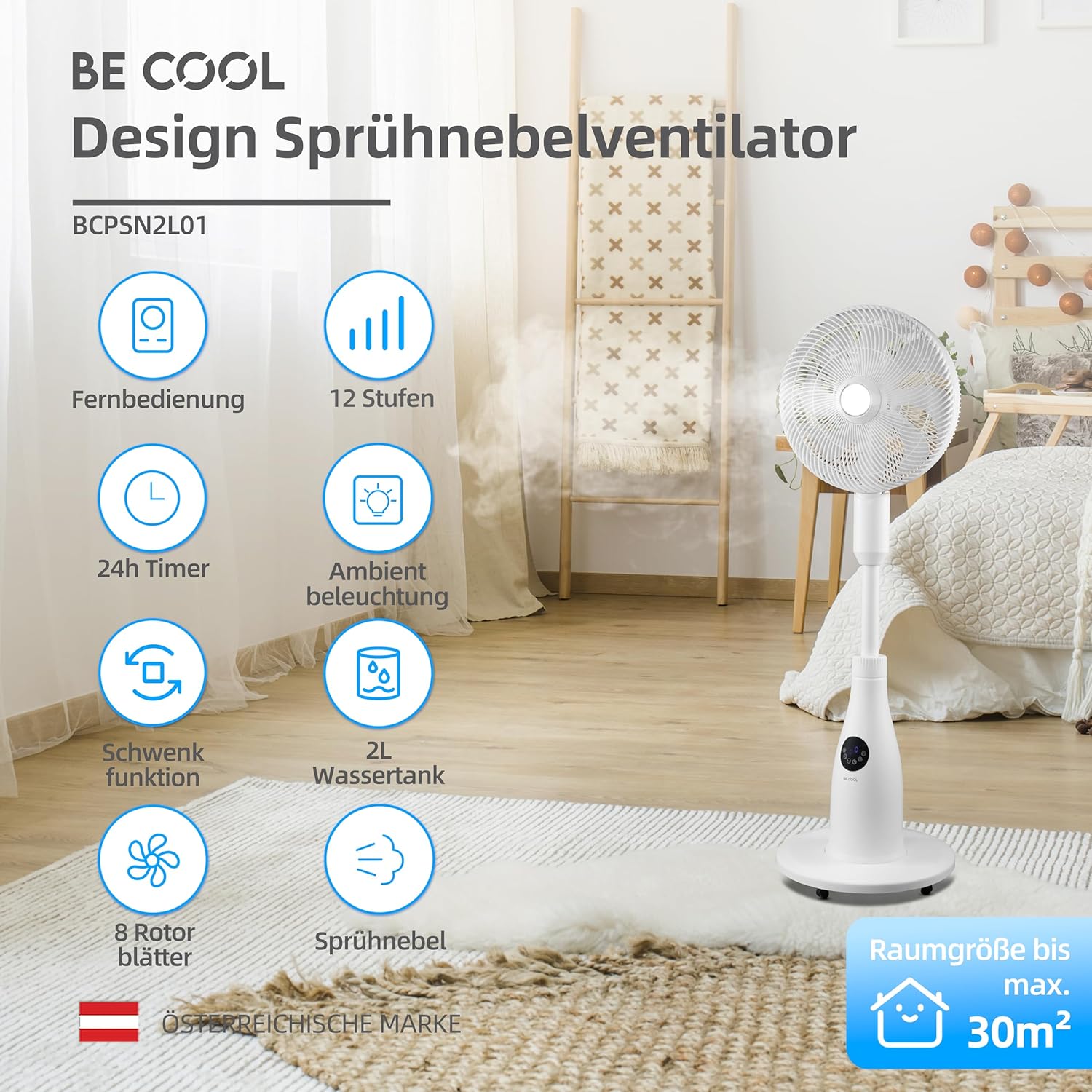
This manual provides essential information for the safe and efficient operation of your BE COOL BCPSN2L01 Pedestal Fan. Please read these instructions carefully before use and retain them for future reference. The BCPSN2L01 combines powerful airflow with an integrated mist function and ambient lighting to enhance your indoor environment.
Parentah Kasalametan penting
Salawasna turutan pancegahan kaamanan dasar nalika nganggo alat-alat listrik pikeun ngirangan résiko kahuruan, kejutan listrik, sareng tatu.
- Pastikeun catu daya voltage cocog sareng labél rating dina alat.
- Do not immerse the fan, power cord, or plug in water or other liquids.
- Unplug the fan from the outlet when not in use, before cleaning, or before moving.
- Jauhkeun kipas tina jangkauan barudak sareng piaraan.
- Ulah ngoperasikeun kipas ku kabel atawa colokan ruksak.
- Avoid placing the fan near curtains or other objects that could be drawn into the fan blades.
- Ulah ngasupkeun ramo atawa barang séjén ngaliwatan gril nalika kipas keur dioperasikeun.
- Use the fan only on a stable, level surface.
- Ulah meungpeuk bukaan hawa.
- Only use clean, distilled water in the water tank for the mist function.
Produk Leuwihview
The BE COOL BCPSN2L01 is a versatile pedestal fan designed to provide efficient cooling and air circulation with an integrated mist function and ambient lighting.
Komponén
- Hulu Kipas nganggo Grille sareng Bilah
- Nangtung adjustable
- Dasar
- Tangki Cai (kapasitas 2 Liter)
- Control Panel (Touch-sensitive)
- Kadali jauh
- Kabel listrik
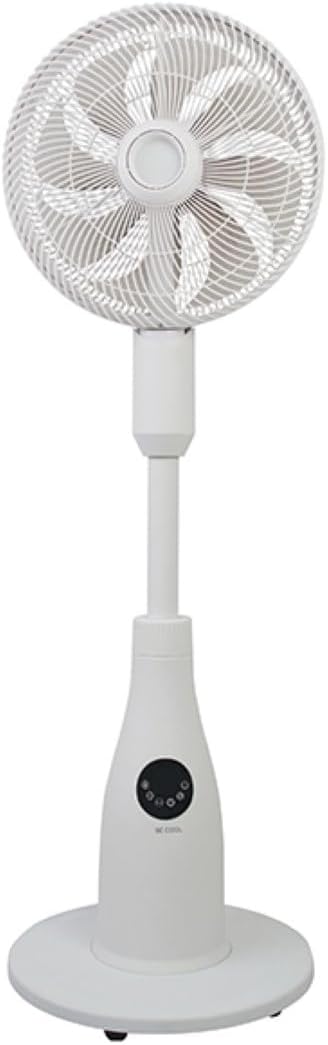
Control Panel jeung Remote Control
Kipas ieu tiasa dioperasikeun nganggo panel kontrol sénsitip toél dina unit atanapi remote control anu kalebet.
Fungsi Panel Kontrol:
- Tombol Daya: Ngahurungkeun atanapi mareuman kipas.
- Tombol Speed: Adjusts fan speed (12 levels).
- Tombol Mode: Cycles through Normal, Nature, and Sleep modes.
- Tombol Halimun: Activates or deactivates the mist function.
- Tombol Osilasi: Toggles the oscillation feature.
- Tombol Timer: Nyetél timer pareum otomatis (nepi ka 24 jam).
- Tombol Lampu: Controls the ambient lighting.


Parentah Setup
Majelis
- Sacara saksama ngabongkar sadaya komponén tina bungkusan.
- Assemble the fan head, stand, and base according to the diagrams in the quick start guide (if provided separately). Ensure all connections are secure.
- Teundeun kipas dina permukaan anu rata.
Ngeusian Tangki Cai
- Locate the water tank at the rear of the fan's base.
- Tarik tangki cai kaluar lalaunan.
- Fill the tank with clean, distilled water. Do not exceed the maximum fill line.
- Carefully reinsert the water tank into its position until it clicks securely.
- Ensure the water tank is properly seated before operating the mist function.

Parentah Operasi
Colokkeun kabel listrik kana stop kontak listrik anu cocog.
Daya Hurung/Pareuman
Pencét éta Tombol Daya on the control panel or remote control to turn the fan on or off.
Nyaluyukeun Fan Speed
Pencét éta Tombol Speed repeatedly to cycle through the 12 available fan speed levels.
Milih Modeu Operasi
Pencét éta Tombol Mode to switch between the following modes:
- Modeu Normal: Nyadiakeun aliran hawa konstan dina laju nu dipilih.
- Mode alam: Simulates natural breezes by varying fan speed intermittently.
- Modeu Bobo: Operates at a lower, quieter speed with reduced display brightness for undisturbed rest.

Activating Mist Function
Pastikeun tangki cai pinuh. Pencét tombol Tombol Halimun to activate or deactivate the refreshing mist function.
Using Oscillation
Pencét éta Tombol osilasi to start or stop the fan's oscillation, which distributes air across a wider area.

Nyetel Timer
Pencét éta Tombol Timer repeatedly to set the desired auto-off time, from 1 to 24 hours. The fan will automatically turn off after the set duration.
Cahaya Ambient
Pencét éta Tombol Lampu to turn the ambient lighting on or off. This feature provides a soft glow, particularly useful in Sleep Mode.
Pangropéa jeung beberesih
Ngabersihkeun kipas sacara rutin ngabantosan ngajaga kinerja kipas sareng manjangkeun umurna. Salawasna cabut heula kabel kipas sateuacan dibersihkeun.
Ngabersihan Luar
Ngusap permukaan luar kipas kalayan lemes, damp lawon. Ulah make cleaners abrasive atawa pangleyur.
Ngabersihan Tangki Cai
- Cabut tank cai tina unit.
- Kosongkeun cai sésana.
- Rinse the tank thoroughly with clean water. For deeper cleaning, use a mild detergent and a soft brush, then rinse completely.
- Allow the tank to air dry before refilling and reinserting.
Cleaning Fan Blades and Grille
Periodically, dust may accumulate on the fan blades and inside the grille. Refer to the product's specific instructions for safely removing the front grille to clean the blades. Use a soft cloth or vacuum cleaner with a brush attachment to remove dust.
Pamérésan masalah
Upami anjeun ngalaman masalah sareng kipas anjeun, mangga tingal masalah sareng solusi umum ieu:
- Kipas teu hurung:
- Pastikeun yén kabel listrik dicolokkeun sacara aman kana stop kontak listrik.
- Check if the power button has been pressed.
- Pariksa teu aya listrik kaluartage di wewengkon Anjeun.
- Mist function is not working:
- Check if the water tank is filled with water.
- Ensure the water tank is correctly seated in the unit.
- Clean the mist nozzle if it appears blocked.
- kipas angin ribut:
- Pastikeun kipas disimpen dina permukaan anu stabil sareng rata.
- Check for any obstructions around the fan blades or grille.
- Dust accumulation on blades can cause imbalance; clean the blades if necessary.
- Kadali jauh henteu ngaréspon:
- Check and replace the battery (1 CR2 battery included).
- Ensure there are no obstructions between the remote and the fan's receiver.
spésifikasi
| Fitur | Spésifikasi |
|---|---|
| merek | Janten Cool |
| Nomer modél | BCPSN2L01 |
| Kakuatan | 80 Watt |
| Voltage | 230 Volt (AC) |
| Kapasitas Aliran Udara | 1500 m³/jam |
| Kapasitas Tangki Cai | 2 liter |
| Laju Évaporasi | 0.25 L/h (approx.) |
| Jumlah Speeds | 12 |
| Osilasi | Sumuhun |
| Timer | Nepi ka 24 jam |
| Kadali jauh | Sumuhun (1 batré CR2 kaasup) |
| Ukuran produk (D x W x H) | 42.9 x 42.9 x 114.5 cm |
| Item Beurat | 6.9 kg |
| Disarankeun Ukuran Kamar | Nepi ka 30 m² |

Garansi sareng Rojongan
For warranty information, please refer to the documentation provided at the time of purchase or contact your retailer. For technical support or service inquiries, please contact the manufacturer's customer service department.
Pabrikan: JADI COOL


