1. Bubuka
The iRobot Roomba 105 Combo is an advanced robot vacuum and mop designed to provide efficient and hands-free cleaning for your home. Featuring LiDAR navigation, powerful suction, and an integrated mopping system, it offers a comprehensive cleaning solution. The included AutoEmpty Charging Station automatically disposes of collected debris, allowing for extended periods of maintenance-free operation.
This manual will guide you through the setup, operation, and maintenance of your Roomba 105 Combo to ensure optimal performance and longevity.
2. Émbaran Kasalametan
Please read all safety instructions carefully before using your Roomba 105 Combo. Failure to follow these instructions may result in electric shock, fire, or serious injury.
- Alat ieu tiasa dianggo ku murangkalih umur 8 taun ka luhur sareng jalma anu kakurangan kamampuan fisik, indrawi atanapi mental atanapi kurang pangalaman sareng pangaweruh upami aranjeunna dipasihan pangawasan atanapi petunjuk ngeunaan panggunaan alat dina cara anu aman sareng ngartos bahaya anu aya. .
- Do not allow children to play with the robot. Cleaning and user maintenance shall not be made by children without supervision.
- Use only the manufacturer-specified power supply and charging station.
- Do not handle the robot or charging station with wet hands.
- Ulah ngoperasikeun robot di tempat anu aya stop kontak listrikna kakeunaan atanapi cai ngeuyeumbeu.
- Before using the robot, remove any loose items such as clothing, loose papers, blind or curtain cords, power cords, and any fragile objects.
- Ensure the robot is turned off and unplugged from the charging station before performing any maintenance or cleaning.
3. Eusi Paket
Pastikeun yén sadaya item aya dina pakét anjeun:
- iRobot Roomba 105 Combo Robot Vacuum and Mop
- AutoEmpty Charging Station
- Kabel listrik
- Extra Dirt Disposal Bags (quantity may vary)
- Alas Pel (tos dipasang atanapi misah)
- Side Brush (pre-installed or separate)
- Manual pangguna (dokumén ieu)

Image: The Roomba 105 Combo robot vacuum and mop alongside its AutoEmpty Charging Station.
4. Setélan
4.1 Ngecas Station panempatan
Place the AutoEmpty Charging Station on a hard, level surface against a wall. Ensure there is at least 0.5 meters (1.6 feet) of clear space on each side and 1.2 meters (4 feet) in front of the station. Plug the power cord into a wall outlet.

Image: Diagram showing the compact design and dimensions of the Roomba 105 Combo and its AutoEmpty Charging Station, indicating it is approximately 20cm lower than previous models (i7+).
4.2 Ngecas Awal
Place your Roomba robot onto the charging station. The robot will automatically align and begin charging. Allow the robot to charge completely before its first cleaning mission. This may take several hours.

Image: The Roomba 105 Combo robot vacuum automatically returning to its charging station after completing a cleaning cycle.
4.3 Connecting to the iRobot Home App
- Download the iRobot Home app from your device's app store.
- Follow the in-app instructions to connect your Roomba 105 Combo to your home Wi-Fi network.
- The app allows for advanced features such as scheduling, customizing cleaning preferences, and creating keep-out zones.

Image: A smartphone displaying the iRobot Home app interface, showing options for scheduling and managing cleaning tasks.
5. Parentah Operasi
5.1 Ngamimitian siklus beberesih
You can start a cleaning cycle in three ways:
- Press the CLEAN button: Press the large CLEAN button on top of the robot once to start a cleaning cycle. Press again to pause, and hold to end the mission and send the robot back to its charging station.
- Use the iRobot Home App: Open the app and tap the 'CLEAN' button. You can also customize cleaning settings and schedule future cleanings.
- Asistén Sora: If connected to a compatible voice assistant (e.g., Alexa, Google Assistant, Siri), you can issue voice commands to start or stop cleaning.

Image: Visual representation of the three simple operation methods: pressing the button on the robot, using voice commands, or controlling via the iRobot Home app.
5.2 Modeu beberesih
The Roomba 105 Combo offers flexible cleaning options:
- Vakum Ngan: Pikeun ngumpulkeun runtah garing.
- Ngepel wungkul: For wet mopping hard floors.
- vakum & pel: Beberesih sakaligus pikeun perawatan lanté anu lengkep.
The robot features automatic carpet detection to avoid mopping rugs and carpets, ensuring safe operation.

Image: The Roomba 105 Combo robot vacuum detecting and avoiding a rug while in mopping mode, preventing it from getting wet.
5.3 Napigasi pinter jeung Mapping
Equipped with ClearView LiDAR navigation, the Roomba 105 Combo quickly creates a map of your home, allowing it to clean efficiently and avoid obstacles. You can view the cleaning map in the iRobot Home app.

Image: The Roomba 105 Combo robot vacuum using its ClearView LiDAR sensor to navigate around furniture and other obstacles in a room.
5.4 Customizing Cleaning
Using the iRobot Home app, you can:
- Set specific rooms or areas to clean.
- Create Keep Out Zones to prevent the robot from entering certain areas.
- Adjust suction power (4 levels) and water flow for mopping (3 levels).
- Activate Smart Scrub for enhanced mopping performance on stubborn stains.

Image: An illustration showing the Roomba 105 Combo navigating a floor plan with designated keep-out zones to customize cleaning areas.
6. Pangropéa
Regular maintenance ensures your Roomba 105 Combo operates at its best. The iRobot Home app will notify you when maintenance is required.
6.1 AutoEmpty Dirt Disposal Bag Replacement
The AutoEmpty Charging Station can hold up to 75 days of dirt and debris. When the bag is full, the app will notify you. To replace:
- Open the lid of the AutoEmpty Charging Station.
- Pull up on the dirt disposal bag to remove it. The bag opening will seal automatically to prevent dust from escaping.
- Insert a new dirt disposal bag into the slot.
- Tutup tutupna.

Image: A comparison showing the clean replacement of a dirt disposal bag in the AutoEmpty station versus a traditional dustbin emptying process.
6.2 Ngabersihan Sikat
Periodically check and clean the multi-surface rubber brushes and the edge-sweeping brush to remove hair and debris. Use the cleaning tool provided with your robot.

Image: The underside of the Roomba 105 Combo, highlighting its 4-stage cleaning system components: edge-cleaning brush, multi-surface brushes, powerful suction, and mop pad.
6.3 Pangropéa Alas Pel
The microfiber mop pad should be removed and washed after each mopping cycle. It can be hand-washed or machine-washed according to the care instructions.
6.4 Ngabersihan Sénsor sareng Ngecas Kontak
Wipe the robot's sensors and charging contacts, as well as the charging contacts on the Home Base, with a clean, dry cloth. This ensures proper navigation and charging.
7. Cara ngungkulan
If your Roomba 105 Combo encounters an issue, the iRobot Home app will often provide specific error messages and solutions. Here are some common issues:
- Robot teu ngecas: Ensure the charging station is plugged in and the robot is properly docked. Clean the charging contacts on both the robot and the station.
- Robot not starting or stopping unexpectedly: Check for obstructions around the brushes or wheels. Ensure the battery is charged. Restart the robot by holding the CLEAN button for 10 seconds.
- Kinerja beberesih goréng: Clean the brushes, filter, and mop pad. Ensure the dirt disposal bag is not full.
- Masalah navigasi: Clean the sensors on the robot. Ensure there are no new obstacles or changes in the environment that might confuse the robot.
- Masalah konektipitas aplikasi: Pastikeun jaringan Wi-Fi anjeun aktip sareng robot aya dina jangkauan. Coba hurungkeun deui router sareng robot anjeun.
For more detailed troubleshooting, refer to the iRobot Home app or the iRobot customer support websitus.
8. Spésifikasi
| Fitur | Spésifikasi |
|---|---|
| Nomer modél | Y351060 |
| Diménsi (Robot) | 33.6 cm (L) x 33.5 cm (W) x 10.4 cm (H) |
| Ukuran Paket | 39.4 x 37.7 x 36.5 cm |
| Beurat (Pakét) | 6.72 kg |
| Sumber Daya | Battery Powered (Lithium Battery Included) |
| Jinis Napigasi | Napigasi LiDAR |
| Fitur beberesih | Edge Cleaning, Smart Mapping, Simultaneous Vacuum & Mop, Automatic Dirt Disposal |
| Dianjurkeun Paké | Lantai |
9. Garansi jeung Rojongan
Your iRobot Roomba 105 Combo is covered by a manufacturer's warranty. For products purchased directly from Amazon.co.jp, manufacturer support is available. For products purchased from other sellers, please contact the respective seller for support.
iRobot is committed to protecting your data privacy. We employ the highest standards of data encryption technology to ensure the privacy and security of your data.
Palayanan palanggan
iRobot provides dedicated customer care representatives who are specially trained to assist you whenever needed. For support, please visit the official iRobot websitus atanapi ngahubungan layanan palanggan maranéhna.
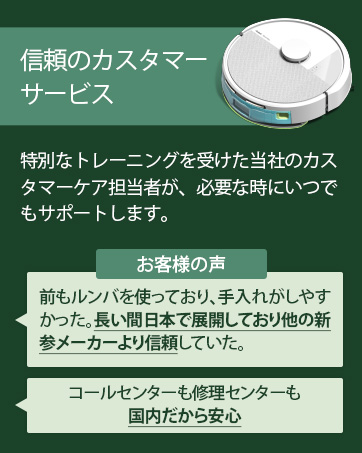
Image: Information regarding iRobot's customer service and data privacy commitment.
For more information and to register your product, please visit the iRobot Brand Store.


