Bubuka
This manual provides comprehensive instructions for the iRobot Roomba Max 705 Vac robot vacuum cleaner with AutoEmpty Station. It covers setup, operation, maintenance, and troubleshooting to ensure optimal performance and longevity of your device.
The Roomba Max 705 Vac is designed for thorough cleaning with its powerful suction, automatic dust collection, advanced LiDAR navigation, and AI camera for object recognition and obstacle avoidance.

Image: The Roomba Max 705 Vac robot vacuum, its AutoEmpty charging station, and a smartphone displaying the iRobot app.
Disetél
Initial Setup with Roomba Home App
Before using your Roomba Max 705 Vac for the first time, it is essential to perform the initial setup using the dedicated Roomba Home app. This app guides you through the process and unlocks the full functionality of your robot vacuum.

Image: A smartphone displaying the Roomba Home app, indicating the necessity of initial setup.
Sambungan Wi-Fi
A stable Wi-Fi connection is required for the Roomba Home app to communicate with your robot vacuum and enable smart features such as mapping, scheduling, and voice control. Ensure your home Wi-Fi network is active and accessible during the setup process.

Image: A graphic emphasizing the requirement for a Wi-Fi connection to operate the device.
Penempatan Stasion Ngecas
Place the AutoEmpty Charging Station in an open area with good Wi-Fi coverage. Ensure there are no obstacles directly in front of the station for at least 1.2 meters (4 feet) and 0.5 meters (1.5 feet) on either side to allow the robot to dock properly.
Parentah Operasi
Modeu beberesih sareng Fitur
The Roomba Max 705 Vac offers various cleaning capabilities:
- Ultimate Suction Power: Provides powerful cleaning for various floor types.
- Panyabutan bulu piaraan: Effectively sweeps away pet hair with specialized brushes.
- Tangle-Free Rubber Brushes: Designed to prevent hair tangles, ensuring consistent performance.
- Dirt Detect Technology: Identifies dirtier areas and makes multiple passes for thorough cleaning.
- Sikat Pembersih Tepi: Reaches into corners and along edges to remove dust and debris.
- PrecisionVision AI Technology + ClearView Pro LiDAR: Advanced navigation system for intelligent mapping and obstacle avoidance.
- Naekeun karpét: Automatically increases suction power on carpets for deeper cleaning.

Image: The Roomba Max 705 Vac operating near a sleeping dog, demonstrating its ability to clean effectively in homes with pets.
Navigasi Calakan sareng Nyingkahan Halangan
The robot uses Clearview Pro LiDAR to quickly create a detailed map of your home, maximizing cleaning coverage day and night. PrecisionVision AI Technology allows the robot to instantly recognize and navigate around various objects such as cords, cables, shoes, toys, and solid pet waste (hairballs, vomit, and liquids are not covered).
During mapping runs, the obstacle detection and avoidance function is not active. Ensure the floor is clear of obstacles like cords or pet waste before initiating a mapping run.

Image: The Roomba Max 705 Vac intelligently navigating around cables on the floor, showcasing its PrecisionVision AI technology.
Using the Roomba Home App
The Roomba Home app provides advanced control over your robot vacuum:
- beberesih precise: Select specific rooms or areas for targeted cleaning.
- Penyesuaian Daya Nyeuseup: Choose from 4 levels of suction power.
- Repeated Cleaning: Schedule repeated cleaning in frequently used areas.
- Data-Driven Cleaning: The robot learns which rooms get dirtiest, prioritizes cleaning, and automatically selects optimal settings.
- Cleaning Schedules: Set up daily or weekly cleaning schedules.

Image: A visual representation of the app's data-driven cleaning feature, showing how it adapts to household needs.
Paréntah sora
Pair your Roomba with Alexa, Siri, or Google Assistant compatible devices to control cleaning with voice commands. You can set cleaning schedules, initiate vacuuming in specific rooms like the living room, or even command vacuuming and mopping in areas like the kitchen or sofa side.

Image: A user interacting with a smart speaker to issue voice commands for cleaning.
Pangropéa
AutoEmpty Charging Station
The AutoEmpty Charging Station provides up to 75 days of hands-free cleaning by automatically emptying the robot's dustbin into an AllergenLock bag. These bags are designed to seal away 99% of pollen and mold, preventing dust from scattering. The actual duration may vary depending on your home environment.

Image: The Roomba Max 705 Vac connected to its AutoEmpty station, illustrating the automatic dust collection process.
Pangropéa Sikat
The Roomba Max 705 Vac features patented, tangle-resistant rubber dual action brushes. These brushes are designed to minimize hair tangles, making them easier to clean and maintain compared to traditional bristle brushes.

Image: A visual comparison highlighting the tangle-free design of Roomba's rubber brushes versus conventional brushes.
App-Guided Maintenance Tips
The Roomba Home app provides timely notifications and tips for maintaining your robot, including when to replace parts like the edge cleaning brush, dual action rubber brushes, and filters.

Image: The Roomba Home app displaying maintenance alerts for various components.
Pamérésan masalah
Isu umum jeung Solusi
If you encounter issues with your Roomba Max 705 Vac, try the following troubleshooting steps:
- Robot Goes Offline / App Connectivity Issues:
- Pastikeun jaringan Wi-Fi anjeun stabil sareng robot aya dina jangkauan.
- Perform a battery reset: Remove the robot from the charging station. Press and hold the HOME button until you hear a 'picoon' sound or an announcement about initialization. Release the button. Then, press and hold the HOME button and the bumper simultaneously until the lights on the robot's buttons stop flashing or turn off. If the robot does not power on after pressing the power button for 3 seconds, the battery off procedure is complete. Place it back on the charging station and turn on the robot's power.
- Sensor Errors / 'Place Roomba on floor' Message:
- Clean the robot's sensors, especially the cliff sensors located on the underside.
- Ensure the robot is placed on a flat, even surface.
- Perform the battery reset procedure as described above.
- 'Roomba is adjusting its position to start cleaning' Message:
- This message indicates the robot is orienting itself. It is a normal operation and does not require user intervention. A software update is expected to clarify this message in the future.
If problems persist after attempting these steps, please contact iRobot customer support for further assistance.
spésifikasi
| Fitur | Rincian |
|---|---|
| Produsén | iRobot |
| Nomer modél | W155060 |
| Dimensi produk | 35.5 cm (panjang) x 35 cm (lebar) x 10.4 cm (jangkungna) |
| Ukuran Paket | 40.4 x 39.5 x 36.6 cm |
| Warna | Hideung |
| Beurat | Kira-kira. 7.4 kg |
| Fitur séjén | LiDAR Navigation & AI Camera, Edge Cleaning, Smart Mapping, Automatic Dust Collection, Obstacle Avoidance |
| Jenis Batré | Lithium Battery (internal) |
| Tanggal Kahiji Sadia dina Amazon.co.jp | 2025/4/16 |
Garansi sareng Rojongan
Émbaran jaminan
The iRobot Roomba Max 705 Vac comes with a 12-month warranty when purchased from Amazon.co.jp. Please retain your proof of purchase for warranty claims.
Rojongan Produsén
Manufacturer support is exclusively available for products sold and shipped by Amazon.co.jp. If your product was purchased from another seller, please contact that specific seller for support inquiries.

Image: A notice regarding manufacturer support eligibility based on the seller.
Customer Service and Data Privacy
iRobot is committed to providing reliable customer service and prioritizing your data privacy. Our customer care representatives are specially trained to offer support whenever needed. We employ the highest level of data encryption technology to ensure the privacy and security of your data.
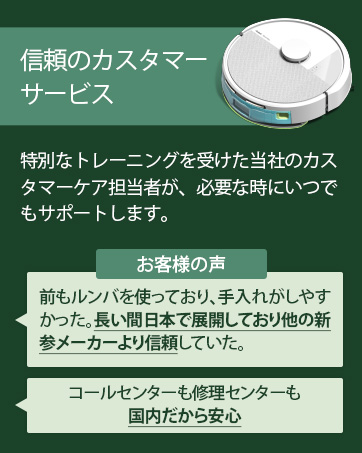
Image: Information about iRobot's customer service and support.
Image: Details on iRobot's commitment to data privacy and security.


