1. Bubuka
Welcome to the user manual for your new DigiLand 10.1 Inch HD Octa-Core Android Tablet. This device is designed to provide a versatile and powerful experience for both productivity and entertainment. Featuring an Octa-Core processor, ample RAM and storage, and a vibrant HD display, your tablet is equipped for a wide range of tasks, from browsing and streaming to gaming and office work.
This manual will guide you through the initial setup, operation, maintenance, and troubleshooting of your tablet to ensure you get the most out of its capabilities.
2. Naon dina Box
Punten parios yén sadaya barang aya dina pakét produk anjeun:
- DigiLand 10.1 Inch Android Tablet
- Kasus pelindung
- Kabel Ngecas USB Tipe-C
- Adaptor Daya (5V/2A)
- Gancang Mimitian Guide

Gambar 2.1: Eusi pakét
3. Produk Langkungview
The DigiLand R10 Pro+ tablet combines powerful hardware with a user-friendly Android 14 operating system. Below are the key features and components of your device.
3.1 Fitur konci
- Prosesor: MediaTek Helio G80 Octa-Core CPU (2x A75 2.0GHz + 6x A55 1.8GHz) for robust performance.
- tampilan: 10.1-inch HD (800x1280) In-cell touchscreen with IPS clarity and 350cd/m² brightness.
- Mémori & Panyimpenan: 12GB RAM and 128GB ROM, expandable up to 256GB via TF card.
- Batré: 6000mAh battery providing over 12 hours of runtime, with 10W fast-charging support.
- Kaméra: 13MP rear camera and 8MP front camera for photography and video calls.
- Audio: Dual 8Ω/1W speakers for clear sound.
- Konektipitas: Bluetooth 5.0, 802.11n Wi-Fi, Type-C port, and headphone jack.
- Sistem operasi: Android 14.
- Rojongan Widevine L1: Enables high-definition streaming from platforms like Netflix, Hulu, and Amazon Prime Video.
3.2 Visual Leuwihview
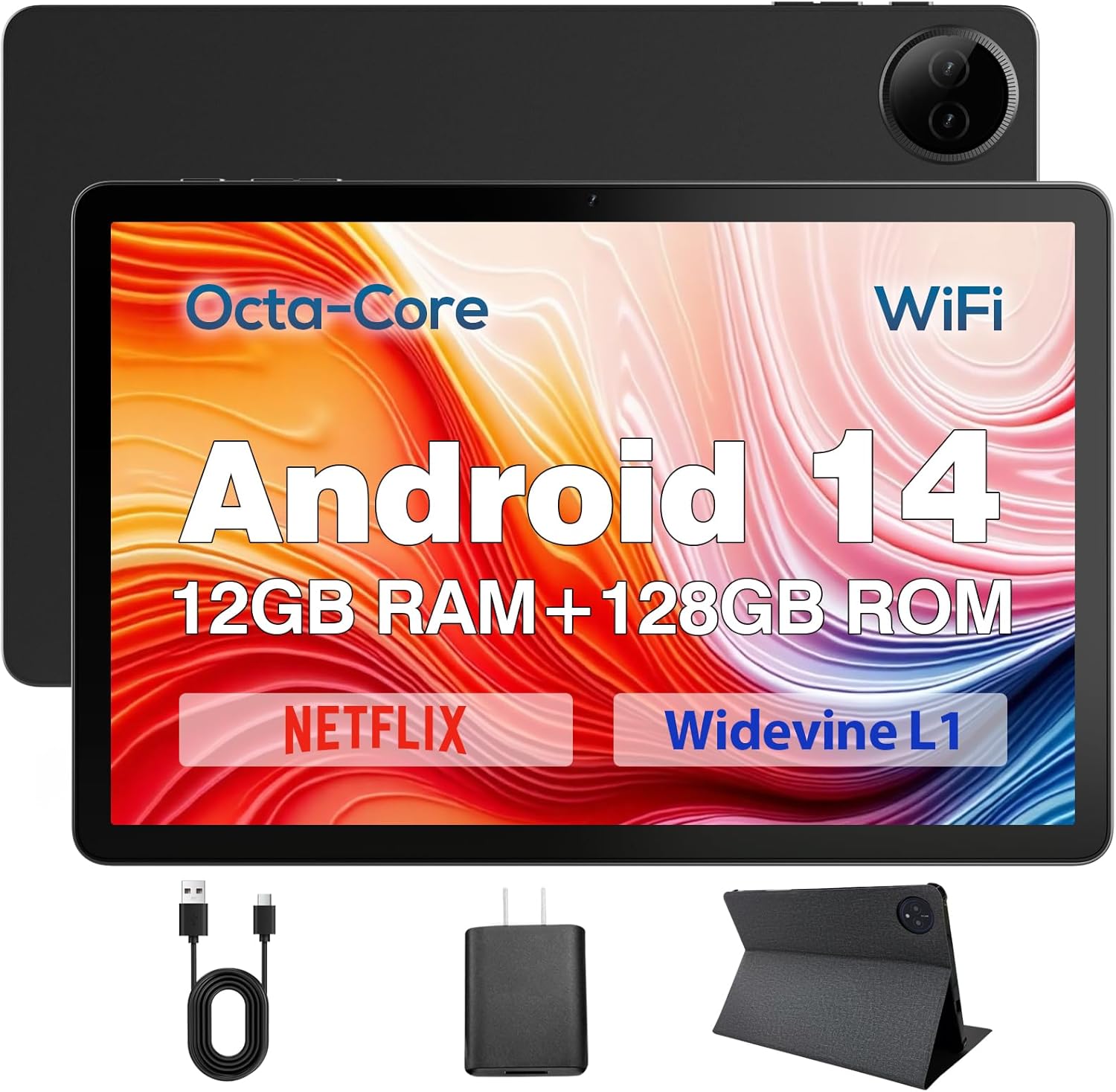
Figure 3.1: DigiLand Tablet Front and Rear View
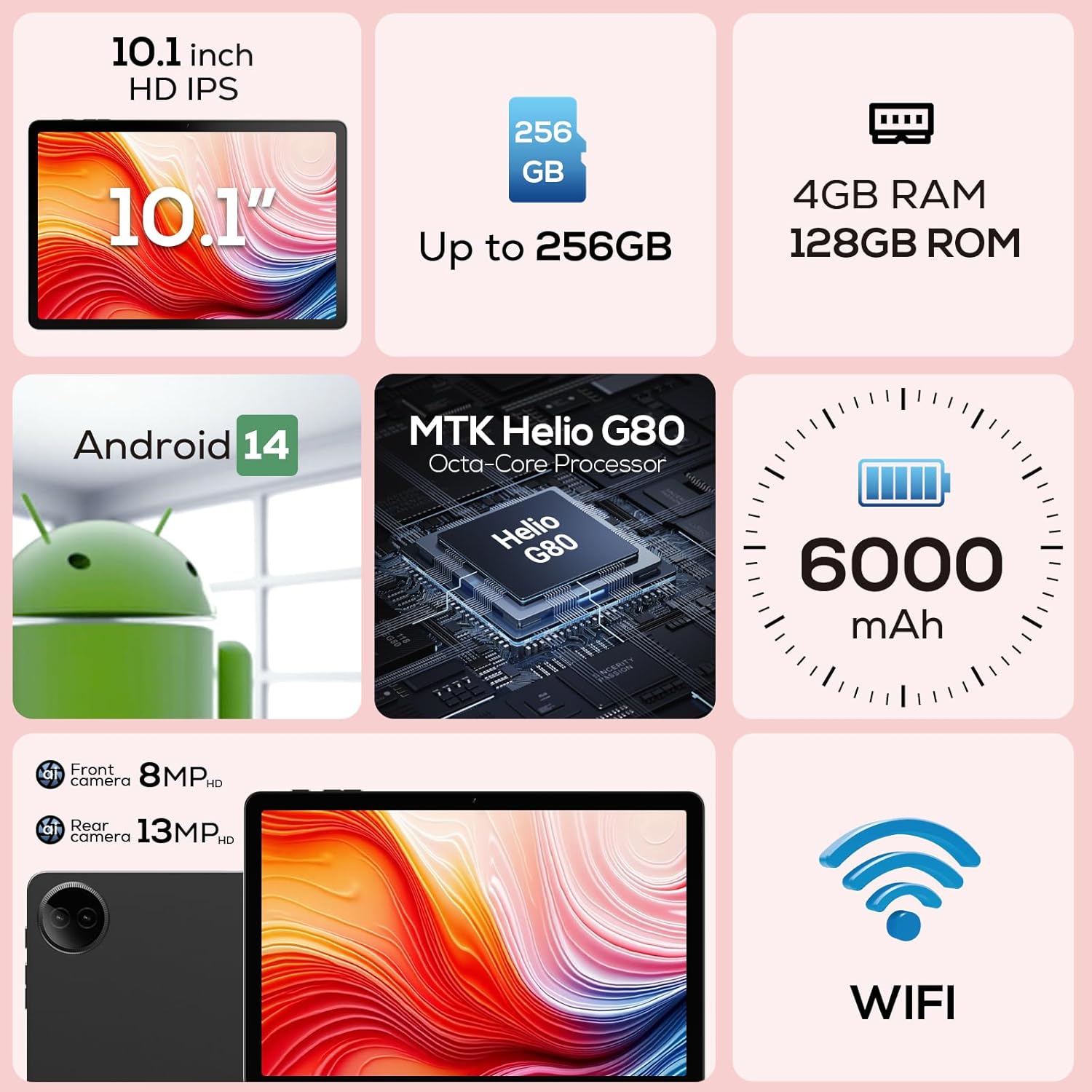
Gambar 3.2: Diagram Fitur Utama

Gambar 3.3: Dukungan Widevine L1 pikeun Streaming HD

Figure 3.4: Ultra-thin and Lightweight Design
4. Setélan
4.1 Ngecas Awal
Before first use, fully charge your tablet. Connect the USB Type-C cable to the tablet's charging port and the power adapter to a wall outlet. The charging indicator will show the charging status. A full charge typically takes several hours.
4.2 Powering on / Pareum
- Pikeun Ngahurungkeun: Press and hold the Power button located on the side of the tablet until the DigiLand logo appears on the screen.
- Pikeun mareuman: Pencét terus tahan tombol Daya dugi ka menu pilihan daya némbongan. Pilih 'Pareuman' teras konfirmasi.
- Pikeun ngamimitian deui: Tina menu pilihan daya, pilih 'Restart'.
4.3 Mimiti-Time Setup Wizard
Upon first power-on, the tablet will guide you through a setup wizard. Follow the on-screen prompts to:
- Pilih basa anjeun.
- Nyambung ka jaringan Wi-Fi.
- Asup jeung akun Google Anjeun atawa jieun nu anyar.
- Setel konci layar (PIN, pola, kecap akses).
- Review sareng nampi sarat sareng kaayaan.
5. Parentah Operasi
5.1 Napigasi layar rampa
Your tablet features a responsive multi-touch display. Common gestures include:
- Ketok: Pikeun milih item, buka aplikasi, atanapi pencét tombol.
- Toel & Tahan: To open contextual menus or drag items.
- Gesek: Pikeun ngagulung dina daptar, pindah antara layar utama, atanapi pupus bewara.
- Ciwit-pikeun-Zoom: To zoom in or out on images, maps, or web kaca.
5.2 Sambungan Wi-Fi
Pikeun nyambung ka jaringan Wi-Fi:
- Pindah ka Setélan > Jaringan & internét > Wifi.
- Togél Wi-Fi On.
- Pilih jaringan anu dipikahoyong tina daptar.
- Lebetkeun kecap akses upami dipenta teras ketok Nyambung.

Figure 5.1: High-Speed Wi-Fi Connectivity
5.3 Nyapasangkeun Bluetooth
To pair with Bluetooth devices (e.g., headphones, speakers):
- Pindah ka Setélan > Alat disambungkeun > Préferénsi sambungan > Bluetooth.
- Pindahkeun Bluetooth On.
- Pastikeun alat Bluetooth anjeun dina mode papasangan.
- Select your device from the 'Available devices' list and follow any on-screen prompts to complete pairing.
5.4 Ngagunakeun Kaméra
Tablet anjeun dilengkepan ku kaméra tukang 13MP sareng kaméra hareup 8MP.
- Buka na Kaméra aplikasi tina layar utama anjeun atanapi laci aplikasi.
- Ketok ikon sakelar kaméra pikeun silih genti antara kaméra hareup sareng tukang.
- Tap the shutter button to take a photo or the video icon to record a video.
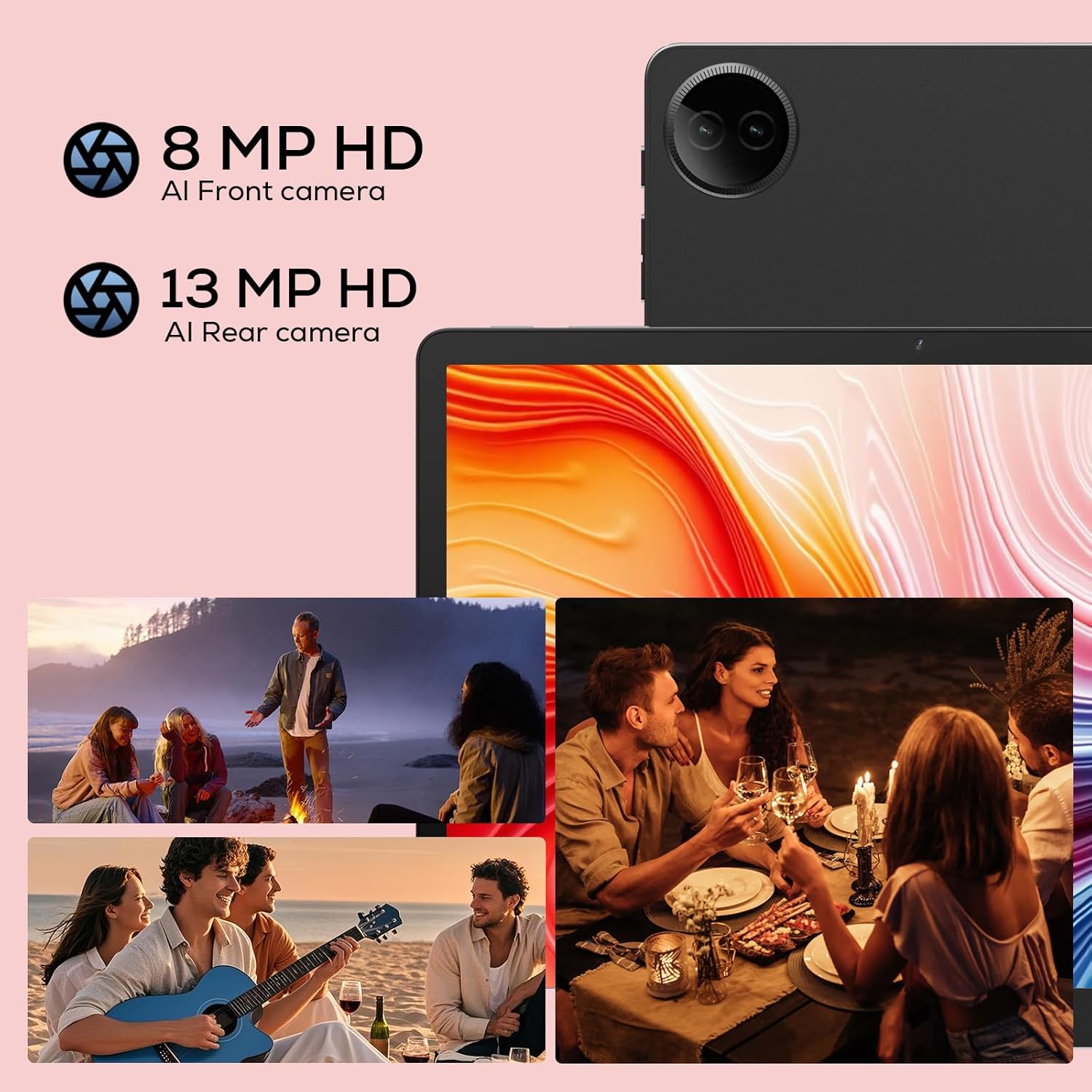
Figure 5.2: Tablet Cameras and Sample Poto
5.5 App Manajemén
Masang Aplikasi: Download and install apps from the Google Play Store. Open the Play Store app, search for your desired app, and tap 'Install'.
Ngahapus Aplikasi: Touch and hold the app icon on the home screen or app drawer, then drag it to 'Uninstall' or select 'App info' and tap 'Uninstall'. Alternatively, go to Setélan > Aplikasi > Tempo sadaya aplikasi, pilih aplikasina, teras ketok 'Uninstall'.
6. Pangropéa
6.1 Ngabersihan Tablet Anjeun
Anggo lawon anu lemes sareng henteu ngaganggu pikeun ngabersihkeun layar sareng awak tablet anjeun. Pikeun kokotor anu bandel, radaampBilas lawon ku cai atanapi pembersih layar anu dirancang pikeun éléktronik. Hindarkeun nganggo bahan kimia anu keras atanapi bahan anu abrasif.
6.2 Perawatan Batré
Pikeun manjangkeun umur batre:
- Hindarkeun suhu anu ekstrim.
- Ulah ngantep batré lengkep solokan remen.
- Anggo carjer sareng kabel anu disayogikeun.
- Adjust screen brightness and disable unused features (Wi-Fi, Bluetooth) to conserve power.

Figure 6.1: Extended Battery Life Features
6.3 Apdet parangkat lunak
Rutin pariksa sareng pasang apdet parangkat lunak pikeun mastikeun kinerja optimal, kaamanan, sareng aksés ka fitur anyar. Pindah ka Setélan > Sistim > Pembaruan sistem.
6.4 Manajemén Panyimpenan
To manage your tablet's storage:
- Pindah ka Setélan > Panyimpenan ka view pamakéan gudang.
- Copot aplikasi anu teu dianggo.
- Hapus data cache pikeun aplikasi.
- Transfer ageung files (photos, videos) to cloud storage or an external TF card.
7. Cara ngungkulan
Upami anjeun ngalaman masalah sareng tablet anjeun, tingali masalah sareng solusi umum ieu:
| Masalah | Solusi anu mungkin |
|---|---|
| Tablet moal hurung | Pastikeun batréna tos dicas. Sambungkeun kana carjer sahenteuna 30 menit. Upami masih teu ngaréspon, aktipkeun deui sacara paksa ku mencét tombol Daya salami 10-15 detik. |
| Masalah sambungan Wi-Fi | Balikan deui router Wi-Fi anjeun. Pohokeun jaringan dina tablet anjeun teras sambungkeun deui. Pastikeun anjeun aya dina jangkauan sinyal Wi-Fi. |
| Aplikasi ngalambatkeun atanapi ngadat | Close background apps. Clear app cache (Settings > Apps > [App Name] > Storage & cache > Clear cache). Ensure sufficient storage space. Restart the tablet. |
| Batré gancang boros | Reduce screen brightness. Disable Wi-Fi/Bluetooth when not in use. Close unused apps. Check battery usage in Settings to identify power-hungry apps. |
| Layar teu ngaréspon | Restart the tablet. Ensure the screen is clean and dry. Remove any screen protectors that might be interfering. |
Lamun masalah persists sanggeus nyobian solusi ieu, mangga ngahubungan rojongan customer.
8. Spésifikasi
Detailed technical specifications for your DigiLand R10 Pro+ Tablet:
| Fitur | Spésifikasi |
|---|---|
| merek | DigiLand |
| Ngaran modél | R10 Pro+ |
| Sistem operasi | Android 14 |
| Ukuran Layar Ngadeg | 10.1 inci |
| Resolusi layar | 1280 x 800 piksel |
| Prosésor Brand | MediaTek |
| Modél prosésor | Helio G80 Octa-Core CPU |
| Ram | 12GB |
| Ukuran Mémori Flash (ROM) | 128 GB |
| Panyimpenan Expandable | Up to 256GB (TF card slot) |
| Tipe Wireless | 802.11n |
| Bluetooth | 5.0 |
| Rata Kahirupan Batré | 12 Jam |
| Item Beurat | 1.32 pon (kira-kira 600g) |
| Dimensi produk | 10.17 x 6.41 x 0.31 inci |
| Warna | kulawu |
9. Garansi jeung Rojongan
9.1 Kawijakan Jaminan
Your DigiLand Tablet comes with a Kawijakan jaminan 1 taun ti tanggal beuli. Garansi ieu nyertakeun cacad manufaktur sareng masalah anu timbul tina panggunaan normal. Punten tahan bukti pameseran anjeun pikeun klaim garansi.
9.2 Rojongan Palanggan
For any questions regarding the use, setup, or troubleshooting of your DigiLand Tablet, our customer service team is available to assist you.
- Dukungan Online: We offer 24/7 online call support.
- Repair Support: 1-Year Repair Support is provided.
You can contact us directly through the channels provided on our official website or through your purchase platform. We are committed to providing prompt and helpful service.

Gambar 9.1: Dukungan Konsumén Khusus
For more information and product updates, visit the official DigiLand Store: DigiLand Store on Amazon


