1. Bubuka
Hatur nuhun pikeun meuliasing the Gembird GMB Audio TWS-LCD-ANC-01-W Wireless In-Ear Headphones. These headphones are designed to provide a high-quality audio experience for music and calls, featuring Active Noise Cancellation (ANC) and an integrated microphone. This manual provides essential information for setting up, operating, maintaining, and troubleshooting your device.
2. Eusi Paket
- 1x Pair of Gembird GMB Audio TWS-LCD-ANC-01-W Wireless In-Ear Headphones
- 1 x Kasus Ngecas
- 1x Kabel Ngecas USB Tipe-C
3. Produk Langkungview
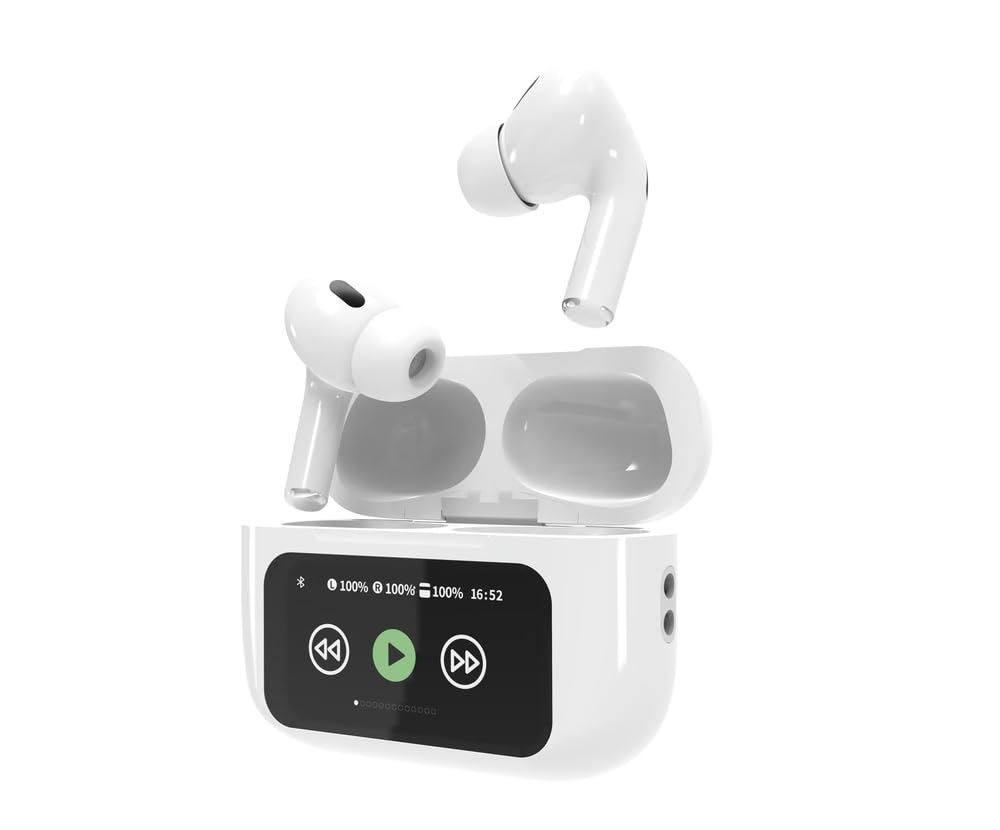
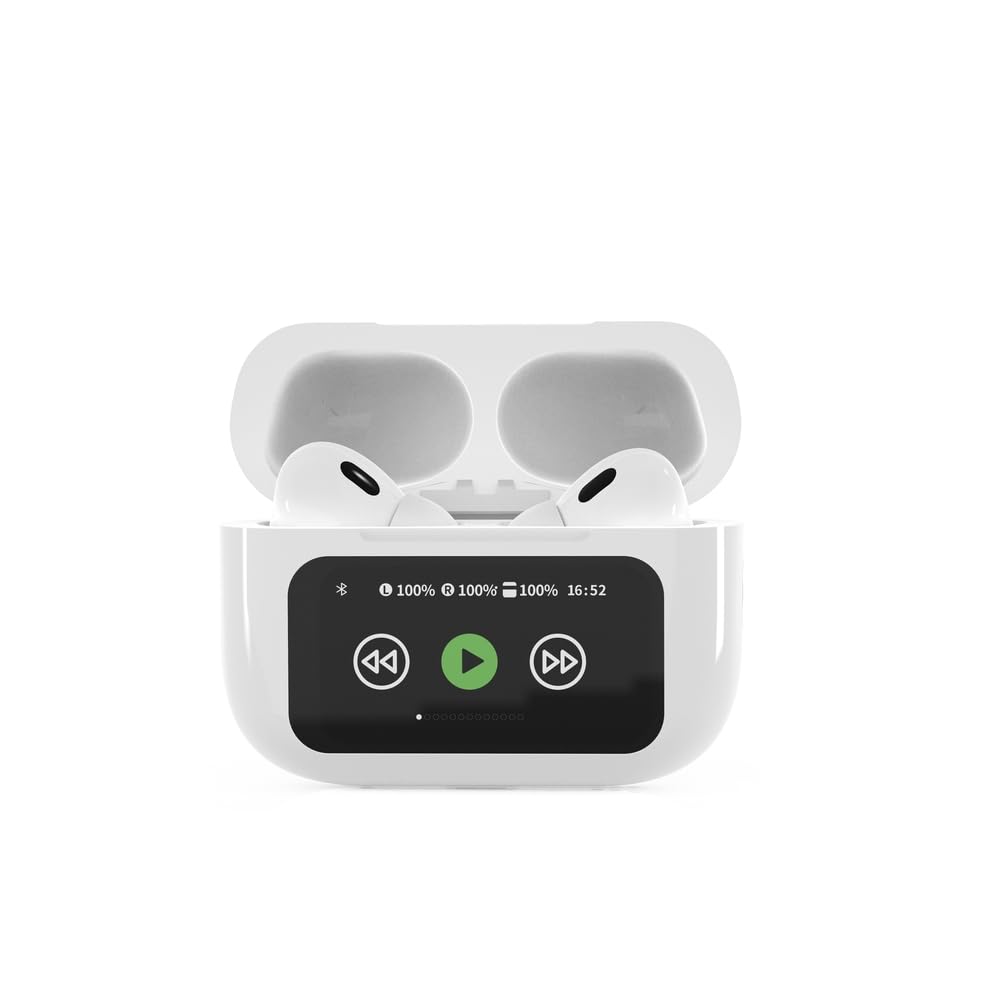

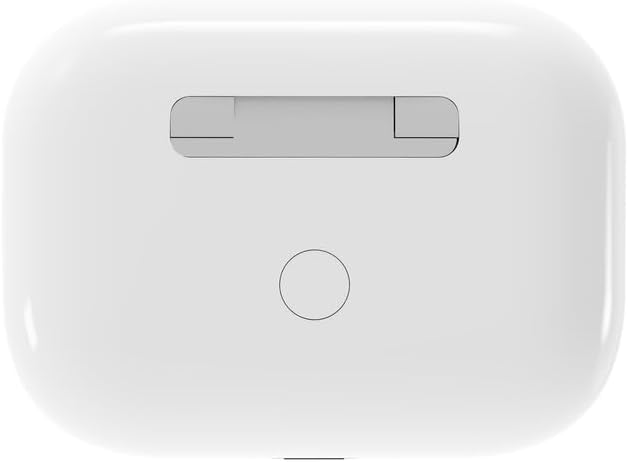

4. Setélan
4.1 Ngecas Awal
Before first use, fully charge the headphones and the charging case. Connect the supplied USB Type-C cable to the charging port on the case and plug the other end into a compatible USB power source (e.g., computer, wall adapter). The LED indicator on the case will show charging status. A full charge typically takes approximately 2 hours.
4.2 Nyapasangkeun Bluetooth
- Ensure the headphones are in the charging case and the case is open. The headphones will automatically enter pairing mode.
- Dina alat sélulér anjeun (smartphone, tablet, laptop), aktipkeun Bluetooth.
- Milarian pikeun available Bluetooth devices and select 'Gembird TWS-LCD-ANC-01-W' from the list.
- Once connected, the headphones will indicate successful pairing, and the device name will appear as 'Connected' on your mobile device.
5. Parentah Operasi
5.1 Daya Hurung/Pareuman
- Daya Hurung: The headphones automatically power on when removed from the charging case.
- Pareum listrik: The headphones automatically power off and begin charging when placed back into the charging case and the lid is closed.
5.2 Puterkeun Musik
Control music playback using the touch-sensitive areas on the earbuds or the display on the charging case.
- Puter / Reureuh: Single tap on either earbud or press the play/pause icon on the case display.
- Lagu salajengna: Double tap on the right earbud or press the 'next' icon on the case display.
- Lagu Sateuacanna: Double tap on the left earbud or press the 'previous' icon on the case display.
5.3 Manajemén Telepon
When an incoming call is received, music playback will automatically pause.
- Ngajawab Telepon: Ketok tunggal dina boh earbud.
- Tungtung Telepon: Ketok tunggal dina boh earbud nalika nelepon.
- Nolak Telepon: Pencét jeung tahan boh earbud salila 2 detik.
5.4 Pembatalan Noise Aktip (ANC)
Activate or deactivate the Active Noise Cancellation feature to reduce ambient noise.
- Togél ANC: Press and hold the touch-sensitive area on the left earbud for 2 seconds, or use the dedicated ANC control on the charging case display.
5.5 Volume Control
Adjust the volume directly from your connected device or through the touch controls on the earbuds (if supported by the specific model's firmware) or the charging case display.
6. Pangropéa
6.1 beberesih
- Ngusap earbuds sareng wadah ngecas ku lawon anu lemes, garing, teu aya serat.
- Ulah make cleaners abrasive, pangleyur, atawa bahan kimia kasar.
- Pastikeun ngecas kontak dina duanana earbuds jeung wadahna beresih jeung garing.
6.2 Panyimpenan
- Simpen headphone dina wadah ngecasna nalika teu dianggo pikeun ngajagi sareng ngajaga supaya tetep dicas.
- Simpen di tempat anu tiis, garing, jauh tina sinar panonpoé langsung sareng suhu anu ekstrim.
6.3 Perawatan Batré
- Cas alat sacara rutin, sanajan teu sering dianggo, pikeun ngajaga kasehatan batréna.
- Hindarkeun sering-sering ngeusi batre.
7. Cara ngungkulan
| Masalah | Mungkin Cukang lantaranana | Solusi |
|---|---|---|
| Headphone teu hurung. | Low atawa euweuh muatan batré. | Place headphones in the charging case and ensure the case is charged. Charge the case fully. |
| Taya sora tina headphone. | Not connected via Bluetooth; volume too low; media paused. | Verify Bluetooth connection. Increase volume on both headphones and connected device. Check if media is playing. |
| Teu tiasa dipasangkeun sareng alat. | Headphones not in pairing mode; device already connected to another Bluetooth device; interference. | Ensure headphones are in pairing mode (open case). Turn off Bluetooth on other nearby devices. Forget the device in your phone's Bluetooth settings and try re-pairing. |
| Active Noise Cancellation (ANC) is ineffective. | ANC not activated; improper earbud fit. | Ensure ANC is toggled on. Adjust earbud position for a secure and sealed fit in your ear canal. |
| Mikropon teu jalan nalika nelepon. | Mikropon diblokir; setélan alat. | Ensure the microphone port on the earbuds is not obstructed. Check your device's audio input settings to ensure the headphones are selected. |
8. Spésifikasi
- model: TWS-LCD-ANC-01-W
- Konektipitas: Nirkabel, Bluetooth 5.3
- Bluetooth Profiles: A2DP, AVRCP, HPF, HSP
- Port ngecas: USB Tipe-C
- Rentang Frékuénsi Audio: 20 - 20000 Hz
- Mikropon: terpadu
- Jenis Earbud: In-ear, Binaural
- Métode kontrol: Toél
- Kontrol bising: Aktif Noise pembatalan (ANC)
- Jenis Batré: Integrated Lithium Polymer (LiPo)
- Kapasitas Batré Ngecas Kasus: 300 mAh
- Kapasitas Batré Earbud: 30 mAh (masing-masing)
- Continuous Audio Playback: Nepi ka 8 jam
- Waktu Ngecas: Kurang leuwih 2 jam
- Beurat produk: 66 g
- Diménsi Produk (Kotak): 40 mm (lebar) x 60 mm (jerona) x 25 mm (jangkungna)
- Alat anu cocog: Laptop, Tablet, Telepon Sélulér
- Tahan cai: Tahan cai
- Sertifikasi: RoHS
9. Garansi jeung Rojongan
9.1 Émbaran jaminan
This product comes with a three-year warranty against manufacturing defects from the date of purchase. Please retain your proof of purchase for warranty claims. The warranty does not cover damage caused by misuse, accidents, unauthorized modifications, or normal wear and tear.
9.2 Rojongan Palanggan
For technical support, warranty claims, or further assistance, please contact your retailer or visit the official Gembird website. Contact information can typically be found on the product packaging or the Gembird corporate websitus.


