1. Bubuka
The OOQE FIT PRO earbuds are designed to provide high-quality audio and comfort. Featuring ergonomic ear hooks for a secure fit, these earbuds are suitable for various activities, including sports and outdoor use. They offer extended battery life, an integrated power bank function, HD microphones for clear calls, sensitive touch controls, and comprehensive water and dust resistance.
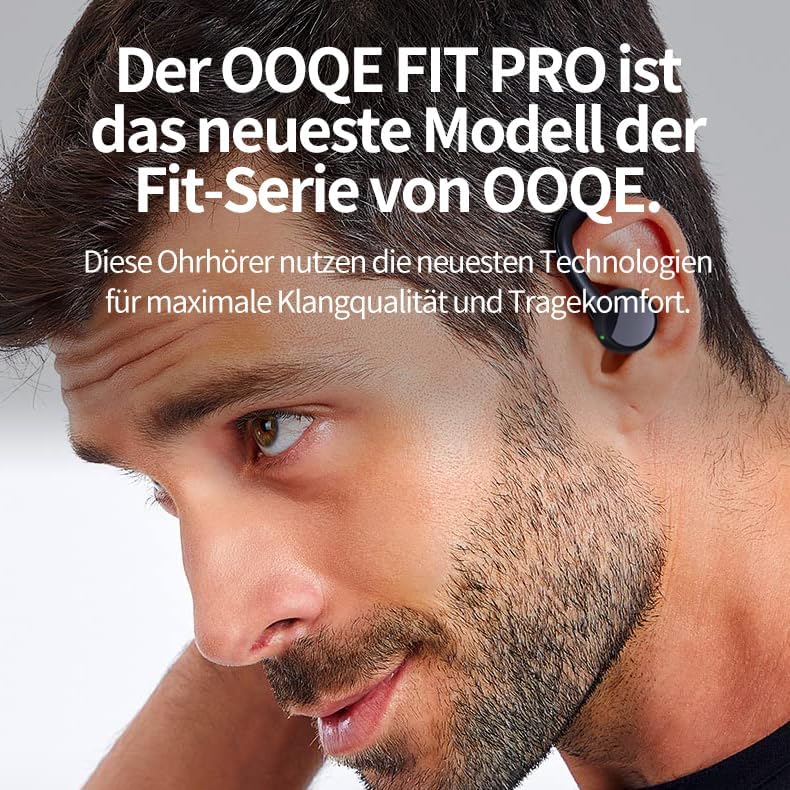
Image 1.1: A man wearing the OOQE FIT PRO earbuds, illustrating their comfortable and secure fit. The OOQE FIT PRO is the latest model in the OOQE Fit series, utilizing advanced technologies for maximum sound quality and wearing comfort.
2. Eusi Paket
Mangga parios pakét kanggo barang-barang ieu:
- OOQE FIT PRO Wireless Earbuds (Left and Right)
- Charging Case with Integrated Power Bank
- Kabel Ngecas USB
- Ujung Ceuli Silikon (Leutik, Sedeng, Ageung)
- Manual pamaké

Image 2.1: The OOQE FIT PRO earbuds securely placed within their charging case. The case features an LED indicator displaying battery status for the case and each earbud.
3. Produk Langkungview
3.1 Ergonomic Ear Hooks
The OOQE FIT PRO features ergonomic ear hooks designed for a secure and comfortable fit. This design ensures the earbuds remain stable during intense activities, making them suitable for outdoor use, sports, and for users who require extra stability.

Image 3.1: A person engaged in physical activity, wearing the OOQE FIT PRO earbuds. The ergonomic hooks provide a firm and comfortable fit, preventing them from falling out during movement.
3.2 Extended Battery Life and Quick Charge
Equipped with a powerful battery and Smart Energy Reduction technology, the OOQE FIT PRO offers up to 80 hours of total usage time with the charging case. The earbuds themselves provide several hours of playback on a single charge. A quick charge feature allows for approximately 1 hour of listening time from a 10-minute charge.
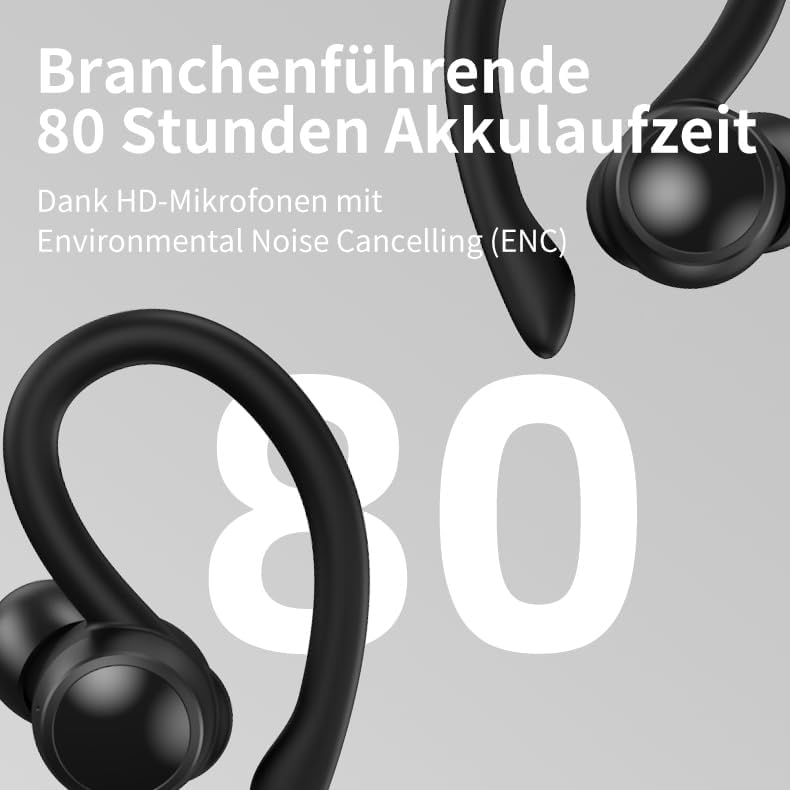
Image 3.2: The OOQE FIT PRO earbuds with a prominent '80' indicating their industry-leading 80-hour battery life, supported by HD microphones with Environmental Noise Cancelling (ENC).
3.3 Integrated Power Bank
The charging case includes an integrated power bank, allowing you to charge your phone or other mobile devices in emergencies. This feature is particularly useful for travel or when away from a power source.

Image 3.3: The OOQE FIT PRO charging case connected via a cable to a smartphone, demonstrating its built-in power bank functionality for emergency charging.
3.4 High-Definition Microphones with ENC
The earbuds feature integrated HD microphones with Environmental Noise Cancelling (ENC) technology. This ensures clear and understandable phone and video calls by filtering out unwanted ambient noise, making them suitable for both personal and professional use.
3.5 OOQE XXL Titanium Speakers and Passive Noise Cancellation (PNC)
The OOQE FIT PRO incorporates specially designed 13mm XXL Titanium speakers. These large speakers deliver a higher volume range, purer sound, and a deeper audio experience without distortion. The earbuds also utilize Passive Noise Cancellation (PNC) through their ergonomic design, which fits snugly in the ears to block out moderate ambient noise.
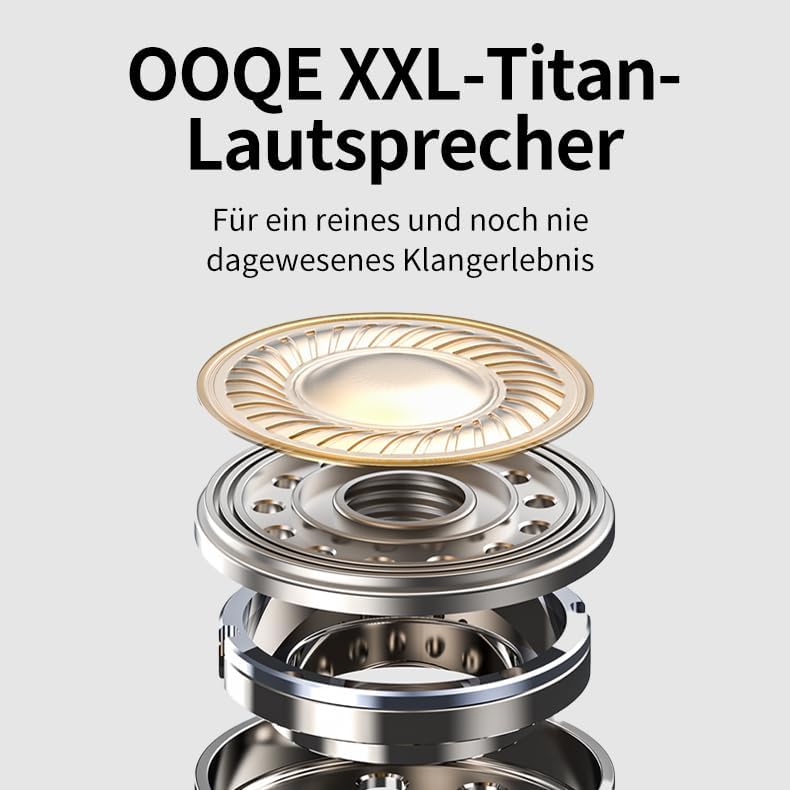
Image 3.4: An exploded diagram illustrating the components of the OOQE XXL Titanium speaker, designed for pure and immersive sound quality.
3.6 Cai jeung Lebu Résistansi
The earbuds are fully resistant to water, sweat, splashes, and dust, making them durable for various environments and activities.
4. Setélan
4.1 Ngecas Awal
Before first use, fully charge the earbuds and the charging case. Connect the charging case to a USB power source using the provided USB cable. The LED indicator on the charging case will show the charging status.
- Charging time for earbuds: 1-2 hours
- Charging time for case: Approximately 1 hour
4.2 Nyapasangkeun Bluetooth
- Pastikeun yén earbuds dieusi.
- Buka wadah ngecas. Earbuds bakal otomatis hurung tur asup kana mode papasangan.
- Dina alat anjeun (telepon, tablet, laptop), aktipkeun Bluetooth teras milarian alat anu sayogi.
- Select "OOQE FIT PRO" from the list of devices.
- Sakali disambungkeun, anjeun bakal ngadangu sora konfirmasi, sarta earbuds bakal siap dipaké.
The earbuds feature Smart Connect and Bluetooth 5.3 for fast and automatic connection. Once paired, they will automatically connect to your device within seconds when removed from the charging case.
5. Parentah Operasi
5.1 Kontrol Toél
The OOQE FIT PRO earbuds feature sensitive touch controls for easy operation. The Sensitive Touch Control filters and ignores accidental touches for improved usability.

Image 5.1: A visual guide to the touch controls on the OOQE FIT PRO earbud, indicating functions such as Play/Pause, Answer/Hang Up, Reject Call, Music Switch, and Next Song.
- Puter / Reureuh: Ketok tunggal dina boh earbud.
- Lagu salajengna: Ketok dua kali dina earbud katuhu.
- Lagu saméméhna: Ketok dua kali dina earbud kénca.
- Volume Up: Ketok tilu kali dina earbud katuhu.
- Volume Turun: Ketok tilu kali dina earbud kénca.
- Ngajawab / mungkas Telepon: Ketok tunggal dina boh earbud nalika aya telepon asup.
- Nolak Telepon: Pencet jeung tahan boh earbud salila 2 detik dina mangsa telepon asup.
- Aktipkeun Asisten Sora: Pencét jeung tahan boh earbud salila 3 detik.
5.2 Video and Music Mode
The innovative Video and Music Mode optimizes audio for different content types. This feature ensures no delay between image and sound when watching videos and provides an enhanced listening experience for music.

Image 5.2: The OOQE FIT PRO earbuds alongside a smartphone, illustrating the innovative video and music mode. These earbuds are suitable for both listening to music and watching TV, movies, and videos.
- Ngalihkeun Mode: Press and hold the right earbud for 2 seconds to switch between Video Mode and Music Mode.
- Modeu Video: Reduces audio latency for synchronized video playback.
- Modeu Musik: Enhances audio quality for music listening.
5.3 Nelepon jeung Narima Telepon
The HD microphones with Environmental Noise Cancelling (ENC) ensure clear communication during calls.

Image 5.3: The OOQE FIT PRO earbuds with speech bubbles, symbolizing clear and understandable phone conversations thanks to HD microphones with Environmental Noise Cancelling (ENC).
- Ngajawab / mungkas Telepon: Ketok tunggal dina boh earbud.
- Nolak Telepon: Pencét jeung tahan boh earbud salila 2 detik.
6. Pangropéa
6.1 beberesih
Rutin ngabersihan earbuds sareng wadah ngecas pikeun ngajaga kinerja sareng kabersihan anu optimal.
- Anggo lawon anu lembut, garing, henteu lint pikeun ngusap earbuds sareng wadah ngecas.
- Keur kokotor bandel, rada dampen lawon ku cai atawa hampang, cleaner non-abrasive.
- Remove ear tips and clean them separately with water and mild soap, then dry thoroughly before reattaching.
- Pastikeun ngecas kontak dina duanana earbuds jeung wadahna beresih jeung bébas tina lebu.
6.2 Cai jeung Lebu Résistansi
The OOQE FIT PRO earbuds are resistant to water, sweat, splashes, and dust. However, they are not designed for submersion in water. Avoid using them while swimming or showering. If they get wet, wipe them dry immediately before placing them back in the charging case.
7. Cara ngungkulan
- Earbuds teu dipasangkeun:
- Pastikeun kadua earbuds dicas.
- Lebetkeun deui earbud kana wadahna, tutup, teras buka deui pikeun lebet deui kana modeu pairing.
- Pareuman sareng aktipkeun Bluetooth dina alat anjeun.
- Forget "OOQE FIT PRO" from your device's Bluetooth settings and try pairing again.
- Ngan hiji earbud jalan:
- Pastikeun kadua earbuds dicas.
- Place both earbuds back in the charging case, close the lid for 5 seconds, then open it again.
- Check if both earbuds are connected in your device's Bluetooth settings.
- Teu aya sora:
- Pariksa tingkat polumeu dina alat anjeun sareng earbuds.
- Pastikeun yén earbuds disambungkeun leres ka alat Anjeun.
- Coba maén audio tina aplikasi atanapi sumber anu béda.
- Masalah ngecas:
- Pastikeun kabel ngecas disambungkeun aman ka duanana wadahna jeung sumber kakuatan.
- Pariksa naha kontak ngecas dina earbuds sareng jero wadahna beresih.
- Coba kabel USB atawa adaptor kakuatan béda.
8. Spésifikasi
| Fitur | Rincian |
|---|---|
| Ngaran modél | FIT PRO |
| merek | OOQE |
| Téhnologi konektipitas | Bluetooth 5.3 |
| Téknologi Komunikasi Nirkabel | Bluetooth |
| Panempatan Ceuli | Dina-Ceuli |
| Faktor Bentuk | Dina-Ceuli |
| Tipe Kontrol | Toél Control |
| Kontrol bising | Pembatalan Noise Pasip |
| Impedansi | 32 ohm |
| Réspon Frékuénsi | 20 Hz |
| Sensitipitas | 98 dB |
| Daya Tahan Batré (kalayan wadah ngecas) | Nepi ka 80 jam |
| Waktu Ngecas | Approx. 1 hour (case), 1-2 hours (earbuds) |
| Bahan | palastik |
| Beurat | 65 gram |
| Tingkat Résistansi Cai | Tahan cai |
| Alat nu cocog | Mobile Phones, Desktops, Laptops, Tablets, Televisions |
9. Garansi jeung Rojongan
The OOQE FIT PRO comes with a standard warranty. For specific warranty details and terms, please refer to the warranty card included in your package or visit the official OOQE websitus.
Kasadiaan Suku Cadang EU: 2 Taun
For technical support, troubleshooting assistance, or any other inquiries, please contact OOQE customer service through their official websitus atanapi inpormasi kontak anu disayogikeun dina dokuméntasi produk anjeun.
Resmi Websitus: www.ooqe.com (Kelample link, ganti ku nu sabenerna upami aya)


