Bubuka
This manual provides comprehensive instructions for setting up, operating, and maintaining your DigiLand 10.1" Android 14 Tablet. Please read this manual carefully before using your device to ensure optimal performance and longevity. For any further assistance, refer to the Warranty and Support section.
Naon dina Box
- Manual pamaké
- R10XS Tablet
- Charger
- Kabel Ngecas
- Tablet Stand Case
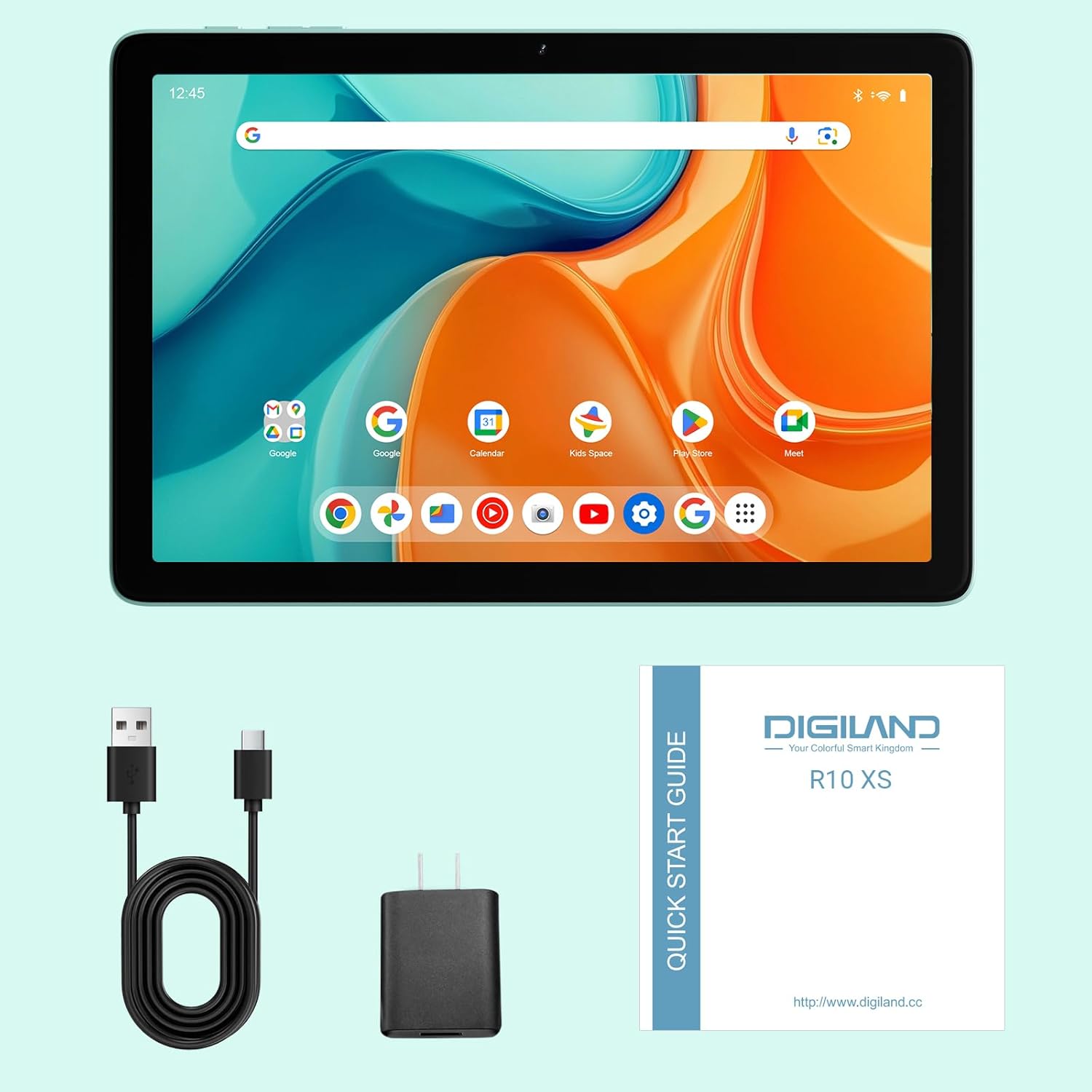
Image: The DigiLand R10 PRO tablet, along with its included accessories: charger, USB cable, and quick start guide.
Disetél
Ngecas Awal
Before first use, fully charge your tablet using the provided charger and USB cable. The battery indicator on the screen will show the charging status. A full charge ensures optimal performance from the start.
Ngahurungkeun/Pareuman
To power on, press and hold the power button located on the side of the tablet until the screen lights up and the DigiLand logo appears. To power off, press and hold the power button, then select "Power off" from the on-screen options.
Wizard Setup Awal
Upon first power-on, you will be guided through an initial setup wizard. Follow the on-screen prompts to select your preferred language, connect to a Wi-Fi network, and set up your Google account. This process is essential for accessing Android features and applications.
Nyelapkeun Kartu MicroSD
Locate the MicroSD card slot on the side of the tablet. Gently insert a compatible MicroSD card (up to 1TB capacity supported) into the slot until it clicks into place. This allows for significant expansion of your tablet's storage capacity for photos, videos, and applications.
Ngoperasikeun Tablet Anjeun
Tampilan sareng Interaksi
Your tablet features a vibrant 10.1-inch HD IPS screen with a resolution of 800x1280 pixels, providing clear and crisp visuals for all your content. The multi-touch display ensures intuitive navigation and interaction with applications.

Image: A close-up of the tablet screen highlighting its 10.1-inch wide-viewing angle and 1280x800 resolution, ideal for media consumption.
Performance
Equipped with an MTK Helio G80 Octa-Core processor and 10GB RAM (4GB physical + 6GB expandable virtual RAM), the tablet delivers smooth performance for multitasking, gaming, and running various applications. The Android 14 operating system provides enhanced privacy features and a streamlined user experience.

Image: An infographic detailing the tablet's core specifications, including the MTK Helio G80 Octa-Core processor and 10GB RAM.
Panyimpenan
The tablet comes with 64GB of internal storage (ROM), providing ample space for your essential apps and files. This can be further expanded up to 1TB using a TF (MicroSD) card, allowing you to store a vast library of photos, videos, and documents.

Image: A visual representation emphasizing the tablet's 4GB RAM, 64GB ROM, and 1TB expansion capability for extensive storage.
Kaméra
Capture your memories with the tablet's 13MP rear camera, suitable for everyday photography. The 8MP front camera is ideal for clear video calls and selfies.

Gambar: Hiji tampilan grafisasing the tablet's 13MP rear camera and 8MP front camera, accompanied by example photos taken with the device.
Audio
The tablet is equipped with dual BOX speakers, delivering rich and immersive audio for an enhanced experience when watching movies, listening to music, or participating in video conferences.
Konektipitas
Stay connected with Dual-Band Wi-Fi 5 (2.4G/5G) for fast and reliable internet access. Bluetooth 5.0 ensures stable and efficient connections with your wireless headphones, keyboards, and other accessories.
Video: An official product video demonstrating the DigiLand 10.1" Android 14 Tablet's features, including its design, camera capabilities, and overall performance.
Pangropéa
Perawatan batré
The tablet is powered by a 6000mAh battery, offering up to 12 hours of typical usage. To maximize battery lifespan, avoid exposing the tablet to extreme temperatures. It is recommended to fully discharge and recharge the battery periodically.
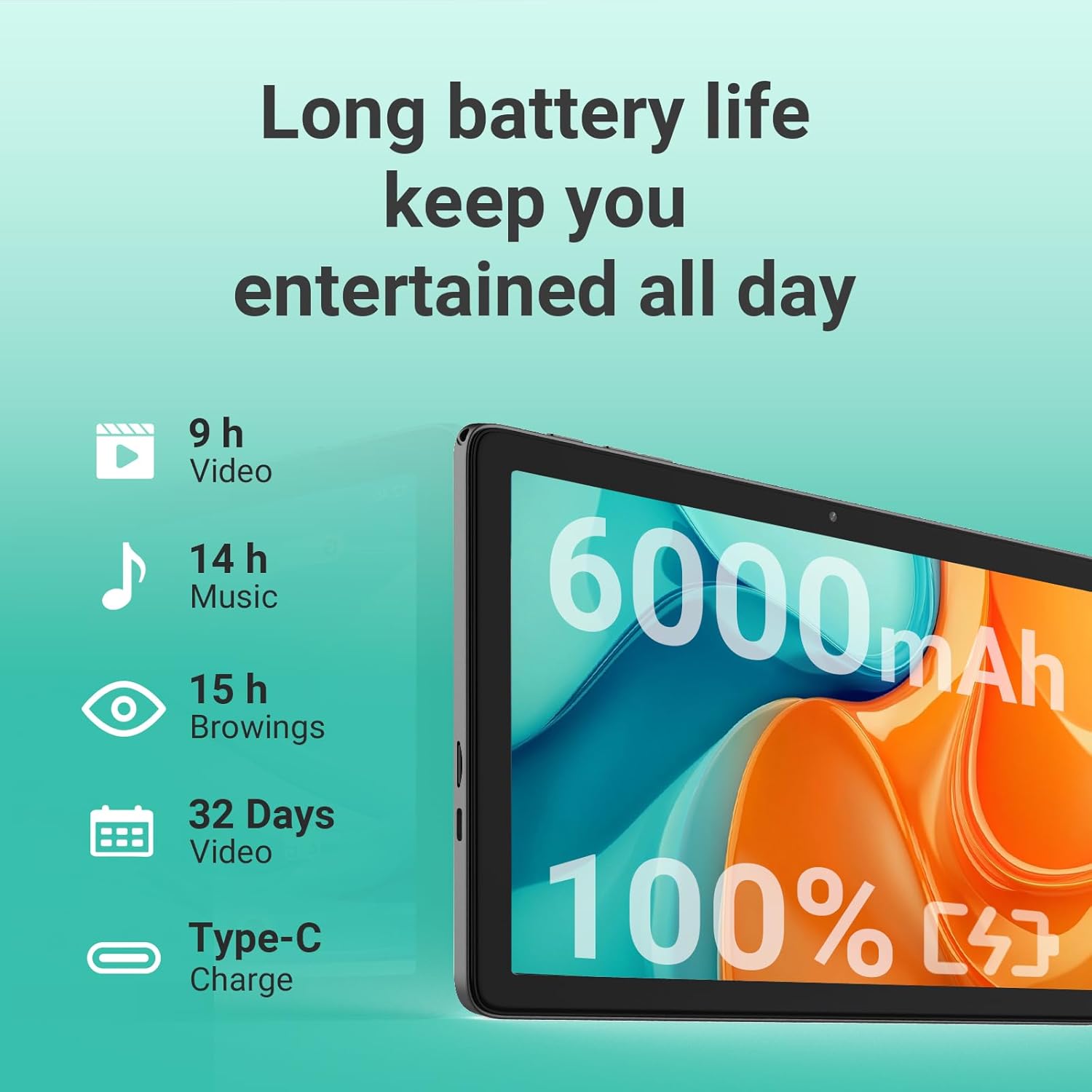
Image: An illustration detailing the long battery life of the tablet, with estimated usage times for video playback, music, and web ngotektak.
beberesih
Pikeun ngabersihan layar sareng awak tablet anjeun, paké kaén anu lemes sareng teu aya serat. Pikeun smudges nekad, rada dampen the cloth with water. Avoid using abrasive materials, harsh chemicals, or aerosol sprays, as these can damage the device's finish.
Software Apdet
Regularly check for system software updates through the tablet's settings menu. Updates often include performance improvements, new features, and important security patches that enhance your device's functionality and protection.
Pamérésan masalah
Isu umum jeung Solusi
- Tablet teu tiasa dihurungkeun: Ensure the battery is sufficiently charged. Connect the charger and wait a few minutes before attempting to power on again. If the issue persists, try holding the power button for 10-15 seconds for a forced restart.
- Masalah sambungan Wi-Fi: Verify that Wi-Fi is enabled in the tablet's settings. Restart your Wi-Fi router and the tablet. Ensure you are within range of the Wi-Fi signal and that the password is entered correctly.
- Kinerja laun atanapi beku: Close unused applications running in the background. Clear the cache of frequently used apps. If performance remains sluggish, consider backing up your data and performing a factory reset (Settings > System > Reset options).
- Layar teu ngabales touch: Try restarting the tablet. If the screen remains unresponsive, ensure there is no physical damage or debris on the screen.
Kontak Rojongan
If you encounter issues not covered in this troubleshooting guide, or if the suggested solutions do not resolve your problem, please refer to the Warranty and Support section for information on how to contact DigiLand customer service.
spésifikasi
| Fitur | Rincian |
|---|---|
| merek | DigiLand |
| Ngaran modél | R10 XS |
| Nomer modél barang | R10 PRO |
| Sistem operasi | Android14 |
| Ukuran tampilan layar nangtung | 10.1 inci |
| Resolusi layar | 1280x800 |
| Resolusi layar Max | 800 x 1280 MP |
| Prosesor | 2 GHz |
| Chipset Brand | ARM |
| Katerangan kartu | terpadu |
| Tipe Wireless | 802.11a, 802.11ac, 802.11b, 802.11g, 802.11n |
| Umur Batré Rata-rata (dina jam) | 10 Jam |
| Item Beurat | 1.07 pon |
| Dimensi produk | 9.54 x 6.35 x 0.31 inci |
| Item Ukuran LxWxH | 9.54 x 6.35 x 0.31 inci |
| Warna | kulawu |
| Tukangeun WebResolusi cam | 13 MP |
| Prosésor Brand | MediaTek |
| Ukuran Mémori Flash | 64 GB |
| Batré | 1 Batré Batré teu baku diperlukeun. (kaasup) |
| ASIN | B0F3X886H5 |
| Palanggan Reviews | 4.4 4.4 ti 5 béntang 23 rating 4.4 ti 5 béntang |
| Pangalusna Sellers réngking | #461,055 in Electronics (See Top 100 in Electronics) #6,537 in Computer Tablets |
| Tanggal Kahiji Sadia | 7 April 2025 |
| Kapasitas Panyimpenan Mémori | 64 GB |
| Ukuran layar | 10.1 inci |
| Resolusi tampilan Maximum | 800 x 1280 MP |
Garansi sareng Rojongan
Your DigiLand R10 PRO tablet comes with a 1-Year Warranty, ensuring peace of mind regarding manufacturing defects and performance issues. For technical support, warranty claims, or any inquiries, please contact DigiLand customer service.
You can find more information and support resources on the official DigiLand websitus: www.digiland.cc. Please have your model number (R10 PRO) and purchase information ready when contacting support.


