1. Bubuka
Hatur nuhun pikeun meuliasing the MONODEAL T23 3-Speed Turntable. This manual provides essential information for the safe and correct operation of your device. Please read it thoroughly before use and retain it for future reference.
2. Émbaran Kasalametan
- Ulah ngalaan unit ka hujan atawa Uap pikeun nyegah seuneu atawa shock listrik.
- Ulah muka lomari. Rujuk ngalayanan ka tanaga anu mumpuni wungkul.
- Ensure the power adapter matches your local power supply.
- Place the unit on a stable, level surface away from direct sunlight, heat sources, and excessive dust or vibration.
- Jauhkeun tina jangkauan barudak.
3. Eusi Paket
Pastikeun yén sadaya item aya dina bungkusan:
- 1 x MONODEAL T23 Record Player
- 1 x 5V 1.5A Power Cord
- 1 x Manual Pamaké (dokumén ieu)
4. Produk Langkungview
Familiarize yourself with the various parts and controls of your MONODEAL T23 Turntable.

Gambar 4.1: Top jeung Rear View of the MONODEAL T23 Turntable with labeled components including Power Switch, Headphone Jack, Mode button, LED Light, USB Port, Power Adapter Input, RCA Output Jacks, 45 RPM Fixator, Tone Arm Raise Lever, Auto Stop Switch, LP Speed Switch, and Stylus.
- Power Switch/Volume Knob: Ngahurungkeun/mareuman unit sareng nyaluyukeun volume.
- Jack headphone: Kanggo ngadangukeun sacara pribadi nganggo headphone.
- Tombol Mode: Switches between different input modes (e.g., Phono, Bluetooth, USB).
- Lampu LED: Indicates power and mode status.
- Port USB: Pikeun muterkeun USB.
- Input adaptor kakuatan: Connects to the provided 5V 1.5A power cord.
- RCA Output Jacks (L/R): Nyambung ka éksternal amplifier atanapi speaker Powered.
- 45 RPM Fixator: Adapter for 7-inch records with large center holes.
- Tone Arm Raise Lever: Lifts and lowers the tone arm gently.
- Saklar Eureun Otomatis: Ngaktipkeun atanapi mareuman fungsi eureun otomatis.
- LP Speed Switch: Selects playback speed (33, 45, or 78 RPM).
- Stylus: Jarum anu maca alur rékaman.
5. Setélan
- Ngabongkar bungkusan: Kaluarkeun turntable tina bungkusna kalawan ati-ati. Simpen bungkusna kanggo diangkut atanapi disimpen engké.
- panempatan: Place the turntable on a stable, level surface. Ensure there is adequate ventilation around the unit.
- Sambungan Daya: Connect the provided 5V 1.5A power cord to the DC IN port on the back of the turntable and then plug it into a wall outlet.
- Panutup lebu: The transparent dust cover can be opened or closed to protect the platter and stylus when not in use.
6. Parentah Operasi
6.1 Maénkeun Rekaman Vinyl
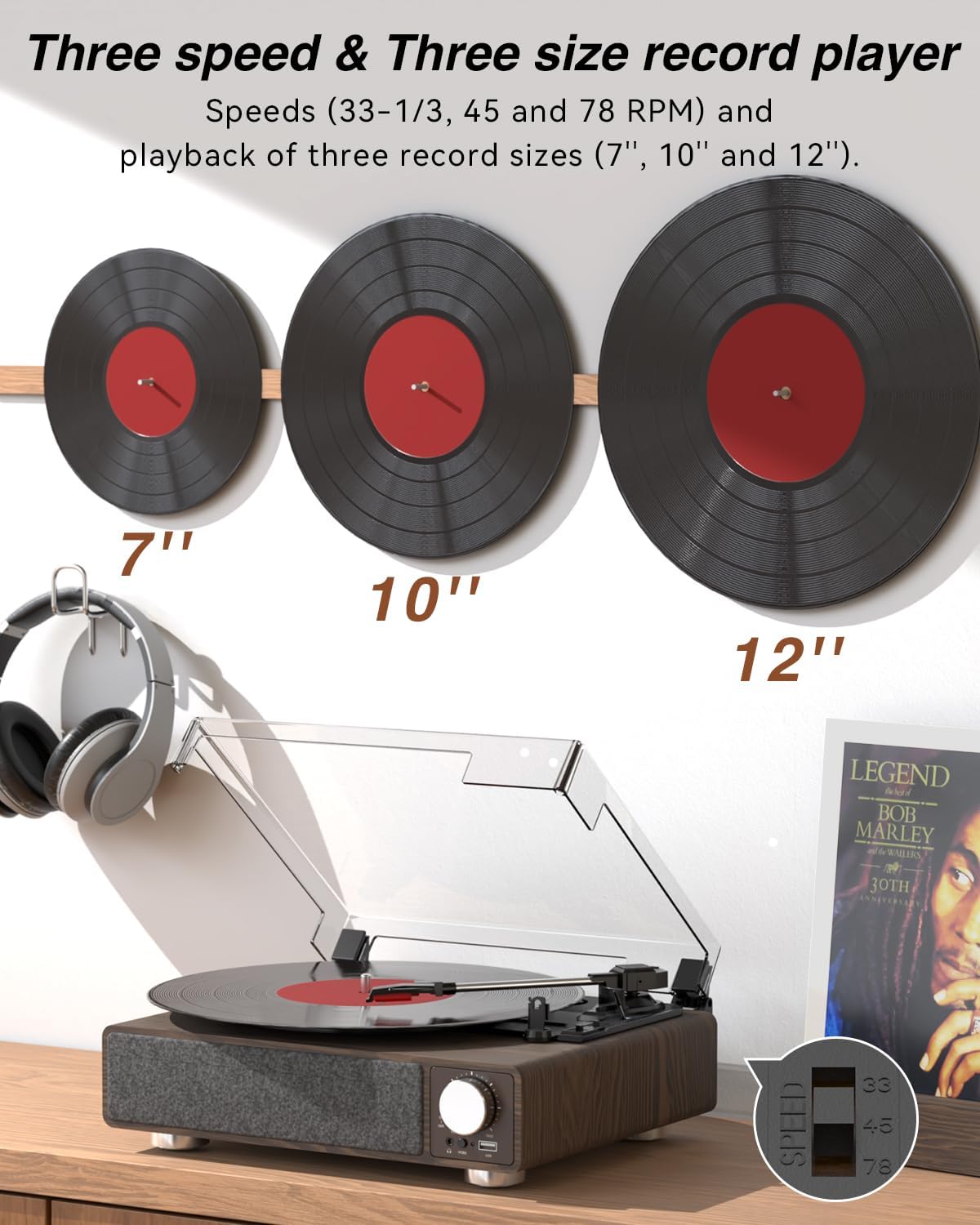
Gambar 6.1: The MONODEAL T23 Turntable supports 3 speeds and 3 record sizes.
- Turn the Power Switch/Volume Knob clockwise to turn on the unit.
- Angkat panutup lebu.
- Place a vinyl record on the turntable platter. If playing a 7-inch record with a large center hole, place the 45 RPM fixator on the spindle first.
- Select the appropriate speed (33, 45, or 78 RPM) using the LP Speed Switch, matching the record you are playing.
- Push the Tone Arm Raise Lever up to lift the tone arm.
- Pindahkeun panangan nada sacara manual di luhur trek awal rékaman anu dipikahoyong.
- Push the Tone Arm Raise Lever down to gently lower the tone arm onto the record. Playback will begin.
- Adjust the volume using the Power Switch/Volume Knob.
- Fungsi Auto Stop: If the Auto Stop Switch is set to ON, the turntable will automatically stop rotating when the record finishes playing. If set to OFF, it will continue to rotate.
- To stop playback, lift the tone arm using the lever and return it to the tone arm rest. Turn the Power Switch/Volume Knob counter-clockwise to turn off the unit.
6.2 Bluetooth Transmission (BT OUT)
This feature allows you to stream audio from the turntable to external Bluetooth speakers or headphones.

Gambar 6.2: Bluetooth transmission from the turntable to external devices.
- Ensure the turntable is powered on and in Phono mode (playing a record).
- Press and hold the Mode button until the LED indicator flashes blue, indicating Bluetooth transmission pairing mode.
- Place your Bluetooth speaker or headphones in pairing mode.
- The turntable will automatically search for and connect to the nearest Bluetooth device. Once connected, the LED indicator will turn solid blue.
- Audio from the record will now play through your connected Bluetooth device.
6.3 Bluetooth Reception (BT IN)
This feature allows you to stream audio from your mobile device (phone, tablet) to the turntable's built-in speakers.
Gambar 6.3: Bluetooth reception by the turntable from a smartphone.
- Hurungkeun turntable.
- Press the Mode button repeatedly until the LED indicator flashes blue, indicating Bluetooth reception pairing mode.
- On your mobile device, enable Bluetooth and search for available devices. Select "MONODEAL T23" from the list.
- Sakali disambungkeun, indikator LED bakal ngahurungkeun biru padet.
- Play audio on your mobile device, and it will sound through the turntable's speakers. Adjust volume using the turntable's volume knob or your mobile device.
6.4 Playback USB
The turntable supports playing audio files tina USB flash drive.
- Insert a USB flash drive into the USB port on the front of the turntable.
- Press the Mode button to switch to USB mode. The LED indicator will change to reflect USB mode.
- The turntable will automatically begin playing audio files from the USB drive. Use the control buttons (if available, or refer to the specific model's USB control instructions) to navigate tracks.
6.5 Kaluaran RCA
Sambungkeun turntable ka éksternal ampspeaker atawa speaker nu dikuatkeun pikeun ningkatkeun sora.

Gambar 6.4: RCA output for external speakers and headphone jack for private listening.
- Ensure the turntable and your external audio system are turned off.
- Connect an RCA cable (not included) to the RCA Output Jacks (L/R) on the back of the turntable.
- Connect the other end of the RCA cable to the corresponding audio input on your amplifier atanapi speaker Powered.
- Turn on both the turntable and your external audio system.
- Play a record as described in Section 6.1. Audio will be routed through your external system. Adjust volume on both devices as needed.
6.6 Jack headphone
For private listening, connect headphones to the 3.5mm headphone jack on the front of the unit.
- Plug your 3.5mm headphones into the Headphone Jack.
- Adjust the volume using the Power Switch/Volume Knob.
7. Pangropéa
7.1 Ngabersihan Turntable
- Ngusap bagian luar unit nganggo kaén anu lembut sareng garing. Ulah make cleaners abrasive atawa pangleyur.
- Tutup heula panutup lebu nalika teu dianggo pikeun nyegah ngumpulna lebu.
7.2 Kamanusaan sarta Studi Stylus
- Handle the stylus with extreme care. Avoid touching the stylus tip with your fingers.
- Ngabersihan stylus périodik ngagunakeun sikat lemes, brushing gently ti tukang ka hareup.
- A worn stylus can damage records and degrade sound quality. Replace the stylus when signs of wear appear (e.g., distorted sound, skipping).
7.3 Kamanusaan sarta Studi Rékam
- Always hold records by their edges or center label.
- Simpen rékaman sacara vertikal dina selongsongna di tempat anu tiis sareng garing.
- Bersihkeun rékaman sacara rutin nganggo sikat atanapi larutan pembersih rékaman khusus pikeun miceun lebu sareng statis.
8. Cara ngungkulan
| Masalah | Mungkin Cukang lantaranana | Solusi |
|---|---|---|
| Taya kakuatan | Power cord not connected; Power outlet not working; Unit not turned on. | Ensure power cord is securely connected; Try a different outlet; Turn the Power Switch/Volume Knob clockwise. |
| Taya sora ti spiker diwangun-di | Volume too low; RCA output connected; Bluetooth transmission active. | Increase volume; Disconnect RCA cables if not using external speakers; Ensure Bluetooth transmission is off if you want sound from built-in speakers. |
| Sora anu robah warna atawa ngaluncat | Record dirty or damaged; Stylus dirty or worn; Turntable not level; Excessive vibration. | Clean record; Clean or replace stylus; Place turntable on a stable, level surface; Ensure turntable is away from sources of vibration. |
| Nyapasangkeun Bluetooth gagal | Device too far; Device not in pairing mode; Interference. | Move devices closer; Ensure both devices are in pairing mode; Turn off other Bluetooth devices nearby. |
| Auto stop not working | Auto Stop Switch is OFF. | Set the Auto Stop Switch to ON. Note: Some records may stop prematurely or not at all due to variations in groove patterns. |
9. Spésifikasi
| Fitur | Spésifikasi |
|---|---|
| Ngaran modél | T23 |
| merek | MONODEAL |
| Dimensi produk | 11.81 x 9.84 x 4.31 inci (30 x 25 x 11 cm) |
| Item Beurat | 5.77 pon (2.62 kg) |
| Bahan | Kai |
| Laju playback | 33-1/3, 45, 78 RPM |
| Record Sizes Supported | 7", 10", 12" |
| Konektipitas | Bluetooth (Reception & Transmission), USB, RCA Output, Headphone Jack |
| Sumber Daya | Corded Electric (5V 1.5A) |
| Fitur husus | Built-in Stereo Speakers, Auto Stop, Belt-Drive System |
10. Garansi jeung Rojongan
MONODEAL products are designed and manufactured to the highest quality standards. For warranty information and technical support, please refer to the warranty card included with your purchase or visit the official MONODEAL website. Please have your model number (T23) and purchase date available when contacting support.