1. Bubuka
Hatur nuhun pikeun meuliasing the IRRADIO IR-M5 Classic Portable Speaker. This manual provides essential information for the safe and efficient operation of your device. Please read it thoroughly before use and keep it for future reference.
2. Émbaran Kasalametan
- Ulah ngalaan speaker ka suhu ekstrim atawa sinar panonpoé langsung pikeun période berkepanjangan.
- Hindarkeun lungsur atanapi nahan panyatur kana tabrakan anu kuat.
- Do not disassemble, repair, or modify the device yourself. Refer to qualified service personnel.
- Jauhkeun speaker tina alat médis, sabab ngandung magnét.
- Pastikeun port ngecas garing sateuacan nyambungkeun kabel ngecas.
- This device is IPX7 water-resistant, meaning it can be submerged in up to 1 meter of water for 30 minutes. Do not intentionally submerge it for longer periods or deeper than specified.
3. Eusi Paket
Mangga parios pakét kanggo barang-barang ieu:
- IRRADIO IR-M5 Classic Portable Speaker
- Kabel Ngecas USB
- Manual pamaké
4. Produk Langkungview
Biasakeun diri sareng komponén sareng kadali speaker.

Gambar 4.1: Hareupeun view of the IRRADIO IR-M5 Classic speaker, showing the speaker grille, IRRADIO logo, and RGB LED light bar.
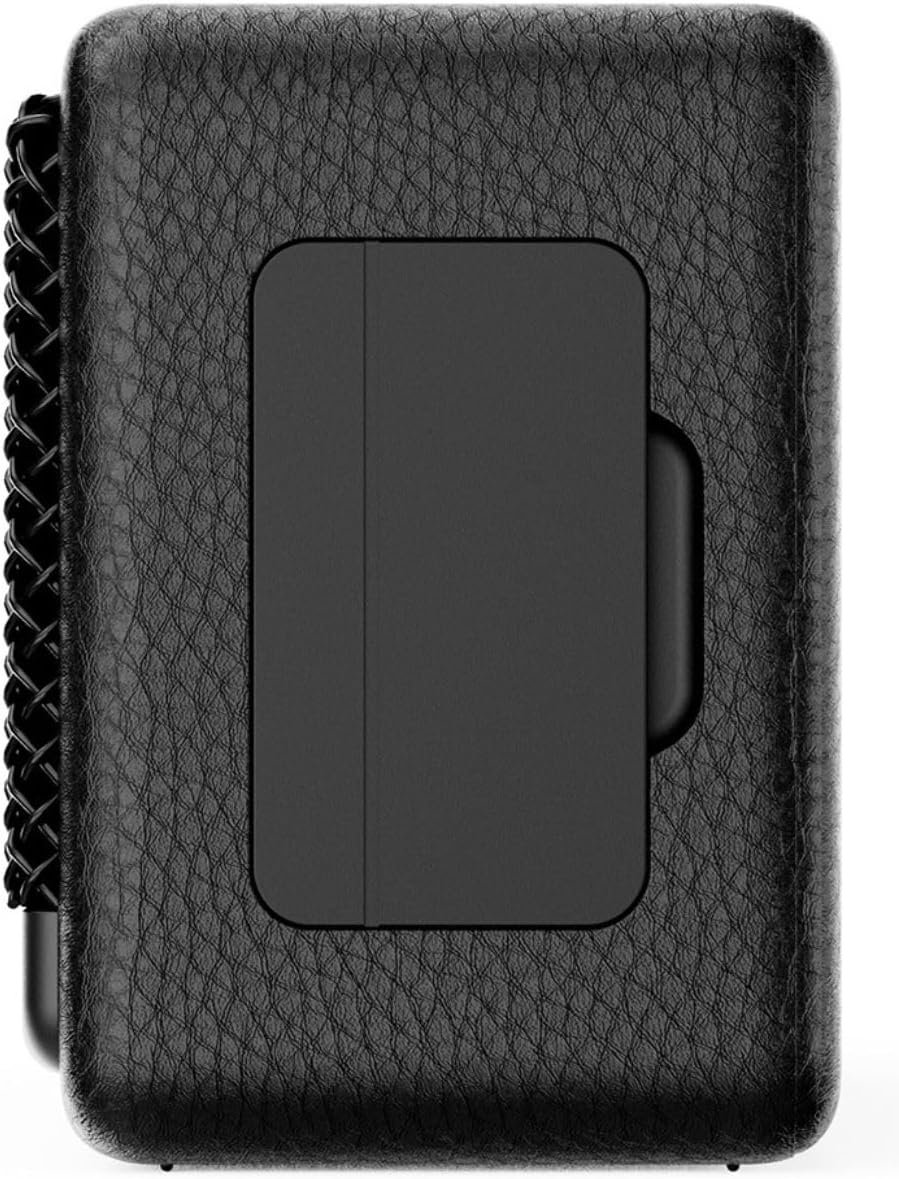
Gambar 4.2: Balik view of the IRRADIO IR-M5 Classic speaker, highlighting the passive subwoofer panel.

Gambar 4.3: Sisi view of the IRRADIO IR-M5 Classic speaker, showing the integrated strap for portability.
Kontrol sareng palabuhan:
- Tombol Daya: Pencét jeung tahan pikeun ngahurungkeun/pareum.
- Volume Jilid / Lagu Salajengna: Pencét pondok pikeun polumeu ka luhur, pencét panjang kanggo lagu salajengna.
- Volume Turun / Lagu Saméméhna: Pencét pondok pikeun volume handap, pencét lila pikeun lagu saméméhna.
- Tombol Maénkeun/Pareuman/Telepon: Press to play/pause music or answer/end calls.
- Tombol Mode (M): Press to switch between Bluetooth and USB playback modes.
- RGB LED Button: Press to cycle through RGB lighting modes or turn off the lights.
- Port ngecas USB-C: Pikeun ngecas speaker.
- Port USB-A: For external USB music playback.
- AUX Input (3.5mm Mini Jack): Pikeun sambungan audio kabel.
5. Setélan
5.1 Ngecas Speaker
Before first use, fully charge the speaker. Connect the provided USB charging cable to the USB-C port on the speaker and the other end to a compatible USB power adapter (not included).
- Indikator LED bakal nunjukkeun status ngecas.
- Ngeusi batre pinuh butuh kurang leuwih 3.5 jam.
5.2 Daya Hurung/Pareuman
- Pikeun ngahurungkeun, pencét sareng tahan tombol Daya dugi ka anjeun ngadangu paréntah anu tiasa disada.
- Pikeun mareuman, pencét sareng tahan deui tombol Daya dugi spéker pareum.
5.3 Nyapasangkeun Bluetooth
- Hurungkeun spéker. Bakal otomatis asup kana mode papasangan Bluetooth, dituduhkeun ku LED kedip-kedip.
- Dina alat anjeun (smartphone, tablet, laptop), aktipkeun Bluetooth sareng milarian alat anu sayogi.
- Select "IR-M5 Classic" from the list of devices.
- Once paired, the LED indicator will stop flashing and remain solid. You are now ready to play music.
6. Parentah Operasi
6.1 Puterkeun Musik
- Mode Bluetooth: After successful pairing, play music from your connected device.
- Puterkeun USB: Insert a USB drive with MP3/WAV files into the USB-A port. The speaker will automatically switch to USB mode and begin playback. Use the Mode button to switch if necessary.
- Mode AUX: Connect an audio device using a 3.5mm AUX cable to the AUX input. The speaker will automatically switch to AUX mode.
6.2 Volume Control
- Press the Volume Up (+) button to increase volume.
- Press the Volume Down (-) button to decrease volume.
6.3 Navigasi Lagu
- Long press the Volume Up (+) button for the next track.
- Long press the Volume Down (-) button for the previous track.
6.4 True Wireless Stereo (TWS) Fungsi
To pair two IR-M5 Classic speakers for a stereo experience:
- Pastikeun duanana spiker dihurungkeun sareng henteu nyambung ka alat Bluetooth mana waé.
- On one speaker, double-press the Play/Pause button. It will enter TWS pairing mode.
- Spiker-spikerna bakal otomatis nyambung. Anjeun bakal ngadangu sora konfirmasi.
- Once TWS paired, connect your device to one of the speakers via Bluetooth as described in section 5.3. Both speakers will now play in stereo.
6.5 Lampu LED RGB
Press the RGB LED button to cycle through different lighting modes or to turn the lights off.
7. Pangropéa
- Ngabersihan spéker nganggo kaén anu lemes sareng garing. Ulah make cleaners abrasive atawa pangleyur.
- Simpen spéker dina tempat anu tiis sareng garing upami henteu dianggo.
- If the speaker will not be used for an extended period, charge it every 3 months to maintain battery health.
8. Cara ngungkulan
| Masalah | Mungkin Cukang lantaranana | Solusi |
|---|---|---|
| Speaker teu hurung. | batré lemah. | Ngecas spéker pinuh. |
| Teu bisa masangkeun via Bluetooth. | Speaker teu aya dina mode papasangan atawa geus disambungkeun ka alat sejen. | Ensure speaker is in pairing mode. Disconnect from other devices. Restart speaker and device. |
| Taya sora. | Volume low teuing; modeu input salah; alat teu diputer. | Increase volume. Check input mode (Bluetooth/USB/AUX). Ensure source device is playing. |
| Papasangan TWS gagal. | Speakers are already connected to a device or each other. | Ensure both speakers are disconnected from all devices before initiating TWS pairing. |
9. Spésifikasi
| Fitur | Rincian |
|---|---|
| Ngaran modél | IR-M5 Palasik |
| merek | IRRADIO |
| Daya Kaluaran | 20W (Rated), 28W (Music) |
| Supir | 2 x 50mm Full-Range, 1 x Passive Subwoofer |
| Réspon Frékuénsi | 85Hz - 20kHz |
| Vérsi Bluetooth | 5.4 |
| Range nirkabel | Nepi ka 10 méter (teu kahalang) |
| Kapasitas batré | 2000mAh (3.7V, 7.4 Wh) |
| Waktu Playback | Kira-kira. 8 jam (dina volume 50%) |
| Waktu Ngecas | Kira-kira. 3.5 jam |
| Tahan cai | IPX7 |
| Ukuran (L x W x H) | 17.4 x 8 x 5.3 cm (6.8 x 3.15 x 2.1 inci) |
| Beurat | 506 gram (0.506 kg) |
| Format Audio Dirojong | MP3, WAV |
10. Garansi jeung Rojongan
This product comes with a standard manufacturer's warranty. For detailed warranty terms and conditions, please refer to the warranty card included in your package or contact your local distributor. For technical support or service inquiries, please visit the official IRRADIO websitus atanapi ngahubungan layanan palanggan maranéhna.
Note: Product specifications and design are subject to change without notice for improvement.


