1. Produk Langkungview
The GENBOLT 2K WiFi Indoor House Security Camera (Model GB108K) is a versatile, battery-powered surveillance device designed for indoor use. It offers high-resolution 2K video, pan and tilt capabilities, two-way audio, and intelligent motion detection, making it suitable for monitoring pets, children, or general home security. Its wireless design allows for flexible placement without the need for constant power outlets.
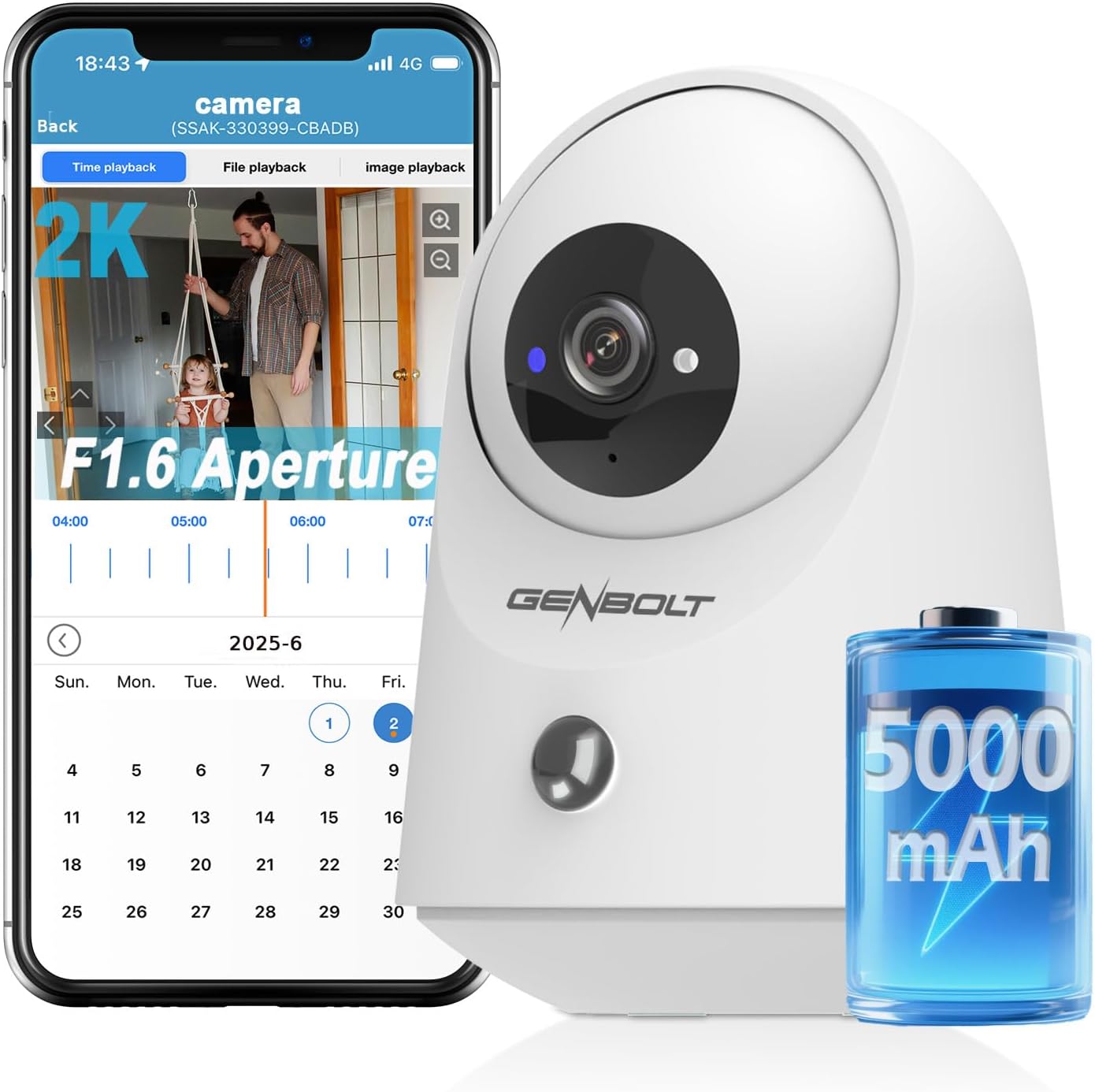
Figure 1.1: GENBOLT 2K WiFi Indoor Security Camera and its mobile application interface.
2. Fitur konci
- Hirup batré anu panjang: Built-in 5000mAh battery ensures continuous recording and low-power monitoring, reducing the need for frequent recharging.
- 2.4GHz WiFi & Bluetooth Connection: The camera supports quick pairing via Bluetooth upon startup and operates on a 2.4GHz WiFi network, providing a coverage area of up to 15 meters.
- 355° Pan & 90° Miring: Remotely control the camera to rotate 355° horizontally (pan) and 90° vertically (tilt), offering a comprehensive panoramic view tanpa bintik buta.
- Resolusi 2K: Equipped with an f1.6-aperture lens and 2K (2560×1440) high-definition resolution, the camera delivers fine picture quality, accurately capturing detailed images day and night.
- Infrabeureum Night Vision: The camera automatically activates infrared light mode at night, ensuring clear visibility in low-light conditions.
- Intelligent Recognition (PIR & AI): Utilizes Passive Infrared (PIR) and Artificial Intelligence (AI) to detect movement, trigger custom alarms, and significantly reduce false alerts. Features 4x zoom for detailed monitoring.
- Audio dua arah: Offers real-time two-way voice communication via the mobile application, enabling interaction with pets or family members.
- Multi-device Sharing & Storage: Share real-time multi-views with one click. Includes 7 days of free cloud storage (renewable) and supports up to a 128GB TF card. Features data encryption and privacy protection.
- Suitable for Multiple Scenarios: Easily installed and ideal for monitoring the elderly, children, and pets. The camera is designed for upright placement and includes a mirror function for flexible viewing, though it does not support upside-down installation.

Figure 2.1: The camera features a 5000mAh battery for extended operation.

Figure 2.2: The camera's pan and tilt functionality provides wide area coverage.

Figure 2.3: Experience clear and detailed visuals with 2K resolution.

Figure 2.4: Automatic infrared night vision for clear monitoring in the dark.
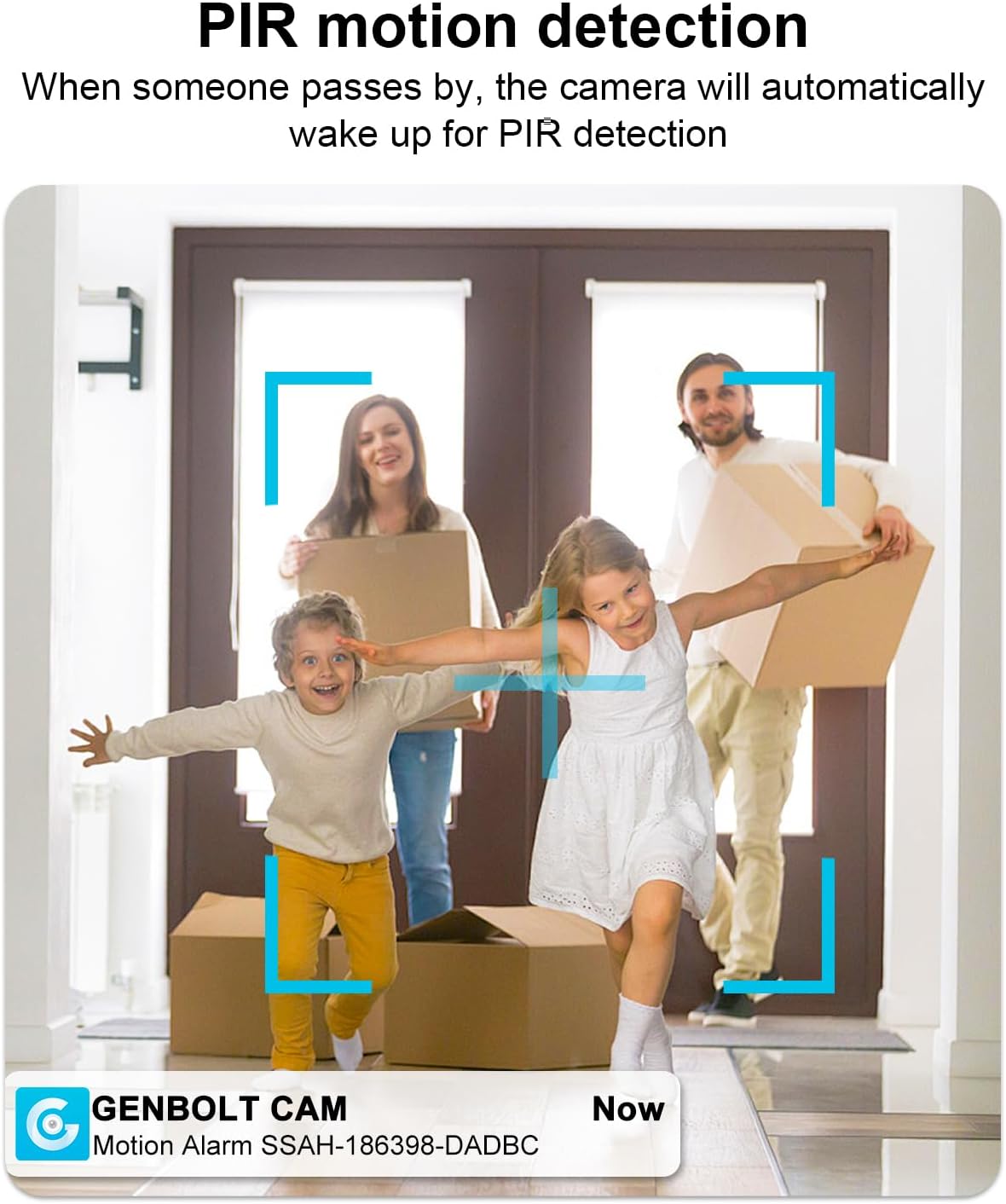
Figure 2.5: PIR motion detection ensures accurate alerts when movement is detected.

Figure 2.6: Engage in real-time conversations with the two-way audio feature.
3. Setup Guide
Follow these steps to set up your GENBOLT GB108K camera:
- Unboxing sareng Pangisian Awal: Carefully remove the camera and all accessories from the packaging. Connect the camera to the power adapter using the provided Type-C cable to fully charge the built-in 5000mAh battery before first use.
- Unduh Aplikasi: Milarian pikeun the official GENBOLT application on your smartphone's app store (iOS or Android) and install it.
- Daya Hurung: Turn on the camera using the OFF/ON switch located near the power port. The status indicator light will illuminate.
- Masangkeun Bluetooth: Open the GENBOLT app on your smartphone. The camera can be quickly paired via Bluetooth upon startup. Follow the on-screen prompts in the app to detect and connect to the camera via Bluetooth.
- Sambungan Wi-Fi: Once paired via Bluetooth, the app will guide you to connect the camera to your home Wi-Fi network. Ensure your Wi-Fi network is 2.4GHz, as the camera only supports this frequency. Enter your Wi-Fi password when prompted.
- panempatan: Place the camera on a stable, flat surface in your desired monitoring area. Ensure it is within range of your 2.4GHz Wi-Fi network. Remember, the camera is designed for upright placement and does not support upside-down installation.
- Pamasangan Kartu MicroSD (Opsional): If you wish to use local storage, gently insert a MicroSD card (up to 128GB, not included) into the designated slot on the camera.
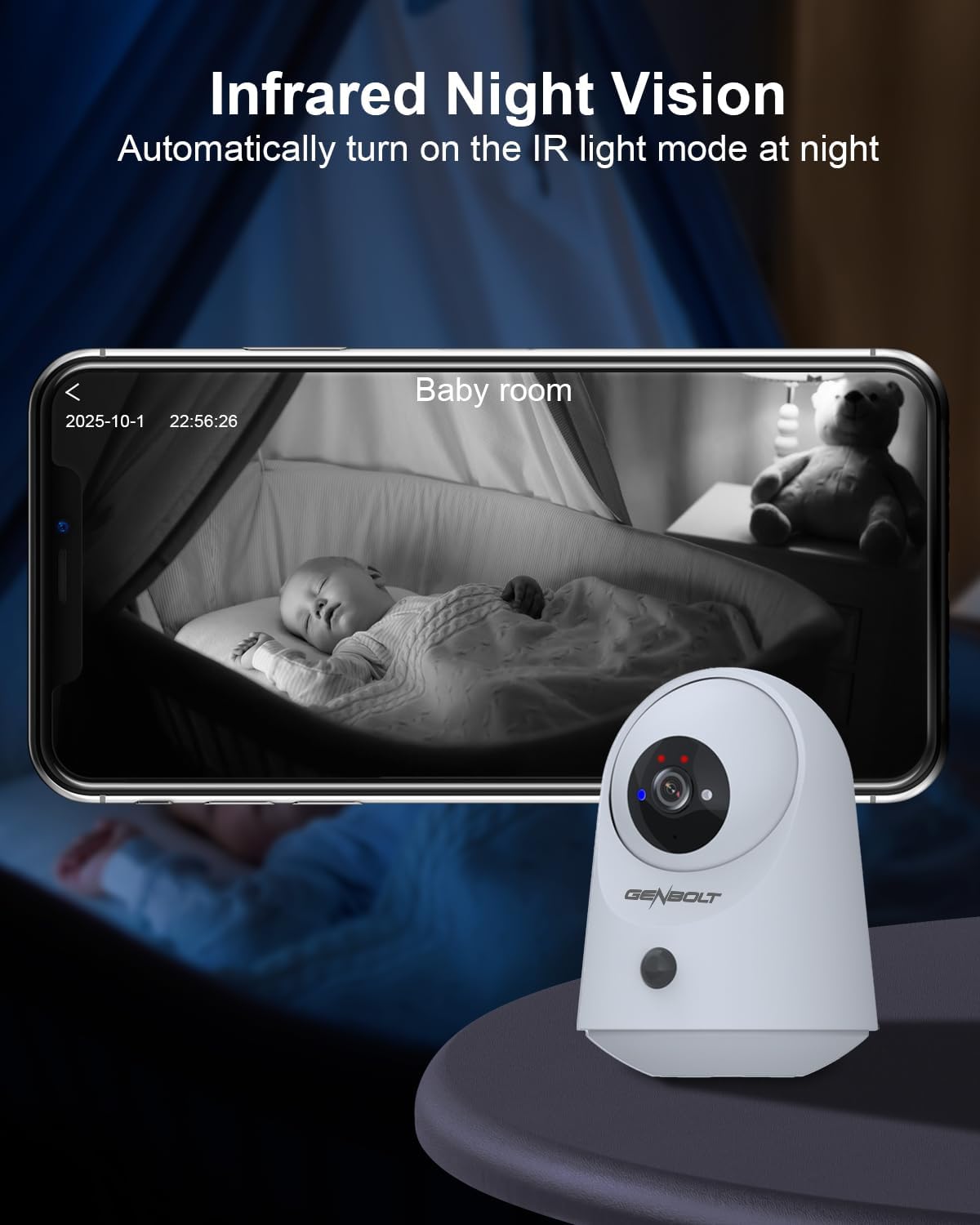
Figure 3.1: The camera connects easily via Bluetooth and 2.4GHz WiFi.
4. Parentah Operasi
4.1 Hirup View jeung Control
- Open the GENBOLT app and select your camera from the device list to access the live video feed.
- Use the on-screen controls to pan (355°) and tilt (90°) the camera remotely to adjust the viewsudut ing.
4.2 Audio Dua Arah
- Nalika hirup view, tap the microphone icon in the app to speak through the camera's speaker. Tap again to end.
- Mikropon anu dipasang dina kaméra bakal ngarékam audio tina lingkungan kaméra, anu tiasa anjeun déngé ngalangkungan telepon anjeun.
4.3 Ngarekam jeung Playback
- Rekaman anu Dipicu ku Gerakan: The camera automatically records when motion is detected (PIR & AI).
- Ngarekam Manual: Tap the record icon in the app to start or stop manual recording.
- Playback: Aksés dirékam footage via the 'File Playback' or 'Cloud Playback' sections in the app. You can review events by date and time.
4.4 Setélan Deteksi Gerak
- Navigate to the camera settings in the app to adjust PIR sensitivity levels (Low, Medium, High) to minimize false alerts.
- Setel preferensi bewara pikeun nampi bewara dina telepon pinter anjeun nalika aya gerakan anu dideteksi.
5. Pangropéa
- beberesih: Use a soft, dry cloth to gently wipe the camera lens and body. Avoid using liquid cleaners or abrasive materials.
- Manajemén batré: Recharge the camera's battery regularly to ensure continuous operation. Avoid exposing the camera to extreme temperatures (hot or cold) as this can affect battery life.
- Pembaruan firmware: Periodically check the GENBOLT app for available firmware updates. Keeping your camera's firmware up-to-date ensures optimal performance and security.
- Manajemén Panyimpenan: Biasa deuiview and manage your cloud storage or MicroSD card footage pikeun mastikeun rohangan anu cekap pikeun rékaman anyar.
6. Cara ngungkulan
- Kaméra teu hurung:
- Ensure the camera is fully charged or connected to the power adapter.
- Check that the OFF/ON switch is in the 'ON' position.
- Teu bisa Nyambung ka Wi-Fi:
- Verify that your Wi-Fi network is 2.4GHz. The camera does not support 5GHz networks.
- Pastikeun kaméra aya dina jangkauan router Wi-Fi anjeun.
- Pariksa deui kecap akses Wi-Fi anjeun.
- Try restarting your Wi-Fi router and the camera.
- Kualitas Gambar goréng:
- Bersihkeun lénsa kaméra nganggo kaén anu lembut sareng garing.
- Ensure there is adequate lighting in the monitoring area, especially for non-night vision modes.
- Check the resolution settings in the app to ensure 2K resolution is selected.
- Alarm Palsu anu Sering:
- Adjust the PIR sensitivity settings in the app to a lower level.
- Ensure the camera is not pointed at areas with constant movement (e.g., tree branches swaying outside a window).
- Masalah Audio Dua Arah:
- Pariksa setélan volume dina telepon pinter anjeun sareng dina aplikasi.
- Ensure the app has microphone permissions enabled on your phone.
- Verify a stable internet connection for real-time audio transmission.
7. Spésifikasi
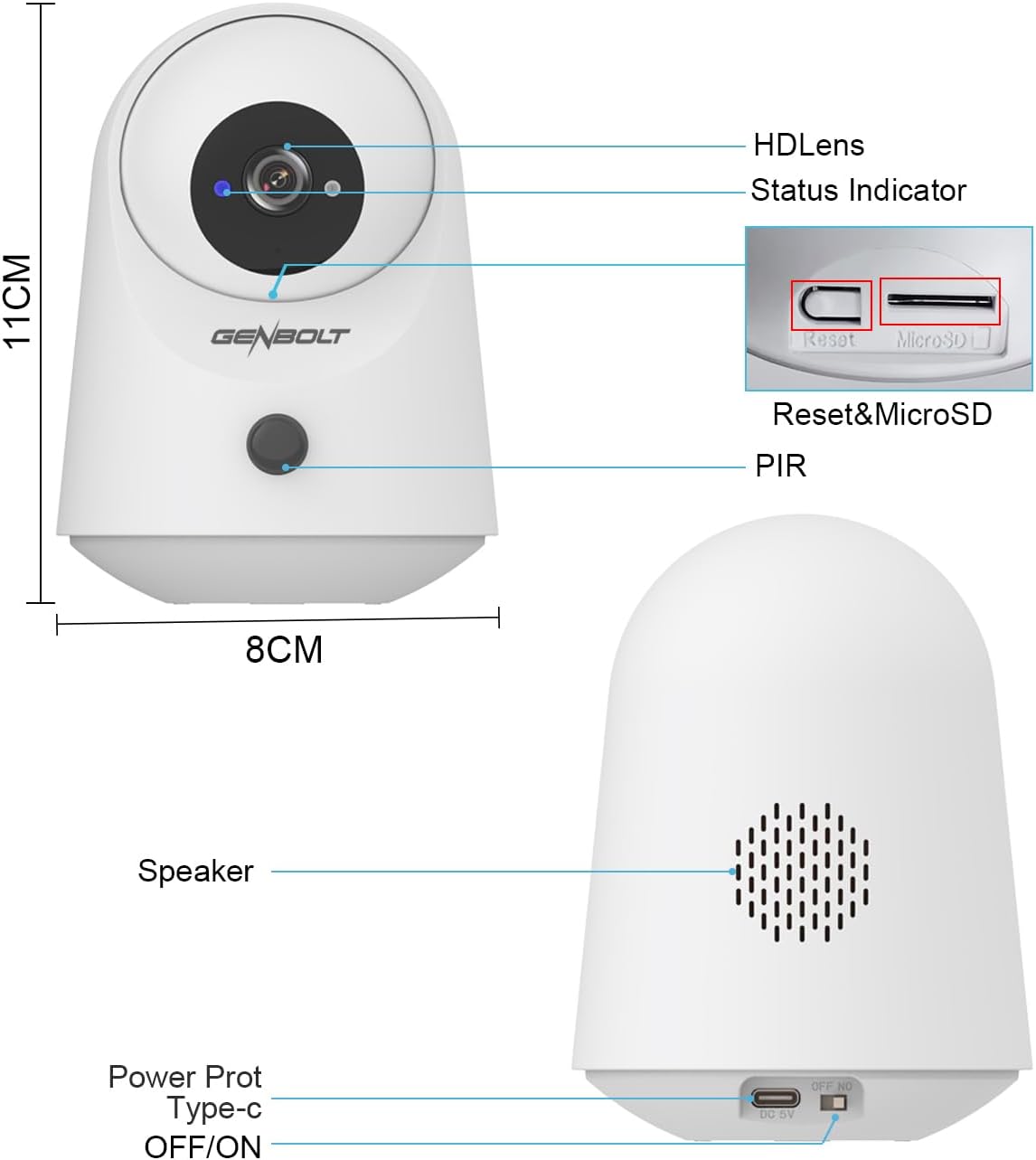
Figure 7.1: Physical dimensions and component layout of the GENBOLT GB108K camera.
| Fitur | Rincian |
|---|---|
| Modél | GB108K |
| Resolusi Capture Video | 2K (2560×1440) |
| Kapasitas batré | 5000 mAh (Litium Ion) |
| Pan Sudut | 355° |
| Sudut Dengdekkeun | 90° |
| Komunikasi Nirkabel | Wi-Fi (2.4GHz), Bluetooth |
| Fitur husus | 2-Way Audio, PIR & AI Detection, Infrared Night Vision |
| Pilihan Panyimpenan | Cloud Storage (7 days free trial), MicroSD Card (up to 128GB) |
| Ukuran (L x W x H) | 12.7 x 12.7 x 15.2 Sentiméter |
| Beurat | 460 g |
| Bahan | palastik |
| Sumber Daya | 5 Volt (Adaptor Daya kalebet) |
8. Garansi jeung Rojongan
GENBOLT is committed to providing reliable security solutions and excellent customer service. Your GENBOLT GB108K camera comes with the following:
- 30-Day Money Back Guarantee and Free Exchange: If you are not satisfied with your purchase, you may be eligible for a refund or exchange within 30 days.
- Garansi Terbatas 1 Taun: The product is covered by a 1-year limited warranty from the date of purchase, covering manufacturing defects.
- 24/7 Lifetime Free Technical Support: GENBOLT offers continuous technical assistance to help you with any questions or issues you may encounter with your camera.
For technical support, warranty claims, or any other inquiries, please contact GENBOLT customer service through the contact information provided in the product packaging or on the official GENBOLT websitus.


