1. Bubuka
This manual provides essential information for setting up, operating, and maintaining your NIMO 17.3-inch Business Laptop, Model N171. Please read this guide thoroughly to ensure proper use and to maximize the performance and longevity of your device. Keep this manual for future reference.

Image 1.1: NIMO 17.3-inch Business Laptop overview.
2. Eusi Paket
Pastikeun yén sadaya item aya dina bungkusan:
- 1 x Nimo N171 Laptop
- 1 x Type-C 65W PD Fast Charger
- 1 x Manual Pamaké (dokumén ieu)
- Windows 11 Home Operating System (pre-installed)
3. Setélan
3.1 Ngecas Awal
Before first use, connect the provided 65W Type-C PD Fast Charger to the laptop and a power outlet. Allow the battery to charge fully. The charging indicator light will confirm the charging status.

Image 3.1: The 65W Type-C PD Fast Charger.
3.2 Powering On and Initial Windows Setup
- Buka tutup léptop.
- Pencét tombol daya anu aya dina kibor.
- Follow the on-screen instructions to complete the Windows 11 Home initial setup, including language selection, network connection, and user account creation.
4. Parentah Operasi
4.1 Manajemén kakuatan
- Daya Hurung: Pencét tombol daya.
- Modeu Bobo: Tutupkeun tutupna atanapi pencét tombol daya sakeudeung.
- Pareuman: Klik tombol Mimitian, teras Daya > Pareuman.
4.2 Reader Sidik
The laptop features a fingerprint reader integrated into the touchpad for secure login. To set up:
- Navigate to Windows Settings > Accounts > Sign-in options.
- Select 'Fingerprint recognition (Windows Hello)' and follow the prompts to register your fingerprints.

Image 4.1: Fingerprint reader location on the touchpad.
4.3 Kibor Lampu Latar
The keyboard features backlighting for improved visibility in low-light conditions. Use the dedicated function key (usually Fn + Fx) to toggle the backlight on/off or adjust its brightness levels.

Image 4.2: The backlit keyboard illuminated for use in dim lighting.
4.4 Konéktipitas
The NIMO N171 laptop offers various connectivity options:
- Wi-Fi 6: Pikeun aksés internét nirkabel kecepatan tinggi.
- Bluetooth 5.2: For connecting wireless peripherals like headphones or mice.
- Port USB: Includes USB 3.2 Gen1, USB 2.0, and USB Type-C ports for connecting external devices.
- Port HDMI 2.1: Pikeun nyambungkeun kana tampilan éksternal atanapi proyektor.
- Slot Kartu SD Mikro: Pikeun ngalegaan neundeun atanapi mindahkeun files.
- Jack audio: Pikeun headphone atanapi speaker éksternal.

Image 4.3: Diagram illustrating the various ports on the NIMO N171 laptop.
4.5 Pintonan
The laptop features a 17.3-inch Full HD (1920x1080) IPS anti-glare display, providing clear visuals and wide viewing angles. The narrow bezels contribute to an immersive viewpangalaman.

Image 4.4: The 17.3-inch FHD IPS display with narrow bezels.
4.6 180-degree Lay-Flat Hinge
The laptop is equipped with a 180-degree lay-flat hinge, allowing the screen to be opened completely flat. This feature is useful for sharing content with others or adjusting the viewing angle for various scenarios.

Image 4.5: Illustration of the laptop's 180-degree lay-flat hinge capability.
5. Pangropéa
5.1 beberesih
- Make kaen nu lemes, teu aya lint rada dampdilengkepan ku cai atawa pembersih layar pikeun ngabersihan tampilan.
- Pikeun keyboard sareng sasis, paké kaén anu lemes sareng garing. Hindarkeun bahan kimia anu kasar atanapi bahan abrasive.
- Pastikeun laptop dipareuman sareng dicabut colokan sateuacan beberesih.
5.2 Panyimpenan
Store the laptop in a cool, dry environment away from direct sunlight and extreme temperatures. If storing for an extended period, ensure the battery is charged to approximately 50% to preserve its lifespan.
6. Cara ngungkulan
Bagian ieu ngabahas masalah umum anu anjeun tingali.
6.1 Laptop Teu Dihurungkeun
- Ensure the charger is properly connected to both the laptop and a working power outlet.
- Pastikeun adaptor kakuatan berpungsi leres.
- Upami batréna tos lemes, peryogi sababaraha menit ngecas sateuacan laptop tiasa hurung.
6.2 Masalah Konektipitas Wi-Fi
- Pariksa naha Wi-Fi diaktipkeun dina setélan Windows.
- Balikan deui router sareng modem anjeun.
- Pastikeun anjeun aya dina jangkauan jaringan Wi-Fi sareng parantos ngalebetkeun kecap konci anu leres.
6.3 Keyboard Backlight Not Working
- Press the dedicated function key combination (e.g., Fn + Fx) to toggle or adjust the backlight.
- Check power settings, as some configurations may disable backlighting to conserve battery.
Pikeun pitulung salajengna, mangga tingal bagian Garansi sarta Rojongan.
7. Spésifikasi
Key technical specifications for the NIMO N171 laptop:
| Fitur | Rincian |
|---|---|
| merek | NIMO |
| Ngaran modél | Nimo N171S |
| Ukuran layar | 17.3 inci |
| Resolusi layar | 1920 x 1080 piksel (FHD) |
| Prosesor | Intel Core i3-1215U (6 Cores, nepi ka 4.4 GHz) |
| Ram | 16 GB DDR4 (3200 MHz) |
| Hard Drive | 1 TB PCIe SSD |
| Grafik Coprocessor | Intel Integrated Grafika |
| Sistem operasi | Windows 11 Imah |
| Tipe Wireless | 802.11a/b/g/n/ac (Wi-Fi 6), Bluetooth 5.2 |
| Palabuhan | USB 3.0 (x2), USB 2.0 (x1), USB Type-C (x2, one charge only), HDMI 2.1, Micro SD, Audio Jack |
| Fitur husus | Backlit Keyboard, Fingerprint Reader, HD Audio, Memory Card Slot, Numeric Keypad |
| Rata Kahirupan Batré | 5 Hours (53.58 Wh Capacity) |
| Item Beurat | 3.8 pon |
| Dimensi produk | 15.61 x 9.84 x 0.78 inci |
| Warna | Pérak Alam |

Image 7.1: Details of the 12th Gen Intel Core i3-1215U Processor.
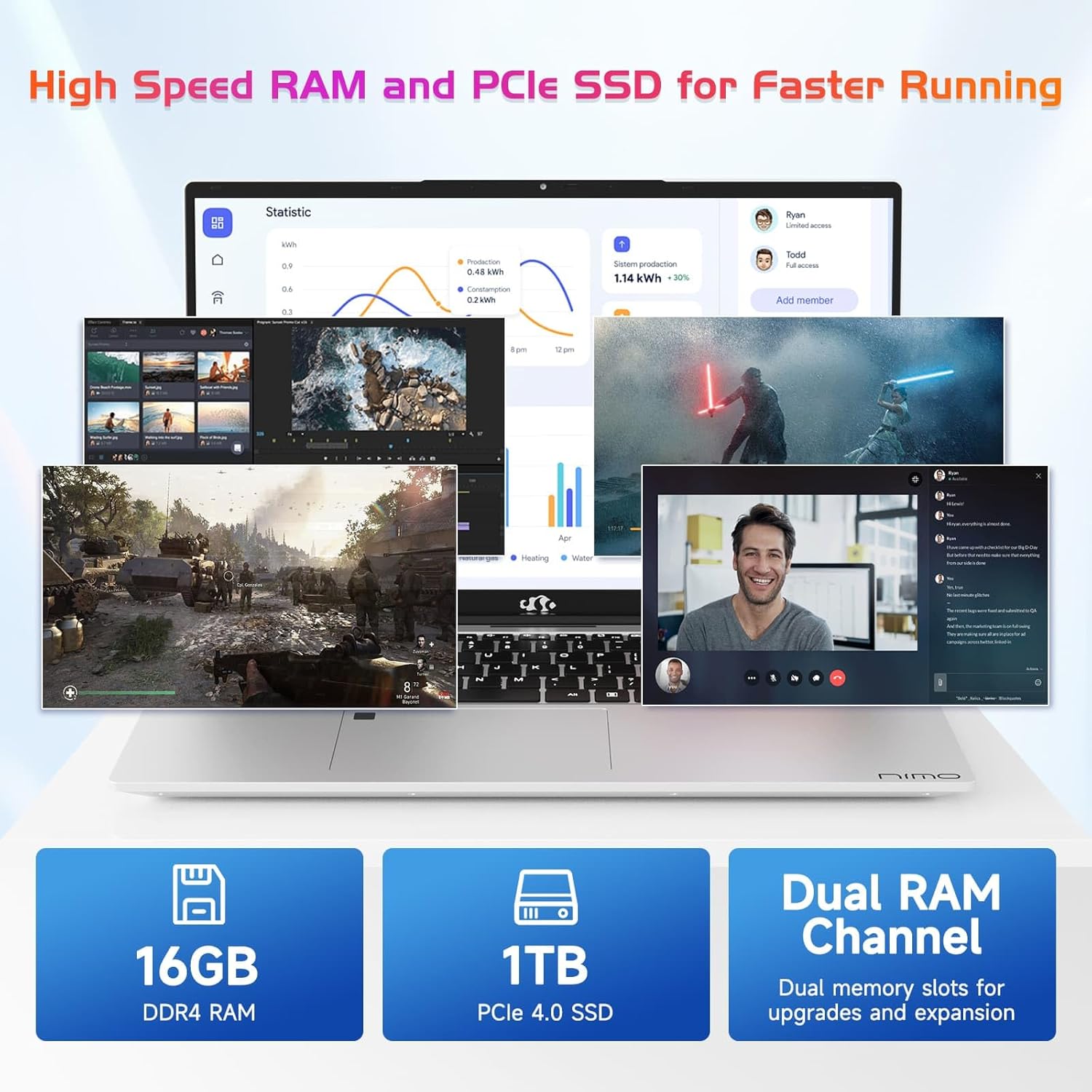
Image 7.2: Information on the 16GB DDR4 RAM and 1TB PCIe SSD.
8. Garansi jeung Rojongan
NIMO provides comprehensive support for your laptop:
- Garansi Pabrikan 2 Taun: Ngawengku cacad dina bahan sareng padamelan dina panggunaan normal.
- Kawijakan Balik 90 Dinten: Allows for returns within 90 days of purchase.
- 24/7 Customer Service Support: Contact NIMO customer service for technical assistance or warranty claims. Refer to the contact information provided with your purchase or on the official NIMO websitus.

Gambar 8.1: Leuwihview of NIMO's after-sales support services.
9. Émbaran Kasalametan
Pikeun nyegah cilaka atanapi karusakan kana alat anjeun, perhatoskeun tindakan pencegahan kaamanan ieu:
- Ulah ngantepkeun laptop ka suhu anu ekstrim, sinar panonpoé langsung, atanapi kalembaban anu luhur.
- Ulah neundeun barang beurat dina laptop.
- Use only the provided charger or a NIMO-approved replacement.
- Ulah nyobian ngabongkar atanapi ngalereskeun laptop nyalira. Hubungi petugas servis anu mumpuni.
- Jauhkeun cairan tina alat.
10. Bantahan Hukum
This product is subject to Proposition 65 warning. The information in this manual is subject to change without notice. NIMO assumes no responsibility for any errors or omissions that may appear in this document. All trademarks and registered trademarks are the property of their respective owners.


