1. Bubuka
The Csasan J90 Pro AI Language Translator Earbuds are designed to provide a versatile audio experience, combining real-time language translation with high-quality music playback and clear call functionality. These earbuds support a wide range of languages and offer multiple translation modes to facilitate communication in various scenarios. This manual provides detailed instructions for setup, operation, and maintenance of your J90 Pro earbuds.
2. Naon Kaasup
Upon opening your Csasan J90 Pro package, you should find the following items:
- 2 x BK01 Bluetooth Headphones (Left and Right Earbuds)
- 1 x Kasus Ngecas
- 3 x Pairs of Earplugs (Sizes: Small, Medium, Large)
- 1 x Manual Pamaké
- 1 x Kabel Ngecas USB-C
- 1 x Translation Manual (includes built-in authorization QR code)

Image: Contents of the Csasan J90 Pro package, showing all included accessories.
3. Fitur Produk
3.1. Versatile 3-in-1 Functionality
The J90 Pro earbuds integrate AI translation, music playback, and clear call capabilities into a single compact device. This design ensures all your audio and communication needs are met efficiently.

Image: Diagram highlighting the earbuds' capabilities for HiFi Stereo audio, clear calls, and language translation.
3.2. Extensive Language Support
These earbuds support real-time two-way translation in 164 languages, including English, French, German, Spanish, Portuguese, Italian, Thai, and many more. They offer up to 98% accuracy with a response time as fast as 0.5 seconds.

Image: Visual representation of the wide array of languages supported by the translation feature.
3.3. Six Translation Modes
The J90 Pro offers six distinct translation modes to suit different communication needs:
- Mode Obrolan Gratis: Real-time voice recognition and translation.
- Earbuds+Phone Mode: Plays translations via phone speaker for meetings.
- Audio & Video Translation: Supports instant multimedia translation.
- Modeu Panarjamah: Mimics traditional translation devices.
- Voice Memo Mode: Records and translates notes.
- Poto Tarjamahan: Detects and translates text in images.
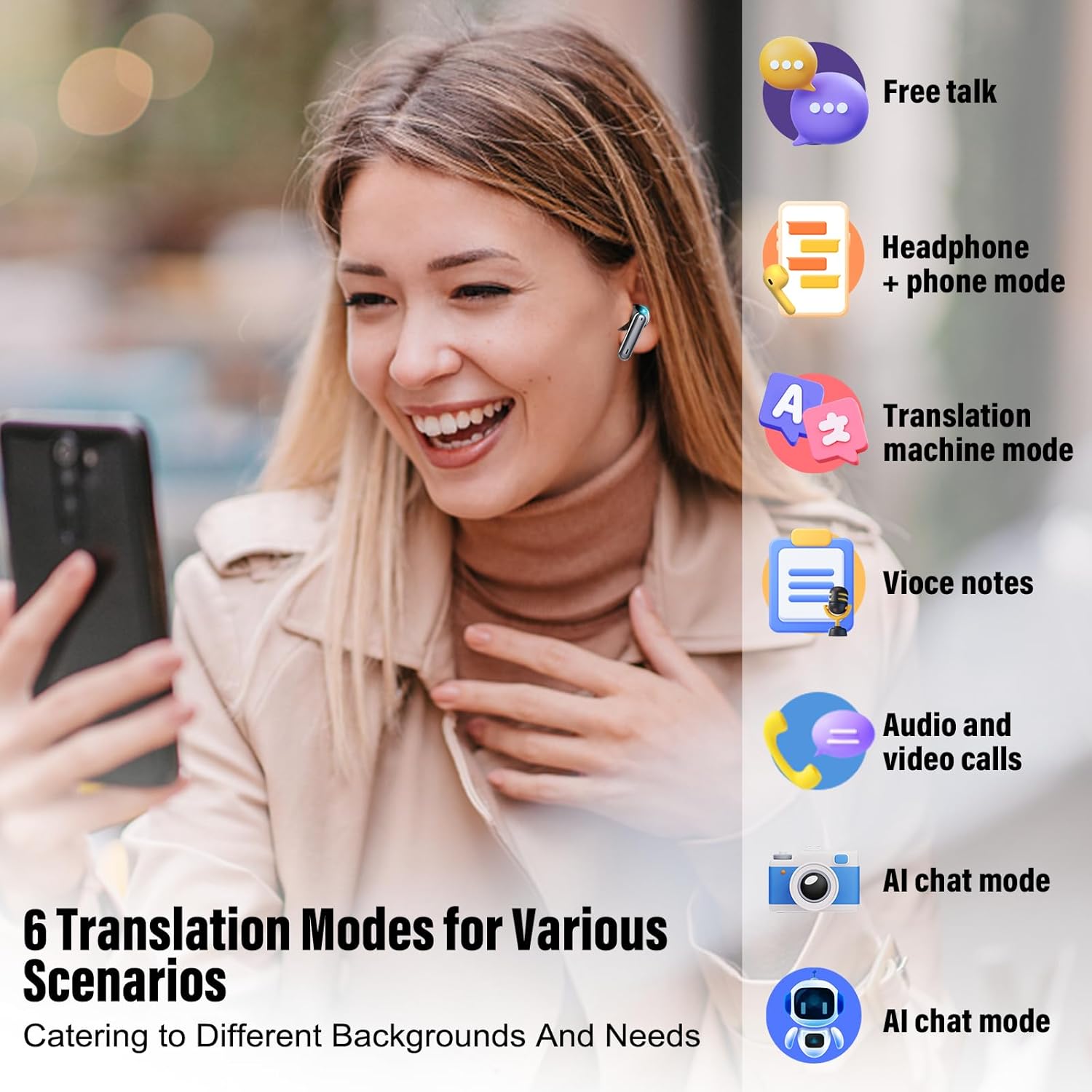
Image: Icons illustrating the six diverse translation modes for various scenarios.
3.4. ENC Noise Cancellation & Stereo Sound
Equipped with 13mm precision drivers and advanced ENC (Environmental Noise Cancellation) microphones, these earbuds deliver rich audio details, deep bass, and suppress background noise for clear calls and immersive listening.

Image: Illustration of the ENC noise reduction microphone's effectiveness in reducing environmental noise.
3.5. Umur Batré Anu Langkung Panjang
Enjoy up to 8 hours of continuous use on a single charge. The portable charging case provides 4 additional full charges, extending total playtime to 40 hours. An LED smart display shows the battery status.

Image: Battery life specifications for the earbuds and charging case.
3.6. Téhnologi Bluetooth 5.3
Bluetooth 5.3 ensures fast and stable wireless connections, reducing latency and disconnection risks. It maintains a strong signal even in crowded environments, enhancing communication and listening experiences.

Image: Visual representation of the Bluetooth 5.3 range.
3.7. Smart Touch Control & Wide Compatibility
Highly sensitive touch sensors allow for easy control of music, calls, and voice assistants. The earbuds are compatible with a wide range of Bluetooth devices, including Android and iOS smartphones and tablets.

Image: Touch control functions for the earbuds.
3.8. Desain ergonomis
The earbuds feature an ergonomic design for a comfortable and stable fit, even during active use. They are ultra-light at 4g and IPX7 waterproof, making them suitable for various activities.

Image: Ergonomic design and comfortable fit of the earbuds.
4. Setup Guide
4.1. Ngecas Earbuds jeung Case
Before first use, fully charge the earbuds and charging case. Connect the provided USB-C cable to the charging port on the case and a power source. The LED display on the case will indicate the charging status.
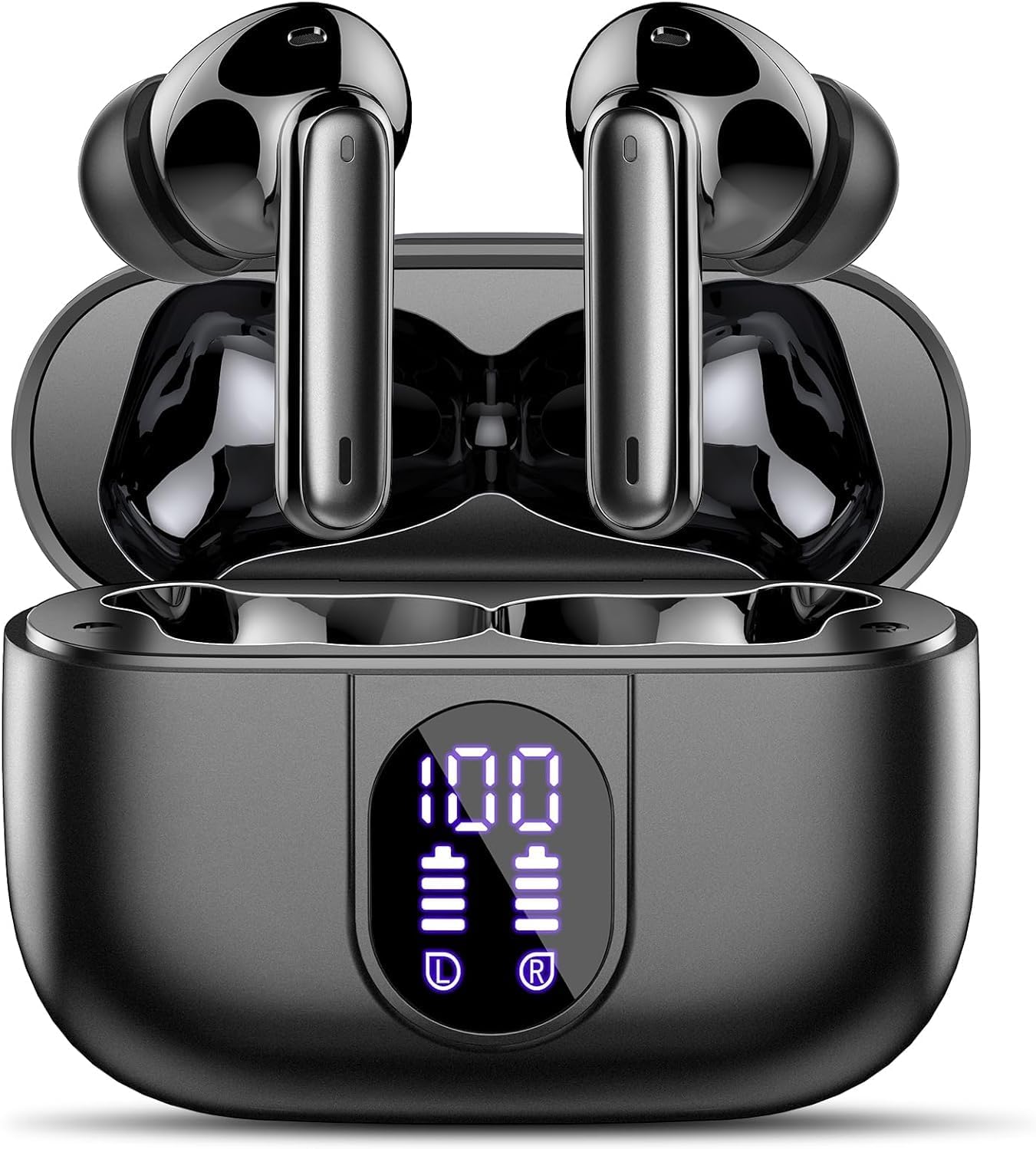
Image: Earbuds in charging case with battery indicator.
4.2. Downloading the 'Ear Dance' App
The 'Ear Dance' app is essential for accessing the full translation features of your earbuds. You can download it using one of the following methods:
- Nyeken kodeu QR anu disayogikeun dina manual instruksi.
- Milarian pikeun 'Ear Dance' in your device's app store (Google Play Store or Apple App Store).
Alternatively, you can visit the official download page: Ear Dance App Download

Image: Steps to download the 'Ear Dance' application.
4.3. Nyambungkeun sareng Bluetooth
Follow these steps to connect your earbuds to your mobile device:
- Buka setélan Bluetooth dina telepon anjeun.
- Milarian pikeun alat Bluetooth di caket dieu.
- Select 'J90 Pro' from the list to complete the connection.

Image: Bluetooth pairing process for the J90 Pro earbuds.
4.4. Activating the Device in the App
After connecting via Bluetooth, launch the 'Ear Dance' app. You may need to enter an authorization code found in your translation manual or scan a QR code to activate the device and unlock all features. The authorization code is valid forever.

Image: App activation steps using an authorization code or QR code.
5. Parentah Operasi
5.1. Kontrol Toél Dasar
The earbuds feature smart touch controls for convenient operation:
- Puter/Reureuh Musik: Ketok dua kali.
- Ngajawab / Tutup Telepon: Ketok sakali.
- Nolak Telepon: Pencét jeung tahan salila 2 detik.
- Saluyukeun Volume: Tap once (Right for Volume +, Left for Volume -).
- Langkung Lacak: Press and hold for 2 seconds (Right for Track Forward, Left for Track Reverse).
- Aktipkeun Asisten Sora: Tap three times.
Note: When using the 'Ear Dance' APP in headset + mobile phone mode, double-clicking the headset will activate the microphone.

Image: Detailed touch control gestures for the earbuds.
5.2. Using Translation Modes (via 'Ear Dance' App)
The 'Ear Dance' app provides access to the various translation modes:
- Mode Obrolan Gratis: Allows two individuals, each wearing an earbud, to communicate in real-time with automatic language recognition and translation.
- Headphone + Mobile Mode: One person wears an earbud, while the other uses the mobile phone. The phone's speaker plays the translation, and the earbud user hears it directly.
- Modeu Mesin Tarjamahan: Functions like a traditional translator, connected to services like Microsoft/Google Translate for high accuracy. Speak into the phone, and the translation is played through the phone speaker.
- Voice Notes: Converts spoken content from classroom lectures, videos, or audio into text records, with translation support for 12 languages. Note: Continuous recording is limited to 30 minutes.
- Modeu Obrolan AI: Accesses OpenAI ChatGPT 4.0 Mini for smart Q&A and natural conversations, supporting 12 languages.
- Audio and Video Translation: Supports real-time translation for voice and video calls, enabling communication across language barriers in multimedia interactions.
- Photo Translate: Use your phone's camera through the app to capture text from images (e.g., menus, signs) and receive instant translation.

Image: Free Talk Mode in action.

Image: Headphone + Mobile Mode for interactive translation.

Image: Translation Machine Mode interface.

Image: Voice Notes feature for recording and translating spoken content.

Image: AI Chat Mode interface.

Image: Audio and Video Translation interface.
5.3. Video Produk Resmi
Language Translation Earbuds Bluetooth Real Time Headphones
Video: Demonstrates the real-time language translation capabilities of the earbuds via Bluetooth connection.
Translation headphones usage method
Video: Illustrates the various usage methods and functions of the translation headphones.
AI Language Translator Earbuds
Video: Leuwihview of the AI language translator earbuds and their core functionalities.
6. Pangropéa
To ensure the longevity and optimal performance of your Csasan J90 Pro earbuds, follow these maintenance guidelines:
- beberesih: Rutin usap earbuds sareng wadah ngecas ku lawon anu lemes, garing, teu aya serat. Ulah make bahan kimia kasar atawa bahan abrasive.
- Panyimpenan: Store the earbuds in their charging case when not in use to protect them from dust, moisture, and physical damage.
- Tahan cai: The earbuds are IPX7 waterproof, meaning they can withstand immersion in up to 1 meter of water for 30 minutes. However, avoid prolonged exposure to water and ensure they are dry before placing them back in the charging case. The charging case is not waterproof.
- Ngecas: Use only the provided USB-C cable for charging. Avoid overcharging by disconnecting once fully charged.
- Suhu: Do not expose the earbuds to extreme temperatures (hot or cold) as this can affect battery life and overall performance.
7. Cara ngungkulan
If you encounter any issues with your Csasan J90 Pro earbuds, try the following troubleshooting steps:
- Henteu aya kakuatan: Pastikeun earbud sareng wadah ngecas parantos dicas pinuh.
- Masalah sambungan: Pastikeun Bluetooth diaktipkeun dina alat anjeun sareng earbuds aya dina jangkauan. Coba cabut pasangan sareng pasangkeun deui earbuds.
- App Teu Nyambung: Verify that the earbuds are connected via Bluetooth. Ensure the 'Ear Dance' app has all necessary permissions (location, Bluetooth, internet). Re-enter the activation code if necessary.
- Translation Inaccuracy: Check your internet connection. Ensure the correct source and target languages are selected in the app. Speak clearly and at a moderate pace.
- Masalah Audio: Clean the earbud speakers. Adjust volume settings on both the earbuds and your connected device.
- Earbuds Teu Ngecas: Check the USB-C cable and charging port for any damage. Ensure the earbuds are correctly seated in the charging case.
If problems persist, please refer to the full user manual or contact customer support.
8. Spésifikasi
| Fitur | Rincian |
|---|---|
| merek | Csasan |
| Nomer modél | J90 Pro |
| Vérsi Bluetooth | 5.3 |
| Kahirupan Batré (Earbuds) | Nepi ka 8 jam (pamakéan kontinyu) |
| Total Playtime (kalawan Case) | Nepi ka 40 jam |
| Ngecas Kapasitas Batré Case | 500 mAh |
| Kapasitas Batré Earbud | 60 mAh |
| Jarak Komunikasi | > 10 méter |
| Noise Cancelling | ENC (Environmental Noise Cancellation) up to 40dB |
| Tahan cai | IPX7 (earbud wungkul) |
| Komposisi sél batré | Litium Polimér |
| Port ngecas | USB-C |
| Beurat (Earbud) | 4g (Ultra Light) |
9. Garansi jeung Rojongan
For warranty information, technical support, or any inquiries regarding your Csasan J90 Pro AI Language Translator Earbuds, please refer to the contact details provided in your product packaging or visit the official Csasan websitus. Simpen resi pameseran anjeun pikeun klaim jaminan.