1. Bubuka
This user manual provides detailed instructions for the SOAYAN MN-N6 Mini PC. This compact desktop computer features a 12th Generation Intel Alder Lake N100 processor, 16GB of DDR4 RAM, and a 512GB Solid State Drive (SSD). Designed for various applications including home use, office tasks, and business operations, it offers efficient performance in a small form factor. The device comes pre-installed with the Ubuntu Linux operating system.
The MN-N6 Mini PC incorporates a hexagonal body design with dynamic RGB lighting. Its small dimensions (approximately 2.56 x 1.22 x 4.33 inches) and light weight (0.48 lbs) allow for flexible placement and portability.
2. Eusi Paket
Pastikeun yén sadaya item aya dina bungkusan:
- 1 x SOAYAN Mini PC
- 1 x Manual Pamaké
- 1 x adaptor kakuatan
- 1 x Kabel HDMI
3. Produk Langkungview
3.1. Fitur fisik
The SOAYAN MN-N6 Mini PC features a distinctive hexagonal design with integrated RGB lighting. Its compact size is designed to minimize desktop footprint.

A luhur-handap view of the SOAYAN MN-N6 Mini PC, highlighting its unique hexagonal shape and the dynamic RGB lighting strip around its base. The front panel shows a USB port and power button.
3.2. Palabuhan sarta Interfaces
The Mini PC is equipped with a variety of ports for connectivity:
- 4 x USB 3.2 Gen 2 ports (up to 10 Gbps transfer speeds)
- 2 x HDMI 2.0 ports (supports 4K@60Hz dual display)
- 1 x Gigabit Ethernet port (LAN)
- 1 x Audio Jack (earphone & microphone combo)
- 1 x Input Daya DC
- 1 x Hapus tombol CMOS

A clear diagram labeling all input/output ports on the SOAYAN MN-N6 Mini PC, including USB 3.2 Gen 2 ports, HDMI 2.0 ports, Gigabit Ethernet, audio jack, and power input.
3.3. Fitur konci
- Prosesor: 12th Gen Intel Alder Lake N100 (up to 3.4GHz, 4 Cores/4 Threads, 6MB L3 Cache, 6W TDP).
- Mémori: 16GB DDR4 RAM (up to 3200 MHz).
- Panyimpenan: 512GB M.2 SSD (expandable).
- Grafik: Integrated Intel UHD Graphics, supporting 4K@60Hz dual display via HDMI 2.0.
- Konéktipitas nirkabel: WiFi 6 and Bluetooth 5.2.
- Konektipitas kabel: Gigabit Ethernet.
- Sistim cooling: Ultra-quiet fan and efficient heat sink for optimal thermal management.
- Sistem operasi: Pre-installed Ubuntu Linux.

An image detailing the specifications of the Intel Alder Lake N100 processor, including 4 cores/4 threads, 6W TDP, 6MB L3 cache, and up to 3.4GHz burst frequency, embedded within the mini PC.

The SOAYAN Mini PC shown on a desk, surrounded by visual representations of WiFi 6 and Bluetooth 5.2 signals, indicating its advanced wireless connectivity features.

A cutaway diagram showing the efficient and quiet cooling system of the SOAYAN Mini PC, featuring a silent system fan and effective heat dissipation to maintain optimal performance.
4. Setup Guide
- Bongkar Mini PC: Carefully remove the SOAYAN MN-N6 Mini PC and all accessories from its packaging.
- Nyambung ka tampilan: Connect one or two monitors to the HDMI 2.0 ports on the back of the Mini PC using the provided HDMI cable(s). Ensure your monitor is set to the correct HDMI input.
- Sambungkeun Periferal: Plug in your USB keyboard and mouse into the available USB 3.2 ports. If using Bluetooth peripherals, they can be paired after the initial setup.
- Nyambung ka Jaringan (Opsional): For a wired connection, connect an Ethernet cable from your router or modem to the Gigabit Ethernet port on the Mini PC. Wireless (WiFi) setup will be covered in the operating instructions.
- Sambungkeun Kakuatan: Plug the power adapter into the DC power input port on the Mini PC, then plug the adapter into a power outlet.
- Daya Hurung: Press the power button located on the front panel of the Mini PC. The device should power on, and you should see output on your connected display(s).
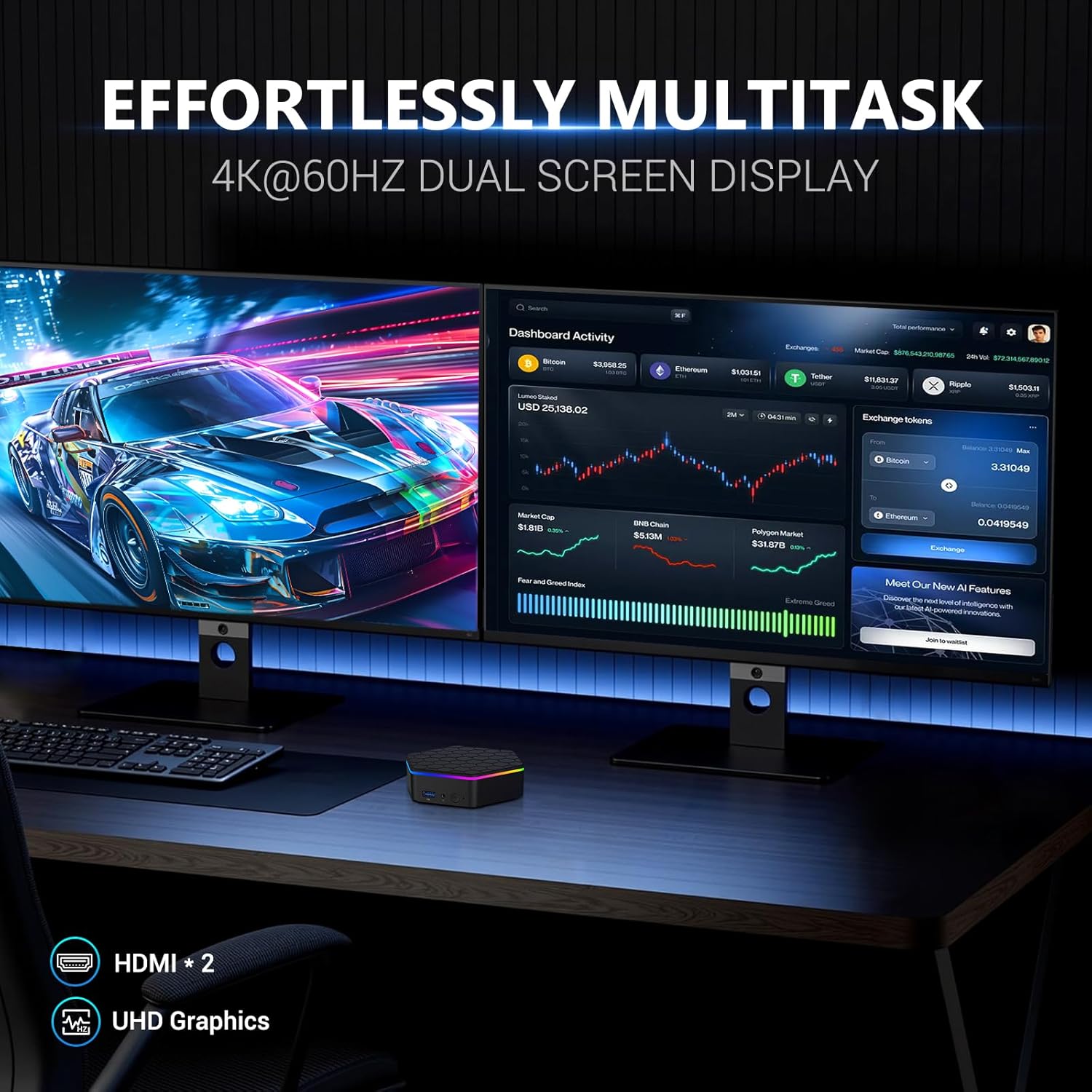
A SOAYAN Mini PC connected to two large monitors, demonstrating its capability for 4K@60Hz dual screen display, enhancing productivity for multitasking.
5. Parentah Operasi
5.1. Daya Hurung / Pareum
- Pikeun Ngahurungkeun: Pencét tombol daya dina hareupeun alat.
- Pikeun mareuman: From the Ubuntu desktop, click the power icon in the top right corner and select 'Power Off'. Alternatively, a short press of the power button may initiate a graceful shutdown. A long press (5-7 seconds) will force a shutdown, which should only be used if the system is unresponsive.
5.2. Initial Ubuntu Linux Setup
The Mini PC comes with Ubuntu Linux pre-installed. Upon first boot, you may be prompted to complete the initial setup, which includes setting up user accounts and network connections. If prompted for a password during initial login, common defaults for pre-installed Linux systems include 'user' or a blank password. Refer to any included documentation for specific credentials if needed.
5.3. Konektipitas Jaringan
- Wifi: Once Ubuntu is running, navigate to the network settings. Select your desired WiFi network from the list, enter the password, and connect.
- Ethernet: Upami kabel Ethernet disambungkeun, sistem kedah otomatis ngadeteksi sareng nyambung ka jaringan kabel.
5.4. Ngapasangkeun Alat Bluetooth
To pair Bluetooth devices (e.g., keyboard, mouse, headphones):
- Pastikeun alat Bluetooth dina mode papasangan.
- On the Mini PC, open Bluetooth settings in Ubuntu.
- Select your device from the list of available devices and follow the on-screen prompts to complete pairing.
6. Pangropéa
- beberesih: Regularly dust the exterior of the Mini PC with a soft, dry cloth. Ensure that the ventilation openings are clear of obstructions to prevent overheating. Do not use liquid cleaners directly on the device.
- Apdet parangkat lunak: Keep your Ubuntu operating system and installed applications updated to ensure optimal performance and security. Ubuntu typically provides notifications for available updates.
- Manajemén Panyimpenan: Periodically check your storage usage and delete unnecessary files pikeun ngajaga résponsif sistem.
7. Cara ngungkulan
| Masalah | Mungkin Cukang lantaranana | Solusi |
|---|---|---|
| Mini PC teu tiasa dihurungkeun. | Adaptor daya teu nyambung atawa faulty; masalah stop kontak listrik. | Ensure the power adapter is securely connected to the Mini PC and a working power outlet. Try a different outlet. |
| Henteu aya tampilan dina monitor. | HDMI cable loose or faulty; incorrect monitor input selected. | Check HDMI cable connections. Ensure the monitor is set to the correct input source (e.g., HDMI 1, HDMI 2). Try a different HDMI cable or monitor if possible. |
| No internet connection (WiFi/Ethernet). | Network cable disconnected; incorrect WiFi password; router issue. | For Ethernet, check cable connection. For WiFi, verify password and ensure the network is active. Restart your router/modem. |
| Alat Bluetooth teu dipasangkeun. | Alat henteu dina mode papasangan; gangguan. | Ensure the Bluetooth device is in pairing mode. Move closer to the Mini PC. Check Bluetooth settings on the Mini PC. |
| Difficulty installing Windows (if desired). | Missing drivers for specific components (e.g., WiFi, Serial IO). | Some users have reported needing to manually source drivers for components like Intel HID filter, Intel Serial IO I2C Host Controller, and Intel Serial IO GPIO Host Controller when installing Windows. These may need to be obtained from Intel's website or similar N100 mini PC manufacturers. |
8. Spésifikasi
| Fitur | Rincian |
|---|---|
| Modél | MN-N6 |
| Prosesor | 12th Gen Intel Alder Lake N100 (up to 3.4 GHz) |
| Cores / Threads | 4 Inti / 4 Utas |
| Ram | 16GB DDR4 SODIMM |
| Panyimpenan | 512GB M.2 SSD (Serial ATA-600 interface) |
| Grafika | Integrated Intel UHD Grafika |
| Resolusi layar Max | 3840 x 2160 (4K) |
| Palabuhan HDMI | 2 (HDMI 2.0, 4K@60Hz) |
| palabuhan USB | 4 x USB 3.2 Gen 2 |
| Ethernet | 1 x Gigabit Ethernet |
| Nirkabel | WiFi 6, Bluetooth 5.2 |
| Sistem operasi | Linux (Ubuntu pre-installed) |
| Item Beurat | 1.41 pon (kira-kira 0.64 kg) |
| Diménsi | Kira-kira. 2.56 x 1.22 x 4.33 inci (6.5 x 3.1 x 11 cm) |
| Fitur husus | Wake on LAN, Real-time Clock, Time Boot, Auto Power On |
9. Émbaran jaminan
The SOAYAN MN-N6 Mini PC is covered by a manufacturer's warranty. Please refer to the product packaging or your purchase documentation for specific warranty terms and duration. Retain your proof of purchase for warranty claims.
10. Rojongan
For technical assistance or further inquiries regarding your SOAYAN MN-N6 Mini PC, please contact the seller directly through the platform where the product was purchased. As of current information, a dedicated official support website for SOAYAN products may not be readily available. It is recommended to check the product listing page for any updated support contact details or FAQs.


