1. Bubuka
This manual provides essential information for the proper use and maintenance of your DigiLand Android Tablet S10. Please read it thoroughly before operating the device to ensure optimal performance and longevity. The DigiLand S10 is a 10.1-inch Android 14 tablet designed for versatile use, featuring an Octa-Core processor, ample memory, and a high-definition display.
2. Émbaran Kasalametan
- Ulah ngalaan tablet kana suhu anu ekstrim, sinar panonpoé langsung, atanapi kalembaban anu luhur.
- Hindarkeun ngaragragkeun atanapi nahan tablet kana dampak anu kuat.
- Use only the original charger and accessories provided with the tablet.
- Ulah nyobian ngabongkar atanapi ngalereskeun tablet nyalira. Hubungi petugas servis anu mumpuni.
- Jauhkeun tablet tina cai sareng cairan sanésna.
- Miceun tablet sareng batréna kalayan tanggung jawab numutkeun peraturan lokal.
3. Eusi Paket
Saatos muka bungkusan, mangga pariksa yén sadaya barang anu didaptarkeun di handap aya sareng dina kaayaan anu saé:
- DigiLand Android Tablet S10 (Blue)
- Kabel Ngecas USB Tipe-C
- Adaptor kakuatan
- Gancang Mimitian Guide

Figure 3.1: Items included in the DigiLand Tablet S10 package. This image displays the tablet itself, its packaging box, a USB Type-C charging cable, a power adapter, and a quick start guide, ensuring users can confirm all components are present.
4. Produk Langkungview
The DigiLand S10 tablet features a sleek design with essential ports and controls for user convenience.
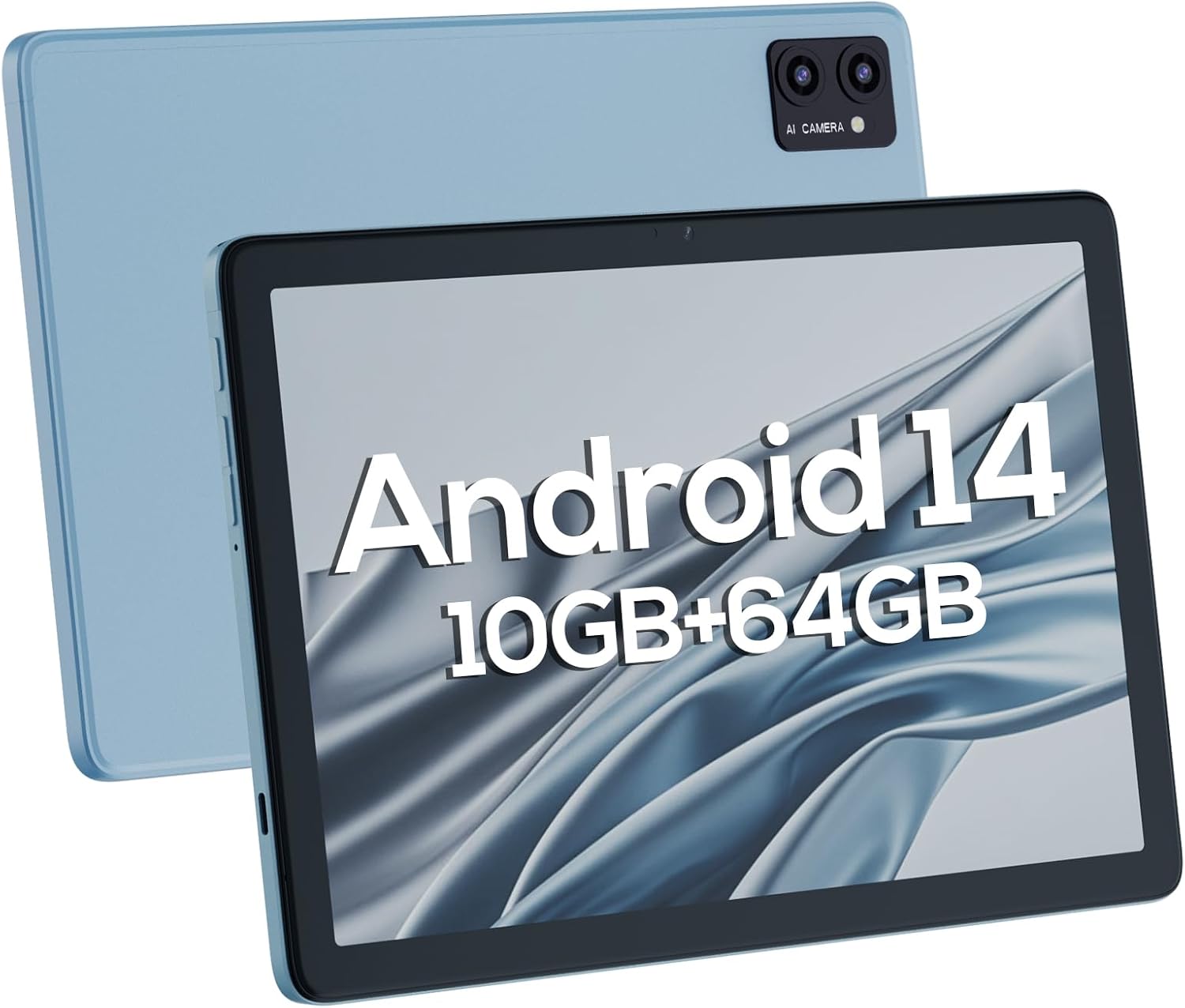
Gambar 4.1: Hareup jeung pungkur views of the DigiLand Android Tablet S10. The image highlights the tablet's 10.1-inch display on the front and the dual camera module on the blue-colored back panel.
Komponén konci:
- Layar IPS HD 10.1 inci: Provides vibrant visuals with 800x1280 resolution.
- Kaméra hareup (5MP): Located on the front bezel, suitable for video calls and selfies.
- Kaméra pungkur (8MP): Located on the back, for capturing photos and videos.
- Tombol Daya: Used to turn the tablet on/off or put it to sleep/wake.
- Tombol Volume: Saluyukeun polumeu audio.
- Port USB Tipe-C: Pikeun ngecas sareng mindahkeun data.
- Jack Headphone 3.5mm: Pikeun nyambungkeun headphone kabel.
- Slot Kartu MicroSD: Pikeun ngalegaan panyimpenan nepi ka 256GB.
- Spéker Dual: Nyadiakeun kaluaran audio.
5. Setélan
5.1 Ngecas Awal
Before first use, fully charge your tablet. Connect the USB Type-C cable to the tablet's charging port and the power adapter to a wall outlet. The battery indicator on the screen will show charging status. A full charge typically takes several hours.
5.2 Powering on / Pareum
- Pikeun Ngahurungkeun: Press and hold the Power button until the DigiLand logo appears.
- Pikeun mareuman: Pencét terus tahan tombol Daya dugi ka menu pareum némbongan. Pilih "Pareuman" teras konfirmasi.
- Pikeun Saré / Hudang: Pencét sakeudeung tombol Daya.
5.3 Wizard Setup Awal
Upon first power-on, the Android 14 setup wizard will guide you through basic configurations:
- Pilih basa anjeun.
- Nyambung ka jaringan Wi-Fi.
- Asup jeung akun Google Anjeun atawa jieun nu anyar.
- Review sareng nampi sarat sareng kaayaan.
- Setel konci layar (PIN, pola, atawa kecap akses).
- Konpigurasikeun setélan anu sanés sapertos anu dipenta.
5.4 Ngalegaan Panyimpenan
The tablet supports MicroSD cards up to 256GB for additional storage. Locate the MicroSD card slot (often near the headphone jack or power button, as shown in Figure 4.1) and insert the card gently until it clicks into place. You may need to format the card via the tablet's settings for optimal use.
6. Ngoperasikeun Tablet
6.1 Napigasi Dasar
- Layar Utama: Layar utama dimana anjeun tiasa ngaksés aplikasi sareng widget.
- Laci Aplikasi: Gesek ka luhur tina layar utama pikeun view sadaya aplikasi anu dipasang.
- Panel Bewara: Gesek ka handap ti luhur layar pikeun ngakses bewara sareng setelan gancang.
- Aplikasi panganyarna: Tap the square navigation button (or swipe up and hold from the bottom if using gestures) to see recently opened applications.
6.2 Nyambungkeun ka Wi-Fi sareng Bluetooth
- Wifi: Pindah ka Setelan > Jaringan & Internét > Wi-Fi. Turn Wi-Fi on and select your desired network. Enter the password if required.
- Bluetooth: Pindah ka Setélan> Alat anu nyambung> preferensi Konéksi> Bluetooth. Hurungkeun Bluetooth teras pasangkeun sareng alat anu sayogi.
6.3 Ngagunakeun Kaméra
Tablet ieu dilengkepan kaméra hareup 5MP sareng kaméra tukang 8MP.
- Buka aplikasi kaméra.
- Ketok ikon switch kaméra pikeun pindah antara kaméra hareup jeung pungkur.
- Ketok tombol jepret pikeun nyandak poto atanapi ngamimitian/ngeureunkeun ngarékam pidéo.

Figure 6.1: Visual representation of the tablet's camera capabilities, showing sample images captured by both the 5MP front and 8MP rear cameras.
6.4 Manajemén batré
Batré 6000mAh nyayogikeun panggunaan anu langkung panjang. Pikeun ngaoptimalkeun umur batre:
- Ngurangan kacaangan layar.
- Turn off Wi-Fi and Bluetooth when not in use.
- Tutup aplikasi anu henteu dianggo jalan di latar tukang.
- Aktipkeun modeu Panghemat Batré dina Setélan.

Figure 6.2: Battery performance details for the DigiLand Tablet S10. This graphic illustrates the 6000mAh battery capacity and provides estimated usage durations for various activities like video playback (9 hours), music (14 hours), and browsing (15 hours).
7. Pangropéa
- beberesih: Anggo lawon anu lemes sareng henteu ngaganggu pikeun ngabersihkeun layar sareng awakna. Hindarkeun pembersih anu kasar.
- Apdet parangkat lunak: Rutin pariksa sareng pasang apdet sistem pikeun mastikeun kinerja sareng kaamanan anu optimal. Pindah ka Setélan > Sistem > Apdet sistem.
- Manajemén Panyimpenan: Hapus cache sacara berkala, hapus anu teu perlu files, sareng uninstall aplikasi anu teu dianggo pikeun ngosongkeun rohangan panyimpenan.
- Data Cadangan: Regularly back up important data to a cloud service or external storage device to prevent data loss.
8. Cara ngungkulan
| Masalah | Solusi anu mungkin |
|---|---|
| Tablet moal hurung | Pastikeun batréna tos dicas. Pencét terus tahan tombol Daya salami 10-15 detik pikeun maksa ngamimitian deui. |
| kinerja lalaunan | Close unused apps, clear cache, restart the tablet. Consider a factory reset if issues persist (backup data first). |
| Masalah sambungan Wi-Fi | Pareuman heula tablet sareng router. Pohokeun jaringan teras sambungkeun deui. Pastikeun Wi-Fi diaktipkeun. |
| Aplikasi ngadat | Clear app cache/data (Settings > Apps), update the app, or reinstall it. |
| Layar teu ngaréspon | Force restart the tablet. If issue persists, contact support. |
9. Spésifikasi
Below are the detailed technical specifications for the DigiLand Android Tablet S10:
| Fitur | Rincian |
|---|---|
| merek | DigiLand |
| Ngaran modél | DigiLand-S10 |
| Sistem operasi | Android 14 |
| Ukuran layar | 10.1 inci |
| Resolusi layar | 800 x 1280 (IPS HD Display) |
| Prosesor | A523, Octa core, Cortex A55@1.8 GHz, 22nm |
| Ram | 10GB (4+6GB) |
| Panyimpenan internal | 64 GB |
| Panyimpenan Expandable | Up to 256GB via TF card (MicroSD) |
| Kaméra hareup | 5MP |
| Kaméra tukang | 8MP |
| Kapasitas batré | 6000 mah |
| Konektipitas | Wi-Fi (2.4G+5G), Bluetooth 5.0, USB Type-C, 3.5mm Headphone Jack |
| Ukuran (L x W x H) | 7 x 4 x 0.5 inci |
| Item Beurat | 2.42 pon (kira-kira 510g) |
| Warna | Biru |

Gambar 9.1: Leuwihview of the DigiLand Tablet S10's core specifications. This graphic highlights features such as Android 14, MTK Helio A523 Octa-Core Processor, 10GB RAM, 64GB ROM (expandable to 256GB), 10.1-inch HD display, 6000mAh battery, 5MP front camera, 8MP rear camera, 510g weight, and 8.8mm thickness.
10. Garansi jeung Rojongan
10.1 Émbaran jaminan
DigiLand products typically come with a limited manufacturer's warranty. Please refer to the warranty card included in your product packaging or visit the official DigiLand website for detailed terms and conditions regarding warranty coverage, duration, and limitations. Keep your proof of purchase for warranty claims.
10.2 Rojongan Palanggan
For technical assistance, troubleshooting, or any inquiries regarding your DigiLand Android Tablet S10, please contact DigiLand customer support. Contact information can usually be found in the Quick Start Guide or on the official DigiLand website. When contacting support, please have your product model (DigiLand-S10) and purchase details ready.
Thank you for choosing DigiLand. We hope you enjoy your new tablet!


