Bubuka
Thank you for choosing the Wowstar Karaoke Machine. This portable karaoke system is designed to provide an enjoyable singing experience for both adults and children, featuring high-definition sound, vibrant lighting, and wireless microphones. Please read this manual carefully before use to ensure proper operation and to maximize your enjoyment of the product.
Naon dina Box
The Wowstar Karaoke Machine package includes the following items:
- Wowstar Karaoke Machine Unit
- 2 Mikropon Nirkabel
- Kabel Ngecas (USB-C)
- Manual pamaké
Produk Leuwihview
The Wowstar Karaoke Machine is a compact and feature-rich device. Familiarize yourself with its components and controls.
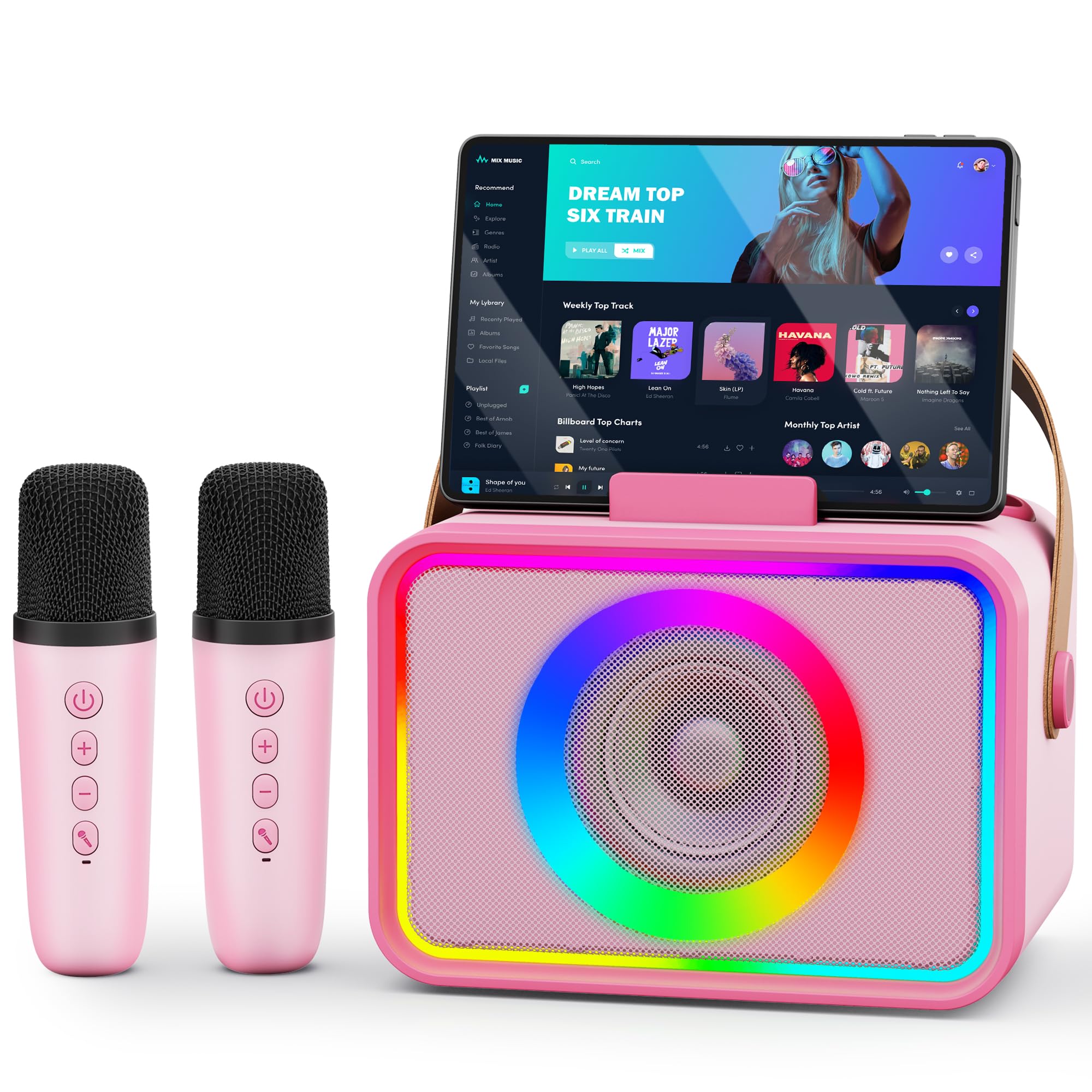
Figure 1: Wowstar Karaoke Machine with two wireless microphones.
Fitur konci:
- HD Speakers & 360° Stereo Sound: Experience impressive and rich audio quality.
- Longer Playtime & Ultra-long Battery Life: Enjoy extended usage with its efficient battery.
- Ultra-portable Design: Lightweight and features a phone holder for convenience.
- Colorful Lighting Design: Six light modes synchronize with music for an enhanced party atmosphere.
- 5 Magic Sound Effects: Transform your voice with various fun effects.
Fitur lengkep:
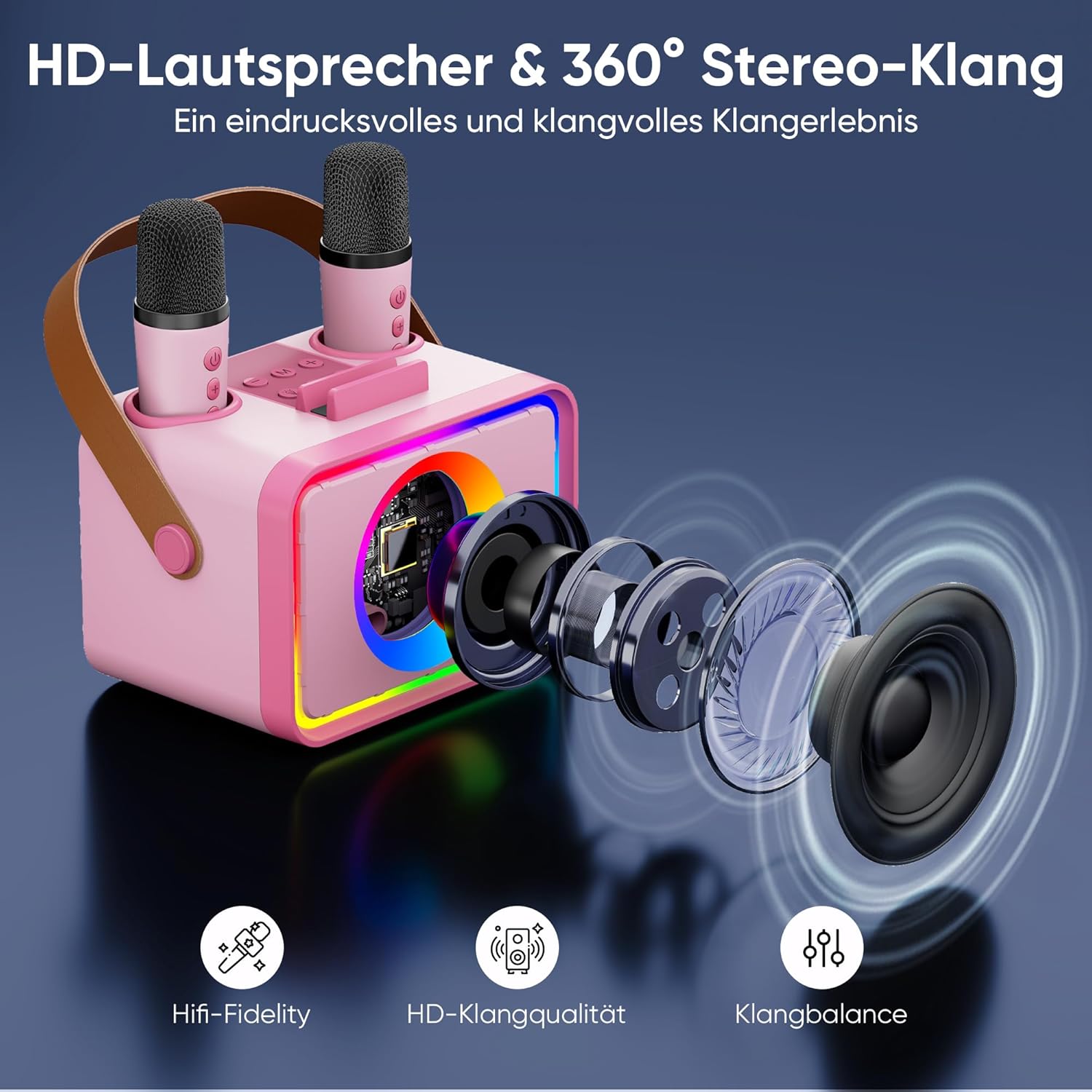
Figure 2: Illustration of the HD speaker and 360° stereo sound technology, highlighting Hifi-Fidelity, HD sound quality, and sound balance.
The karaoke machine is equipped with advanced speakers designed to deliver high-fidelity audio and a 360° stereo sound experience. This ensures clear vocals and rich music playback, making every performance immersive.

Figure 3: The karaoke machine showcasing its colorful light modes and indicating a battery life of 6+ hours.
Enjoy extended singing sessions with the machine's long-lasting battery. It also features 6 distinct light modes that synchronize with the rhythm of your music, adding a dynamic visual element to your karaoke party.
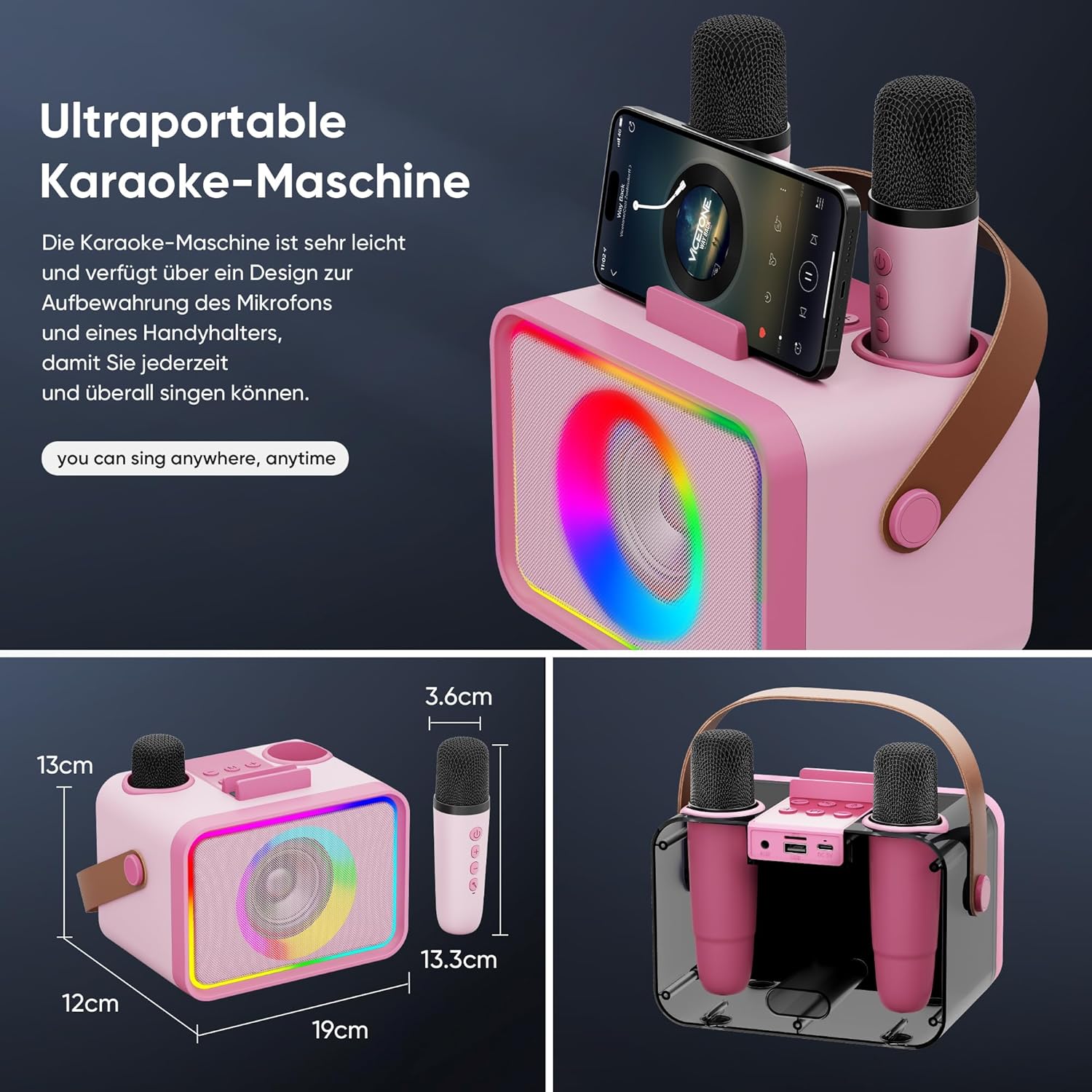
Figure 4: The compact and portable design of the karaoke machine, including its approximate dimensions (19cm W x 12cm D x 13cm H) and microphone size (3.6cm D x 13.3cm H), with a phone holder for convenience.
Designed for portability, this karaoke machine is lightweight and includes a built-in holder for your smartphone, allowing you to easily display lyrics or connect to music sources. Its compact size makes it ideal for use anywhere, anytime.

Figure 5: The dual-layered colorful lighting design with six distinct light modes that pulsate with the music.
The machine features a vibrant, dual-layered lighting system with six modes. These lights react to the music, creating an engaging and festive atmosphere for your performances.

Figure 6: An illustration of the five magical sound effects available: Acoustic, Monster, Baby, Female, and Male voice transformations.
Enhance your singing with five unique sound effects: Acoustic, Monster, Baby, Female, and Male. These effects allow for creative and fun vocal transformations during your karaoke sessions.
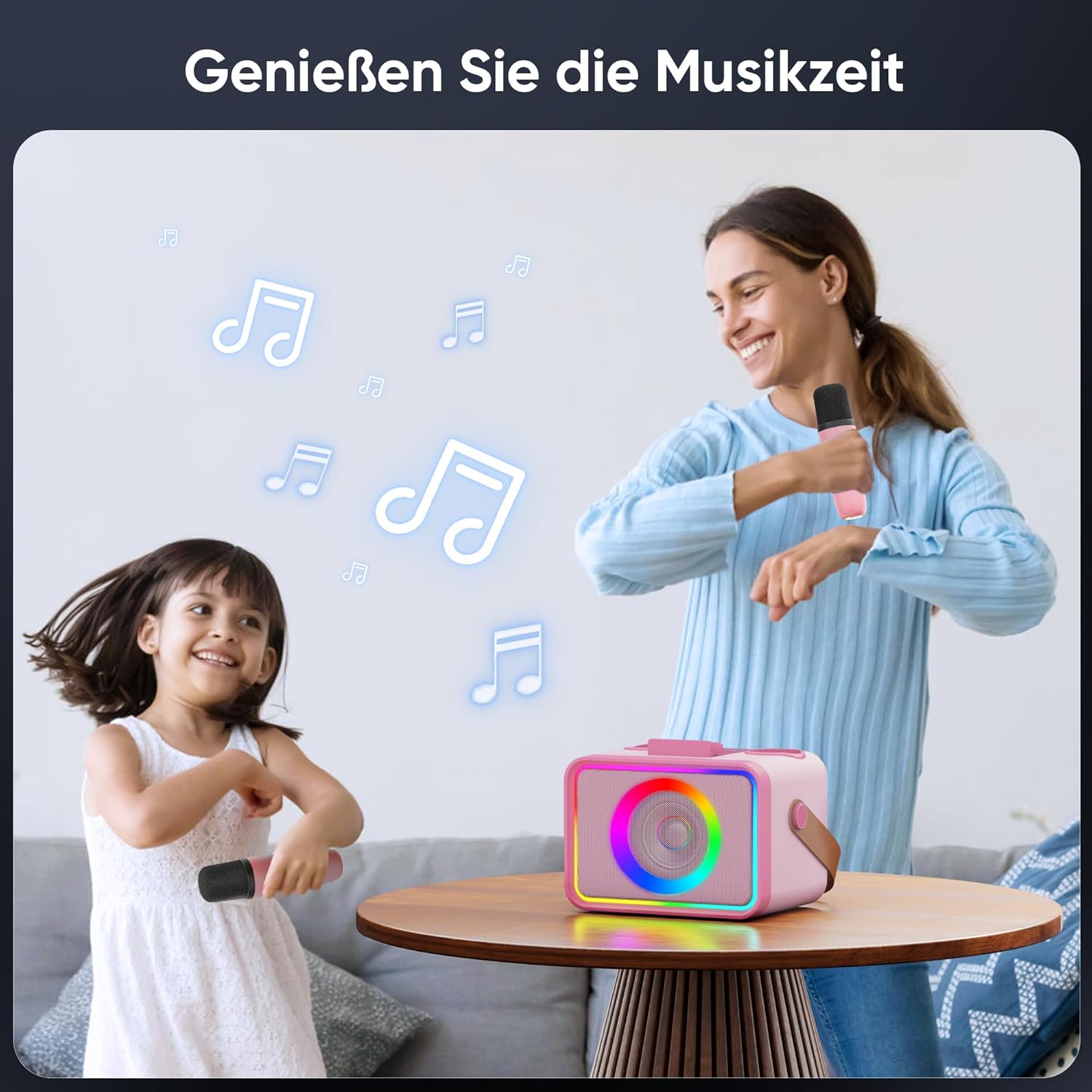
Figure 7: Enjoying music time with the Wowstar Karaoke Machine, suitable for family entertainment.
The Wowstar Karaoke Machine is designed for enjoyable music time, perfect for family gatherings and parties.
Disetél
- Ngecas Unit: Before first use, fully charge the karaoke machine using the provided USB-C cable. Connect the cable to the charging port on the unit and a compatible USB power adapter (not included). The charging indicator will show the charging status.
- Daya Hurung: Press and hold the power button on the karaoke machine until the display lights up.
- Papasangan mikropon: The two wireless microphones should automatically pair with the main unit when powered on. If they do not pair, ensure the microphones are charged and powered on. Press the power button on each microphone to turn them on.
- Sambungkeun Sumber Audio:
- Bluetooth: Activate Bluetooth on your smartphone or tablet and search for "Wowstar Karaoke" (or similar name). Select it to pair.
- Input AUX: (If available, check ports on unit) Connect an audio cable from your device to the AUX port on the karaoke machine.
- Tempat Alat: Use the integrated phone holder on top of the unit to securely place your smartphone or tablet for displaying lyrics.
Parentah Operasi
Ngagunakeun Mikropon:
- Hurungkeun/Pareuman: Press and hold the power button on each microphone.
- Kontrol volume: Use the '+' and '-' buttons on the microphone to adjust your vocal volume.
- Balukar sora: Press the dedicated button on the microphone (or main unit, if available) to cycle through the 5 magic sound effects (Acoustic, Monster, Baby, Female, Male).
Kontrol Unit Utama:
- Tombol Daya: Press and hold to turn the unit on/off. Short press for play/pause (Bluetooth mode).
- Kontrol volume: Use the dedicated volume knob or buttons on the main unit to adjust the overall music volume.
- Tombol Mode Lampu: Press to cycle through the 6 different light modes.
- Tombol Mode (M): Press to switch between input modes (e.g., Bluetooth, AUX, USB if available).
Tingali tata letak tombol khusus dina alat anjeun pikeun fungsi kontrol anu pasti.
Pangropéa
- beberesih: Wipe the unit and microphones with a soft, dry cloth. Do not use abrasive cleaners or solvents.
- Panyimpenan: Simpen mesin karaoke di tempat anu tiis, garing, sareng jauh tina sinar panonpoé langsung sareng suhu anu ekstrim.
- Perawatan batré: To prolong battery life, avoid fully discharging the unit frequently. Recharge the battery regularly, even if not in use for extended periods.
- Paparan cai: Keep the device away from water and moisture. It is not waterproof.
Pamérésan masalah
| Masalah | Mungkin Cukang lantaranana | Solusi |
|---|---|---|
| Taya sora tina speaker |
|
|
| Mikropon teu jalan |
|
|
| Masalah sambungan Bluetooth |
|
|
| Lampu teu jalan |
|
|
spésifikasi
| Fitur | Rincian |
|---|---|
| merek | Wowstar |
| Nomer modél | MI074AB |
| Dimensi produk | 19 cm (W) x 12 cm (D) x 13 cm (H) (Approximate, based on image PT03) |
| Diménsi mikropon | 3.6 cm (D) x 13.3 cm (H) (Approximate, based on image PT03) |
| Item Beurat | 1.02 kg |
| Komponén Kaasup | Karaoke Machine, 2 Microphones, Charging Cable |
| Sumber Daya | Ditenagakeun Batré (Bisa dieusi deui) |
| Konektipitas | Bluetooth |
| Warna | Pink (Floral Pink Microphones) |
Note: Dimensions are approximate based on visual interpretation from product images.
Garansi sareng Rojongan
For warranty information and customer support, please refer to the product packaging or contact the retailer where you purchased the Wowstar Karaoke Machine. Keep your proof of purchase for any warranty claims.
For further assistance, you may also visit the official Wowstar websitus (upami sayogi) atanapi ngahubungi departemén layanan palangganna.
