Bubuka
Thank you for choosing the Monster S290 Portable Bluetooth Speaker. This manual provides essential information for setting up, operating, and maintaining your speaker to ensure optimal performance and longevity. Please read these instructions carefully before using the product.
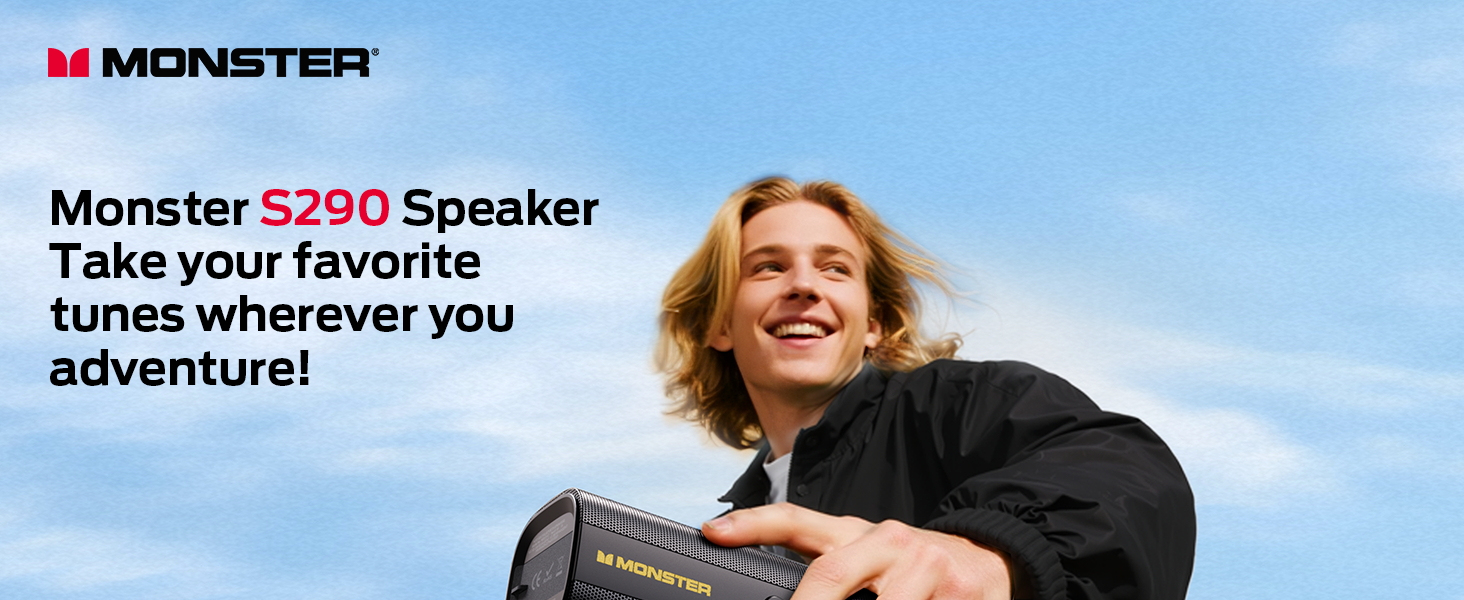
Image: The Monster S290 speaker, designed for portability, shown being carried by a person outdoors.
Eusi pakét
Pastikeun yén sadaya item anu didaptarkeun di handap kalebet kana pakét anjeun:
- Monster S290 Speaker x1
- AUX-IN Cable x1
- Kabel Ngecas USB-C x1
- Pitunjuk Mimitian Gancang x1
- Kartu Garansi x1
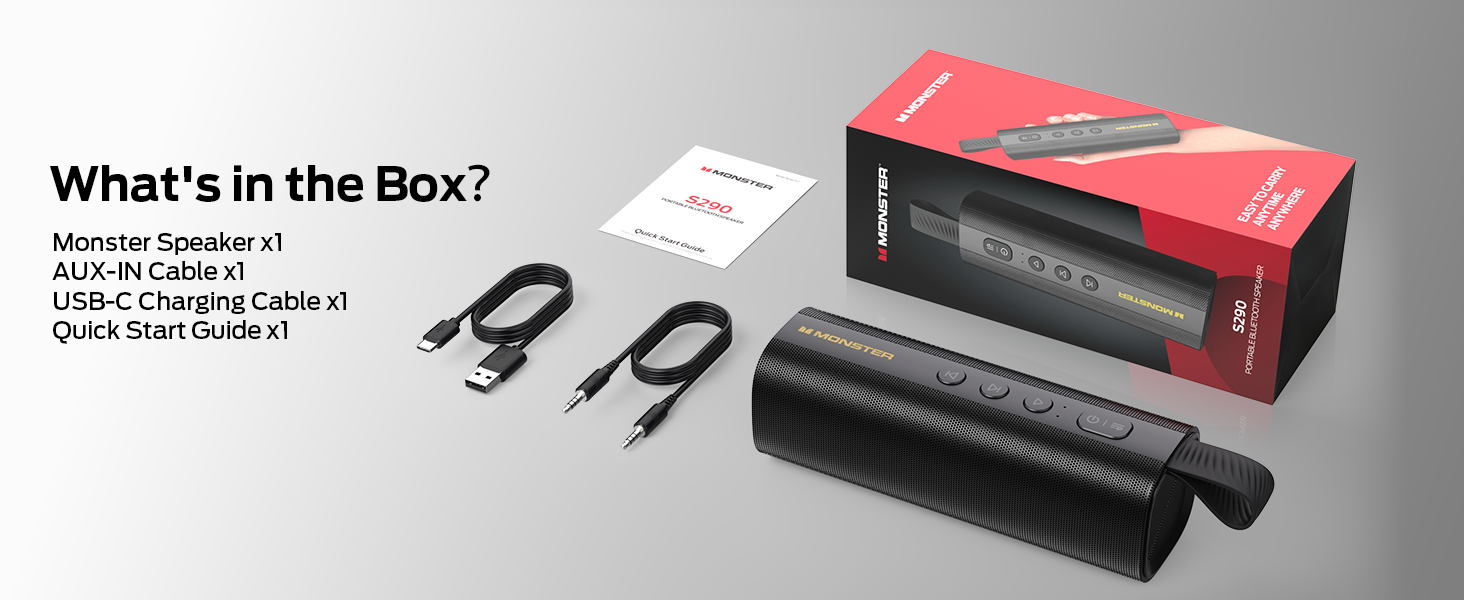
Image: A visual representation of the Monster S290 speaker and its included accessories: AUX-IN cable, USB-C charging cable, quick start guide, and warranty card.
Produk Leuwihview
Speaker Layout
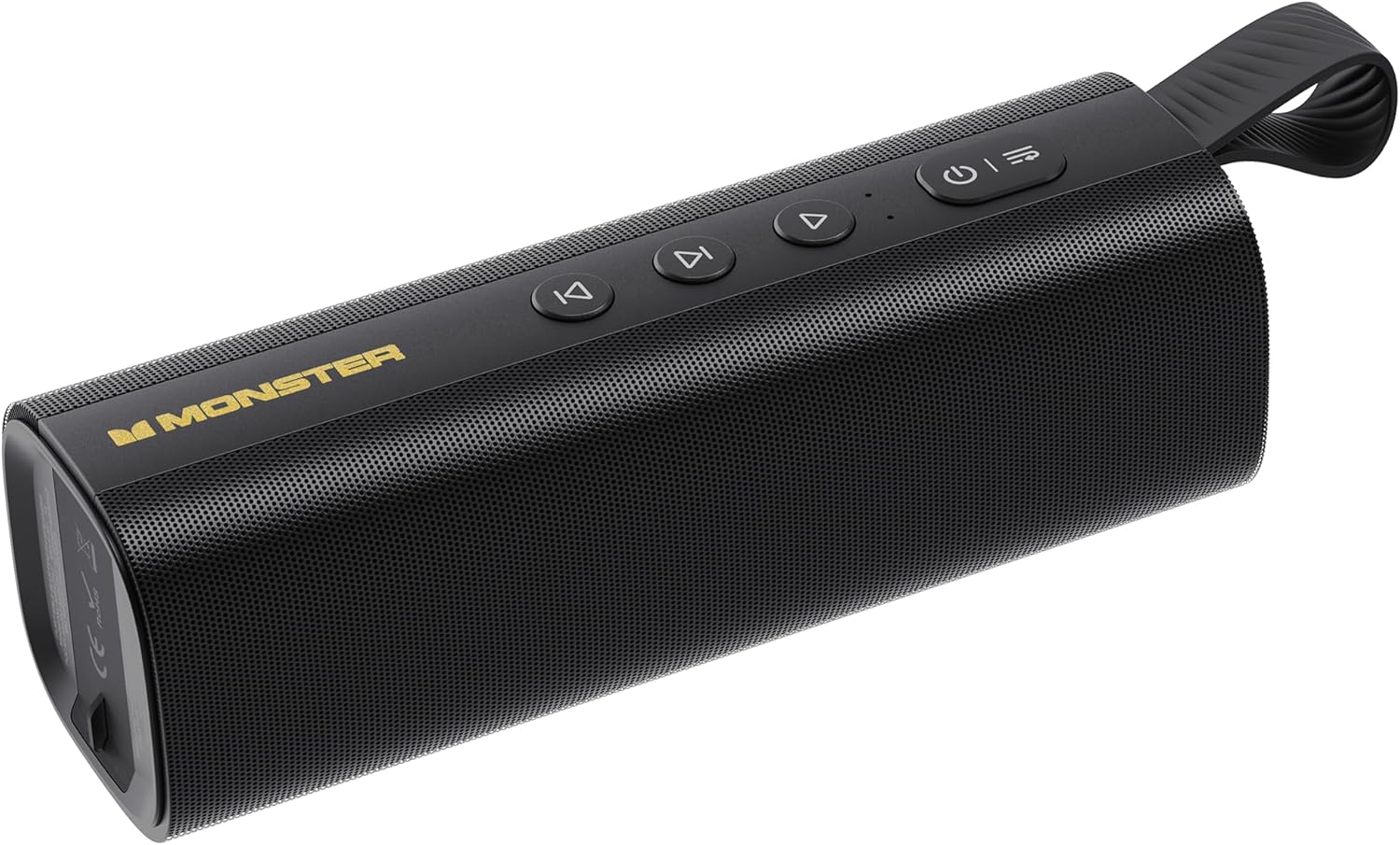
Image: The Monster S290 Portable Bluetooth Speaker, showcasing its cylindrical design, control buttons on top, and integrated carrying strap.
Tombol kontrol
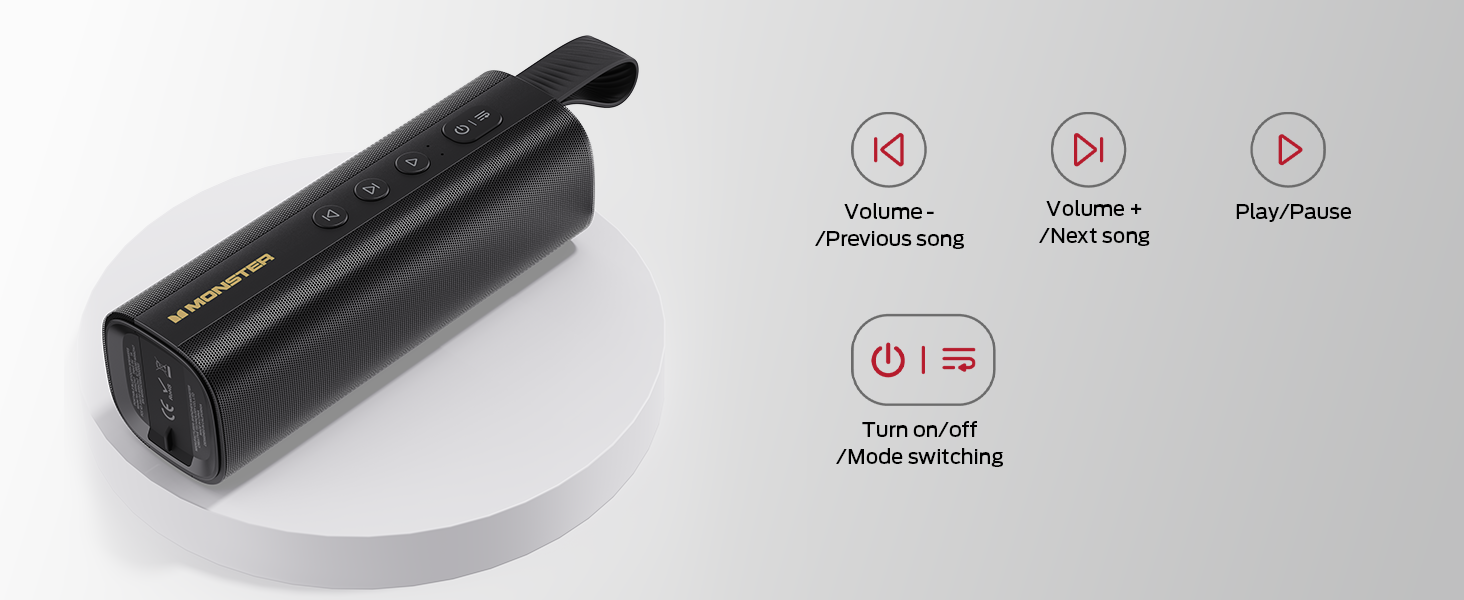
Image: A diagram detailing the functions of the speaker's buttons: Power On/Off/Mode Switching, Volume Down/Previous Song, Volume Up/Next Song, and Play/Pause.
- Tombol Daya (⏻): Press and hold to power on/off. Short press to switch between input modes (Bluetooth, AUX, TF Card, USB).
- Volume Down / Previous Song (⏮): Short press for previous song. Press and hold to decrease volume.
- Play / Pause (⏯): Short press to play or pause audio.
- Volume Up / Next Song (⏭): Short press for next song. Press and hold to increase volume.
Palabuhan Input

Gambar: A lengkep view of the speaker's connectivity panel, showing the TF card slot, USB port, USB-C charging port, and AUX-IN port, protected by a rubber flap.
- Slot Kartu TF: For playing audio directly from a MicroSD/TF card.
- Port USB: For playing audio directly from a USB flash drive.
- USB-C (DC 5V): Charging port for the speaker.
- AUX-IN: 3.5mm audio input for wired connection to devices.
Disetél
Ngecas Speaker
- Sambungkeun kabel ngecas USB-C anu disayogikeun ka port USB-C dina spéker.
- Sambungkeun tungtung kabel anu sanés ka adaptor kakuatan USB (teu kalebet) atanapi port USB komputer.
- Lampu indikator ngecas bakal hurung nalika ngecas sareng pareum nalika dicas pinuh.
- Muatan pinuh nyayogikeun kirang langkung 15 jam waktos maén.

Image: The Monster S290 speaker held in a hand, visually representing its extended battery life of up to 15 hours on a single charge.
Daya Hurung/Pareuman
- Pikeun Kakuatan: Pencét terus tahan tombol Daya (⏻) for approximately 2-3 seconds until you hear an audible prompt and the indicator light turns on.
- Pikeun Pareum: Pencét terus tahan tombol Daya (⏻) for approximately 2-3 seconds until you hear an audible prompt and the indicator light turns off.
Parentah Operasi
Ngapasangkeun Bluetooth (Speaker Tunggal)
- Ensure the speaker is powered on and in Bluetooth pairing mode (indicated by a flashing blue LED). If not, short press the Power button (⏻) to cycle through modes until Bluetooth mode is active.
- Dina alat sélulér anjeun (smartphone, tablet, jsb.), aktipkeun Bluetooth.
- Milarian pikeun available Bluetooth devices. You should see "Monster S290" in the list.
- Select "Monster S290" to connect. Once connected, the indicator light will turn solid blue, and you will hear a confirmation sound.
- Spéker bakal otomatis nyobian nyambung deui ka alat anu dipasangkeun terakhir nalika diaktipkeun.

Gambar: X-ray view of the Monster S290 speaker, emphasizing the integrated Bluetooth 6.0 chip for stable and efficient wireless connectivity.
TWS (True Wireless Stereo) Papasangan
TWS pairing allows you to connect two Monster S290 speakers together for a stereo sound experience.
- Pastikeun duanana speaker Monster S290 hurung sareng henteu nyambung ka alat Bluetooth naon waé.
- On one of the speakers (this will be the primary speaker), press and hold the Play/Pause button (⏯) for 2-3 seconds. You will hear a prompt indicating TWS pairing mode.
- The two speakers will automatically search for and connect to each other. Once connected, you will hear a confirmation sound, and the primary speaker's indicator light will flash, while the secondary speaker's light will be solid.
- Ayeuna, sambungkeun alat sélulér anjeun ka spiker primér liwat Bluetooth sakumaha anu dijelaskeun dina bagian "Pasangan Bluetooth".
- Audio ayeuna bakal diputer dina stereo ngaliwatan duanana speaker.

Image: Two Monster S290 speakers demonstrating TWS connectivity, allowing them to play audio in stereo from a single Bluetooth source.
Modeu AUX-IN
- Connect one end of the 3.5mm AUX-IN cable to the AUX-IN port on the speaker.
- Sambungkeun tungtung kabel nu sejen ka jack kaluaran audio alat Anjeun.
- Pencét sakeudeung tombol Daya (⏻) to switch to AUX mode. The speaker will announce "AUX mode".
- Kontrol playback sareng polumeu tina alat anu disambungkeun.
TF Card Playback Mode
- Lebetkeun kartu TF (MicroSD) anu nganggo audio files kana slot kartu TF.
- Pencét sakeudeung tombol Daya (⏻) to switch to TF Card mode. The speaker will announce "TF card mode" and begin playing audio.
- Use the speaker's control buttons for playback (Play/Pause, Next/Previous Song, Volume Up/Down).
Modeu Playback USB
- Selapkeun USB flash drive kalawan audio files kana port USB.
- Pencét sakeudeung tombol Daya (⏻) to switch to USB mode. The speaker will announce "USB mode" and begin playing audio.
- Use the speaker's control buttons for playback (Play/Pause, Next/Previous Song, Volume Up/Down).
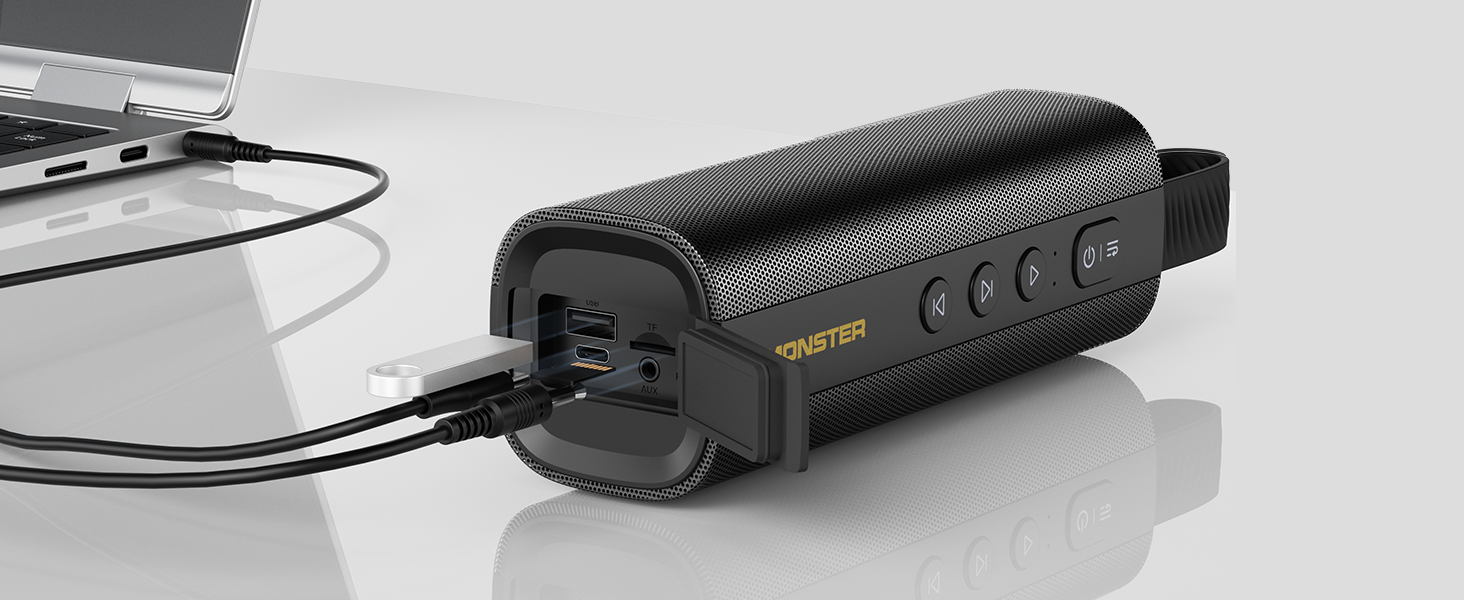
Image: The Monster S290 speaker connected to a laptop, illustrating its versatility with AUX, USB, and TF card input options.
Pangropéa
Tahan cai (IPX6)
The Monster S290 speaker features an IPX6 waterproof rating, meaning it is protected against high-pressure water jets from any direction. This makes it suitable for outdoor use and resistant to splashes, rain, and sweat.
- Ensure the rubber flap covering the charging and input ports is securely closed to maintain water resistance.
- Ulah beuleum speaker dina cai.
- After exposure to water, wipe the speaker dry with a soft cloth before charging or opening the port cover.

Image: The Monster S290 speaker positioned near a pool, illustrating its IPX6 waterproof capability, making it suitable for use in wet environments.
beberesih sarta Panyimpenan
- Ngabersihan spéker ku hipu, damp lawon. Ulah make cleaners abrasive atawa pangleyur.
- Simpen spéker dina tempat anu tiis sareng garing jauh tina sinar panonpoé langsung sareng suhu anu ekstrim.
- Upami disimpen kanggo waktos anu lami, ngecas batréna sacara berkala pikeun ngajaga kasehatanana.
Pamérésan masalah
| Masalah | Mungkin Cukang lantaranana | Solusi |
|---|---|---|
| Speaker teu hurung. | batré lemah. | Ngecas spéker nganggo kabel USB-C anu disayogikeun. |
| Taya sora. | Volume too low on speaker or connected device. Incorrect input mode. | Increase volume on both speaker and device. Ensure correct input mode is selected (Bluetooth, AUX, TF, USB). |
| Teu bisa masangkeun via Bluetooth. | Speaker not in pairing mode. Device Bluetooth is off. Speaker already connected to another device. | Ensure speaker is in Bluetooth pairing mode (flashing blue LED). Turn on Bluetooth on your device. Disconnect from other devices or restart the speaker. |
| Papasangan TWS gagal. | Speakers are too far apart. One speaker is already paired to a device. | Ensure speakers are within 10 meters of each other. Disconnect both speakers from any Bluetooth devices before initiating TWS pairing. |
| Kualitas sora henteu saé. | Low battery. Device too far from speaker (Bluetooth). Interference. | Charge the speaker. Move device closer to the speaker. Avoid obstacles between device and speaker. |
spésifikasi
- Ngaran modél: S290 (Item Model Number: S38)
- merek: Monster
- Vérsi Bluetooth: 6.0
- Kaluaran Audio: 30W
- Waktu maén: Up to 15 hours (varies by volume and content)
- Peunteun waterproof: IPX6
- Input Interfaces: Bluetooth, AUX-IN, TF Card, USB
- Port ngecas: USB-C (DC 5V)
- Batré: 1 batré A (kaasup)
- Dimensi produk: 2.36 x 7.24 x 2.68 inci
- Item Beurat: 1.08 pon
- Bahan: Palastik
- Warna: Hideung
Garansi sareng Rojongan
The Monster S290 Portable Bluetooth Speaker comes with a warranty. Please refer to the included "Warranty Card" for detailed terms and conditions. For further assistance or technical support, please consult the "Quick Start Guide" or visit the official Monster support websitus.
Simpen resi pameseran anjeun salaku bukti pameseran pikeun klaim garansi.


